Qwen Image 2.0: Generate, Edit, and Deliver Stunning Images
Alibaba's image models have been popular for a while now. The first versions of Qwen Image already had a solid following. Now Qwen Image 2.0 is here and it's a real step up. So what exactly does this model do? And what makes it worth paying attention to? Let's get into it. What Is Qwen Image 2.0? Qwen Image 2.0 is Alibaba's latest image model. It comes with four different models inside, offering both pro and standard options for image generation and image editing. You can generate a visual fr
Alibaba's image models have been popular for a while now. The first versions of Qwen Image already had a solid following. Now Qwen Image 2.0 is here and it's a real step up. So what exactly does this model do? And what makes it worth paying attention to? Let's get into it.
What Is Qwen Image 2.0?
Qwen Image 2.0 is Alibaba's latest image model. It comes with four different models inside, offering both pro and standard options for image generation and image editing. You can generate a visual from a single word if you want, or take an existing image and edit it. Both work inside the same model family.
On the technical side, a few things stand out. The model supports native 2K resolution, so the outputs aren't just large, they're genuinely detailed. It has professional typography support, meaning text inside images comes out clean and accurate. The unified generation and editing architecture means you're not jumping between separate tools. And the lighter architecture makes inference noticeably faster than you'd expect.
How Qwen Image 2.0 Works
Text to Image: Prompt Accuracy Matters
For any text to image model, two things matter most: how realistic the output looks, and how well it actually follows your prompt. Qwen Image 2.0 handles both really well.
Whatever details you put into your prompt, the model picks them up. You can go broad or extremely specific either way it follows through. And when it comes to placing text inside images, this is where most models fall apart. Letters get distorted, words drift, punctuation disappears. Qwen Image 2.0 is different. We tested it by generating the Eachlabs logo as if it were displayed in the New York Times. The result?
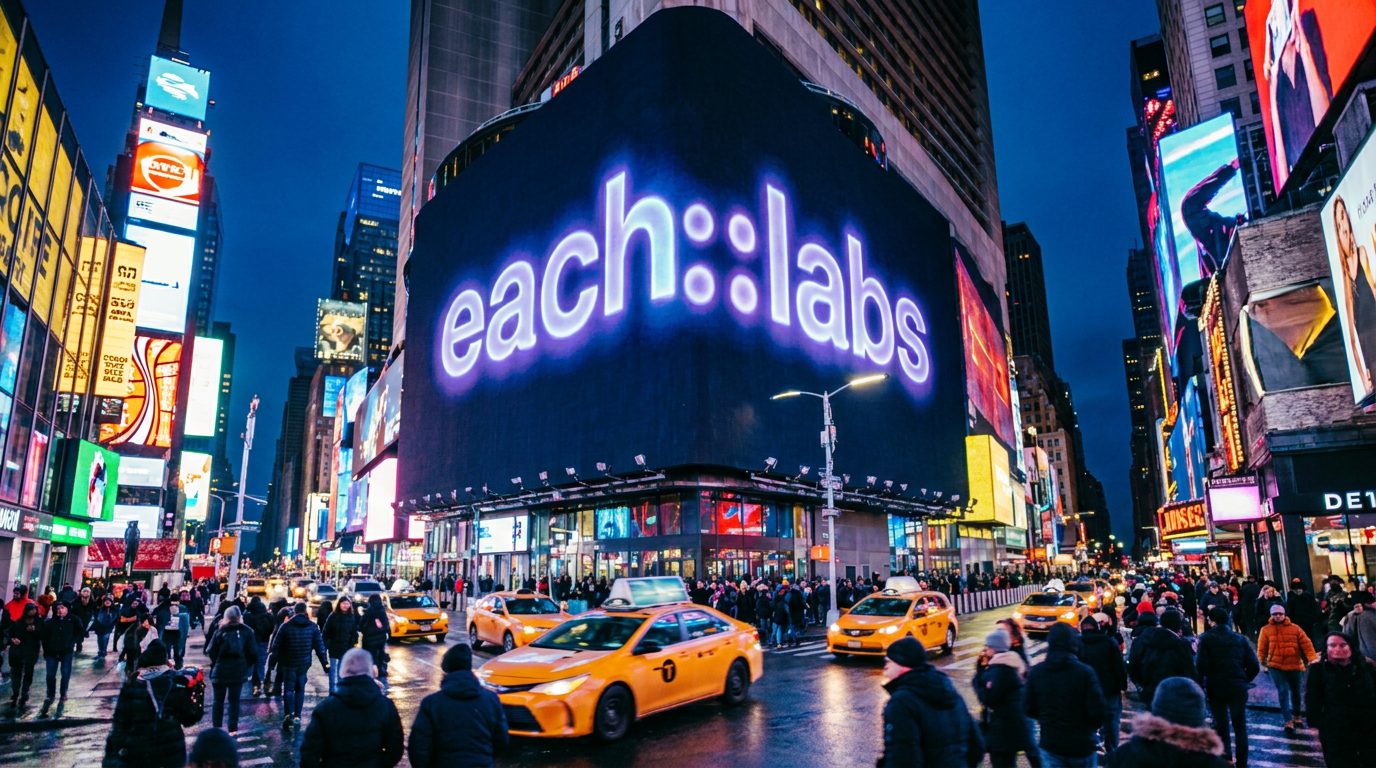
Every detail was intact, including the "::" dots in the logo. That level of text fidelity is rare.
Image Editing: Only What You Ask Changes
With image to image models, what matters most is simple: don't touch what wasn't supposed to change. Faces should stay intact. Environmental details should hold. The overall feel of the original image should carry through.
We tested this by swapping the furniture in a living room using Qwen Image 2.0's edit model. Everything else in the room stayed exactly the same. Only the furniture color and style changed. That's exactly what a good edit model should do.
Before:

After:

E-Commerce and Visual Try-On
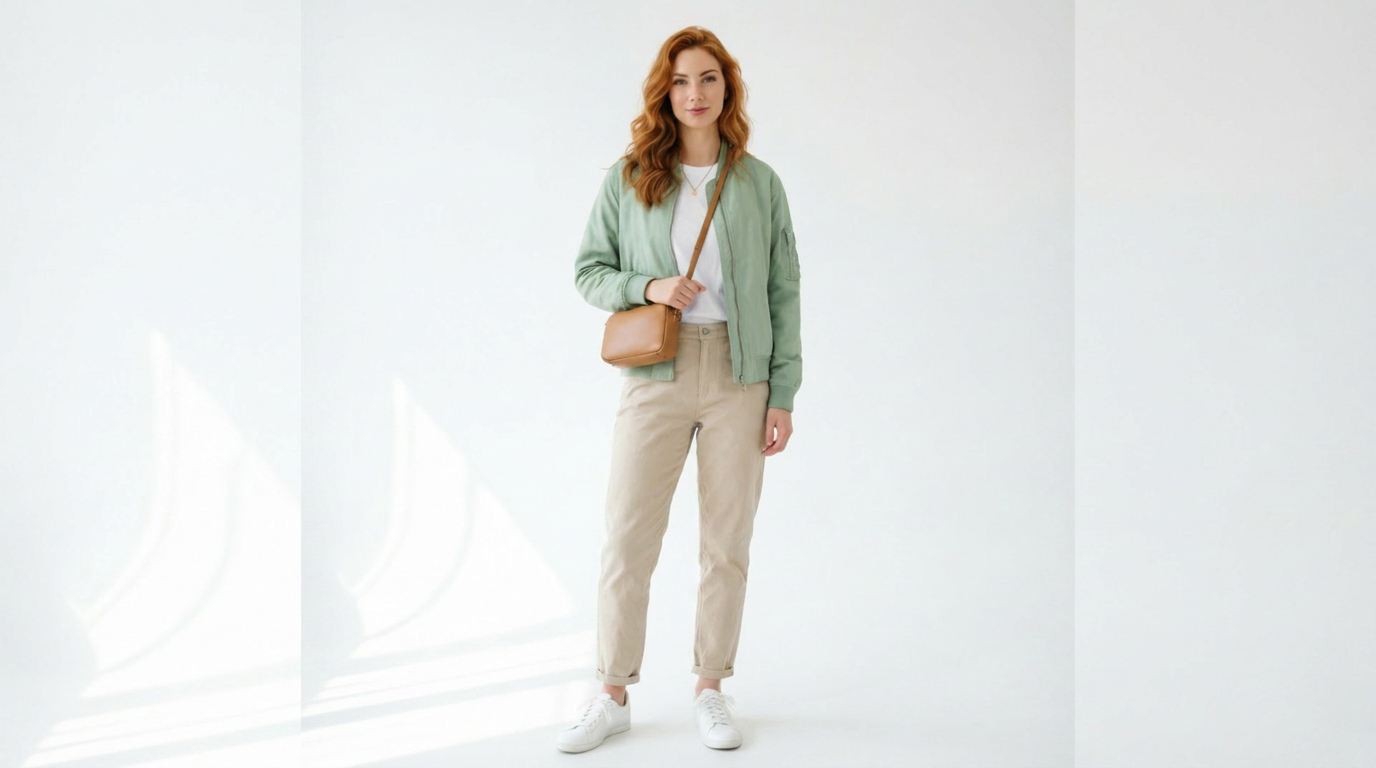
You can use the Qwen Image 2.0 edit model for more than just creative editing. It's genuinely useful for e-commerce product shoots. The model pays close attention to input details. We tested this with a virtual try-on on a model, and it dressed her in the outfit we specified without removing her necklace, without distorting her face, without touching anything that wasn't part of the brief. The output looked like a professional studio shoot. That's a real time and cost saving.
Speed: Four Outputs at Once
We're racing against time in the AI world. Every day there's new content, new models. Keeping up isn't enough if you're a content creator, you also need to produce fast. Qwen Image 2.0 helps with that. It delivers your image in seconds. And if you want to explore different directions, just increase the number of images input. You can get up to four outputs at once, all within seconds.
Key Features of Qwen Image 2.0
2K Native Resolution
The model generates at native 2K — not upscaled from a lower resolution. Fine details stay sharp at full size. This matters for anything professional: print, large display, high-res digital content.
Flawless Text Rendering
Most models struggle with text inside images. Qwen Image 2.0 doesn't. Logos, taglines, typographic compositions — they come out legible and accurate. Even fine punctuation like the "::" in a logo survives the generation.
Unified Generation and Editing
Having generation and editing under the same model architecture keeps your workflow consistent. You don't need to switch tools or deal with style inconsistencies between what you generated and what you edited. It all stays coherent.
Lighter Architecture, Faster Inference
Faster doesn't mean lower quality here. The lighter architecture means Qwen Image 2.0 delivers high-quality outputs without making you wait. Combined with multi-output support, iteration is quick.
Pro and Standard Options
The model offers both standard and pro tiers across generation and editing. Standard is fast and works well for drafts and exploration. Pro brings the full resolution and detail fidelity for final deliverables.
Real-World Use Cases
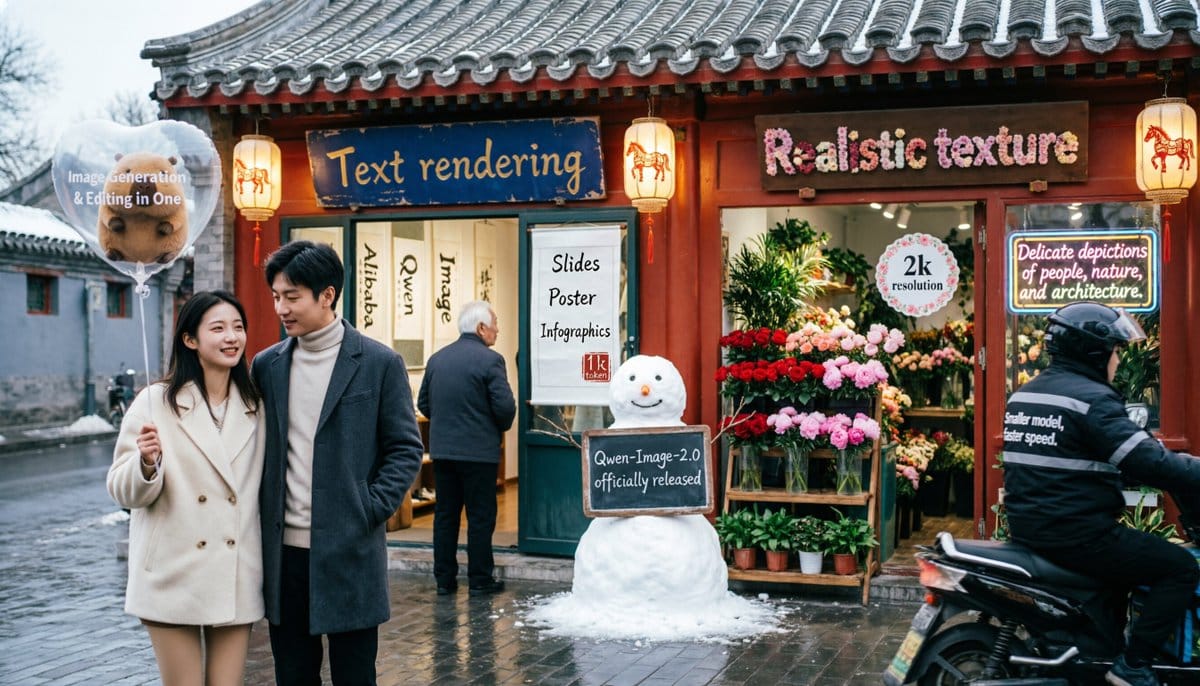
Qwen Image 2.0 covers a wide range of practical uses and this is where the model actually earns its place.
For content creators, the speed and multi-output capability change how you work. Instead of going back and forth on a single result, you pull four variations at once and pick the one that fits. Way faster.
For e-commerce brands, the image editing side is especially useful. You can take a product photo and change its environment, background, or styling without touching the product itself. The details stay intact.
For fashion and apparel, the virtual try-on use case is worth calling out specifically. Studio shoots are expensive and slow. Qwen Image 2.0 lets you dress a model in your garment, accessories and all, and get a result that looks like it came out of a professional studio. Real time savings, real cost savings.
For designers, the text rendering quality means you can use real copy in mockups instead of placeholder text. Client reviews move faster when what you're showing actually looks like the finished thing.
Qwen Image 2.0 vs. Qwen Image 1.0
The version of Qwen Image was good. That is why people liked it and used it. They even built their ways of working with it. It was not broken so it did not need to be fixed. But Qwen Image 2.0 came out to make things even better. The differences are big enough to notice.
The biggest change you can see is the resolution. The old version was okay. Qwen Image 2.0 can make pictures that are really clear and detailed. When you look at a picture from the version and one from Qwen Image 2.0 side by side you can see the difference right away. The details of the fabric the buildings and the colors are much better in Qwen Image 2.0. If you make pictures that will be printed or shown in a size this is a big deal.
Another area where Qwen Image 2.0 is better is with text. The old version was okay. It was not perfect. You could put text in a picture. Sometimes it would not look right. This was a problem if you were working with logos or pictures that had to look perfect. Qwen Image 2.0 makes the text look much better. We tried it with the Eachlabs logo. It looked great. This is a deal, for anyone who works with brands.
The way Qwen Image 2.0 is built is also new and better. Before making a picture and editing it felt like two things. Now both things use the underlying system so the pictures look consistent. If you make a picture and then edit it it will still look good. This is a deal if you make pictures and then edit them.
The last thing is speed. Usually when a program gets better it also gets slower. But Qwen Image 2.0 is faster. It can make four high-quality pictures in a few seconds. This is something the old version could not do. Qwen Image 2.0 is better and faster. That is why it is worth the new version number.
| Qwen Image 1.0 | Qwen Image 2.0 | |
|---|---|---|
| Resolution | Standard output | Native 2K |
| Text rendering | Functional | Reliable |
| Architecture | Separate generation / editing | Unified |
| Inference speed | Slower | Faster |
| Multi-output | Limited | Up to 4 at once |
How to Use Qwen Image 2.0 on Eachlabs
Qwen Image 2.0 is available on Eachlabs right now, all models, both standard and pro, for both generation and editing.
Head to the Qwen Image 2.0 model page. Choose whether you're generating from a prompt or editing an existing image. If you're generating, write your prompt with as much detail as your output needs. If you want text in the image, be explicit about what it says and where it goes. For editing, upload your source image and describe exactly what should change.
To get multiple variations, increase the number of images input before you run it. Up to four outputs, all at once. If you want API access to integrate Qwen Image 2.0 into your own workflow or application, that's available through Eachlabs too.
Tips for Getting the Best Results
Be explicit about text in your prompt
Qwen Image 2.0 handles text well, but you need to tell it what to write, where to place it, and in what style. "A logo with the word EACHLABS in the top left in white bold sans-serif" will always beat "a logo with some text."
In edit mode, name what should stay the same
The model is good at preserving what you don't mention, but if there's something you definitely don't want touched (a face, a logo, a specific detail), say so. It sharpens the output.
Use pro for final deliverables
Standard is fast and great for exploration. Pro is for when the output needs to be presentable, printable, or client-ready. The resolution difference is visible, and at 2K it's the kind of detail that holds up whether you're sending a file to print or presenting it on a large screen.
Start with four outputs
Don't iterate on a single result. Pull four variations from the start, pick the closest one, and refine from there. With Qwen Image 2.0, this takes seconds.
Wrapping Up
Qwen Image 2.0 is a model that actually delivers on what it promises. Fast generation, accurate text rendering, detail-preserving edits, and a pro tier that's ready for professional output. Whether you're a content creator, an e-commerce brand, or a designer who needs reliable visuals fast, it's worth trying. You can start using Qwen Image 2.0 on Eachlabs right now.
Frequently Asked Questions
How do I get API access to Qwen Image 2.0?
Head to Eachlabs for API access. From the model page you can find everything you need to integrate Qwen Image 2.0 into your own applications and pipelines directly.
Are all Qwen Image 2.0 models available right now?
All of them are live on Eachlabs — text-to-image and image editing, standard and pro. You can start using any of them today.
Can Qwen Image 2.0 generate multiple variations from the same prompt?
Yes. Just increase the number of images input before running your generation. Qwen Image 2.0 can return up to four different outputs from the same prompt, all within seconds. It's the fastest way to explore directions without rewriting your prompt each time.