Krea 3 vs Krea 2: We Ran Both. Here's When to Use Each
We ran the same prompts through Krea 2 Large and Krea 3 on each::labs, then edited a Krea 2 image with Krea 3. One explores, the other finishes. Here's the split.
By Eftal Yurtseven · Nov 9, 2026 · 8 min read
Two models from the same company, same aesthetic DNA, and a search box full of people asking which one to open. That's the Krea 3 vs Krea 2 question, and the answer you'll usually read is "the new one, obviously". It's wrong often enough to cost you a morning.
So we stopped guessing. We ran the same prompts through Krea 2 Large and Krea 3 on each::labs, then handed a Krea 2 image to Krea 3 for an edit. The short version: they aren't rivals. One explores, the other finishes. Here's what we saw, what Krea itself says about each, and how to split the work between them.
Krea 3 vs Krea 2: The Short Answer
Use Krea 2 when you don't know what the picture should look like yet. Use Krea 3 when you do, and the job is to make it exact, change it, or build it around a product that can't move.
That isn't our framing alone. When Krea introduced Krea 3 on October 15, it called it its new image editing model and pitched it on speed and consistency: most edits under 8 seconds end to end at native 2K, with products and characters that stay put. Krea 2 was built around a different obsession. We called it an image model with actual taste because it treats a prompt as a starting point to range across, not a spec to play safe against.
Those are two different jobs. Our tests made the line between them very clear.
What Each Model Actually Is on each::labs
Krea 2 comes in three sizes. Krea 2 Medium Turbo is the fast explorer, Krea 2 Medium is the everyday default, and Krea 2 Large is the one you render keepers on. All three are text-to-image. The controls that make Krea 2 personal are a creativity setting (raw, low, medium or high, for how loosely it reads your prompt) and up to 10 style references, each with a strength from -2 to 2. Negative strength pushes the output away from a reference, which is still one of the most useful controls in any image model.
Krea 3 lives on one page, Krea 3 Image Edit, and does more than the name suggests. Give it one image and it edits it. Give it two to eight and it combines them, a product and a scene for example. Give it none and it generates from the prompt alone. A thinking mode decides how much it plans first: fast (about 3 to 8 seconds per the each::labs schema), high (about 10 to 30) or ultra, which only runs at 2K. Output is 2K by default, with 1K for previews, across ten aspect ratios.
Notice what's missing from each. Krea 2 has no edit input. Krea 3 has no style reference strengths, and Krea's own posts list style references and LoRA training for Krea 3 as coming soon. That gap alone settles a lot of Krea 3 vs Krea 2 decisions.
Test 1: An Open Prompt, Where Krea 2 Still Has the Eye
We started with the kind of brief Krea 2 was made for: loose, visual, a little surreal.
A woman in a sculptural tangerine coat standing on a pastel salt flat, soft hazy morning light, a single floating white umbrella above her, film grain, editorial fashion photo.
Krea 2 Large, creativity high, 4:5. Krea 3, fast thinking, 1K, 4:5. Same words, no references.
Krea 2 made a decision. It shot her in profile, off-center, in a coat that pools around her like poured paint, with the umbrella hanging in the warm sky like an idea she hasn't had yet. Warm analog color, a low horizon, real grain. It looked like a photographer had chosen the angle.
Krea 3 made a correct image. Centered, frontal, symmetrical, a coat with dramatic sculpted shoulders, a cool lavender sky and cracked salt underfoot. Every noun in the prompt was there and clearly placed. It was also the safer picture, and the coat drifted from tangerine toward peach.
Neither is a failure. But if you're building a moodboard or a campaign look from nothing, Krea 2's willingness to interpret is the feature you came for. Krea 3 read the brief. Krea 2 had an opinion about it.
Test 2: A Precise Product Brief, Where Krea 3 Reads Every Word
Then we flipped the job. A layout with an order, a label and three named objects.
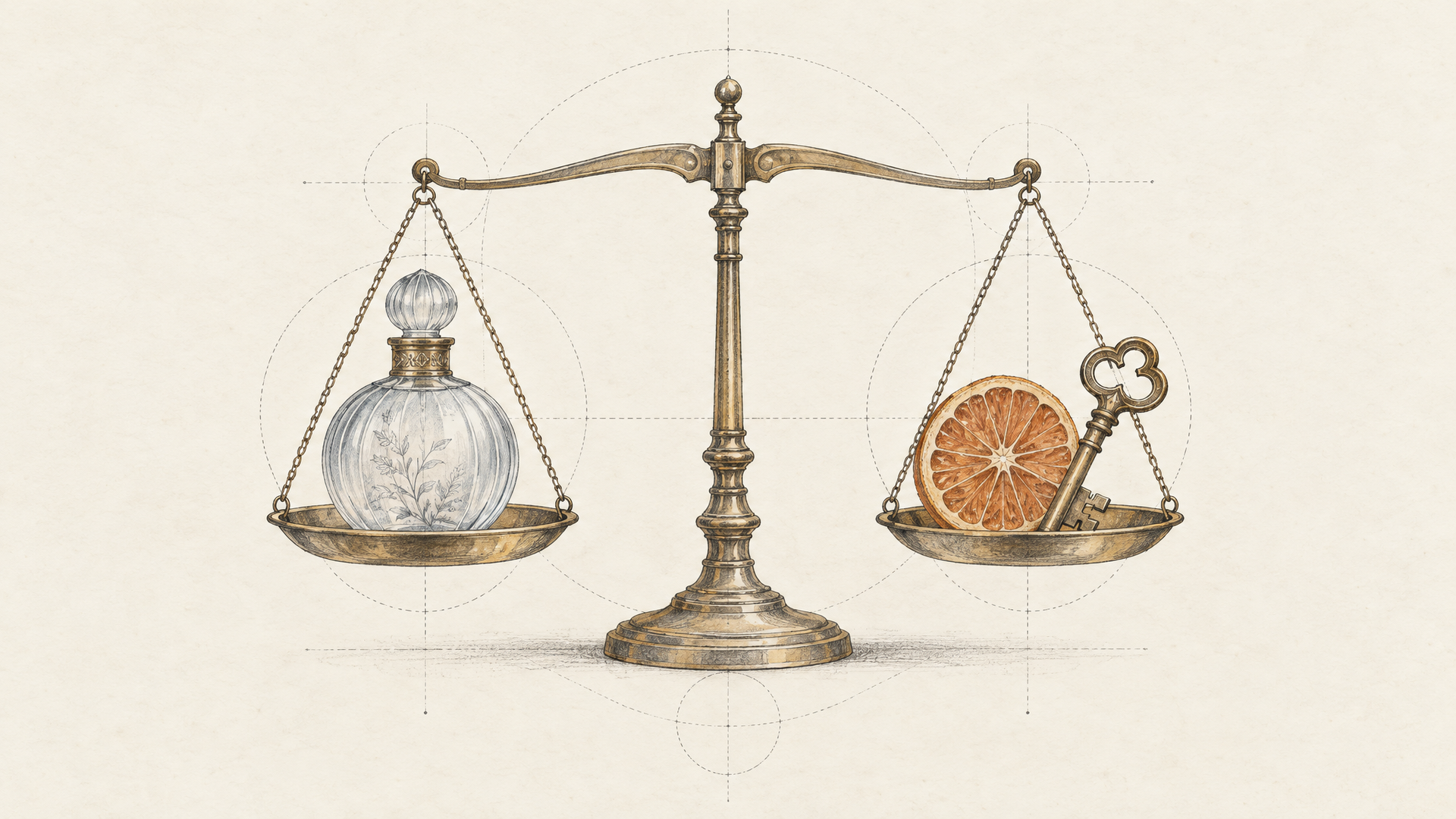
A product photo on a seamless sand-colored backdrop: from left to right, a frosted glass perfume bottle with a small cream label reading "SOLSTICE", a brass key, and a dried orange slice. Soft top light, gentle shadows, square frame.
We ran Krea 2 Large at creativity low, its most literal useful setting, and Krea 3 on high thinking at 1K.
Krea 2 nailed the label. "SOLSTICE" was spelled right and set cleanly on the bottle, the brass key sat next to it, and the composition was bold and tight. Then, in third place, it swapped the dried orange slice for a blue crystal. Beautiful object. Wrong object.
Krea 3 got all three, in the right order, with the label spelled right. The trade was composition: the objects sat small in a wide field of backdrop, and the sand color leaned peach. That's a framing note you fix in one follow-up edit. A missing product is a reshoot.
This is the pattern to remember. Krea 2's creativity doesn't fully switch off, even at low. When a brief is a checklist, Krea 3 is the one that checks every box.
Test 3: Krea 3 Editing a Krea 2 Image
The most useful result of the day wasn't a head-to-head at all. We took Krea 2's tangerine-coat image and sent it to Krea 3 with one instruction.
Change only the coat to deep cobalt blue. Keep the woman, her pose, the umbrella, the salt flat, the light and the framing exactly as they are.
Fast thinking, 1K. It came back with the coat in a saturated cobalt and everything else where Krea 2 had put it: the profile, the folds of the fabric, the floating umbrella, the warm horizon, the shadow on the salt. Same picture, one decision changed.
That's the real answer to Krea 3 vs Krea 2. It's Krea 2 then Krea 3. Let Krea 2 find a look you'd never have prompted on purpose, then let Krea 3 make the revisions without sanding off what made it good. Krea describes Krea 3 as building on Krea 2's aesthetic diversity and personalization, and in practice the handoff felt exactly like that.
Speed: What We Measured End to End
Speed is where the two models feel like different generations, so here's only what we timed, end to end on each::labs with the queue included, one run each. Krea 2 Large took about 42 seconds for each of its two images. Krea 3 on fast thinking came back in about 9 seconds, both for the text-only image and for the edit. Krea 3 on high thinking took about 25 seconds for the product brief. All Krea 3 runs were at 1K.
A handful of runs is not a benchmark, and a busy minute can double any number. Still, the shape matches what both sides say. Krea says most Krea 3 edits finish in under 8 seconds at 2K on its own platform, and the each::labs schema puts fast at about 3 to 8 seconds. If you need Krea 2's look at speed, that's what Krea 2 Medium Turbo is for. If you need the revision loop to keep pace with a client call, it's Krea 3 on fast.
When to Use Krea 2
Reach for Krea 2 when the brief is a feeling. Mood boards, campaign concepts, editorial looks, album art, anything where "surprise me, but tastefully" is the actual request. Set creativity to high to see the range, then drop it once a direction appears, and save the seed of anything you like.
It's also still the model for a locked house style today. Feed it five to ten images that carry your brand's look at positive strength, and one or two you never want at negative strength. Until Krea 3 ships style references, that steering is something only Krea 2 offers on each::labs.
And it's the honest choice when you'll pick one image out of several and throw the rest away. Krea 2 gives you real alternatives. That's worth more than precision when you don't yet know what precise should mean.
When to Use Krea 3
Reach for Krea 3 the moment a picture has to stay a specific picture. Product shots where the label can't melt. A character who has to be the same person in a new scene. Layout briefs with an order, a count and a word that has to be spelled right. And every revision after the first approval.
Write the prompt the way the each::labs schema asks: say what must change and what must stay the same, and refer to inputs by position ("the bottle from the first image"). Keep fast as your default, move to high when one edit stacks several changes, and save ultra for final composites built from several references. Our Krea 3 prompting guide covers the wording, and our look at Krea 3 Ultra explains when the slow mode earns its wait.
Build the Krea 2 to Krea 3 Pipeline
Once you see the two models as stages, the workflow writes itself. Explore on Krea 2 Medium Turbo or Medium with creativity high. Render the winning direction on Krea 2 Large. Pass that image to Krea 3 on fast for each round of notes, one change per edit, always from the latest approved version. Finish anything reference-heavy on high or ultra at 2K.
On each::labs that's four calls to one API with one key, and it fits neatly into an each::labs flow so nobody has to move files by hand. When the still is final, send it to one of the image to video models for motion. If you want to compare against other editors before you commit, our guide to the best AI image editing models puts Krea 3 next to the rest of the field, and the full text to image catalog is one model id away.
Frequently Asked Questions
Is Krea 3 better than Krea 2?
Better at different things. In our runs Krea 3 followed precise briefs more faithfully and edited a Krea 2 image without disturbing it, while Krea 2 produced the more distinctive, art-directed image from an open prompt. Pick by the job, not the version number.
Krea 3 vs Krea 2: which is faster?
Krea 3 by a wide margin in our tests: about 9 seconds on fast thinking against about 42 seconds for Krea 2 Large, end to end on each::labs with the queue included. Krea 2 Medium Turbo is the quick option inside the Krea 2 family.
Can Krea 3 use style references like Krea 2?
Not yet. Krea 2 on each::labs takes up to 10 style references with positive or negative strength. Krea's own posts list style references and LoRA training for Krea 3 as coming soon, so for now Krea 3 carries style through the input images and the prompt.
Can I edit a Krea 2 image with Krea 3?
Yes, and it's the workflow we'd recommend. Send the Krea 2 image to Krea 3 Image Edit, name the one change, and list what must stay. In our test it recolored a coat and left the pose, light and framing untouched.