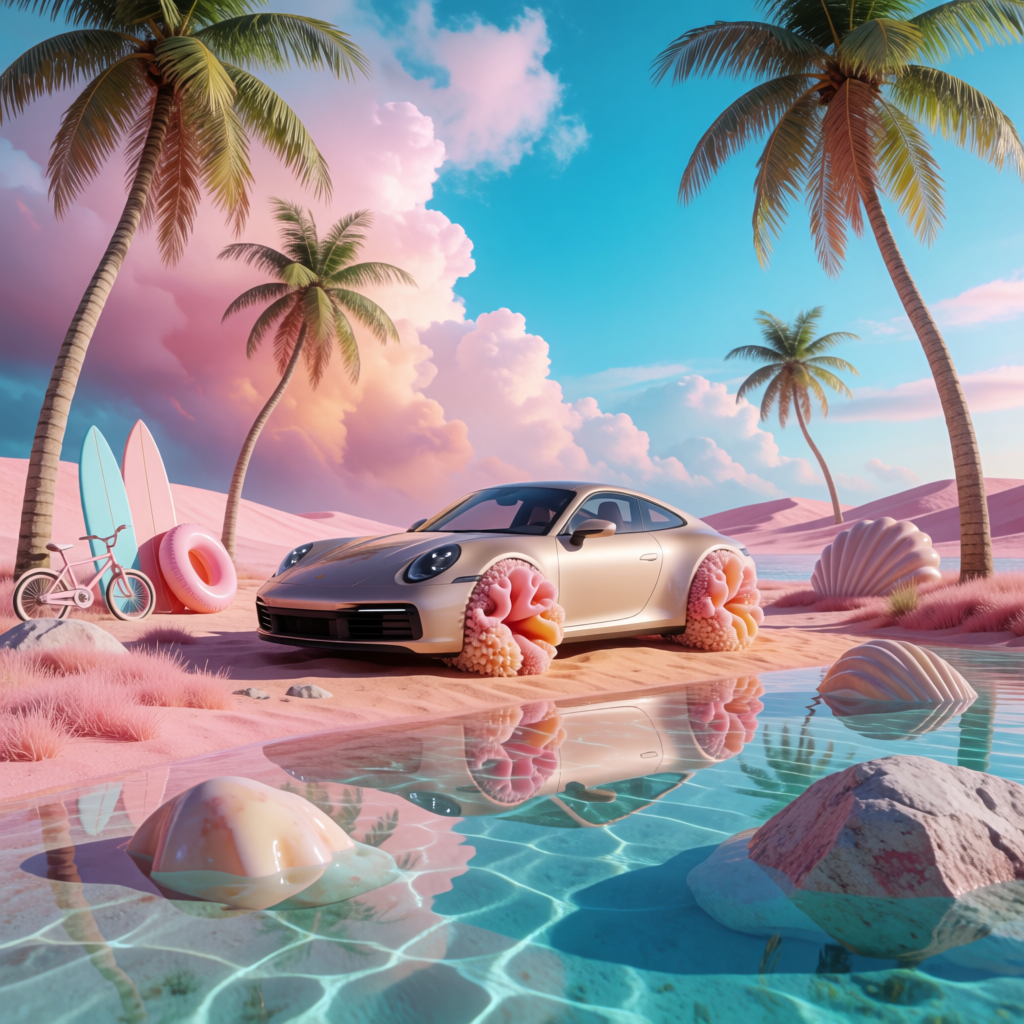
Krea 2 | Medium | Turbo | Text to Image
Krea 2 Medium Turbo generates high-fidelity images from text in seconds, with aspect ratio, creativity, and style-reference controls for fast visual ideation.
- Runtime (p50)
- 25s
- Estimated price
- $0.015–$0.0175 per image, depending on style references
Overview
Krea 2 | Medium | Turbo | Text to Image Overview
Krea 2 | Medium | Turbo | Text to Image is a fast, creative text-to-image generation model from Krea’s krea v2 family, designed for real-time visual experimentation and high-iteration workflows. It converts natural language prompts into detailed images, helping creators, designers, and marketers explore visual concepts in seconds rather than minutes. Built around Krea’s focus on live, fluid image generation and granular control, this model balances speed with quality for everyday production tasks. On each::labs, Krea 2 | Medium | Turbo | Text to Image is ideal when you need rapid visual ideation, continuous prompt tweaking, and a responsive text-to-image API that fits into modern design and creative pipelines.
Capabilities
Capabilities
- Generates detailed images directly from natural language prompts with a focus on fast turnaround.
- Supports multiple aspect ratios, making it useful for social posts, presentation slides, and concept boards.
- Handles a wide range of visual styles, from painterly illustrations to more graphic, design-driven outputs.
- Well suited for iterative workflows, enabling rapid prompt tweaking and quick visual comparison between variations.
- Works effectively for concept art, character ideas, product mockups, and atmospheric environments.
- Integrates cleanly into backend workflows via the Krea 2 | Medium | Turbo | Text to Image API on each::labs.
- Offers control through parameters (such as guidance or style strength where exposed) for balancing creativity and prompt adherence.
- Performs reliably for everyday web-ready resolutions that can later be refined or upscaled.
Use cases
Use Cases for Krea 2 | Medium | Turbo | Text to Image
Designers and art directors: Quickly explore visual directions for campaigns or interfaces by generating multiple style variations. Example prompt: “mobile app home screen UI concept, minimalist, pastel colors, neumorphism style”.
Content and social media marketers: Produce on-brand visuals for posts and ads when stock imagery is too generic. Example prompt: “flat illustration of diverse remote team collaborating online, friendly, brand-safe colors”.
Game and concept artists: Ideate characters and environments using rapid iterations. Example prompt: “dark fantasy forest with glowing runes, volumetric fog, detailed concept art”.
Developers and product teams: Embed the Krea 2 | Medium | Turbo | Text to Image API into internal tools to auto-generate mock visuals or placeholders. Example prompt: “simple 3D-style icon of a cloud server, blue gradient, high contrast”.
Tips & tricks
Tips and Tricks
To get the most from Krea 2 | Medium | Turbo | Text to Image, start with clear, concise prompts that define subject, style, lighting, and composition. Describe what you want and use negative phrasing for what to avoid when the API supports negative prompts. Iterate in small steps: adjust style words, color schemes, or camera angles one at a time to see how the model responds. Use explicit aspect-ratio hints in your text if you need a specific framing. For stylized artwork, reference genres or mediums (“oil painting”, “vector flat illustration”, “cyberpunk concept art”). Example prompts: “cinematic portrait of a space explorer, soft rim lighting, 35mm lens, ultra detailed”, “isometric illustration of a cozy coffee shop interior, warm palette, clean vector style”, “product hero shot of a wireless headset on gradient background, studio lighting, minimalistic composition”.
Technical spec
Technical Specifications
- Model provider: Krea, krea v2 family (text-to-image focus).
- Task type: Text-to-image generation via natural language prompts.
- Typical resolution: Optimized for common web and design resolutions (e.g. square and standard aspect ratios); higher resolutions can be upscaled downstream if needed.
- Aspect ratios: Supports multiple aspect ratios such as square, portrait, and landscape, selectable via parameters.
- Inputs: Text prompt, negative prompt (optional), guidance and style parameters where exposed by the Krea 2 | Medium | Turbo | Text to Image API.
- Outputs: Raster images suited for web, social, and concept art workflows.
- Performance: “Turbo” tier tuned for low-latency, high-iteration generations suitable for interactive usage.
- Architecture: Based on a modern diffusion-style image generation backbone with Krea’s real-time optimization layer.
Things to be aware of
Things to Be Aware Of
Like many diffusion-based generators, Krea 2 | Medium | Turbo | Text to Image can occasionally misinterpret ambiguous prompts or mix multiple concepts unexpectedly. Highly complex scenes with many characters or small text elements may require multiple iterations and refined wording. You should avoid relying on it for exact logo reproduction or legally sensitive likenesses. Model behavior can differ across styles, so a prompt that works for “anime” may not translate directly to “photorealistic.” When integrating via each::labs, monitor request volume and latency to keep interactive experiences responsive.
Key considerations
Key Considerations
Krea 2 | Medium | Turbo | Text to Image is best when you need fast, iterative image generation rather than single-shot photorealism at extreme resolutions. Because it is designed for rapid feedback, you should plan to refine prompts and parameters progressively to converge on a final look. It is well suited for concept art, mood boards, and marketing visuals where flexibility and experimentation matter. For highly specialized domains or strict brand-photo realism, you may want to pair it with post-processing tools or additional upscaling. Using it through each::labs also lets you integrate it with other models in a larger creative pipeline.
Limitations
Limitations
Krea 2 | Medium | Turbo | Text to Image is not optimized for ultra-high-resolution, print-ready imagery out of the box and may need additional upscaling. It may struggle with accurate embedded text, small UI copy, or precise branded elements. Photoreal human faces and complex anatomical poses can sometimes show artifacts or distortions. As a text-to-image system, it does not process video, audio, or advanced image-editing tasks directly and should be combined with other tools for those workflows.
Related models
4 models
About Krea 2 | Medium | Turbo | Text to Image
What is Krea 2 Medium Turbo?
Krea 2 Medium Turbo is a fast text-to-image model from Krea that turns natural-language prompts into high-fidelity images in just seconds. It keeps the core Krea 2 creative controls — aspect ratio, creativity levels, and optional style references while prioritizing speed over final-stage polish.