Image, Upscale, Video: Writing the Workflow Definition
Writing a workflow definition that chains image generation, upscaling and video in one pipeline.
By Bartu Varol · Sep 16, 2026 · 10 min read
How to Chain Image, Upscale, and Video in One API Call
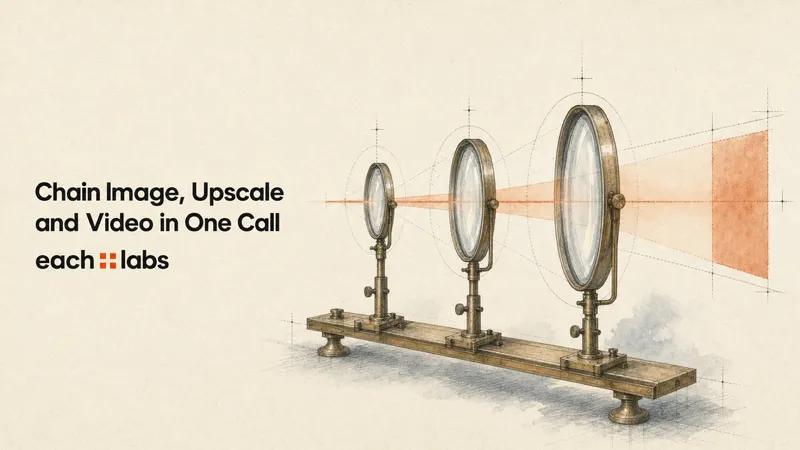
You can put image generation, image upscaling, and image-to-video behind one workflow trigger.
There is one qualification to the phrase “one API call.” It means one request from your application for each workflow execution, after the workflow version has already been defined. Underneath that trigger, three model operations still run.
What changes is the code around them.
Without a workflow, your backend waits for generation, finds the returned media URL, builds the upscale request, waits again, extracts another URL, and finally builds the video request. With each::workflows, those two handoffs live in the workflow definition instead.
prompt
  ↓
generate_image
  ↓ {{generate_image.primary}}
upscale_image
  ↓ {{upscale_image.primary}}
generate_video
  ↓
final video
In each::workflows, a parameter reference lets a workflow step use an input or an output produced by an earlier step. For example, {{generate_image.primary}} resolves to the main result from generate_image when the workflow runs. {{upscale_image.primary}} does the same for the video step.
If you are looking for the broader architecture—routing, workflow state, multi-provider decisions, and larger media pipelines—the each::labs AI model orchestration and routing guide covers that layer. Here, the job is narrower: wire three dependent media operations together and trigger the saved graph from your backend.
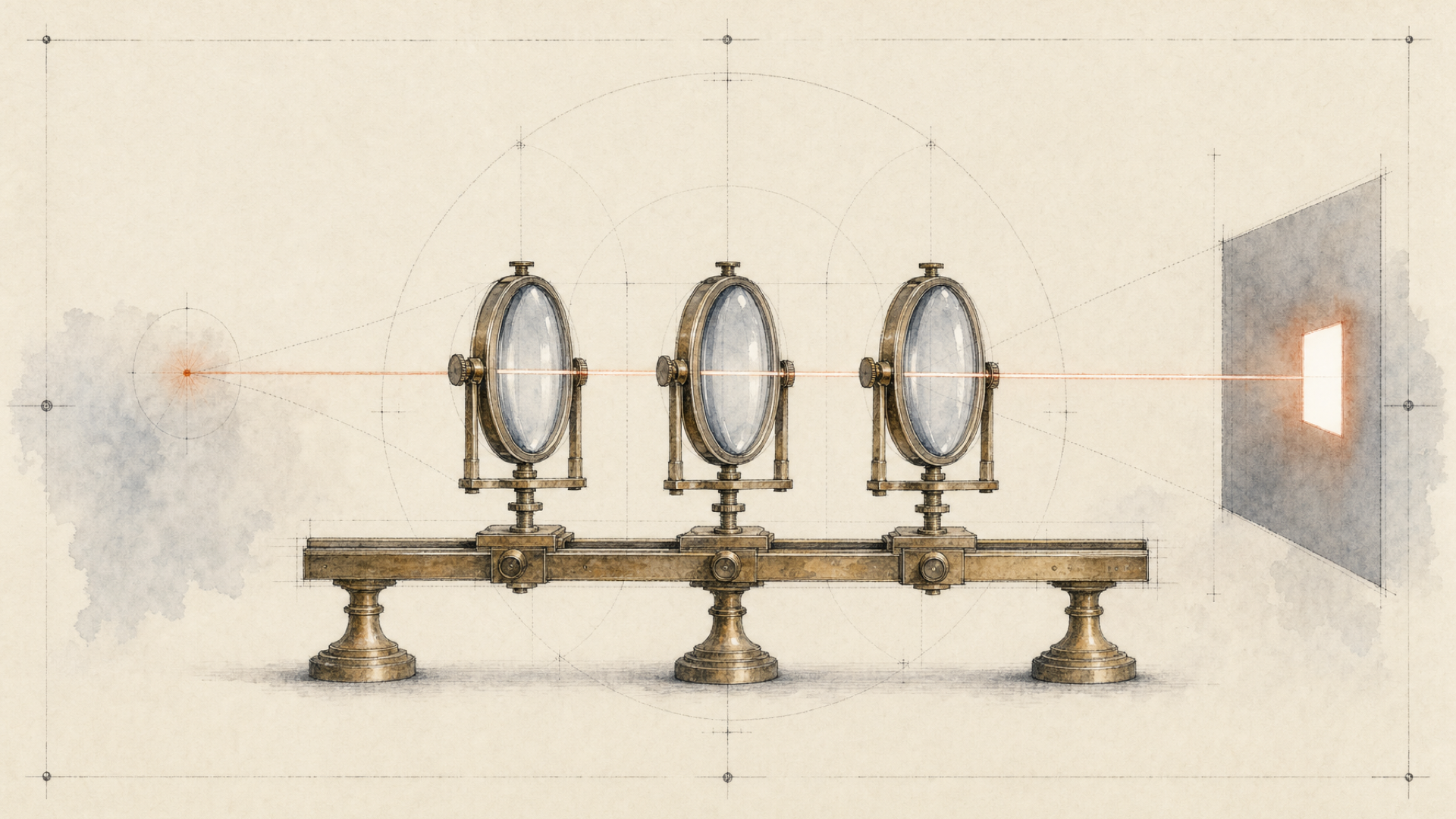
What “one API call” actually means
A manually coordinated version usually looks something like this:
call image generator
wait for completion
extract generated image URL

call image upscaler
wait for completion
extract upscaled image URL

call image-to-video model
wait for completion
return video
The individual calls are not the hard part. The boundaries are.
Your application has to know which output field contains the asset, carry that value forward, build the next request correctly, track several asynchronous jobs, and decide what to do when one stage succeeds and the next does not.
Once the same dependency graph is stored as a workflow version, the runtime path is smaller:
trigger workflow
      ↓
receive execution_id
      ↓
workflow resolves dependent steps
      ↓
poll execution or receive webhook
      ↓
read final video
Generation, upscale, and video are still separate model executions. The workflow moves responsibility for their handoffs out of your application.
| Application-managed chain | Workflow-managed chain |
|---|---|
| Trigger image generation | Trigger the workflow |
| Wait and extract the generated URL | Runtime records the result |
| Construct the upscale request | Reference supplies the upscale input |
| Wait and extract the upscaled URL | Runtime resolves the next dependency |
| Construct the video request | Video step receives the referenced image |
| Track each handoff | Track the workflow execution |
So “one API call” does not mean three inferences have collapsed into one. It means your application's runtime contract starts with one workflow trigger.
How parameter references connect the steps
For step parameters, each::workflows documents three forms:
{{inputs.field}}
{{step_id.output}}
{{step_id.primary}}
{{inputs.field}} reads a workflow input.
{{step_id.output}} references the full output of an earlier step.
{{step_id.primary}} references that step's main result. For a media-producing step, that can be the asset URL the next model needs.
Start with the inputs
This pipeline needs two text values from the caller:
{
  "prompt": "A glass perfume bottle on dark stone, soft studio light",
  "video_prompt": "Slow camera push-in, subtle reflections moving across the bottle"
}
The image-generation step reads:
{{inputs.prompt}}The video step reads:
{{inputs.video_prompt}}Those values arrive once with the workflow trigger. There is no second application request just to pass the prompt along.
Pass the generated image into the upscaler
Call the first step generate_image.
After it completes, its primary result is available through:
{{generate_image.primary}}The upscale step can point its image_url directly at that result:
{
  "step_id": "upscale_image",
  "type": "model",
  "model": "topaz-upscale-image",
  "params": {
    "image_url": "{{generate_image.primary}}",
    "upscale_factor": 2
  }
}
The current Topaz Image Upscale model uses image_url and upscale_factor. This line does most of the work:
"image_url": "{{generate_image.primary}}"Without it, application code would have to open the generation response, locate the media value, preserve it, and build another API request.
Pass the upscaled image into video generation
The second handoff uses the same pattern.
Once upscale_image finishes:
{{upscale_image.primary}}can become the start image for the video step:
{
  "step_id": "generate_video",
  "type": "model",
  "model": "kling-v3-pro-image-to-video",
  "params": {
    "start_image_url": "{{upscale_image.primary}}",
    "prompt": "{{inputs.video_prompt}}",
    "duration": "5",
    "aspect_ratio": "16:9",
    "generate_audio": false
  }
}
The upscaler response never needs to become a new request in your application. Its primary result becomes an input inside the running workflow.
When those references resolve
References are not replaced when you save the workflow definition. They resolve at runtime.
For this chain, execution is straightforward:
generate_imageruns.- Its completed result becomes available.
{{generate_image.primary}}resolves into the Topaz input.upscale_imageruns.{{upscale_image.primary}}resolves into the video input.generate_videoruns.
If a required step does not exist or its result is not available when the downstream dependency needs it, the reference cannot resolve and the execution fails.
That dependency is the point of the workflow. These are not three unrelated calls that happen to run in sequence; later steps depend on values created by earlier ones.
Build the generation → upscale → video workflow
For this example, we will use:
flux-2-profor text-to-image generation;topaz-upscale-imagefor image upscaling;kling-v3-pro-image-to-videofor animation.
The combination is here to make the handoffs concrete. It is not a claim that every image-to-video product needs these three models.
Step 1: Generate the image
The first step reads the workflow prompt and produces the source image.
{
  "step_id": "generate_image",
  "type": "model",
  "model": "flux-2-pro",
  "params": {
    "prompt": "{{inputs.prompt}}",
    "image_size": "landscape_4_3",
    "output_format": "jpeg"
  }
}
Nothing downstream can start until this result exists.
Step 2: Upscale that result
The upscaler does not take a hard-coded image URL. It takes the primary result from generate_image.
{
  "step_id": "upscale_image",
  "type": "model",
  "model": "topaz-upscale-image",
  "params": {
    "image_url": "{{generate_image.primary}}",
    "upscale_factor": 2,
    "output_format": "jpeg"
  }
}
At runtime, the reference resolves to the media produced by step one.
Step 3: Animate the upscaled image
The final step gets its start frame from the upscaler:
{
  "step_id": "generate_video",
  "type": "model",
  "model": "kling-v3-pro-image-to-video",
  "params": {
    "start_image_url": "{{upscale_image.primary}}",
    "prompt": "{{inputs.video_prompt}}",
    "duration": "5",
    "aspect_ratio": "16:9",
    "generate_audio": false
  }
}
The second boundary is now explicit:
upscale_image.primary
        ↓
generate_video.start_image_url
That is the piece you otherwise end up rebuilding in backend code.
The complete workflow definition
Put the three steps together and the workflow definition looks like this:
{
  "version": "v1",
  "input_schema": {
    "type": "object",
    "required": ["prompt", "video_prompt"],
    "properties": {
      "prompt": {
        "type": "string",
        "description": "Prompt for the initial image"
      },
      "video_prompt": {
        "type": "string",
        "description": "Motion and camera instructions for the video"
      }
    }
  },
  "steps": [
    {
      "step_id": "generate_image",
      "type": "model",
      "model": "flux-2-pro",
      "params": {
        "prompt": "{{inputs.prompt}}",
        "image_size": "landscape_4_3",
        "output_format": "jpeg"
      }
    },
    {
      "step_id": "upscale_image",
      "type": "model",
      "model": "topaz-upscale-image",
      "params": {
        "image_url": "{{generate_image.primary}}",
        "upscale_factor": 2,
        "output_format": "jpeg"
      }
    },
    {
      "step_id": "generate_video",
      "type": "model",
      "model": "kling-v3-pro-image-to-video",
      "params": {
        "start_image_url": "{{upscale_image.primary}}",
        "prompt": "{{inputs.video_prompt}}",
        "duration": "5",
        "aspect_ratio": "16:9",
        "generate_audio": false
      }
    }
  ]
}
When you create or update a workflow version through the API, that object belongs under the request body's definition field.
The version endpoint is:
PUT https://api.eachlabs.ai/v1/workflows/{workflowID}/versions/{versionID}with the configuration wrapped like this:
{
  "definition": {
    "...": "the workflow definition above"
  }
}
You do this as setup, not for every generation request.
After the version exists, the calling application supplies only the workflow inputs. The generated-image and upscaled-image URLs are created later, during execution, so they never need to appear in the trigger body.
Trigger the complete chain from your backend
Start the saved workflow version with the workflow trigger endpoint:
POST https://api.eachlabs.ai/v1/workflows/trigger/{workflowID}/{versionID}Private each::workflows requests use Bearer authentication. The API key belongs on your server, not in browser or mobile client code.
A minimal trigger:
curl -X POST \
  "https://api.eachlabs.ai/v1/workflows/trigger/WF_ID/v1" \
  -H "Authorization: Bearer $EACHLABS_API_KEY" \
  -H "Content-Type: application/json" \
  -d '{
    "inputs": {
      "prompt": "A glass perfume bottle on dark stone, soft studio light",
      "video_prompt": "Slow camera push-in, subtle reflections moving across the bottle"
    }
  }'
The trigger is asynchronous. A successful request returns 202 Accepted with an execution ID:
{
  "execution_id": "e2dba2bb-bc1d-4651-b6bf-fbbbebdee104",
  "status": "queued"
}
The video is not in that response. The request has started the workflow; generation still has to run.
From here, you have two common choices. Poll the execution endpoint, or provide a webhook when you trigger the job.
A trigger with a webhook looks like this:
curl -X POST \
  "https://api.eachlabs.ai/v1/workflows/trigger/WF_ID/v1" \
  -H "Authorization: Bearer $EACHLABS_API_KEY" \
  -H "Content-Type: application/json" \
  -d '{
    "inputs": {
      "prompt": "A glass perfume bottle on dark stone, soft studio light",
      "video_prompt": "Slow camera push-in, subtle reflections moving across the bottle"
    },
    "webhook_url": "https://your-app.com/webhooks/workflow"
  }'
If you care about making exactly one outbound request from your backend for each generation job, the webhook approach fits that requirement better. A polling integration is still simple, but by definition it makes more HTTP requests while the job is running.
Get the final video
For polling, use the execution endpoint:
GET https://api.eachlabs.ai/v1/workflows/executions/{executionID}For example:
curl \
  "https://api.eachlabs.ai/v1/workflows/executions/EXEC_ID" \
  -H "Authorization: Bearer $EACHLABS_API_KEY"
The execution response exposes the overall workflow state and a step_outputs object keyed by step ID. Completed steps expose their full output and their primary result.
For this graph, the final media result is:
step_outputs.generate_video.primaryA basic polling helper can wait for a terminal state:
async function waitForWorkflow(executionId) {
  while (true) {
    const response = await fetch(
      `https://api.eachlabs.ai/v1/workflows/executions/${executionId}`,
      {
        headers: {
          Authorization: `Bearer ${process.env.EACHLABS_API_KEY}`,
        },
      }
    );

    const execution = await response.json();

    if (
      execution.status === "completed" ||
      execution.status === "failed" ||
      execution.status === "cancelled"
    ) {
      return execution;
    }

    await new Promise((resolve) => setTimeout(resolve, 3000));
  }
}

const execution = await waitForWorkflow("EXEC_ID");

if (execution.status === "completed") {
  const videoUrl = execution.step_outputs.generate_video.primary;
  console.log(videoUrl);
}
The three-second interval matches the pattern used in the current workflow documentation. Treat it as an example, not a universal polling interval.
If you use a webhook instead, the workflow sends the execution result to your endpoint when the run completes successfully or fails.
What happens to the intermediate images?
They still exist. Your application just stops acting as the courier.
A completed media step can expose a result like this:
{
  "output": [
    "https://storage.example.com/generated-image.png"
  ],
  "primary": "https://storage.example.com/generated-image.png"
}
The workflow can then use primary in a downstream parameter.
What used to require:
receive generation response
        ↓
find generated image URL
        ↓
carry URL into next request
        ↓
construct upscale request
becomes:
{{generate_image.primary}}The next handoff becomes:
{{upscale_image.primary}}This does not mean intermediate-media storage is someone else's problem forever. The workflow documentation establishes media values and URLs being passed between steps; it does not establish a universal permanent-retention period for every intermediate asset.
Parameter references solve the handoff. Your product still needs whatever storage and retention policy its use case requires.
There is another boundary worth keeping in mind: a reference moves a value, but it does not normalize model semantics. If the video model cannot accept some property of the upstream asset, putting both models in the same graph does not make that incompatibility disappear.
Failure behavior is simpler to own, not eliminated
Any of the three model steps can still fail.
For this graph:
| Failure | Effect on the chain |
|---|---|
generate_image fails | upscale_image has no generated image to consume |
upscale_image fails | generate_video cannot receive the referenced image |
| A reference targets an unavailable step | The dependency cannot resolve |
generate_video fails | The intended final video is not produced |
What changes is where you deal with that failure. Your application no longer needs separate integration code whose job is mostly to move result A into request B and result B into request C.
Retry policy still needs judgment. Retrying a generative request is not the same as retrying a deterministic read. Another invocation can mean another billed inference and a different output, so blindly replaying every failed stage is a poor default.
This article is not a retry-policy guide, but the distinction matters once model calls become part of a longer chain.

When the upscale step should not be there
A workflow makes it easy to add another model. That does not mean you should.
If the generated image already has the characteristics the video step needs, the upscaler has to justify another inference, more latency, and another point of failure.
Canberk Sinangil puts the rule more sharply:
“Don't turn one generation into a maze of nodes because the diagram looks sophisticated.”
The upscale step may earn its place because the final deliverable needs the improved image, because the image is reused elsewhere, or because testing shows that the downstream job actually benefits from it. If none of those is true, remove the step.
The same test applies to the workflow layer itself.
If your feature has one model call, no dependent media handoff, and no workflow-level execution state you need, a direct call is simpler.
“If all we add is another network hop, you shouldn't use us.”
An orchestration layer should remove complexity you already have.
In this example, the dependency is real:
the video needs the upscaled image
        ↑
the upscale needs the generated image
Without a workflow, the application owns both boundaries. With one, those boundaries become part of the graph.
That is enough reason to use the workflow. The diagram does not need more nodes than that.
The backend contract after the move
Once the workflow version is set up, your backend has a much smaller interface to own:
- collect the inputs;
- trigger the pinned workflow version;
- store the returned
execution_idagainst the application job; - poll or receive the webhook;
- handle completion or failure;
- read the final step's
primaryresult; - decide what the product should do with the video.
Inside the workflow:
prompt
  ↓
flux-2-pro
  ↓ {{generate_image.primary}}
topaz-upscale-image
  ↓ {{upscale_image.primary}}
kling-v3-pro-image-to-video
Outside it:
your application
      ↓
trigger
      ↓
execution_id
      ↓
completion
      ↓
final video
The models are still separate. The two media handoffs are no longer application glue.
FAQ
Can image generation, upscaling, and video generation really be triggered with one API request?
Yes. Once the workflow version exists, one trigger request can start all three dependent model steps. Execution is asynchronous, so the final result arrives later through polling or a webhook.
Does one API call mean only one AI model runs?
No. Every configured model step still runs. “One API call” describes the application-level trigger, not the number of underlying inferences.
How does one workflow step access another step's output?
Use a parameter reference such as:
{{generate_image.primary}}That references the primary result from the generate_image step.
Do I need to download and re-upload each intermediate image?
Not for the URL-based handoff shown here. The downstream step can reference the media result exposed by the earlier workflow step. Your product's own storage and retention requirements remain separate.
What happens if the upscaler fails?
The video step depends on the upscaler's result, so that dependency cannot resolve normally and the workflow cannot produce the intended final video.
Should every image-to-video workflow include an upscaler?
No. Add it only when it serves a real downstream or product requirement. Otherwise it adds another inference, extra latency, and another place the chain can fail.
Is the workflow synchronous?
No. The trigger returns 202 Accepted with an execution_id, and execution continues asynchronously. Poll the execution endpoint or provide a webhook to handle completion.