EchoMimic V3: A Small Model That Makes Photos Talk
EchoMimic V3 turns one portrait and one audio track into a talking video, with a 1.3B model from Ant Group. Here's how it works and how to tune it on each::labs.
By Eftal Yurtseven · Nov 2, 2026 · 6 min read
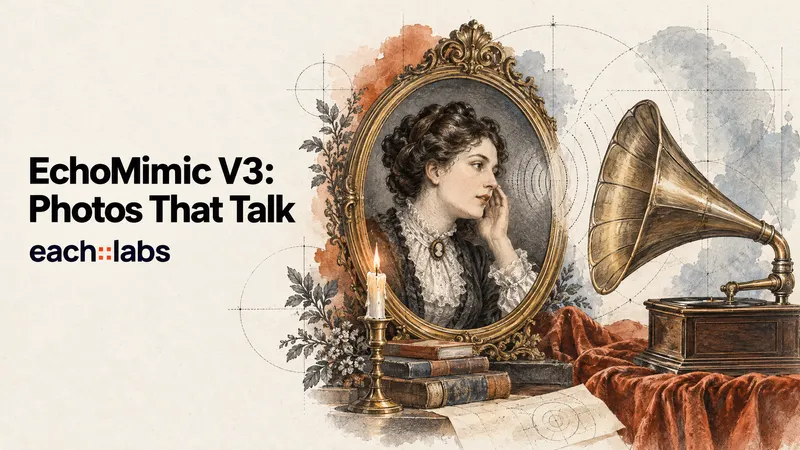
Talking photo models have a size problem. The ones that look convincing tend to be enormous, and the small ones tend to look like a puppet with a loose jaw. So teams pick a side: quality and patience, or speed and a mouth that never quite matches the words.
EchoMimic V3 refuses that trade. It comes from the Terminal Technology Department of Alipay at Ant Group, and the title of its research paper says the quiet part loudly: "1.3B Parameters are All You Need for Unified Multi-Modal and Multi-Task Human Animation." Give it a portrait, an audio track and a short prompt, and it animates the person to the sound. It's small, open, and on each::labs right now.
What EchoMimic V3 Actually Is
EchoMimic V3 is an audio-driven human animation model. The input is a still image of a face or character plus an audio clip, and the output is a video of that person speaking or performing in sync with the audio. A text prompt shapes everything around the mouth: expression, gesture, framing, mood.
Under the hood it's built on Wan2.1-Fun-InP, the 1.3B-parameter inpainting variant of Alibaba's Wan 2.1 video model, with wav2vec2 as the audio encoder. The weights and inference code are public under the Apache 2.0 license, and the work was presented at AAAI 2026. The official model card lists GPUs as modest as a 16 GB V100 among the tested hardware, which tells you how lean this thing is.
Why a 1.3B Model Is the Point, Not the Catch
Bigger isn't automatically better for talking heads. Most of the frame barely moves. What matters is the mouth, the eyes and the small head motions that sell a person as alive, and those are a narrow problem compared with generating an entire cinematic scene.
The EchoMimic V3 authors lean into that. They say their alternating training approach lets the 1.3B model reach generation quality comparable to models with ten times the parameters. Treat that as the authors' claim rather than an independent benchmark, but the practical upside is real either way: a smaller model is quicker to run, which means you can afford to try three expressions instead of settling for the first.
One Model, Several Animation Jobs
Older human animation pipelines tended to need a different specialist for each job: one model for lip sync, another for talking body, another for full-body motion driven by audio. EchoMimic V3 is designed to unify those tasks in a single model.
The paper calls the two ideas behind this "Soup-of-Tasks" and "Soup-of-Modals". The first treats different animation jobs as variations of the same masked reconstruction problem, so one network learns them all. The second adds a cross-attention module that blends conditions like audio, text and image instead of handling each in isolation. You don't need the math to use it. You just need to know that the same endpoint handles a tight talking-head crop and a wider talking-body shot.
Three Inputs, Three Jobs
On each::labs, EchoMimic V3 takes three required inputs, and each one owns part of the result.
The image owns identity. Use a clear, well-lit portrait with the face unobstructed. Whatever is in the photo, from hairline to earrings to lighting direction, is what the video will carry, so fix problems in the still before you animate it.
The audio owns timing. Every mouth shape and most of the head motion follow the waveform. Clean speech with little background noise gives the cleanest sync. If you don't have a recording yet, generate one with Gemini 3.1 Flash TTS or MiniMax Speech 2.8 HD and feed it straight in.
The prompt owns performance. Describe the expression, the energy and the framing you want.
A young woman speaks warmly to the camera, gentle smile, natural blinking, slight nods on key words, soft window light, calm home office background.
Tune the Two Guidance Dials
EchoMimic V3 exposes two guidance controls on each::labs, and they pull against each other in a useful way.
audio_guidance_scale (default 2.5) sets how strongly the audio drives the face. The model card says audio guidance works best between 2 and 3: higher values favor lip sync, lower values favor visual quality. If the mouth lags the words, nudge it up. If the face starts to look strained, bring it down.
guidance_scale (default 4.5) sets how closely the video follows your text prompt. The model card's sweet spot is 4 to 6: higher means tighter prompt adherence, lower means a more natural-looking image. There's also a negative_prompt for what you don't want (blurry teeth, frozen eyes, extra hands) and a seed so you can lock a good take and change one setting at a time.
Prompt the Person, Not the Mouth
Here's the mistake almost everyone makes on day one: describing the lip movement. The audio already owns the mouth. Writing "lips move in sync with the words" spends your prompt on the one thing you can't improve with text.
Spend it on everything else. The emotional register (amused, serious, reassuring). The rhythm of the body (still and composed, or animated with small hand gestures). The eye line (straight to camera for an ad, slightly off-camera for an interview feel). The environment and light, which should match the portrait so the model isn't asked to reconcile a sunlit face with a dim room.
A middle-aged chef in a white jacket talks to camera with enthusiasm, raising one hand on key points, eyebrows lifting, steady eye contact, bright kitchen behind him, natural daylight.
A news presenter delivers a calm, serious update, minimal head movement, measured blinks, shoulders square to camera, neutral studio backdrop, even soft lighting.
Match the prompt to the audio, too. A calm prompt over an excited voice track makes the face and the sound fight, and the result looks uncanny even when the sync is perfect. When the voice rises, let the description rise with it.
Plan Longer Clips Around the Batch
The num_frames_per_generation setting defaults to 121 frames per batch. Think of it as the model's working window: longer audio is processed in chunks of that size. The model card has a dedicated option for clips longer than 138 frames, which is a hint that longer takes are a separate regime from short ones.
The practical habit: test your settings on a short line first. Once the expression, sync and framing look right, run the full script with the same image, prompt and seed. You'll catch a bad crop in ten seconds of output instead of discovering it at the end of a long take.
Where People Actually Use EchoMimic V3
Product and marketing teams use talking portraits for explainer intros and feature announcements, where a friendly face reading a short script beats a static slide. Localization teams pair it with a TTS model to put the same presenter in front of several language tracks without booking a studio.
Education and training creators turn a single photo of an instructor into a series of short lessons. App builders wire it into onboarding flows and character features, where a lightweight, openly licensed model is easier to build on. Chain it with a voice model in AI Flows and a new script becomes a finished talking clip without a single manual step.
EchoMimic V3 or a Bigger Avatar Model?
EchoMimic V3 is the fast, flexible pick for short talking clips and high-volume avatar work. When a brief needs long performances, multi-person scenes or a more cinematic look, step up to OmniHuman 2.0 from ByteDance or Kling Avatar v2 Pro. If you already have video and only need the mouth fixed, Sync 3 is the better tool.
Our ranking of the best AI lip sync models in 2026 lays out which model fits which footage, and the talking photo avatar guide walks through the API side end to end.
Frequently Asked Questions
What does EchoMimic V3 need as input?
Three things: a portrait image URL, an audio URL and a text prompt. The image sets who appears, the audio sets the timing, and the prompt sets the performance.
Who made EchoMimic V3?
Researchers in the Terminal Technology Department of Alipay at Ant Group. It's the third generation of the EchoMimic series, released with open weights under Apache 2.0.
How do I get better lip sync from EchoMimic V3?
Start with clean audio, then raise the audio guidance scale within the 2 to 3 range the model card recommends. If the face loses quality, ease it back and let the prompt do more of the work.
Can EchoMimic V3 animate more than the face?
Yes. It's built to unify talking-head and talking-body animation in one model, so a wider portrait with shoulders and hands in frame can move too. Describe the gestures you want in the prompt.