Avatar and Lipsync API Guide: Photo to Talking Video
How avatar and lipsync APIs turn one portrait and a script into a talking video your backend can ship.
By Bartu Varol · Sep 22, 2026 · 16 min read
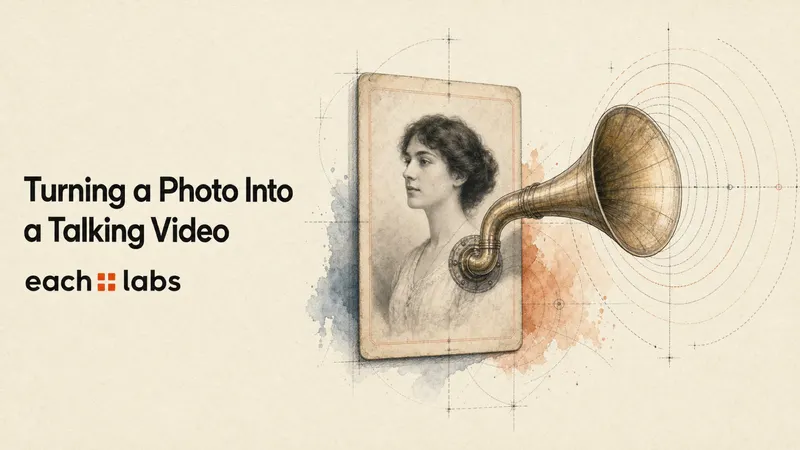
A user uploads a portrait, types a sentence, and expects a video of that person saying it.
The product operation feels simple. The backend often isn't.
If your avatar model expects finished audio, the path is:
photo + script
      ↓
text-to-speech
      ↓
audio
      ↓
photo + audio
      ↓
avatar generation
      ↓
video
A talking photo API turns a still portrait into a video synchronized to speech. If you start with text and the avatar model requires audio, the full application flow is text-to-speech first, then image-and-audio avatar generation.
That is one common talking-photo architecture, not a universal one.
Already have recorded audio? Skip text-to-speech. Already have footage and only need to change what the speaker says? That's a video lipsync job. Using a managed presenter endpoint that accepts text directly? Speech generation may already be part of the endpoint.
Start with the asset you have. The model choice comes after that.
Start with the asset you already have
| You already have | You want | Pipeline |
|---|---|---|
| Photo + script | Talking portrait | TTS → image/audio avatar |
| Photo + audio | Talking portrait | Image/audio avatar |
| Existing video + new audio | New mouth performance | Video/audio lipsync |
| Managed avatar + script | Presenter video | Integrated presenter endpoint |
Use an image-and-audio avatar model when the source is a still photo. Use a video lipsync model when the source is already footage and only the mouth performance needs to change.
Those rows may look similar from a product UI. They are different API contracts.
If you're building a longer multi-step avatar or image pipeline rather than one talking-photo operation, the broader AI avatar and image workflows guide covers the backend architecture around those jobs.
Photo + script
This is the path most people mean by "make this photo talk."
You have an arbitrary portrait—a profile photo, character image, spokesperson, or another user-supplied image—and a line of text.
If the avatar model expects audio, speech generation comes first:
"This is the line I want the avatar to say."
                    ↓
                  TTS
                    ↓
        https://.../speech.mp3
That audio is not just a temporary implementation detail. It is the input to the next stage.
Kling Avatar currently exposes image-and-audio avatar variants. Its V2 Standard request takes image_url and audio_url.
Photo + finished audio
If the user already supplied a voice recording, don't synthesize it again.
Pass the image and audio directly into an image-and-audio avatar model.
LTX 2.3 Lipsync provides another route for this job. Its dedicated lipsync variant currently takes image, audio, and resolution.
That difference in field names is worth noticing. Two models can solve the same product problem without sharing the same request schema.
Existing video + new audio
Once you already have footage, the job changes.
The model no longer needs to invent motion from a still image. It needs to make the existing mouth performance match a different audio track.
The current Sync Lipsync family is video-to-video. Its Sync 3 API example uses:
video_url
audio_url
sync_mode
The distinction is simple enough to encode:
if source is photo:
    animate image from audio
elif source is video:
    resync existing video to audio
Calling both operations "lipsync" tends to hide this boundary.
Managed avatar + script
There is also a shorter path.
Some presenter systems own the avatar identity and voice rather than accepting an arbitrary portrait URL. The current HeyGen model family on each::labs, for example, exposes a presenter endpoint with avatar_id, voice_id, and input_text.
Here, your application does not need to create a separate speech file first.
That works well when the product wants a repeatable managed presenter. It is a different requirement from: "the user uploaded this exact photo; animate it."
The photo-and-script pipeline, stage by stage
For the rest of the guide, we'll build the arbitrary-photo route:
portrait.jpg
     ↓
upload
     ↓
image URL ───────────────────┐
                            │
script                       │
  ↓                          │
text-to-speech               │
  ↓                          │
audio URL                    │
  └──────────────┬───────────┘
                 ↓
          avatar generation
                 ↓
          prediction status
                 ↓
             video URL
There are two generative calls here. Most of the engineering sits around them.
1. Make the source image addressable
A local portrait.jpg is not an image_url.
If the model expects a remote URL, the image needs to live somewhere the executor can fetch it. You can host it yourself or use each::storage.
The current each::storage flow is:
POST /v1/upload/presignPUTthe raw file bytes to the returned presigned URL
The presign response returns a public_url. That is the URL you pass into predictions or workflows.
If the response includes required_headers, send those exact headers with the upload PUT.
There is also a media-lifecycle decision here. The public_url is readable by anyone who has the link. The identifier is unguessable, but the resource is not authenticated. Current each::storage documentation gives uploaded files a 180-day retention period by default, configurable per upload through expires_in_seconds.
Already have a stable URL the model executor can fetch? Skip this whole step.
2. Generate speech when the input is text
Our avatar model expects audio. The application starts with a script.
So TTS is a dependency, not an optional flourish.
For the example, we'll use the current Gemini 3.1 Flash Text to Speech model:
model: gemini-3-1-flash-text-to-speech
version: 0.0.1
Its current request example includes:
mode
text
voice_name
language_code
What matters to the pipeline is the resulting audio artifact. The avatar stage does not care that the audio came from a script two steps earlier.
3. Pass the audio into avatar generation
The avatar model needs:
image URL
audio URL
The current Kling Avatar V2 Standard request uses:
{
  "image_url": "https://.../portrait.png",
  "audio_url": "https://.../speech.mp3"
}
with:
model: kling-avatar-v2-standard
version: 0.0.1
This boundary is important because the audio now has a life of its own.
If avatar generation fails, the successful speech generation did not fail retroactively. Keep the audio and retry from the point that broke.
4. Treat video generation as an asynchronous job
The first API response is not the video.
Create a prediction with:
POST https://api.eachlabs.ai/v1/predictionThe response contains a predictionID.
Read its state with:
GET https://api.eachlabs.ai/v1/prediction/{id}The documented prediction lifecycle is:
created
starting
processing
success
error
cancelled
After success, the result appears under output. That field is not globally one shape: depending on the model, it can be a string, array, or object.
We'll use polling because it is the least ambiguous path in the current documentation.
5. Return the finished video
Don't add another media step by habit.
If the generated output already works for your product, return it.
If you genuinely need subtitles, trimming, a social crop, audio normalization, packaging, or another deterministic transformation, add it after generation.
The pipeline should be as long as the product requires, not as long as the workflow editor allows.
Complete Python example: photo + script to talking video
This example starts with:
- an each::labs API key
- a local portrait
- a text script
It uploads the image, generates the speech, uses that audio to generate the avatar video, then prints the final URL.
Current each::labs authentication uses:
Authorization: Bearer YOUR_API_KEYInstall the one external dependency:
pip install requestsSet the API key:
export EACHLABS_API_KEY="your-api-key"Then create talking_photo.py.
import mimetypes
import os
import time
from pathlib import Path

import requests


API_BASE = "https://api.eachlabs.ai/v1"
API_KEY = os.environ["EACHLABS_API_KEY"]

HEADERS = {
    "Authorization": f"Bearer {API_KEY}",
    "Content-Type": "application/json",
}


def upload_file(path: str, file_type: str) -> str:
    """Upload a local file through each::storage and return public_url."""
    file_path = Path(path)

    if not file_path.exists():
        raise FileNotFoundError(file_path)

    content_type, _ = mimetypes.guess_type(file_path.name)
    content_type = content_type or "application/octet-stream"

    response = requests.post(
        f"{API_BASE}/upload/presign",
        headers=HEADERS,
        json={
            "content_type": content_type,
            "file_type": file_type,
        },
        timeout=30,
    )
    response.raise_for_status()

    upload = response.json()

    upload_headers = {
        "Content-Type": content_type,
        **(upload.get("required_headers") or {}),
    }

    with file_path.open("rb") as file_handle:
        put_response = requests.put(
            upload["presigned_url"],
            headers=upload_headers,
            data=file_handle,
            timeout=120,
        )
        put_response.raise_for_status()

    return upload["public_url"]


def create_prediction(model: str, version: str, input_data: dict) -> str:
    """Start an asynchronous prediction and return its prediction ID."""
    response = requests.post(
        f"{API_BASE}/prediction",
        headers=HEADERS,
        json={
            "model": model,
            "version": version,
            "input": input_data,
        },
        timeout=30,
    )
    response.raise_for_status()

    return response.json()["predictionID"]


def wait_for_prediction(
    prediction_id: str,
    poll_interval: int = 3,
    timeout_seconds: int = 900,
) -> dict:
    """Poll until success, error, cancellation, or the client timeout."""
    deadline = time.monotonic() + timeout_seconds

    while time.monotonic() < deadline:
        response = requests.get(
            f"{API_BASE}/prediction/{prediction_id}",
            headers=HEADERS,
            timeout=30,
        )
        response.raise_for_status()

        prediction = response.json()
        status = prediction["status"]

        if status == "success":
            return prediction

        if status in {"error", "cancelled"}:
            raise RuntimeError(
                f"Prediction {prediction_id} ended with status={status}. "
                f"Logs: {prediction.get('logs')}"
            )

        print(f"{prediction_id}: {status}")
        time.sleep(poll_interval)

    raise TimeoutError(
        f"Prediction {prediction_id} did not finish within "
        f"{timeout_seconds} seconds."
    )


def find_media_url(output) -> str:
    """
    Find a URL in the documented string/array/object prediction output.

    For a production integration, validate the exact output contract
    of the model version you pin rather than accepting arbitrary shapes.
    """
    if isinstance(output, str) and output.startswith(("http://", "https://")):
        return output

    if isinstance(output, list):
        for item in output:
            try:
                return find_media_url(item)
            except ValueError:
                pass

    if isinstance(output, dict):
        for key in ("url", "audio_url", "video_url", "primary", "output"):
            if key in output:
                try:
                    return find_media_url(output[key])
                except ValueError:
                    pass

        for value in output.values():
            try:
                return find_media_url(value)
            except ValueError:
                pass

    raise ValueError(
        f"Could not find a media URL in prediction output: {output!r}"
    )


def make_talking_photo(image_path: str, script: str) -> str:
    print("Uploading portrait...")
    image_url = upload_file(image_path, file_type="image")

    print("Generating speech...")
    tts_id = create_prediction(
        model="gemini-3-1-flash-text-to-speech",
        version="0.0.1",
        input_data={
            "mode": "single",
            "text": script,
            "voice_name": "Callirrhoe",
            "language_code": "en-US",
        },
    )

    tts_result = wait_for_prediction(tts_id)
    audio_url = find_media_url(tts_result["output"])

    print(f"Speech ready: {audio_url}")

    print("Generating talking video...")
    avatar_id = create_prediction(
        model="kling-avatar-v2-standard",
        version="0.0.1",
        input_data={
            "image_url": image_url,
            "audio_url": audio_url,
        },
    )

    avatar_result = wait_for_prediction(avatar_id)
    return find_media_url(avatar_result["output"])


if __name__ == "__main__":
    video_url = make_talking_photo(
        image_path="portrait.png",
        script=(
            "The model call is only one part of a talking video. "
            "The useful pipeline also handles speech, media, status, "
            "and the final output."
        ),
    )

    print(f"Finished video: {video_url}")
find_media_url() is defensive on purpose.
each::api documents prediction output as a string, array, or object depending on the model. The public model pages used here do not publish a model-specific response JSON shape, so hard-coding output["url"] would claim more certainty than the documentation gives us.
In production, pin the model version and validate its expected response structure. A schema change should fail loudly rather than quietly return the wrong URL.
If your image already has a public URL
Skip upload_file():
image_url = "https://your-cdn.example.com/portrait.png"A URL working in your browser is not enough. The remote model executor also needs to be able to fetch it when the prediction runs.
If you already have audio
Skip TTS completely:
avatar_id = create_prediction(
    model="kling-avatar-v2-standard",
    version="0.0.1",
    input_data={
        "image_url": image_url,
        "audio_url": existing_audio_url,
    },
)
One less model call, one less failure boundary.
How long does a talking-photo pipeline take?
Once several jobs are involved, "latency" needs a qualifier.
The user experiences:
upload
+ speech generation
+ queueing
+ avatar generation
+ output availability
The model cards give us model-level p50 values, not the median of that full task.
| Operation | Current model example | Reported p50 |
|---|---|---|
| Text-to-speech | Gemini 3.1 Flash TTS | ~5 seconds |
| Still image + audio → video | LTX 2.3 Lipsync | ~2 minutes |
| Still image + audio → avatar video | Kling Avatar V2 Standard | ~3 minutes |
| Existing video + audio → lipsync | Sync 3 Lipsync | ~4 minutes |
The pattern matters more than any one number. In these current examples, speech takes seconds while video generation takes minutes. The video stage owns most of the wait.
Do not turn those rows into a fake end-to-end statistic. Five seconds of median TTS plus three minutes of median avatar generation does not make the system's p50 "3 minutes 5 seconds." Medians from separate distributions do not compose that way, and the arithmetic ignores queueing, uploads, transfers, retries, and application work.
Measure the complete task.
Canberk Sinangil · Co-founder & CTO
The model taking thirty seconds or three minutes is a constraint of the generation job. The interface looking dead for that entire period is a product choice.
If the operation is already asynchronous, expose useful state:
Uploading photo
Generating speech
Generating video
Preparing result
Done
That does not shorten inference. It does stop a healthy multi-minute job from looking indistinguishable from a broken one.
Where talking-avatar pipelines break
An HTTP error is obvious.
The harder failures are the ones that leave something useful behind—or return success with a result nobody wants.
For each failure, ask:
- What failed?
- What successful work can I keep?
| Failure point | What is still valid | Correct recovery |
|---|---|---|
| Photo upload fails | Original local photo | Retry upload |
| TTS fails | Photo + script | Retry or replace TTS |
| Avatar prediction fails | Photo + generated audio | Retry avatar stage |
| Video succeeds but face/mouth is unusable | Technically valid artifacts | Change input/model/settings |
| Delivery fails | Completed video | Retry delivery only |
Keep successful intermediate work
Suppose TTS succeeds:
https://.../speech.mp3Then avatar generation fails.
Calling:
make_talking_photo(...)again is easy. It is also the wrong retry boundary.
You would regenerate audio that already exists. Because the speech call is generative, the second artifact may not even be identical. Now you've paid for extra inference and changed the input to the stage you were trying to recover.
Keep the finished audio and retry avatar generation:
TTS success
    ↓
keep audio URL
    ↓
avatar failure
    ↓
retry avatar only
Intermediate outputs should therefore exist in application state, not only inside a temporary local variable.
success does not mean the feature worked
The opposite case is more subtle:
status = successThe API produced a valid artifact.
Maybe the mouth timing is visibly wrong. Maybe identity drifts halfway through the clip. Maybe the face distorts. Or perhaps the video is technically fine but still below the quality bar for the product.
Canberk Sinangil · Co-founder & CTO
A model working is not the same as the product working.
Once the API has succeeded, another HTTP retry is not automatically the answer. You may have an input problem, model-selection problem, or output-quality problem instead.
Track the two outcomes separately:
prediction_status = success
user_kept_output = false
is not the same failure as:
prediction_status = errorIf your monitoring collapses both into "generation failed," it will send you toward the wrong fix.
The source image still sets the ceiling
The previous version of this article was right to emphasize source quality.
A clear face gives the model more useful information than a compressed image with a covered mouth or a head turned far away from camera. Exact tolerances vary, so don't turn one model's preferred crop into a universal rule.
You can still reject obvious problems before paying for video generation:
- is there a usable face?
- is the relevant part of the face visible?
- can the file be decoded?
- is the image large enough for your product's quality bar?
- can the remote executor fetch the URL?
Input validation is cheaper than discovering the same problem after a multi-minute render.
When direct API calls are enough
There is no prize for using a workflow.
If the application already has an image and audio, the backend may be this:
image URL + audio URL
          ↓
   avatar prediction
          ↓
       video
Call the model directly.
The same applies when your presenter endpoint already accepts text and handles speech internally. Splitting it into extra stages would add latency and another failure boundary without giving you anything useful in return.
Canberk Sinangil · Co-founder & CTO
If an orchestration layer only adds another network hop, skip it.
Use orchestration when it removes orchestration your application would otherwise own.
A useful test:
If I remove the workflow, do I now have to manage dependent AI jobs, intermediate outputs, or branching in application code?
If not, direct each::api calls are probably enough.
If yes, the dependency graph has become part of the product architecture.
When the pipeline should become an each::workflow
The full Python path does have a dependency graph:
script
  ↓
TTS
  ↓
audio
  ↓
avatar
  ↓
video
The application currently owns the connection between those predictions. That is a reasonable place to use each::workflows.
Current workflow references distinguish the full output of a step from its primary result:
{{inputs.field}}
{{step_id.output}}
{{step_id.primary}}
For a media handoff, primary gives us the step's first/main result.
The talking-photo workflow can look like this:
{
  "name": "Talking Photo from Script",
  "definition": {
    "version": "v1",
    "input_schema": {
      "type": "object",
      "required": ["image_url", "script"],
      "properties": {
        "image_url": {
          "type": "string"
        },
        "script": {
          "type": "string"
        }
      }
    },
    "steps": [
      {
        "step_id": "speak",
        "type": "model",
        "model": "gemini-3-1-flash-text-to-speech",
        "version": "0.0.1",
        "params": {
          "mode": "single",
          "text": "{{inputs.script}}",
          "voice_name": "Callirrhoe",
          "language_code": "en-US"
        }
      },
      {
        "step_id": "animate",
        "type": "model",
        "model": "kling-avatar-v2-standard",
        "version": "0.0.1",
        "params": {
          "image_url": "{{inputs.image_url}}",
          "audio_url": "{{speak.primary}}"
        }
      }
    ]
  }
}
The current workflow documentation is inconsistent about id versus step_id for ordinary steps. Its newer Quickstart uses step_id, so that is the form used here.
{{speak.primary}} is deliberate. The full step output may be a string, array, or object; primary is the workflow engine's first/main result and is the cleaner value to feed into an audio_url parameter.
The workflow still makes two model calls. What changes is who owns the wiring.
Without a workflow:
app
→ create TTS prediction
→ poll TTS
→ extract audio
→ create avatar prediction
→ poll avatar
→ return video
With one:
app
→ trigger talking-photo workflow
→ track workflow execution
→ return video
Create the workflow once
Create it with:
POST https://api.eachlabs.ai/v1/workflowsThe response contains a workflow_id and a versions array with the generated version_id.
WORKFLOW = {
    "name": "Talking Photo from Script",
    "definition": {
        "version": "v1",
        "input_schema": {
            "type": "object",
            "required": ["image_url", "script"],
            "properties": {
                "image_url": {"type": "string"},
                "script": {"type": "string"},
            },
        },
        "steps": [
            {
                "step_id": "speak",
                "type": "model",
                "model": "gemini-3-1-flash-text-to-speech",
                "version": "0.0.1",
                "params": {
                    "mode": "single",
                    "text": "{{inputs.script}}",
                    "voice_name": "Callirrhoe",
                    "language_code": "en-US",
                },
            },
            {
                "step_id": "animate",
                "type": "model",
                "model": "kling-avatar-v2-standard",
                "version": "0.0.1",
                "params": {
                    "image_url": "{{inputs.image_url}}",
                    "audio_url": "{{speak.primary}}",
                },
            },
        ],
    },
}

response = requests.post(
    f"{API_BASE}/workflows",
    headers=HEADERS,
    json=WORKFLOW,
    timeout=30,
)
response.raise_for_status()

workflow = response.json()
workflow_id = workflow["workflow_id"]
version_id = workflow["versions"][0]["version_id"]
Treat this as setup. Create the workflow once, then store the workflow and version identifiers in configuration rather than recreating the definition for every generation.
Trigger it for each talking-video job
The current trigger endpoint is:
POST https://api.eachlabs.ai/v1/workflows/trigger/{workflowID}/{versionID}It returns an asynchronous execution_id.
def trigger_workflow(
    workflow_id: str,
    version_id: str,
    inputs: dict,
) -> str:
    response = requests.post(
        f"{API_BASE}/workflows/trigger/{workflow_id}/{version_id}",
        headers=HEADERS,
        json={"inputs": inputs},
        timeout=30,
    )
    response.raise_for_status()
    return response.json()["execution_id"]
Trigger it with:
execution_id = trigger_workflow(
    workflow_id=workflow_id,
    version_id=version_id,
    inputs={
        "image_url": image_url,
        "script": "Your script goes here.",
    },
)
The immediate response tells you the execution was queued. It does not contain the finished video.
Track the execution with:
GET https://api.eachlabs.ai/v1/workflows/executions/{executionID}For example:
def wait_for_workflow(
    execution_id: str,
    poll_interval: int = 3,
    timeout_seconds: int = 900,
) -> dict:
    deadline = time.monotonic() + timeout_seconds

    while time.monotonic() < deadline:
        response = requests.get(
            f"{API_BASE}/workflows/executions/{execution_id}",
            headers=HEADERS,
            timeout=30,
        )
        response.raise_for_status()

        execution = response.json()
        status = execution["status"]

        if status == "completed":
            return execution

        if status in {"failed", "cancelled"}:
            raise RuntimeError(
                f"Workflow {execution_id} ended with status={status}. "
                f"Error: {execution.get('error_cause') or execution.get('error')}"
            )

        print(f"{execution_id}: {status}")
        time.sleep(poll_interval)

    raise TimeoutError(
        f"Workflow {execution_id} did not finish within "
        f"{timeout_seconds} seconds."
    )
Then:
execution = wait_for_workflow(execution_id)
video_url = find_media_url(execution["output"])

print(f"Finished video: {video_url}")
At the application boundary, that is one workflow trigger followed by asynchronous execution tracking. The application still needs to validate input, show useful execution state, decide whether the result is acceptable, handle final failure, and deliver the video.
The workflow removes dependency wiring. Product decisions stay with the product.
Choosing the avatar step
There isn't a universal "best" model in this pipeline.
First choose the contract that matches your source media.
| Model on each::labs | Input shape | Use it for |
|---|---|---|
| Kling Avatar V2 Standard | image_url + audio_url |
Arbitrary still image + finished speech |
| Kling Avatar V2 Pro | image_url + audio_url |
Same contract, quality-oriented variant |
| LTX 2.3 Lipsync | image + audio + resolution |
Alternative still-image + audio route |
| Sync 3 Lipsync | video_url + audio_url + sync_mode |
Existing footage that needs new lip movement |
| HeyGen Avatar V | avatar_id + voice_id + input_text |
Managed presenter generated directly from text |
The current Kling Avatar V2 Pro page positions it as the higher-fidelity variant of the same image-and-audio contract. It does not currently publish a usable p50 runtime, so don't borrow the Standard model's number to fill the gap.
LTX illustrates another production detail: unified access does not imply identical semantics. Two models may both accept an image and audio while exposing different parameter names, controls, performance characteristics, and output behavior.
Sync 3 is also worth keeping separate. Some descriptive copy on its page is broader, but its exact current API example requires video + audio. For implementation work, the concrete request contract is the safer source.
FAQ
Can I turn one photo and text into a talking video through an API?
Yes.
If the avatar endpoint accepts text directly, send the script to that endpoint. If it expects audio, run text-to-speech first and pass the resulting audio into an image-and-audio avatar model:
photo + script
→ TTS
→ audio
→ avatar generation
→ video
Do I need text-to-speech for a talking avatar?
Only when your application starts with text and the chosen avatar model expects audio.
Already have recorded audio? Skip TTS.
If the avatar endpoint accepts text and owns speech generation itself, only add a separate TTS stage when you specifically need control over that part of the pipeline.
What's the difference between a lipsync API and a talking-photo API?
A talking-photo model can generate motion from a still image.
A video lipsync model starts with footage that already contains motion and changes the mouth performance to match different audio.
Product names sometimes blur the line. The request contract usually doesn't: image + audio and video + audio are different jobs.
How long does talking-avatar generation take?
In the current each::labs examples checked for this guide, TTS runs in seconds while the relevant video-generation and video-lipsync operations run in minutes.
The video stage therefore dominates this pipeline's wait.
Measure your own complete task rather than adding model medians together and calling the result an end-to-end latency number.
Should I poll or use a webhook?
Polling is the least ambiguous implementation for the direct-prediction tutorial above.
The current each::labs documentation disagrees with itself about prediction-level webhooks: prediction-specific pages document callbacks, while the broader webhook overview says support is currently limited to Workflows V2.
Verify the live endpoint behavior before making prediction callbacks a production dependency. Workflow execution webhooks are documented separately on the current workflow trigger endpoint.
Should I use direct API calls or an each::workflow?
Use direct calls when one model solves the job cleanly.
Use a workflow when several dependent stages would otherwise need to be wired together in application code:
script
→ TTS
→ audio
→ avatar generation
→ video
The workflow moves that dependency graph out of the application. It does not make unnecessary model calls necessary.
About the author
Canberk Sinangil
Co-founder & CTO, each::labs
I’m the Co-Founder and CTO of each::labs, where I focus on building the infrastructure and tooling that help developers bring AI models into production. My background spans computer vision, augmented reality, machine learning, and software engineering, including building AR and visual AI products before moving deeper into generative AI. I’m particularly interested in the engineering challenges behind making powerful AI models fast, scalable, and practical for real-world products.
Build the pipeline once. Trigger it from your product.
Use each::workflows when your talking-video feature has dependent model calls and intermediate media your application would otherwise have to orchestrate.