PixVerse AI: Exploring Use Cases
AI video generation has moved beyond simple experiments and entered real creative workflows. Among the tools shaping this shift, PixVerse AI stands out for its flexibility and range of generation modes. Instead of focusing on a single output style, PixVerse AI offers multiple approaches to video creation, allowing creators to adapt AI video generation to different creative goals. This article explores the practical use cases of PixVerse AI—how it’s used, where it fits best, and why its modular
By Bartu Varol · Jan 23, 2026 · 4 min read
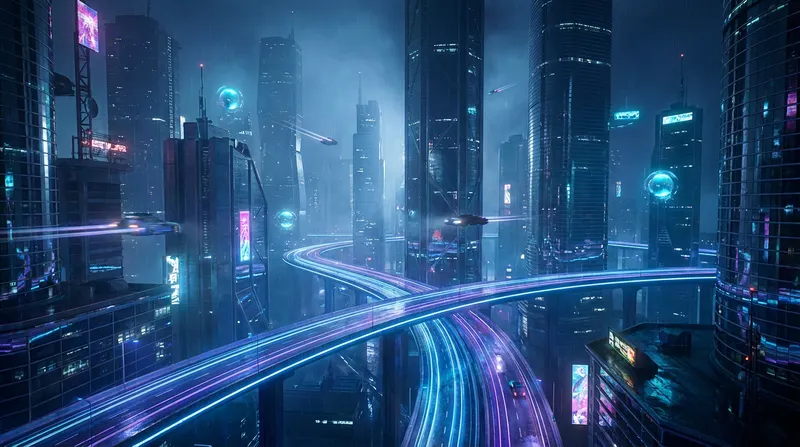
AI video generation has moved beyond simple experiments and entered real creative workflows. Among the tools shaping this shift, PixVerse AI stands out for its flexibility and range of generation modes. Instead of focusing on a single output style, PixVerse AI offers multiple approaches to video creation, allowing creators to adapt AI video generation to different creative goals.
This article explores the practical use cases of PixVerse AI—how it’s used, where it fits best, and why its modular design matters for modern creators.
What Makes PixVerse AI Different?
PixVerse AI is designed around the idea that video creation is not one-size-fits-all. Different creative problems require different tools. Some creators start with text, others with images, and some need to transform or extend existing footage.
Rather than forcing everything into a single workflow, PixVerse AI provides distinct generation modes that address specific creative needs. This makes it suitable not only for polished outputs, but also for experimentation, ideation, and visual exploration.
Use Case 1: Concept Visualization and World-Building
One of the strongest use cases for PixVerse AI is early-stage concept development. Creators can quickly visualize environments, moods, and narrative worlds before committing to full production.
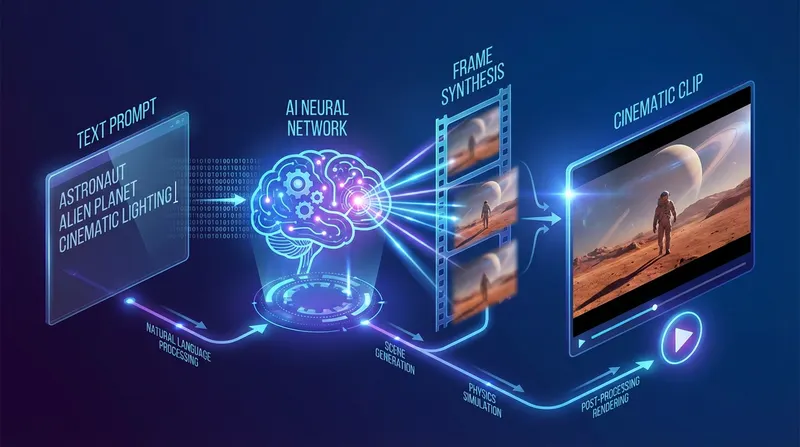
Text-to-video generation is especially effective here. A single prompt can define:
• Setting and atmosphere
• Time of day and lighting
• Architectural style
• Overall cinematic tone
This allows writers, directors, and designers to see how an idea feels in motion, not just on paper.
Use Case 2: Image-to-Video Animation
Many creators already work with strong visual assets—illustrations, AI-generated images, concept art, or still designs. PixVerse AI’s image-to-video models bring these visuals to life without altering their core composition.
Common applications include:
• Adding subtle motion to static artwork
• Creating loopable background visuals
• Animating posters or cover art
• Enhancing digital illustrations
Motion is typically gentle and atmospheric, which helps maintain artistic integrity while introducing depth and realism.

Use Case 3: Cinematic Transitions and Visual Flow
Transitions are often overlooked in AI video generation, yet they play a crucial role in storytelling and pacing. PixVerse AI includes transition-focused models that smoothly connect scenes or visual states.
These are widely used for:
• Short cinematic trailers
• Mood-based visual stories
• Before-and-after transformations
• Seamless scene changes
Rather than abrupt cuts, transitions emphasize continuity and flow, making videos feel more intentional and cinematic.
Use Case 4: Extending and Refining Existing Videos
Short clips are common in AI-generated content, but they’re not always long enough for real use. PixVerse AI’s extend capability addresses this by continuing an existing video naturally.
Instead of looping or freezing frames, the model analyzes motion and context to generate a believable continuation. This is useful for:
• Improving pacing
• Extending narrative beats
• Avoiding abrupt endings
• Refining final outputs
This approach helps AI-generated videos feel more complete and polished.
Use Case 5: Experimental and Artistic Video Creation
PixVerse AI is also well-suited for creators who want to push boundaries. Fusion-style generation allows multiple visual ideas to coexist in a single scene.
This opens the door to:
• Abstract storytelling
• Hybrid visual styles
• Experimental art films
• Non-traditional narratives
Because the system prioritizes visual coherence, even unconventional ideas can feel structured rather than chaotic.
Use Case 6: Character-Based and Audio-Driven Content
With lip sync capabilities, PixVerse AI supports character-focused videos where audio plays a central role. This is useful for scenarios where spoken content drives the visual output.
Examples include:
• AI avatars delivering dialogue
• Voice-over driven scenes
• Narrative monologues
• Audio-synced character visuals
The emphasis is on timing and realism, ensuring that visual motion aligns naturally with sound.
How Creators Integrate PixVerse AI into Workflows
PixVerse AI is rarely used in isolation. Many creators integrate it into broader workflows alongside writing, design, and editing tools.
Some use it for ideation and prototyping. Others rely on it for final visuals. Because PixVerse AI supports multiple generation styles, it adapts to different stages of the creative process rather than replacing them.
For creators who want to experiment with PixVerse AI models across different workflows, they can explore them through Eachlabs, which enables flexible testing and iteration without committing to a single approach.
Wrapping Up
PixVerse AI demonstrates how modern AI video generation is evolving beyond novelty. By offering specialized models for text-to-video, image-to-video, transitions, extensions, and audio synchronization, it allows creators to choose the right tool for the right creative task.
Rather than automating creativity, PixVerse AI supports it—helping creators visualize ideas faster, experiment more freely, and build motion-driven stories with intention.
Frequently Asked Questions
1. What is PixVerse AI mainly used for?
PixVerse AI is commonly used for cinematic concept videos, animated visuals, storytelling clips, and experimental video content created from text, images, or existing footage.
2. Can PixVerse AI animate still images?
Yes. PixVerse AI includes image-to-video models that add motion and depth to static images while preserving their original composition.
3. Is PixVerse AI suitable for short-form content?
Yes. Many PixVerse AI outputs are ideal for short videos, loopable visuals, and social media-friendly cinematic clips.