How to Replace Objects in Images with AI
AI-powered image editing has moved far beyond simple filters or background removal. Today, creators can replace objects inside images with remarkable realism using advanced AI image replacer models. From swapping furniture in interior photos to changing accessories, products, or environmental elements, AI-driven object replacement has become one of the most practical and creative tools in modern visual workflows. Instead of manually masking, retouching, and compositing elements in traditional e
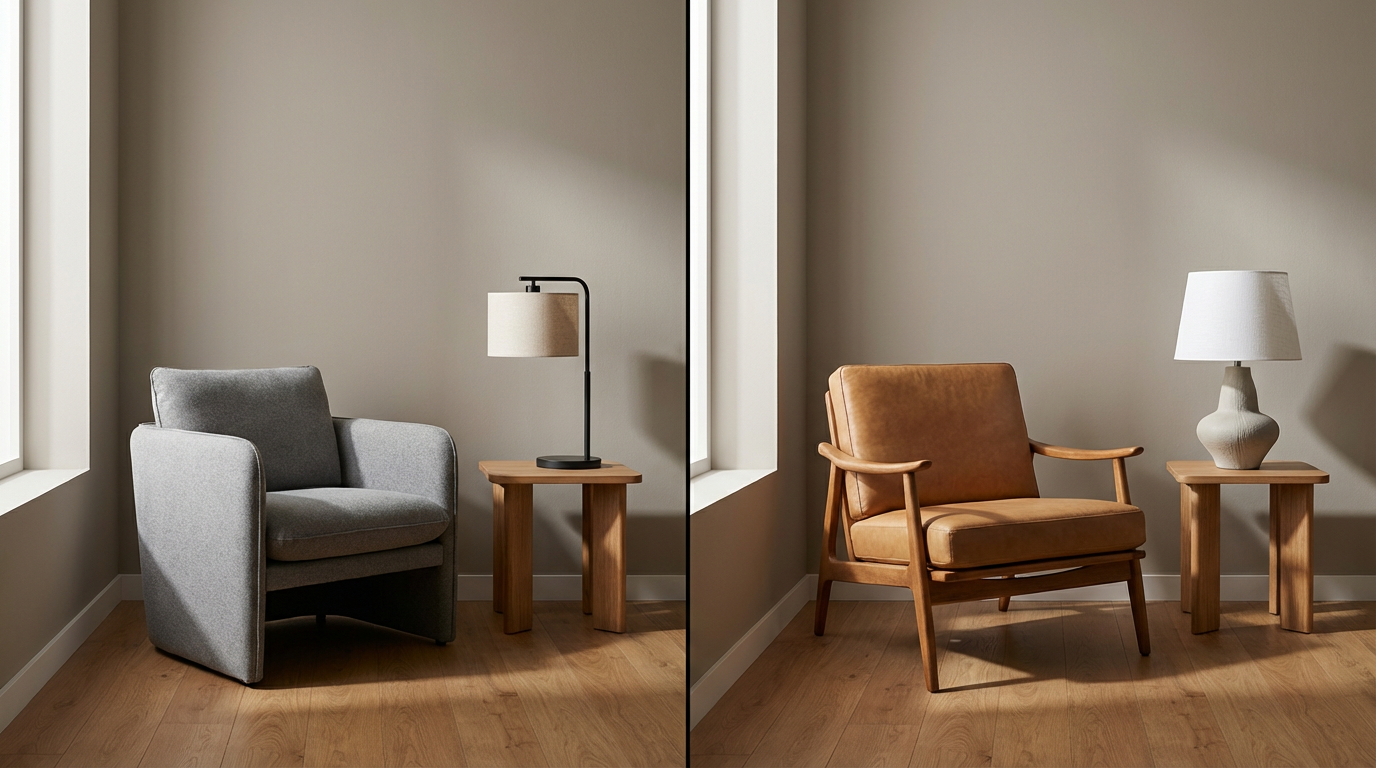
AI-powered image editing has moved far beyond simple filters or background removal. Today, creators can replace objects inside images with remarkable realism using advanced AI image replacer models. From swapping furniture in interior photos to changing accessories, products, or environmental elements, AI-driven object replacement has become one of the most practical and creative tools in modern visual workflows.
Instead of manually masking, retouching, and compositing elements in traditional editing software, AI image replacers allow users to describe what should change and let the model handle the visual transformation. The result is faster iteration, cleaner results, and far more flexibility for both creative and commercial use cases.
This guide explains how AI image replacers work, what types of objects can be replaced, which models are best suited for different tasks, and how to achieve realistic results with minimal effort.
What Is an AI Image Replacer
An AI image replacer is a type of generative model designed to modify specific objects within an existing image while preserving the rest of the scene. Instead of generating an entirely new image, these models understand spatial context, lighting, and perspective to seamlessly replace selected elements.
For example, an AI image replacer can:
- Swap a sofa in a living room photo with a different style
- Replace a chair, table, or lamp in an interior image
- Change clothing, accessories, or props
- Modify background objects without affecting the subject
- Update product visuals while keeping the original setting
The key advantage is contextual awareness. The AI doesn’t just paste a new object—it integrates it into the image logically.
How AI Image Replacers Work
AI image replacers rely on a combination of image understanding and generative reconstruction. The process generally follows these steps:
- Object Identification The model identifies the object to be replaced based on a selection, mask, or prompt description.
- Context AnalysisIt analyzes surrounding elements such as lighting, shadows, perspective, and textures.
- Object Generation or TransformationA new object is generated or transformed to match the scene’s visual logic.
- Seamless IntegrationThe replacement is blended into the image so it looks naturally placed rather than edited.
This workflow allows AI image replacers to maintain realism even in complex scenes.
Popular Use Cases for AI Image Replacement
AI image replacers are widely used across industries because of their versatility.
Furniture and Interior Replacement
One of the most popular use case is furniture replacement. Designers and real estate professionals can quickly visualize different sofas, tables, or decor items in the same room without reshooting photos
AI image replacers can adjust:
- Size and proportions
- Color and material
- Lighting and shadow alignment
This makes them ideal for interior design previews and e-commerce visualization.
Product and Marketing Visuals
Brands can update product visuals by replacing items in lifestyle shots without recreating entire photoshoots. This is especially useful for seasonal updates or A/B testing visuals.
Fashion and Accessories
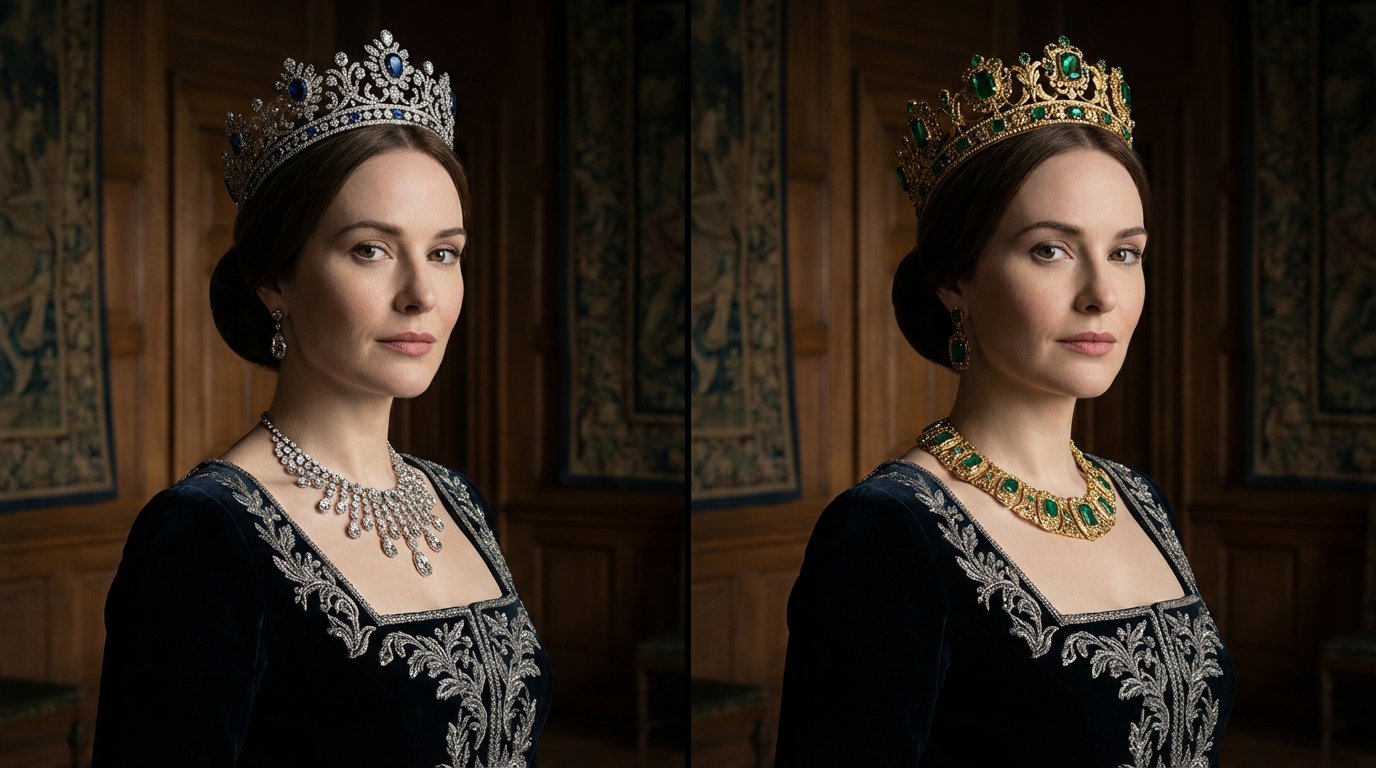
AI image replacers can modify clothing, bags, or accessories while keeping the model, pose, and background intact. This enables rapid content variation for social media and campaigns.
Creative and Concept Work
Artists and creators use object replacement to explore surreal ideas, remix visuals, or experiment with different compositions quickly.
Nano Banana and Similar Models for Image Replacement
Among AI image replacer models, Nano Banana has gained attention for its ability to preserve realism while applying expressive changes. It excels at replacing objects in a way that feels polished rather than artificial.
Why Nano Banana Works Well for Object Replacement
Nano Banana models are particularly effective because they:
- Maintain consistent lighting and texture
- Preserve facial and environmental realism
- Integrate new objects without harsh edges or mismatched shadows
- Allow expressive yet controlled stylization
This makes them well-suited for replacing furniture, accessories, or props in images where visual quality matters.
Other similar models also support object replacement, especially those focused on image editing rather than raw generation. These models typically perform best when working from an existing image rather than starting from scratch.
Furniture Replacement with AI
Furniture replacement is a standout use case for AI image replacers. Instead of staging multiple interiors or manually editing photos, users can swap furniture items digitally.
Common furniture replacement scenarios include:
- Changing sofa styles or colors
- Replacing chairs or tables
- Updating decor elements like lamps or rugs
- Visualizing different layouts with minimal effort
AI ensures that the new furniture matches perspective, scale, and lighting, which is often the most time-consuming part of manual editing.
Using AI Image Replacers in Practice
While AI image replacers are powerful, results improve significantly with good input and clear instructions.
Best practices include:
- Start with a high-quality base image
- Be specific about what should be replaced
- Match object style to the existing environment
- Avoid replacing too many objects at once
- Review results at full resolution
Simple, focused replacements almost always look more realistic than aggressive changes.
Workflow Support and Automation
Eachlabs provides a dedicated workflow built around Nano Banana specifically for furniture replacement tasks, allowing creators to experiment with object swaps in a structured and repeatable way. This makes it easier to test variations, refine outputs, and maintain consistency across projects.
Common Mistakes to Avoid
Even with advanced AI image replacers, certain mistakes can reduce realism.
Common issues include:
- Replacing objects without considering lighting direction
- Using vague prompts like “replace with something modern”
- Ignoring scale and proportion
- Over-editing textures until they look artificial
Clear intent and subtle changes usually deliver the best results.
Why AI Image Replacement Is Becoming Essential
AI image replacers are becoming essential tools because they reduce friction. Instead of rebuilding visuals from scratch, creators can iterate quickly and adapt content to different needs.
As AI models continue to improve, object replacement will feel less like editing and more like creative direction. The ability to say “replace this” and get a realistic result in seconds changes how visual content is planned and produced.
Wrapping Up
AI image replacers have transformed how objects can be modified inside images. From furniture replacement to product updates and creative experimentation, these tools offer speed, flexibility, and realism that traditional editing struggles to match.
Models like Nano Banana and similar image editing-focused systems make it possible to replace objects naturally while preserving the integrity of the original scene. With the right workflow and thoughtful prompts, AI image replacement becomes a powerful extension of modern visual creation.
Frequently Asked Questions
1. What is an AI image replacer used for?
An AI image replacer is used to swap or modify specific objects within an image while keeping the rest of the scene intact, such as furniture, accessories, or products.
2. Can AI image replacers handle furniture replacement?
Yes. Furniture replacement is one of the most common use cases. AI models can adjust size, lighting, and perspective to integrate new furniture naturally.
3. Do AI image replacers work better with existing images or from scratch?
They work best with existing images. Starting from a base image allows the AI to understand context and produce more realistic replacements.