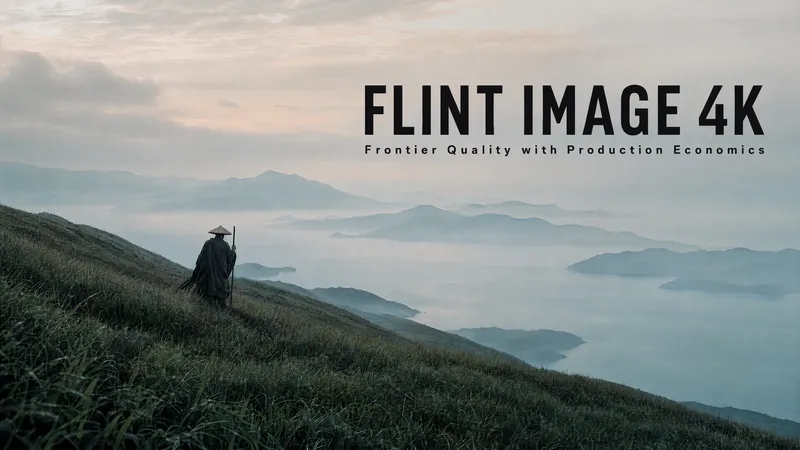
Flint Image 4K: 4K Output, 1K Price
Here's a question worth sitting with: how often does your team actually ship 4K, and how often do you just mean to? Because 4K has never really been a resolution decision. It's been a workflow decision. You generate at 1K, look at it, like it, and then face the second trip: send it to an upscaler, wait again, pay again, and hope the upscaler doesn't invent texture that was never in the original. Most days that second trip is worth it. Some days it isn't. And on the days it isn't, you ship 1K an
By Bartu Varol · Aug 5, 2026 · 7 min read
Here's a question worth sitting with: how often does your team actually ship 4K, and how often do you just mean to?
Because 4K has never really been a resolution decision. It's been a workflow decision. You generate at 1K, look at it, like it, and then face the second trip: send it to an upscaler, wait again, pay again, and hope the upscaler doesn't invent texture that was never in the original. Most days that second trip is worth it. Some days it isn't. And on the days it isn't, you ship 1K and tell yourself nobody will notice on a phone.
That compromise is what Flint Image 4K and Flint Image Edit 4K are built to remove. One call generates the image and steps it up to 4K in the same pass. No second job, no second wait, and this is the part that changes behaviour no second charge.
The Upscale Pass Was Never Free
The cost of a separate upscaling step shows up in three places, and only one of them is on the invoice.
The obvious one is money. Two calls instead of one, every time you want a finished high-resolution asset.
The second is time. Not just the render, but the handoff: export, re-upload, re-queue, wait, download, check. Individually trivial. Multiplied across a campaign's worth of assets, it's an afternoon.
The third is the expensive one, and it's the reason we built these models. The second pass is a decision point, and decision points leak. Every asset that reaches "good enough at 1K" is an asset that might not make the trip. Not because the team is lazy, but because a queue with a two-step process in it will always ship fewer finished pieces than one without. Friction doesn't announce itself. It just quietly lowers your ceiling.
Fuse the two steps and the decision disappears. 4K stops being something you opt into and becomes what comes out.

4K Output, 1K Price
The number: a call to Flint Image 4K or Flint Image Edit 4K runs at an estimated $0.20, dynamic based on your inputs. That's 4K for roughly the price of a 1K render, and about 33% less than standard 4K generation.
It's fair to be suspicious of a number like that, so here's where it comes from. It isn't a promotional rate and it isn't a quality corner. A generate-then-upscale sequence pays the setup cost twice: once to produce the image, once again to enlarge it, with an export and a re-ingest in between. The 4K models run both stages inside a single optimised workflow on each::labs, so the repeated part gets paid once instead of twice.
That's why it holds at scale. A team producing four hundred 4K assets a month isn't getting a discount that expires. They're using a pipeline that's structurally shorter than the one they were using before. The saving compounds with volume, which is exactly the opposite of how promotional pricing behaves.

Generate at 4K: Flint Image 4K
Flint Image 4K is text-to-image with three controls: your prompt, an aspect ratio, and an output format. PNG, JPEG or WebP. Square, portrait, widescreen, or whatever the placement needs. It runs on a private workflow on each::labs, powered by Gemini, and median runtime sits around a minute.
What arrives is a finished high-resolution file. Not a candidate for an upscaler. Something you can drop into a hero banner, a print layout, or a large-format display without another pipeline stage.
The prompting habit that matters most here is naming the destination. "App hero banner" or "product packaging mock-up" in the prompt produces better composition than the same description without it, because the model composes for the frame rather than for a generic rectangle. At 4K that matters more, not less a composition problem you could hide at 1K is fully legible at four times the pixels.

Edit at 4K, Up to Ten Images at Once: Flint Image Edit 4K
Flint Image Edit 4K runs the same economics on images you already have. Same three controls, plus source images — and it accepts between one and ten in a single request.
That ten-image ceiling is the interesting part, and it's easy to read as a convenience feature when it's really a consistency feature. Passing a set means the model works across the set: one colour grade applied to six lifestyle shots, one background treatment across a product range, one editorial look across a portrait series. Ten separate single-image edits give you ten separate interpretations. One request with ten images gives you a set that belongs together.
Combine that with 4K output and it covers a job that used to be genuinely tedious: taking an approved look and applying it, at delivery resolution, across everything in a campaign.
The prompt discipline is different from generation. State what changes and what stays. The example on the model page is a good template — hold the room, swap the armchair pattern. Specific about the change, explicit about the preservation.

Where People Actually Use the 4K Models
Brand and campaign teams producing hero assets for large placements, where 1K was never really acceptable and the upscaling step was the reason 4K took two days instead of one.
Ecommerce and product teams running catalogue work, where Flint Image Edit 4K's multi-image input turns a colourway rollout or a background standardisation into one request per set rather than one per image.
Print and out-of-home work, where resolution isn't a preference. A billboard doesn't negotiate.
Product teams building 4K output into their own apps through the API, where removing a pipeline stage removes a class of failure along with it. One call has one way to fail. Two calls have three.
Designers and creative directors building presentation decks and mood boards for large screens, where the aspect ratio control does real work.
Using the 4K Models on each::labs
Both models are live through the API and in ai-flows. Choose flint-image-4k and you get a 4K result straight from your prompt:
bash
curl -X POST \
  -H "Authorization: Bearer $EACHLABS_API_KEY" \
  -H "Content-Type: application/json" \
  --data '{
    "model": "flint-image-4k",
    "version": "0.0.1",
    "input": {
      "prompt": "Product hero shot of a matte black wireless headset on a reflective stone surface, studio lighting, soft falloff, ecommerce banner composition",
      "aspect_ratio": "16:9",
      "output_format": "png"
    },
    "webhook_url": ""
  }' \
  https://api.eachlabs.ai/v1/prediction/
For editing, point model at flint-image-edit-4k and pass an image_urls array with one to ten sources. Everything else stays the same.
The response is a prediction ID rather than a file, which you poll or receive by webhook. Build for that from the start — generation latency varies, and any integration that assumes a synchronous response will break the first time it meets real traffic.
Wrapping Up
The pitch here is deliberately narrow. Flint Image 4K and Flint Image Edit 4K aren't claiming to make a better image than everything else available. They're removing a step, and pricing the result so that removing it doesn't cost you anything.
4K output at roughly 1K price. Generate and step up in a single call. About 33% less on every 4K image.
The point isn't the discount. It's that when 4K costs about what 1K used to, and takes one call instead of two, you stop deciding whether an asset deserves it. Everything ships at delivery resolution because there's no longer a reason for it not to.
Both models are live now on each::labs, through the API and in ai-flows.
Frequently Asked Questions
How can Flint Image 4K deliver 4K for about the price of a 1K render?
Because you're not paying for two jobs. A generate-then-upscale sequence pays the setup cost twice with an export and re-ingest in the middle. Flint Image 4K runs both stages inside one optimised workflow on each::labs, so that cost is paid once. It's a structurally shorter pipeline, not a temporary rate, which is why the saving holds as your volume grows.
Should I use the 4K models for everything?
No, and it's worth being deliberate about it. While you're still searching for a direction, most of what you generate gets discarded, and 4K on discarded work is money spent on pixels nobody sees. Use the standard Flint Image and Flint Image Edit models while the answer is fuzzy, then move to 4K once you know what you're making.
What does the ten-image input on Flint Image Edit 4K actually get me?
Consistency, more than convenience. Ten separate edit requests produce ten separate interpretations of your instruction. One request carrying ten images produces a set treated together — matched grading, matched background, matched look. For catalogue work, colourway rollouts and editorial series, that difference is the whole reason to use it.