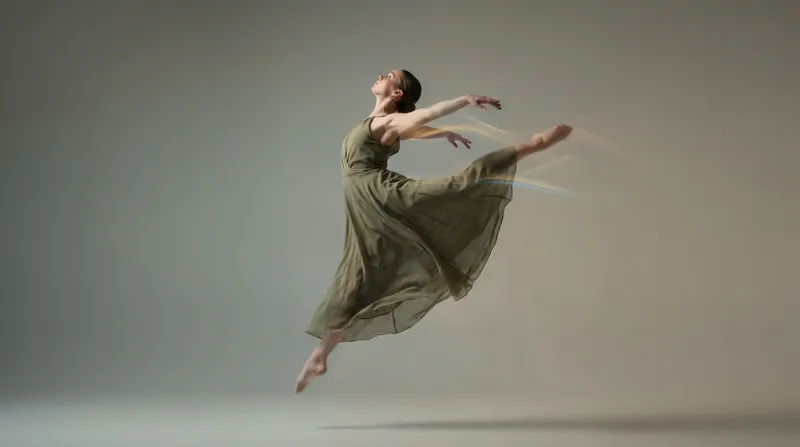
Creating High-Quality Images with Reve Image AI
As AI image generation continues to evolve, creators are increasingly looking for tools that offer clarity, control, and consistency. While many models focus on bold stylization or exaggerated realism, Reve Image AI stands out by prioritizing clean composition and predictable results. This makes it a strong option for users who want high-quality images without visual noise or excessive artistic distortion. In this guide, we’ll explore how Reve Image AI works, what makes it different from other
By Bartu Varol · Jan 23, 2026 · 4 min read

As AI image generation continues to evolve, creators are increasingly looking for tools that offer clarity, control, and consistency. While many models focus on bold stylization or exaggerated realism, Reve Image AI stands out by prioritizing clean composition and predictable results. This makes it a strong option for users who want high-quality images without visual noise or excessive artistic distortion.
In this guide, we’ll explore how Reve Image AI works, what makes it different from other AI image models, and how to use it effectively to create polished, professional visuals.
What Is Reve Image AI
Reve Image AI is an image generation model designed to produce structured, balanced, and visually consistent images from text prompts. Rather than pushing heavy stylization, it focuses on neutral aesthetics, controlled lighting, and clear subject definition.
This approach makes Reve Image AI especially suitable for:
- Clean product visuals
- Minimalist designs
- Editorial-style images
- Professional and presentation-ready content
Its strength lies in reliability. When prompts are clear, the outputs tend to closely match expectations.
Why Choose Reve Image AI for High-Quality Images
High-quality images are not always about dramatic lighting or extreme realism. In many cases, quality comes from clarity, proportion, and visual balance. Reve Image AI excels in these areas by reducing randomness and focusing on structure.
Key advantages include:
- Strong prompt adherence
- Consistent framing and composition
- Controlled color and lighting behavior
- Reduced visual artifacts
This makes the model ideal for creators who value precision over experimentation.
Prompting Tips for Better Results
Reve Image AI responds best to direct, well-defined prompts. Instead of abstract or overly poetic descriptions, clear language produces the most reliable outcomes.
Effective prompts often include:
- Clear subject description
- Simple environment details
- Neutral lighting instructions
- Minimal stylistic modifiers
For example, describing an object, its position, and lighting will usually yield better results than layering multiple artistic styles.
Visual Style and Consistency
One of the standout features of Reve Image AI is its consistency across generations. When generating multiple images within the same concept or series, the model maintains similar proportions, lighting behavior, and overall tone.
This consistency is especially valuable for:
- Brand assets
- Presentation visuals
- UI mockups
- Content that requires a unified look
Rather than producing visually unpredictable results, Reve Image AI keeps outputs stable and cohesive.
Use Cases for Reve Image AI
Reve Image AI is commonly used in scenarios where clarity, structure, and professionalism are more important than dramatic visual effects or heavy stylization. Its controlled and predictable outputs make it especially valuable for projects that require visual consistency and precision.
One of the most common use cases is product imagery. Reve Image AI is well-suited for generating clean, well-lit product visuals that highlight form, texture, and proportion without unnecessary visual distractions. This makes it useful for e-commerce listings, catalogs, and presentation materials where the product needs to remain the clear focal point.
Another major application is marketing visuals. For campaigns that require polished and brand-aligned imagery, Reve Image AI helps maintain a consistent visual tone across multiple assets. Its neutral aesthetic reduces the risk of overly stylized outputs that may conflict with established brand guidelines.
Reve Image AI is also frequently used for clean portrait-style images. These portraits tend to feel balanced and professional, making them suitable for corporate profiles, editorial layouts, and presentation slides. The model’s controlled lighting and composition help avoid exaggerated expressions or artificial-looking results.
For early-stage ideation, concept visuals with minimal styling are another strong use case. Designers and teams can quickly visualize ideas in a clean format before applying heavier stylization or detailed refinement later in the workflow.
Finally, Reve Image AI works well for educational and informational graphics, where clarity is essential. Whether used for training materials, explainer visuals, or documentation, the model produces images that support information rather than overpower it.
Because of its controlled output and predictable behavior, Reve Image AI fits naturally into workflows where images must align closely with brand standards, layout systems, or professional presentation requirements.
Integrating Reve Image AI into Your Workflow
Creators often combine Reve Image AI with other tools in a layered workflow. For example, one model may be used for ideation or stylization, while Reve Image AI handles the final, polished output.
Eachlabs allows creators to use Reve Image AI in a structured environment, making it easier to test prompts, refine outputs, and maintain visual consistency across projects.
Common Mistakes to Avoid
To get the best results with Reve Image AI, it’s important to avoid overloading prompts. Too many stylistic instructions can reduce clarity and weaken output quality.
Common mistakes include:
- Using vague descriptors
- Mixing conflicting styles
- Overemphasizing artistic effects
Keeping prompts simple and intentional almost always leads to higher-quality images.
Why Reve Image AI Stands Out
Reve Image AI fills an important role in the AI image generation ecosystem. While other models push creative boundaries, Reve focuses on structure, predictability, and polish. This makes it a reliable choice for creators who want clean, professional visuals without unnecessary complexity.
As AI image generation becomes more widespread, models like Reve Image AI show that high quality doesn’t always mean high drama. Sometimes, clarity and control are what matter most.
Wrapping Up
Creating high-quality images with Reve Image AI is about understanding its strengths. By focusing on clean prompts, controlled composition, and consistent visual logic, creators can produce images that feel refined and professional.
For projects that demand structure, reliability, and visual clarity, Reve Image AI offers a powerful and dependable solution in the growing world of AI-generated imagery.
Frequently Asked Questions
1. What is Reve Image AI best used for?
Reve Image AI is best suited for clean, structured visuals such as product images, professional graphics, and minimal designs.
2. Does Reve Image AI support highly stylized imagery?
While it can handle some stylization, Reve Image AI performs best with neutral, controlled prompts rather than heavily artistic styles.
3. How can I improve image quality with Reve Image AI?
Using clear prompts, simple lighting descriptions, and avoiding excessive style modifiers helps produce more consistent, high-quality results.