How to Keep the Same Character Across AI Video Shots
Keep the same character across AI video shots by reusing one approved identity source per generation.
By Bartu Varol · Sep 17, 2026 · 15 min read

For cross-shot character consistency, reuse the same approved visual identity source in every independent generation. Do not rely on repeating the prompt or fixing a seed to reconstruct the same person.
Depending on the model, that may mean starting an image-to-video generation from an approved still or passing one or more images into a reference-to-video route. Extending a previous clip carries yet another kind of state forward: useful for continuation, less useful when the next scene is meant to be independently composed.
The distinction is simple:
A seed helps control repeatability. A start image anchors a shot. A reference supplies recurring visual information. A previous clip carries temporal state.
None guarantees exact identity.
Character consistency across shots means preserving the visual attributes that define a character—such as facial structure, skin tone, hair, and distinguishing features while separate generations change the pose, action, camera, or setting.
Start by defining what is allowed to change
“Keep the character consistent” is too vague to test.
For one product, preserving the face and hair may be enough. For another, the jacket, freckles, earrings, body proportions, and hairstyle are all part of the character.
Write down the invariants.
For an identity-sensitive workflow, they might include:
- facial geometry
- skin tone
- hair color and hairstyle
- age presentation
- body proportions
- distinguishing marks
- signature clothing or accessories
Then separate them from the things the scene is supposed to change:
- pose
- expression
- action
- location
- lighting
- framing
- camera position
Generative video needs room to create new visual information. The goal is not to freeze an image. It is to change the shot without accidentally changing the person.
A requirement such as “preserve exact facial features, skin tone, and hair” works well as an acceptance rule. It should not be mistaken for a guarantee that a generative model will satisfy those attributes exactly on every run.
Temporal consistency is not cross-shot consistency
These two failures often get collapsed into one.
Temporal consistency asks whether the character stays stable inside a single clip. Does the face distort during a turn? Does the hairstyle change halfway through a movement? Does an accessory disappear?
Cross-shot consistency asks whether separately generated clips still show the same character. Shot one can remain perfectly stable from first frame to last while shot two introduces a different jaw, hairline, skin tone, or body shape.
A model can be good at one and mediocre at the other.
That distinction matters in a multi-scene product because every independent generation gives the model another chance to reconstruct the person.
Seed, start image, reference image, and previous clip solve different problems
Character-consistency advice often collapses into some version of “reuse the prompt, lock the seed, and add references.”
Those controls are not interchangeable.
| Control | What it mainly constrains | Useful for | What it does not guarantee |
|---|---|---|---|
| Prompt | Semantic description | Keeping named traits and shot instructions explicit | Reconstructing one exact identity |
| Seed | Repeatability where supported | Controlled reruns under similar inputs | Persistent character identity |
| Start image / image-to-video | Initial visual state | Animating an approved character frame | A freely recomposed shot with identical identity |
| Reference images / reference-to-video | Recurring visual information | Reusing a subject in newly specified shots | Exact preservation of every feature |
| Previous clip / extension | Existing video state | Direct continuation | Independent composition without inherited drift |
The useful question is not which control is best. It is which state you need to preserve.
A prompt describes a person. It does not uniquely identify one.
Suppose every shot contains:
young woman, shoulder-length black hair, oval face, brown eyes, red leather jacket
That description narrows the possibilities. It still describes a class of plausible people rather than one uniquely specified face.
Repeating it can help. The model is less likely to turn the red jacket blue or make shoulder-length hair waist-length.
But text should not carry the whole identity requirement.
Use the prompt to describe what happens in the shot. Put as much stable identity information as the target model allows into the visual input.
A seed is not a character ID
A seed is a repeatability control on models that expose one.
That is useful when you want to rerun similar inputs or change one variable while holding other generation state steady. It does not contain a persistent representation of a person's face.
It is not portable advice, either. The current reference-to-video examples for Seedance 2.0 and Grok Imagine, plus the current Hailuo 2.3 Pro Image-to-Video example, do not expose a seed field.
Treat seed as model-specific generation state, not as your character database.
If the same character has to survive independently composed shots, keep an actual visual identity source.
Image-to-video starts from a character that is already right
Image-to-video removes one large uncertainty: the first image already exists.
You give the model a frame in which the face, hair, clothing, and composition look correct, then ask it to animate that frame.
That works well when the approved still can naturally serve as the beginning of the shot. It becomes more demanding when the new scene moves far away from what the image contains. A front-facing close-up gives the model much less evidence for a wide profile shot, for example.
Hailuo 2.3 Pro Image-to-Video is a current example of this pattern on each::labs. Its request currently takes a singular image_url.
There is no separate identity system implied by that. The starting image is doing the anchoring.
Reference-to-video lets the shot move farther from the source image
The current reference routes for Seedance 2.0 Reference-to-Video and Grok Imagine Reference-to-Video expose a different request shape: both accept an image_urls array.
That lets you keep giving the model the same approved visual material while changing the shot prompt.
The scene can move from a café to a street. The camera can move from frontal to profile. The action can change. The character references stay fixed.
Seedance 2.0 Reference-to-Video demonstrates several image references in one request. Grok Imagine Reference-to-Video also accepts reference images.
But reference still means reference.
A new pose may expose geometry the inputs never showed. Fast motion can distort fine features. Lighting can shift apparent skin or hair color. Two reference images can disagree.
The useful way to think about reference conditioning is that it reduces how much visual identity the model has to reconstruct. It does not remove reconstruction from the problem.
A unified API does not make the models behave the same
This is where clean abstractions can become misleading.
A common API can normalize request syntax. It cannot normalize what a model does with the reference.
The current examples make that concrete. Hailuo 2.3 Pro I2V takes one image_url. Seedance 2.0 Reference-to-Video takes image_urls[]. Grok Imagine Reference-to-Video also takes image_urls[], but describes those inputs broadly as style and content references.
Those schemas tell you how to call the models. They do not tell you that the models will make the same creative decision from the same face.
I think unified APIs are often misunderstood here. Syntax is the easy part. Semantics are what show up later as “why did the face change?”
Keep your own application concept stable — this is the canonical character reference — and adapt how you pass that asset to each model.
API compatibility is not output equivalence.
Continuation carries previous mistakes as well as previous state
Sometimes the right input for the next clip is not the canonical character image. It is the video you just generated.
Grok Imagine Extend Video, for example, takes a video_url and prompt to continue an existing clip.
That makes sense when the next segment really is a continuation: the subject keeps walking, the camera keeps moving, or the same action simply needs more time.
The tradeoff is easy to miss.
Suppose shot one makes the character's jaw slightly narrower than the canonical reference. Shot two continues from shot one and shifts it a little more. Shot three inherits shot two.
You have preserved continuity. You may also have preserved the error.
These are different architectures:
Canonical reference → shot A
Canonical reference → shot B
Canonical reference → shot C
versus:
Shot A → shot B → shot C
Use the first when separately composed shots need to keep returning to the same identity source.
Use the second when direct temporal continuation matters more.
For a deeper implementation of media handoffs, the text-to-image-to-video workflow guide covers how to connect generation stages without losing control of the accepted asset. each::workflows can wire step outputs into later steps, but the workflow should not turn the newest generated face into the source of truth by accident.
Why a good reference can still produce the wrong person
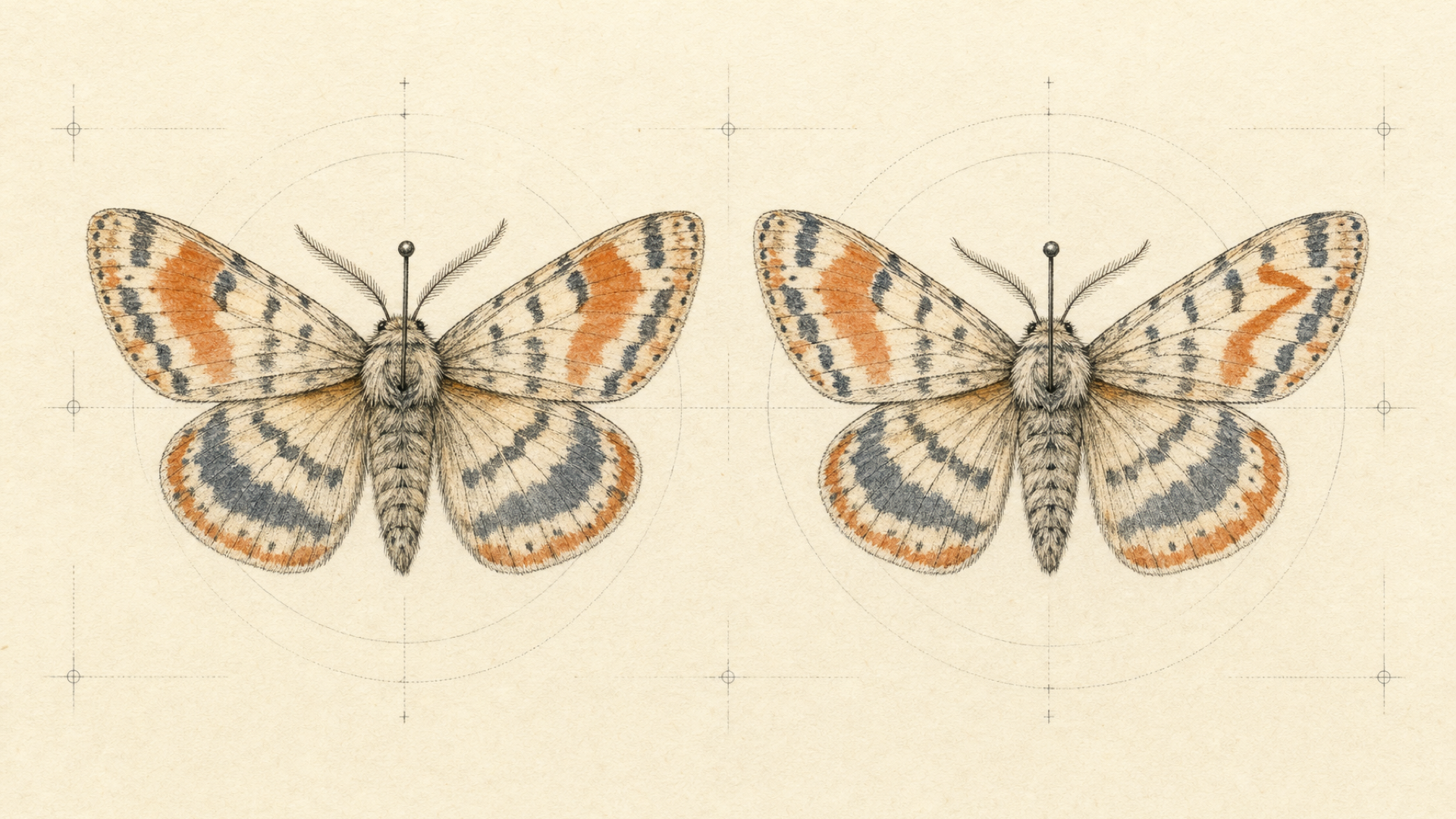
A reference can improve consistency and still fail.
The model is using information you supplied to generate information you did not.
One portrait does not contain every view of a face
A clean frontal portrait tells the model a lot about the front of the face.
It tells it less about:
- the exact profile
- the shape of the head from behind
- how the hairstyle looks from every direction
- full-body proportions if the image stops at the shoulders
- details hidden by hair, glasses, clothing, or shadow
Ask for a dramatic side profile and some of those details have to be inferred.
This is why five nearly identical front-facing tests can give false confidence. They mostly test whether the model can reproduce information the reference already makes easy.
A better test asks the model for something the reference never showed.
More references can make the problem worse
Imagine a reference set where one image has shorter hair, the jacket changes, one face has a narrower jaw, the character looks older in one frame, and the lighting changes apparent skin tone.
The model now has more evidence. It also has more disagreement to resolve.
A smaller coherent set can be more useful than a large pile of roughly similar images.
There is no universal correct number of references. It depends on the target model and on what information your strongest image is missing.
The prompt can fight the reference
Another common instinct is to redescribe every appearance detail in every shot:
exact oval face, exact black shoulder-length hair, exact brown eyes, exact nose shape...
That can help when the text reinforces the visual input.
It can also introduce conflict. If the description does not quite match the reference, the model now has to reconcile two versions of the character.
A useful starting rule for identity-sensitive work is:
- let the visual input carry as much of who the character is as the model allows
- use the prompt primarily for what happens in the shot
- repeat appearance constraints when they materially improve that model's behavior
That last line matters. Prompt/reference weighting is model-specific.
Motion, angle, occlusion, and lighting expose different weaknesses
An easy medium shot tells you very little about the edge of a model's consistency envelope.
Stress cases include:
- a frontal face rotating into profile
- hair covering part of the face
- a hand crossing the face
- fast body or head motion
- extreme expressions
- strong shadows
- backlighting
- moving from close-up to full body
- small faces inside wide shots
One model may hold hair and skin tone well but lose facial geometry during motion. Another may keep the face recognizable and quietly drop a signature accessory.
“Consistent” is not one score. It is a set of failure tolerances.
The model version belongs in your character-consistency telemetry
A reference is not the only state that matters.
The same inputs are not guaranteed to behave identically after a model or version change. HTTP success can remain normal while users start rerolling more often because the visual behavior moved.
Store the model and version that produced an accepted result.
Character consistency is part of model behavior, not only prompt behavior.
Make the approved reference production state
The simplest useful change is organizational:
decide which asset is the character.
Do that before building a sequence around it.
A practical workflow is:
- Create or select the character.
- Review the attributes that must remain invariant.
- Approve one coherent reference set.
- Mark those assets as canonical.
- Generate independent shots from that same source.
If the canonical face is wrong, fix the canonical asset.
If the canonical face is right and one video shot drifts, regenerate that shot.
Those are different failures.
Store the canonical references deliberately
Once the character is approved, later stages should not depend on somebody finding the correct file again.
each::storage can issue a presigned upload URL and return a public_url that can be passed into model and workflow inputs. Upload the approved asset, then keep that URL with your own character or project record.
For long-lived characters, set retention deliberately. Current each::storage retention defaults to 180 days and can be configured per upload.
Your application record might look like this:
{
  "character_id": "character_042",
  "reference_images": [
    "https://cdn-us.eachlabs.ai/.../character-front.png",
    "https://cdn-us.eachlabs.ai/.../character-profile.png"
  ],
  "invariants": [
    "facial geometry",
    "skin tone",
    "hair",
    "red jacket"
  ]
}
The JSON shape is not the important part.
The important part is that yesterday's generated result does not quietly replace the identity source you approved last week.
Change the shot. Keep the identity source.
Here is that pattern against the current Seedance 2.0 Reference-to-Video route.
Replace REFERENCE_URL with your approved reference URL. The endpoint, authentication method, model slug, version, current input fields, predictionID, and polling statuses below match the current each::labs documentation and model page.
import os
import time
import requests

API_BASE = "https://api.eachlabs.ai"
REFERENCE_URL = "https://cdn-us.eachlabs.ai/.../character-front.png"

headers = {
    "Authorization": f"Bearer {os.environ['EACHLABS_API_KEY']}",
    "Content-Type": "application/json",
}

def submit_shot(prompt):
    response = requests.post(
        f"{API_BASE}/v1/prediction",
        headers=headers,
        json={
            "model": "bytedance-seedance-2-0-reference-to-video",
            "version": "0.0.1",
            "input": {
                "prompt": prompt,
                "image_urls": [REFERENCE_URL],
                "resolution": "720p",
                "duration": "10",
                "generate_audio": False,
                "aspect_ratio": "auto",
            },
        },
    )
    response.raise_for_status()
    return response.json()["predictionID"]

def wait_for_prediction(prediction_id):
    while True:
        response = requests.get(
            f"{API_BASE}/v1/prediction/{prediction_id}",
            headers=headers,
        )
        response.raise_for_status()
        prediction = response.json()

        if prediction["status"] in ("success", "error", "cancelled"):
            return prediction

        time.sleep(2)

shot_a_id = submit_shot(
    "Medium shot in a quiet coffee shop. "
    "The character looks toward the window."
)

shot_b_id = submit_shot(
    "Exterior profile shot. "
    "The character walks along a wet city street at night."
)

shot_a = wait_for_prediction(shot_a_id)
shot_b = wait_for_prediction(shot_b_id)
There is no hidden consistency trick in the code.
REFERENCE_URL stays fixed. The shot changes.
Switch to a route whose current schema uses a singular image_url and the transport shape changes. The application-level identity source should not.
Regenerate the failed shot, not the whole character
A sequence should not become fragile because shot seven failed.
Keep the canonical reference, shot prompt, selected model and version, prediction ID, and accepted/rejected outcome.
Then you can rerun the failed shot without rebuilding everything before it.
That record also gives you something far more useful than a general impression of model quality: you can see how often a given model produces a keeper under the same character contract.
Test consistency by trying to break it
Do not evaluate an identity-sensitive model with five easy variations of the same portrait.
Change one difficult variable at a time.
| Test | What it exposes |
|---|---|
| Same pose, new background | Basic cross-shot reconstruction |
| Frontal → three-quarter | Facial geometry stability |
| Frontal → profile | Missing identity information |
| Close-up → full body | Scale and body reconstruction |
| Neutral → strong expression | Facial deformation |
| Bright → low light | Skin and hair stability under lighting |
| Static → strong motion | Temporal identity drift |
| Simple solo shot → interaction | Occlusion and subject binding |
This gives you more information than one overall aesthetic score.
Score the things your product cannot afford to lose
Generic model rankings compress too much into one number.
For character consistency, the missing dimensions are often the ones that matter: repeatability, prompt sensitivity, cross-shot identity preservation, and how often you need to rerun a generation before it becomes usable.
I would not start by asking which model has the highest visual-quality score. Start with the workload.
For a requirement like:
preserve each child's exact facial features, skin tone, and hair
review those attributes separately.
| Attribute | Pass condition |
|---|---|
| Face | Same recognizable geometry and defining features |
| Skin tone | No material unexplained shift |
| Hair | Same color, length, style, and hairline where visible |
| Body | Required proportions remain plausible and stable |
| Clothing | Required identity-defining items remain present |
| Overall identity | Reviewer reads the subject as the same character |
Do not collapse that into “quality: 8/10.”
A beautiful clip with the wrong face has failed an identity-sensitive workload.
A less spectacular clip that preserves the character may be the better production choice.
The useful question is not “which model is best?” It is which model fails in a way this product can tolerate?
Three current ways to carry visual state on each::labs
The relevant comparison between these current model families is not an overall ranking.
It is how each route lets you carry visual state.
| Pattern | Current each::labs example | Demonstrated input shape | Useful when |
|---|---|---|---|
| Image-to-video | Hailuo 2.3 Pro I2V | singular image_url |
An approved still can be the beginning of the shot |
| Reference-to-video | Seedance 2.0 Reference-to-Video | image_urls[] |
You want to reuse image references while specifying a new shot |
| Reference plus continuation | Grok Imagine Reference-to-Video + Extend Video | image_urls[] for reference; separate video_url extension route |
You need to choose between new reference-guided generation and direct continuation |
Hailuo 2.3: animate an approved starting image
Current Hailuo 2.3 Pro image-to-video calls demonstrate a singular image_url.
That makes it a clean start-image example: establish the right visual state first, then animate it.
The page also contains descriptive copy about multi-image reference, but its current executable request example does not expose a multi-image field. For an integration, follow the schema the route actually demonstrates.
Seedance 2.0: reuse image references
Seedance 2.0 currently exposes dedicated Reference-to-Video variants on each::labs. The current full-reference example accepts an image_urls array and demonstrates several images in one request.
That gives independently specified shots recurring visual input instead of forcing each generation to rebuild the subject from text.
The current Seedance page also recommends using AI-generated human faces rather than real human faces. If your application works with photographs of real people, check the current model restrictions before choosing this route.
Grok Imagine: decide whether you want reference or continuation
Grok Imagine currently exposes a Reference-to-Video route with image_urls[] and a separate Extend Video route whose input includes video_url.
Use reference conditioning when the next generation should receive recurring image references.
Use extension when the actual task is to continue an existing clip.
Both can improve something we casually call continuity. They preserve different state.
Sometimes the direct model call is the right architecture
If one model already gives you the identity behavior you need, your traffic is modest, and you do not need comparison, failover, or unified observability, call that model directly.
An orchestration layer should remove complexity you already have. It should not add another network hop because a larger workflow diagram looks more sophisticated.
each::labs becomes useful when you genuinely need to compare reference behavior across models, keep an application workflow around different schemas, route workloads, or observe several providers through one system.
If that is not your problem, skip the layer.
What works, what helps, and what to stop relying on
| Technique | Verdict | Why |
|---|---|---|
| Repeat the same detailed character prompt | Helps | Keeps semantic traits explicit, but the model still reconstructs identity |
| Reuse the same seed | Helps where supported | Useful for repeatability; does not store character identity |
| Start from one approved character image | Strong when the shot can begin there | Reduces how much visual state must be reconstructed |
| Reuse coherent visual references | Strong general strategy | Gives each generation recurring information about the subject |
| Add more references automatically | No | Contradictory inputs can increase ambiguity |
| Use the previous result for every next shot | Context-dependent | Preserves continuation but can propagate drift |
| Reuse a canonical reference for independent shots | Strong production default | Failed generations do not become the new source of truth |
| Pick the model with the highest generic quality score | Insufficient | Aesthetic quality does not tell you whether your invariants survive |
FAQ
Does the same seed guarantee the same AI character?
No. A seed is a repeatability control on models that expose it; it does not encode a persistent character identity. Visual references are the more direct way to provide recurring identity information across independently generated shots.
Is image-to-video or reference-to-video better for character consistency?
It depends on the shot and on the model's actual input contract. Image-to-video is useful when an approved image can serve as the shot's starting visual state. Dedicated reference routes can accept recurring reference images while you specify a new shot. They are related controls, not interchangeable ones.
How many character reference images should I use?
There is no universal number. Use enough mutually consistent references to expose the information the target model needs. Another angle can help when a shot asks for geometry missing from a frontal portrait, but contradictory or low-quality inputs can make the task harder.
Can AI video preserve exact facial features?
Reference-conditioned generation can improve facial consistency, but it should not be treated as deterministic facial reconstruction. Pose, occlusion, lighting, expression, motion, missing reference information, and model behavior can still change details. If exact facial features are a hard product requirement, test them explicitly rather than assuming a reference mode guarantees them.
Should every scene use the previous scene's last frame?
No. Use the previous frame or clip when you need direct continuation. For independently composed scenes, returning to the canonical character reference reduces the chance that small generation errors become the input for every later shot.
Why does my AI character's face change between shots?
Each independently generated shot forces the model to reconstruct some visual information. Text alone does not uniquely specify a face, and references may not show the angle, expression, lighting, or body detail required by the new scene. Cross-shot drift appears where the model has to infer those missing details or resolves the same reference differently.
Canberk Sinangil
Co-founder & CTO
I’m the Co-Founder and CTO of each::labs, where I focus on building the infrastructure and tooling that help developers bring AI models into production. My background spans computer vision, augmented reality, machine learning, and software engineering, including building AR and visual AI products before moving deeper into generative AI. I’m particularly interested in the engineering challenges behind making powerful AI models fast, scalable, and practical for real-world products.
Build multi-model generation workflows with one production API layer.