Practical Use Cases of Qwen-Image-Edit for AI Image Editing
AI image generation has rapidly advanced, but image editing remains one of the most valuable capabilities for real-world creative workflows. While generating images from scratch is powerful, many projects require precise changes to existing visuals rather than full regeneration. This is where qwen-image-edit becomes especially useful. Qwen-image-edit is designed to modify, refine, and transform existing images through natural language instructions. Instead of recreating an entire image, it allo
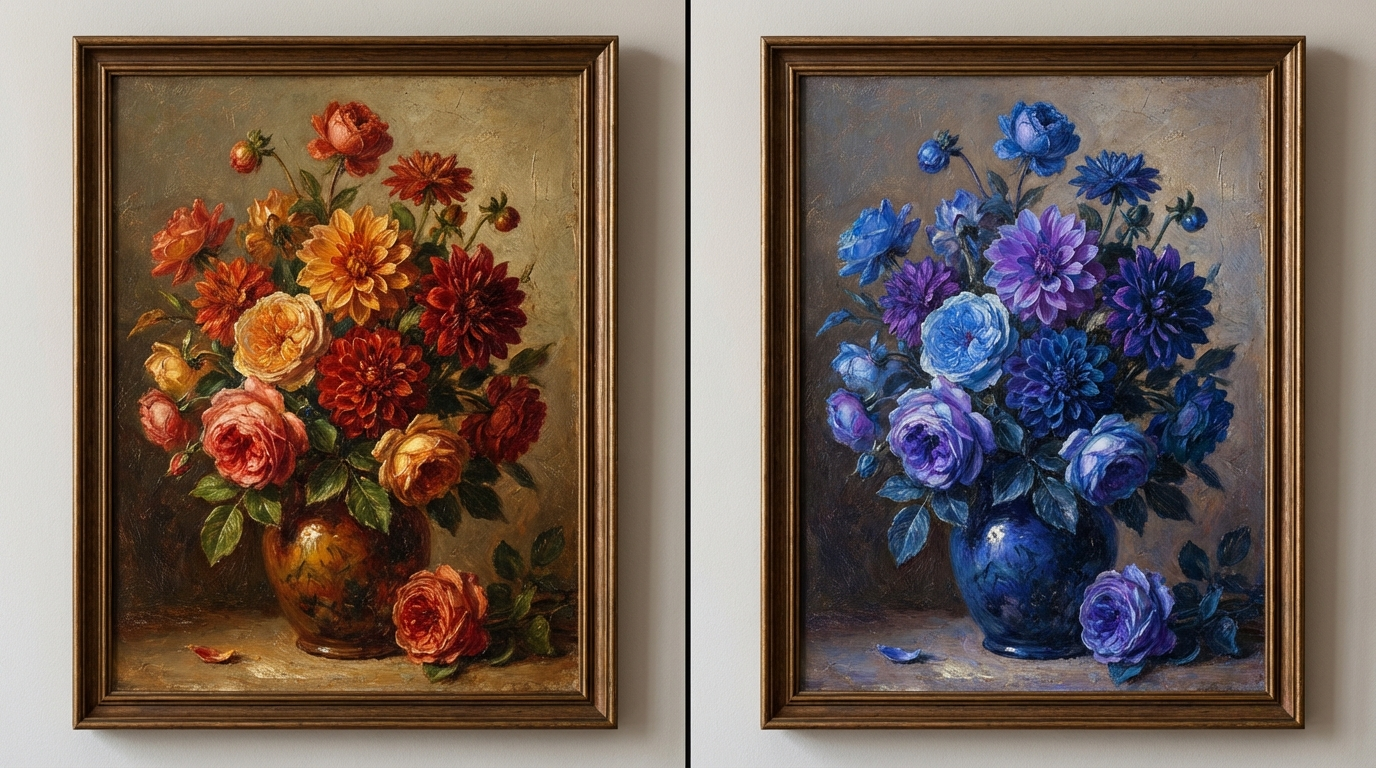
AI image generation has rapidly advanced, but image editing remains one of the most valuable capabilities for real-world creative workflows. While generating images from scratch is powerful, many projects require precise changes to existing visuals rather than full regeneration. This is where qwen-image-edit becomes especially useful.
Qwen-image-edit is designed to modify, refine, and transform existing images through natural language instructions. Instead of recreating an entire image, it allows creators to adjust colors, replace elements, enhance details, or alter styles while preserving the original structure.
In this guide, we’ll explore what qwen-image-edit is, how it works, and the most practical use cases for AI-powered image editing.
What Is Qwen-Image-Edit?
Qwen-image-edit is an AI image editing model that enables targeted visual modifications using text prompts. Rather than generating a new image from scratch, it focuses on editing specific aspects of an existing image.
Key capabilities include:
- Color modification
- Object replacement or refinement
- Style adjustments
- Background edits
- Detail enhancement
This makes qwen-image-edit ideal for workflows where accuracy, consistency, and control matter more than creative randomness.
Why Image Editing Matters More Than Regeneration
In many professional scenarios, creators don’t want a completely new image—they want the same image, just improved or adjusted.
Common needs include:
- Changing colors to match brand guidelines
- Replacing objects while keeping composition intact
- Updating visuals without reshooting or redesigning
- Making subtle refinements rather than dramatic changes
Qwen-image-edit excels in these situations by preserving layout, lighting, and proportions while applying targeted edits.
How Qwen-Image-Edit Works
Qwen-image-edit analyzes the input image and identifies visual elements such as:
- Objects
- Color regions
- Textures
- Lighting behavior
It then applies prompt-driven edits only to the relevant areas. This selective approach reduces unintended changes and keeps the image visually coherent.
Use Case 1: Color Editing and Style Variations
One of the most common uses of qwen-image-edit is color transformation. This is especially valuable for artwork, product visuals, and branding assets.
For example:
- Changing a painting’s color palette
- Adapting visuals to seasonal themes
- Testing multiple color variants quickly
Instead of regenerating multiple images, creators can keep the same composition and experiment with color variations efficiently.
Use Case 2: Artwork and Painting Refinement
Artists and designers can use qwen-image-edit to modify existing artwork without disturbing its structure.
Typical edits include:
- Adjusting tone and saturation
- Shifting color harmony
- Enhancing contrast
- Refining textures
This allows for creative exploration while preserving the original artistic intent.
Use Case 3: Object Replacement Without Layout Changes
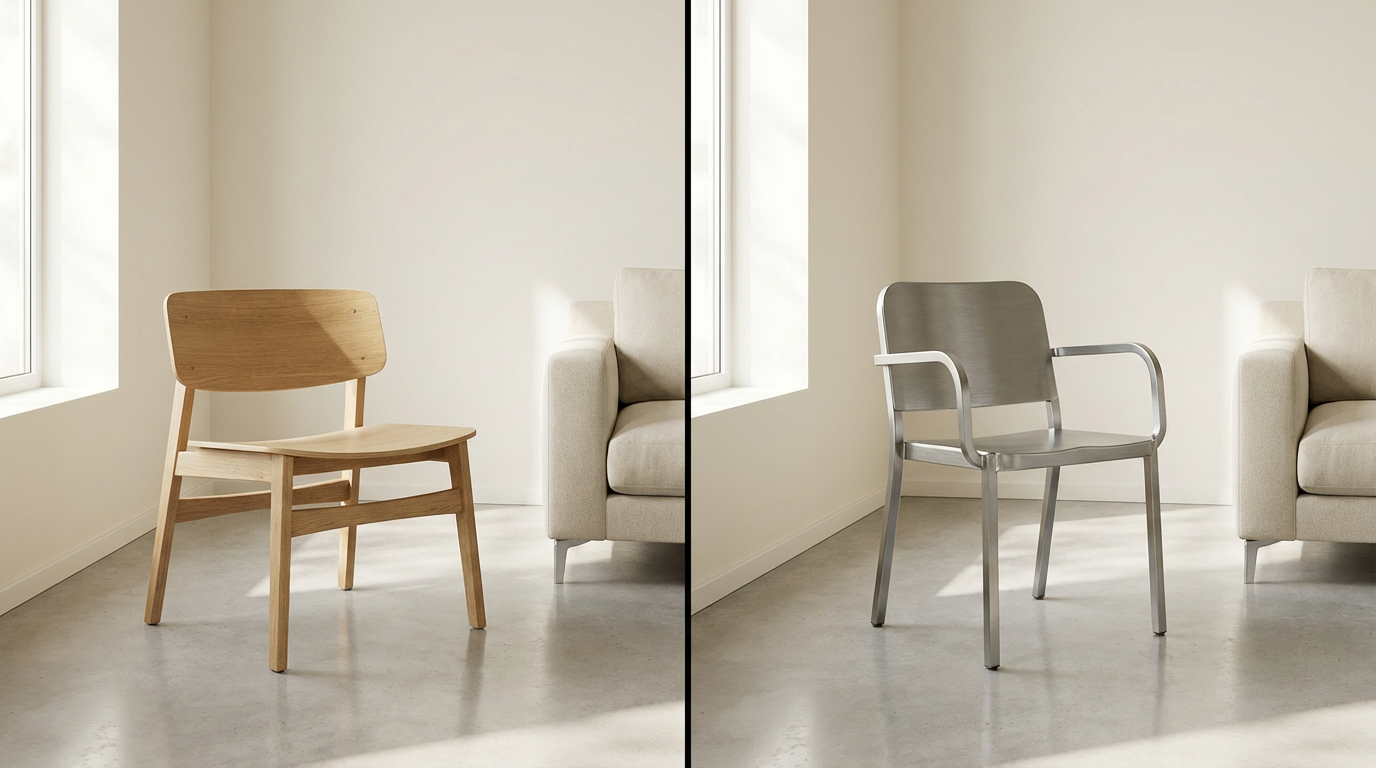
Another powerful application is object replacement. Qwen-image-edit can swap objects while maintaining perspective, lighting, and spatial relationships.
Examples include:
- Replacing furniture in interior images
- Changing accessories in fashion visuals
- Updating props in still-life compositions
This is especially useful in design previews and mockups.
Use Case 4: Product Image Customization
For e-commerce and marketing teams, qwen-image-edit enables rapid customization of product visuals.
Possible edits:
- Changing product colors
- Updating materials or finishes
- Refining reflections and highlights
This reduces the need for multiple photoshoots or renders.
Use Case 5: Background and Environment Adjustments
Qwen-image-edit can also adjust backgrounds without affecting the main subject.
Common background edits include:
- Softening or neutralizing backgrounds
- Changing environment color tone
- Removing visual distractions
This is ideal for clean, presentation-ready visuals.
Use Case 6: Iterative Design and A/B Testing
Because qwen-image-edit preserves composition, it’s well-suited for iterative workflows.
Design teams can:
- Test variations quickly
- Compare visual options side by side
- Make small changes without restarting
This makes collaboration faster and more efficient.
Integrating Qwen-Image-Edit into Creative Workflows
Qwen-image-edit works best as a refinement layer rather than a starting point. Many creators generate or upload a base image, then apply targeted edits using the model.
If you want to explore qwen-image-edit and experiment with AI-powered image editing workflows, you can explore it through Eachlabs, where editing-focused models can be tested and refined in a structured environment.
Common Mistakes to Avoid
To get the best results with qwen-image-edit, avoid:
- Overloading prompts with multiple edits at once
- Using vague instructions
- Expecting full scene regeneration
Clear, focused edit instructions almost always produce better outcomes.
Why Qwen-Image-Edit Is Valuable for Professionals
Qwen-image-edit fills an important gap between generation and manual editing. It offers:
- Precision
- Consistency
- Speed
For designers, marketers, artists, and content creators, it enables fast iteration without sacrificing control.
Wrapping Up
Qwen-image-edit demonstrates how AI image editing can be just as impactful as image generation. By allowing creators to refine, adjust, and customize visuals with precision, it supports real-world creative workflows that demand accuracy and consistency.
As AI tools evolve, models like qwen-image-edit show that the future of creativity lies not just in creation—but in intelligent editing.
Frequently Asked Questions
1. What is qwen-image-edit best used for?
Qwen-image-edit is best used for targeted image modifications such as color changes, object replacement, background edits, and visual refinement without regenerating the entire image.
2. Can qwen-image-edit preserve the original composition?
Yes. One of its strengths is maintaining layout, lighting, and proportions while applying specific edits.
3. Is qwen-image-edit suitable for professional design workflows?
Yes. Its precision and consistency make it ideal for branding, product visuals, artwork refinement, and iterative design tasks.