How to Make Video on Sora: A Step-by-Step Guide for Creators
AI video generation has reached a point where creating cinematic, expressive clips no longer requires traditional filming or animation pipelines. One of the most talked-about tools in this space is Sora, which allows creators to generate high-quality videos directly from text prompts or visual inputs. If you’re wondering how to make video on Sora, the process is less about technical complexity and more about understanding how to communicate ideas clearly to the model. In this guide, we’ll break

AI video generation has reached a point where creating cinematic, expressive clips no longer requires traditional filming or animation pipelines. One of the most talked-about tools in this space is Sora, which allows creators to generate high-quality videos directly from text prompts or visual inputs.
If you’re wondering how to make video on Sora, the process is less about technical complexity and more about understanding how to communicate ideas clearly to the model. In this guide, we’ll break down how Sora interprets prompts, how to structure your inputs for better results, and what creators should keep in mind when generating AI-powered video content.
What Makes Sora Different in AI Video Generation
Before diving into how to make video on Sora, it’s important to understand what sets it apart. Sora is designed to think in terms of scenes and motion, not just individual frames. Instead of generating disconnected visuals, it focuses on how elements move, interact, and evolve over time.
This allows Sora to produce:
- Smooth, continuous motion
- Cinematic camera behavior
- Coherent lighting across frames
- More natural physical interactions
Because of this, prompt clarity becomes critical. The better you describe motion, pacing, and atmosphere, the stronger the results.
Step 1: Start with a Clear Video Concept
The first step in learning how to make video on Sora is defining what kind of video you want. Sora performs best when the idea is clear and focused.
Ask yourself:
- Is this a cinematic scene, a concept clip, or an abstract visual?
- Should the motion be calm, dynamic, or loopable?
- Is the camera static or moving?
Simple, well-defined concepts almost always outperform complex, overloaded ideas.
Step 2: Write a Strong Text Prompt
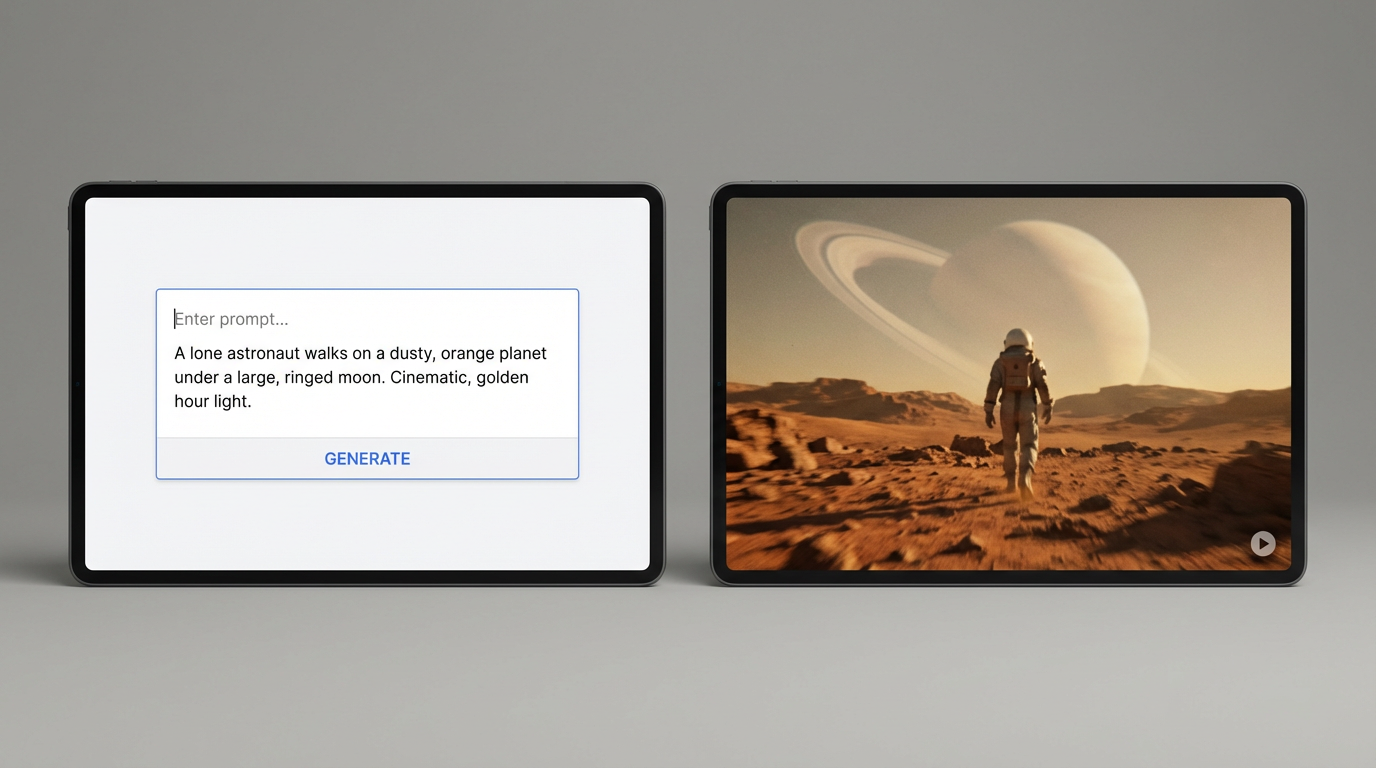
Text prompts are the foundation of Sora video generation. Unlike image models, video prompts should emphasize movement, timing, and atmosphere.
A strong prompt usually includes:
- Subject description
- Environment
- Camera behavior
- Motion style
- Mood or tone
Example Prompt Structure
Instead of:
“A person in a city”
Try:
“A cinematic video of a person walking slowly through a quiet city street at dusk, soft camera tracking, natural motion, warm lighting, calm and atmospheric mood.”
This tells Sora not just what to show, but how the scene should unfold over time.

Step 3: Describe Motion and Camera Behavior
One of the most important parts of how to make video on Sora is describing motion clearly. Motion gives the video life.
Helpful motion cues include:
- “Slow camera pan”
- “Gentle forward movement”
- “Smooth tracking shot”
- “Subtle environmental motion”
Avoid stacking too many movements in one prompt. One primary motion direction per scene produces more stable results.
Step 4: Control Pacing and Duration
Even if the final video is short, pacing matters. Sora responds well to prompts that imply even, natural timing.
Words like:
- slow
- smooth
- steady
- cinematic
help prevent jittery or rushed motion. Calm pacing often looks more realistic than aggressive movement.
Step 5: Review and Refine the Output
Rarely does the first generation perfectly match your vision. Making video on Sora is an iterative process.
When reviewing results:
- Watch the clip as a full sequence, not frame by frame
- Check motion consistency
- Look for lighting or subject drift
- Adjust prompts slightly rather than rewriting everything
Small changes often lead to big improvements.
Common Use Cases for Sora Video Generation
Understanding how to make video on Sora also means knowing where it shines.
Popular use cases include:
- Concept films and mood videos
- Cinematic background visuals
- Storytelling experiments
- Artistic and abstract motion
- Pre-visualization for creative projects
Sora is especially effective when realism and cinematic flow matter more than rapid, high-volume content.
Mistakes to Avoid When Making Video on Sora
Some common issues reduce output quality:
- Overly long or complicated prompts
- Conflicting camera instructions
- Extremely fast or chaotic motion
- Treating video like a static image
Clear intent and restraint almost always produce better results.
If you want to explore how to make video on Sora more efficiently and experiment with different prompt styles, you can explore these workflows through Eachlabs, where creators can test AI video generation models, iterate quickly, and refine motion-focused results in a structured environment.
Why Learning How to Make Video on Sora Matters
As AI video tools become more powerful, the skill shifts from technical execution to creative direction. Knowing how to guide motion, pacing, and atmosphere is what separates basic outputs from cinematic results.
Learning how to make video on Sora is less about mastering a tool and more about learning how to communicate visually through prompts.
Wrapping Up
Making video on Sora is a creative process built around clarity, motion awareness, and iteration. By focusing on strong concepts, well-structured prompts, and intentional pacing, creators can generate AI videos that feel polished, cinematic, and visually coherent.
As AI video generation continues to evolve, understanding tools like Sora will become an increasingly valuable creative skill.
Frequently Asked Questions
1. How long should a Sora video prompt be?
Prompts should be detailed enough to describe motion and mood, but not overloaded. Clear, focused prompts usually work best.
2. Can Sora generate realistic cinematic video?
Yes. When motion, lighting, and camera behavior are clearly described, Sora can produce highly cinematic results.
3. Is iteration necessary when making video on Sora?
Almost always. Refining prompts based on early outputs is key to achieving high-quality video.