KoiX Models: each::labs x HubX, One Model per Job
Meet KoiX, the HubX model family exclusive to each::labs. Each model is built for one app feature, from room staging and try-on edits to lipsync, plant ID and NSFW checks.
By Eftal Yurtseven · Nov 20, 2026 · 11 min read

Most apps don't need a model that can do everything. They need one button that does one thing well, every single time: stage this room, name this plant, put this person in that jacket. A giant general model can do all three, sort of. It can also wander off, overthink a simple request and hand you a result you then have to clean up. That's the gap KoiX models are built to close.
KoiX is a family of image, video, voice and vision models developed by HubX, and it's coming to each::labs as an exclusive partnership: each::labs x HubX. The idea fits in one line from the launch page: every model is an app feature. Each one is built for one job, tuned for that job, and served through the same each::labs API you already call for everything else.
Here's what's in the family, why narrow beats general when you're shipping a real product, and the use cases where each model earns its place.
What KoiX Models Actually Are
Think of KoiX less as one model and more as a shelf of specialists. HubX built them around the features people actually put inside consumer apps: an image generator, a photo editor, a room stager, a plant identifier, a talking portrait, a voice, an upscaler, a content filter. Each model takes the inputs that job needs and returns the output that job needs, nothing more.
That sounds modest. It's the opposite. When a model only has to do one thing, it can be customized hard for it. A staging model doesn't have to guess whether you wanted a poem or a sofa. A plant model doesn't write you a paragraph; it returns ranked species with a confidence score you can show in your UI. Specialization is what makes the output predictable, and predictable is what an app feature has to be.
The family covers four kinds of work. Image models generate and edit stills. Video models turn text or a photo into clips with sound, sync lips, move people and score silent footage. A voice model handles speech. Vision models read images and return structured answers. All of them share one request shape on each::labs, so swapping one for another means changing a slug, not rewriting your integration.
KoiX Image: Editorial Shots From One Prompt
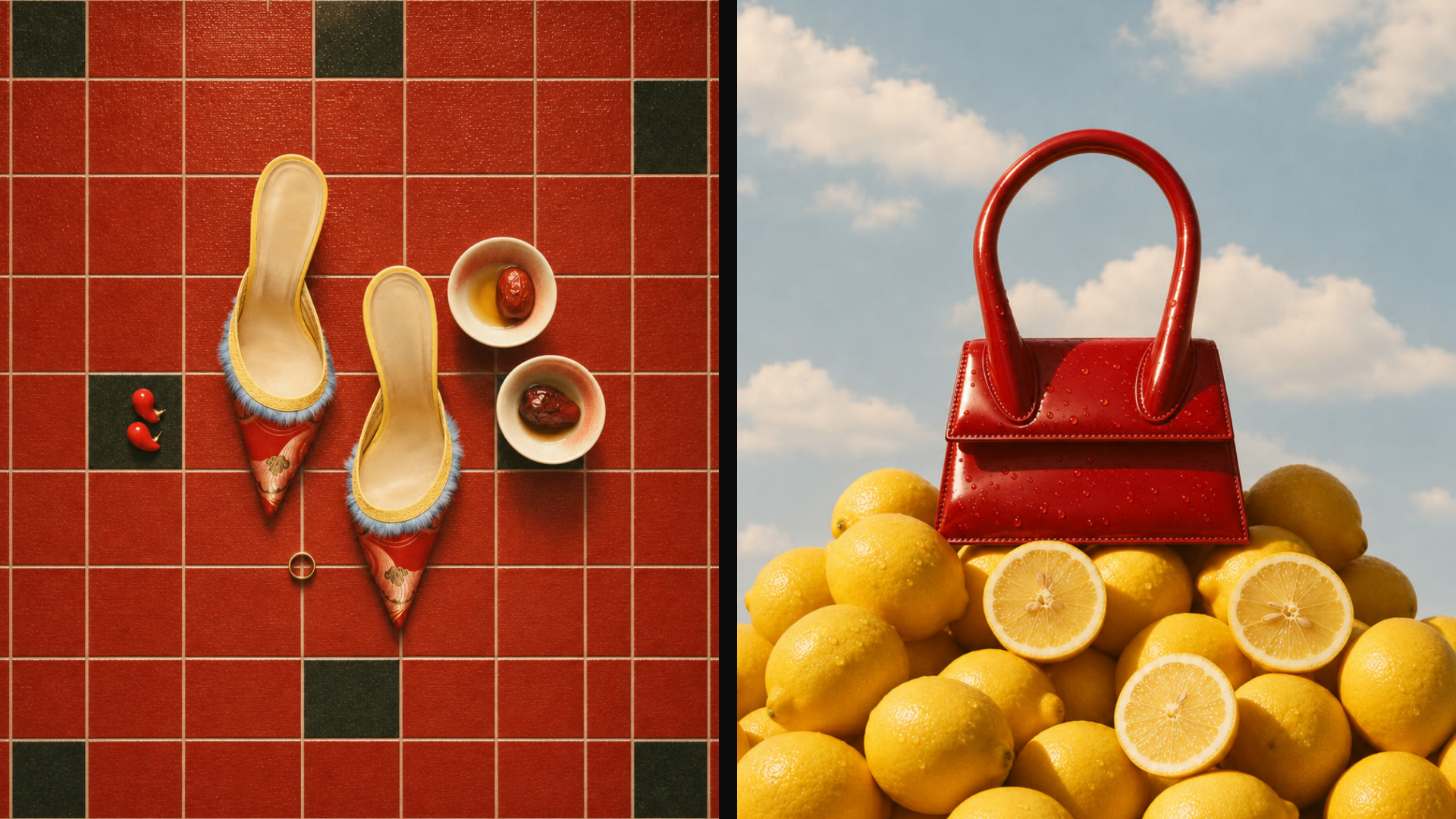
KoiX Image is the text-to-image model of the family, and HubX aimed it squarely at three jobs: generator apps, avatars and product shots. The samples on the launch page show the taste it's tuned for. Hard direct light, crisp shadows, saturated color blocks, film grain. It reads like a magazine still life, not a stock photo.
The prompts behind those samples are a good template, because they're specific about surface, light and framing rather than vague about mood. Two of them, straight from the page:
Overhead still life on cherry-red square floor tiles with a few dark green tiles: a pair of pointed red satin mules with gold embroidery, pale blue feather trim and yellow piping, two small white ceramic bowls holding dried red dates and honey, two tiny red chilli peppers on a green tile, a thin gold ring. Hard direct light, crisp shadows, editorial product photo.
A glossy cherry-red patent leather mini top-handle bag with water droplets, perched on a big pile of whole and halved lemons, against a bright blue summer sky with soft white clouds. Low angle, warm hard sunlight, surreal fashion still life, film grain.
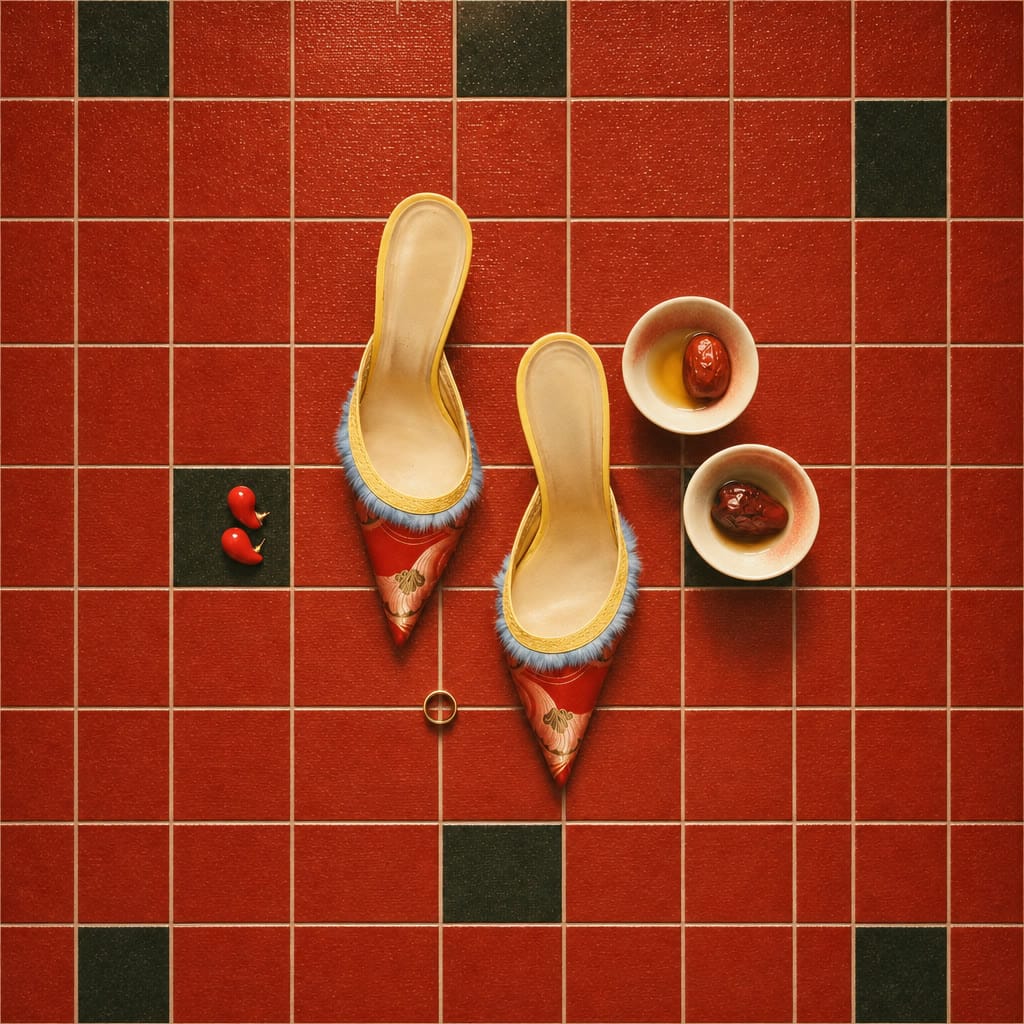




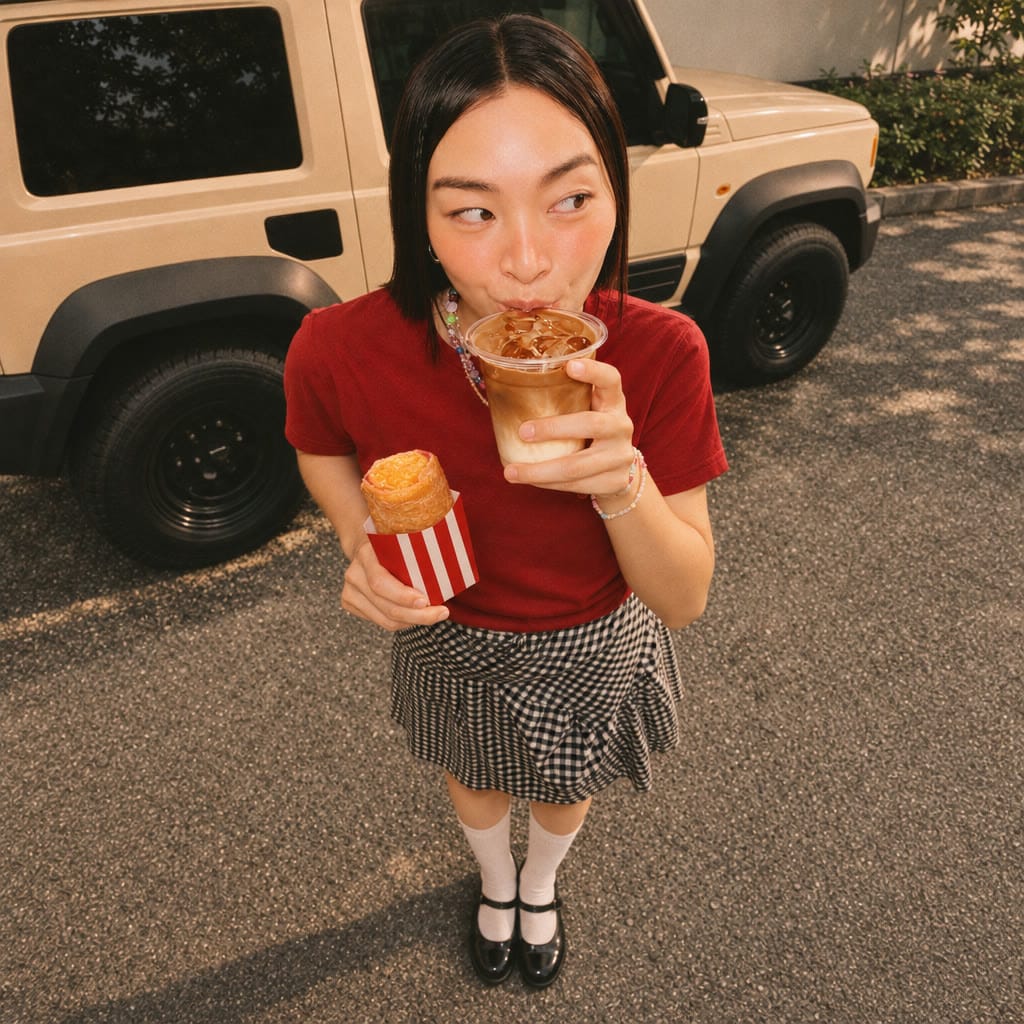
Six KoiX Image samples. Six subjects, one editorial finish.
Notice the pattern: object, material, set, light, camera, finish. If your app lets users type a product and a vibe, this is the structure to fill in behind the scenes. The use case where it shines brightest is an e-commerce or avatar app that needs one consistent look across thousands of user requests, because a model tuned for one aesthetic job doesn't drift the way a do-everything model does.

Edit a Photo With One Sentence
Editing is where general models most often overreach. You ask for new sunglasses and get a new face. KoiX Edit Pro is built to change what you name and leave the rest alone. It takes a photo and one sentence, plus an optional second image when you want to bring in a specific product or outfit. The example on the launch page is a good test of discipline:
Change his outfit to a cobalt blue tracksuit and swap his glasses for white shield sunglasses, keep his face, hat and the room identical.


KoiX Edit Pro, before and after. New tracksuit and sunglasses. Same face, same hat, same room.
That last clause matters. Tell the model what must survive, not just what should change. For a virtual try-on feature, the second-image input is the real unlock: the shopper's photo goes in first, the garment shot goes in second, and the instruction ties them together.
KoiX Edit Max is the sibling for written instructions that touch several details at once while keeping everything else in place. HubX's demo recolors a hat, a sweater and a lip tint into one matching burgundy in a single pass. If your users think in looks ("make it all one color story"), that's the model to wire up.


KoiX Edit Max: hat, sweater and lip tint recolored in one instruction. Nothing else moved.
Video With Sound, Built for Specific Shots
The video side is the biggest part of the family, and it's split by job rather than by size. KoiX Video Max makes cinematic 1080p clips with sound from text, five to ten seconds long, in portrait or landscape. KoiX Video Pro works from text or an opening image and runs five, ten or fifteen seconds, with length, resolution and framing controls on the text-to-video side and a still-to-scene mode for image-to-video. Both return original sound with the picture.
KoiX Video Pro, text to video: the prompt in, the clip and its sound out.
KoiX Video Pro, image to video: one still becomes a moving scene with original sound.
The launch page shows three Video Max prompts that keep each clip to one clear action, and the clips they produced are right below them. Steal the approach:
A tall tower of stacked blue-and-white porcelain teacups on a deep cobalt backdrop, an orange-and-white koi swimming slow circles in the top cup, ripples catching the light.
A woman in a cream headband and polka dot cardigan sips iced matcha from a clear ‘each::matcha’ cup, lowers it and smiles at the camera.
An everything bagel sandwich exploded in mid-air on pastel blue, the bacon, egg and cheese fall together and stack with a small bounce.
Three KoiX Video Max clips, one prompt each: the koi teacup tower, the iced matcha sip and the exploding bagel sandwich. Turn the sound on.
Then there are the specialists. KoiX Video Lipsync turns one portrait and one voice track into a talking video with the lips in sync, built for presenters, creators and characters that speak.
KoiX Video Lipsync: one portrait plus one voice track. Turn the sound on.
KoiX Motion Control makes a photo move from a driving video or a ready-made dance template, with up to three people in frame, which is exactly the feature behind every "make my photo dance" app.
KoiX Motion Control: a still photo, moving.
KoiX Video Music scores a silent clip with music that follows its pace and mood, so a user's generated video doesn't land in their feed in silence.
KoiX Video Music: a silent clip, scored to its own pace. Turn the sound on.
Stage the Room Before Anyone Buys the Sofa
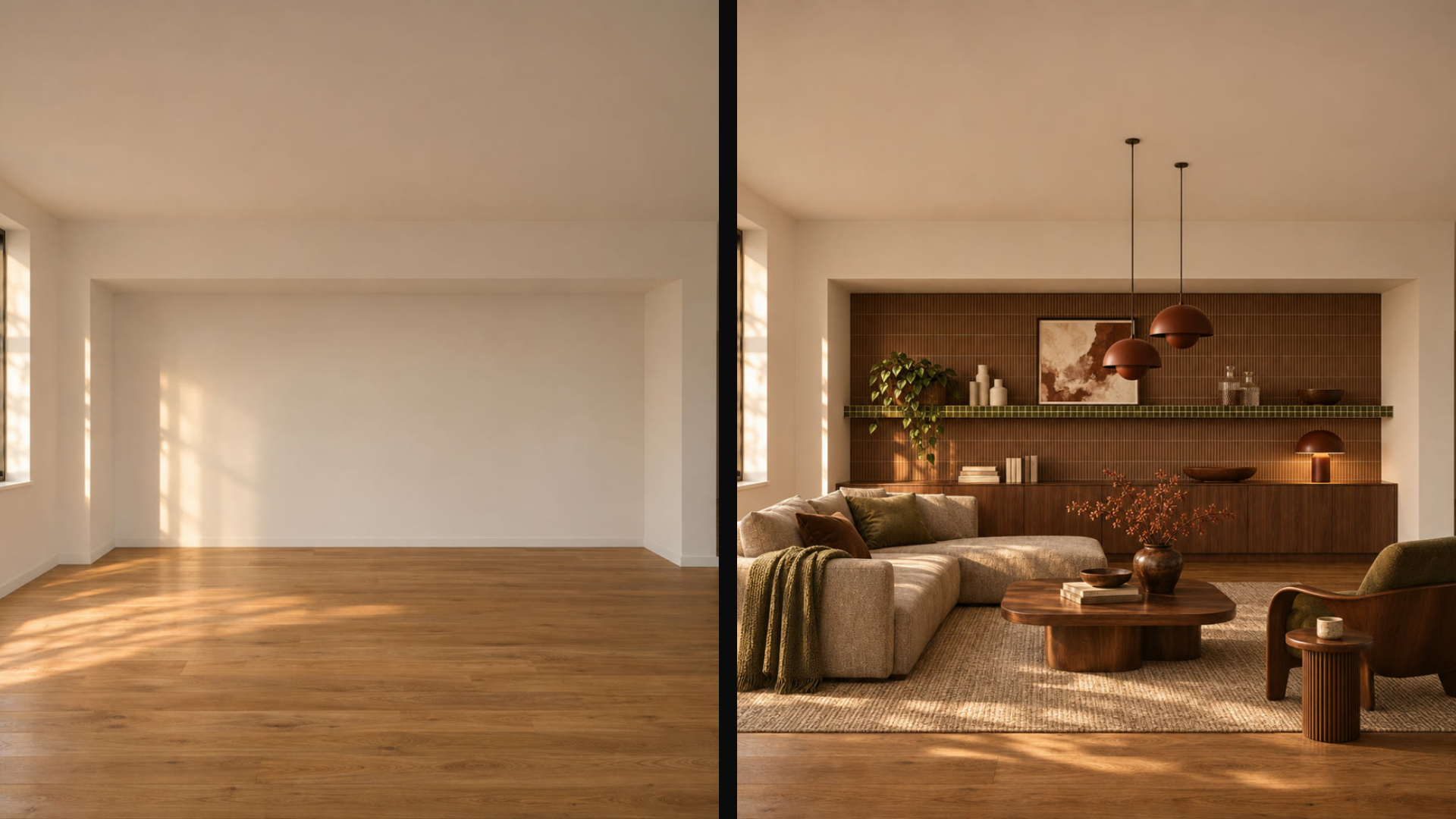
Real estate and interior apps have one recurring problem: empty rooms photograph badly, and messy rooms photograph worse. KoiX Staging exists for that single job. It turns empty or messy rooms into staged spaces, with interior, exterior and garden options, and it accepts an optional style image so the result matches a look instead of a guess.
The launch demo takes a bare room with a wood floor and returns this:
Warm walnut lounge: a cream modular sofa, a low wooden coffee table, copper pendants and a styled shelf wall.
Here's why a dedicated model wins this use case. A listing agent doesn't want creative interpretation; they want the walls, windows and floor exactly where they are, with furniture that makes sense in that footprint. A general editor treats the room as raw material. A staging model treats it as the brief. Pair it with a style reference from the buyer's own moodboard and you've got a "see it furnished your way" feature in one call.
Voice, Upscale and the Quiet Workers
Not every feature is flashy. Some just have to work. KoiX TTS produces speech in many languages from text, with ready voices or a cloned voice, and returns word timestamps. Those timestamps are the underrated part: they're what you need for karaoke-style captions, word highlighting in a reading app or timing cuts to the voiceover. If you want a deeper dive on text-to-voice craft, our guide to picking lip sync models by footage covers how voice and face fit together.
KoiX Video Upscale sharpens short clips by a factor or to a target size. The demo on the launch page takes a 192 × 288 input up to 1080 × 1620, which is the difference between a thumbnail and something you can post. Run it after any generation step that came out small, or on user uploads before they hit a template.


KoiX Video Upscale: a 192 × 288 input on the left, the 1080 × 1620 result on the right.

Name the Plant, Flag the Image
The vision models don't generate anything. They answer a question about a picture, in a shape your code can use. KoiX Plant Identify names the plant in a photo and returns ranked candidates with a confidence score for each. The demo shows a bird of paradise, a monstera and an olive tree, each with its top match. That's a complete plant-care app feature: show the top species, offer the runners-up when the score is close, and you're done.

KoiX NSFW flags explicit images with a yes or no decision and a score, so an app can blur them before anyone sees them. Any product that accepts user uploads, or shows generated images in a shared feed, needs this gate. Putting it in front of your other models takes one extra call and saves you a moderation queue.

These two make the case for specialization better than any image model could. Nobody wants a chatty answer from a content filter. You want a boolean and a number, fast, every time.
Why Specialized KoiX Models Win Specific Use Cases
General models are wonderful for exploration. Products aren't exploration. A product feature gets called the same way thousands of times a day by people who never read your prompt, and it has to return something usable on every one of those calls. That's where a narrow model pulls ahead, for three reasons.
First, the inputs are shaped for the job. Staging takes a room and a style image. Lipsync takes a portrait and a speech track. Plant Identify takes a photo. You don't have to engineer a prompt that coaxes a general model into the right behavior; the behavior is the model. Second, the outputs are shaped for your UI: ranked species, a yes or no with a score, word timestamps, a clip with sound already on it. Less glue code, fewer surprises. Third, a model customized for one task has nothing else to get distracted by, which is exactly what you want from a feature that runs thousands of times a day.
The trade is obvious and worth making: a KoiX model won't write your onboarding copy. It isn't trying to. Pick it for the job it was built for and it does that job the same way every time.
How to Run KoiX Models on each::labs
Every KoiX model uses the same each::labs prediction API. You send a request with the model slug and its inputs, get back a prediction ID, and poll until the status is success; the output URL is in the result. Swap the slug, keep the code. HubX's own example sends koix-image a prompt and an image_size of square_hd:
curl -X POST https://api.eachlabs.ai/v1/prediction \
  -H "Authorization: Bearer $EACHLABS_API_KEY" \
  -H "Content-Type: application/json" \
  -d '{
    "model": "koix-image",
    "input": {
      "prompt": "A blue high heel on a lemon, acid-green backdrop",
      "image_size": "square_hd"
    }
  }'
Three ways to use them. The playground lets you run any KoiX model in the browser before you write code. each::workflows chain models into one pipeline: voice a line with KoiX TTS, then sync it to a portrait with KoiX Video Lipsync, or put KoiX NSFW in front of any generator. And the each::labs MCP server at mcp.eachlabs.ai/mcp lets Claude, Cursor or any MCP client call KoiX directly, so your coding agent can test a feature while it builds it.
KoiX also sits next to the rest of the each::labs model catalog, so a workflow can mix a KoiX specialist with any partner model. Let a general model do the open-ended exploring, then hand the result to KoiX Edit Pro for the precise step.
Frequently Asked Questions
What are KoiX models?
A family of image, video, voice and vision models developed by HubX, each built for one job: staging a room, naming a plant, scoring a silent clip, animating a photo. They're exclusive to each::labs through the each::labs x HubX partnership.
Who develops KoiX?
HubX builds the models. each::labs serves them through its API, the playground and each::workflows.
Are KoiX models available anywhere else?
No. KoiX is an each::labs exclusive, so the only way to call these models is through the each::labs API, playground, workflows or MCP server.
Can I combine KoiX with other models?
Yes, and it's the point. Every KoiX model works inside each::workflows next to the rest of the catalog, so you can voice a line with KoiX TTS and sync it to a portrait with KoiX Video Lipsync, or screen uploads with KoiX NSFW before any other model sees them.
Which KoiX model should I start with?
Start from the feature, not the model. Building a try-on? KoiX Edit Pro with a second image. A property app? KoiX Staging. A plant app? KoiX Plant Identify. The KoiX provider page lists them all.