Creating Videos with Pika AI
So, you've heard about Pika AI and its video-making magic? It's pretty neat. Basically, it's a tool that lets you create videos using AI, kind of like writing a story and then watching it play out visually. You can use text, pictures, or even existing videos to get started. It's designed to be easy, so you don't need to be a pro filmmaker to make something cool. We're going to look at how this pika ai video generator works and what you can do with it. Key Takeaways * Pika AI is a user-friend

So, you've heard about Pika AI and its video-making magic? It's pretty neat. Basically, it's a tool that lets you create videos using AI, kind of like writing a story and then watching it play out visually. You can use text, pictures, or even existing videos to get started. It's designed to be easy, so you don't need to be a pro filmmaker to make something cool. We're going to look at how this pika ai video generator works and what you can do with it.
Key Takeaways
- Pika AI is a user-friendly tool that turns text, images, or videos into animated content, making video creation accessible to everyone.
- It offers various creation modes, including text-to-video and image-to-video, along with advanced scene editing and transformation features that allow creators to control motion, style, and visual consistency across their videos.
Exploring The Pika AI Video Generator
Understanding Pika AI's Core Functionality
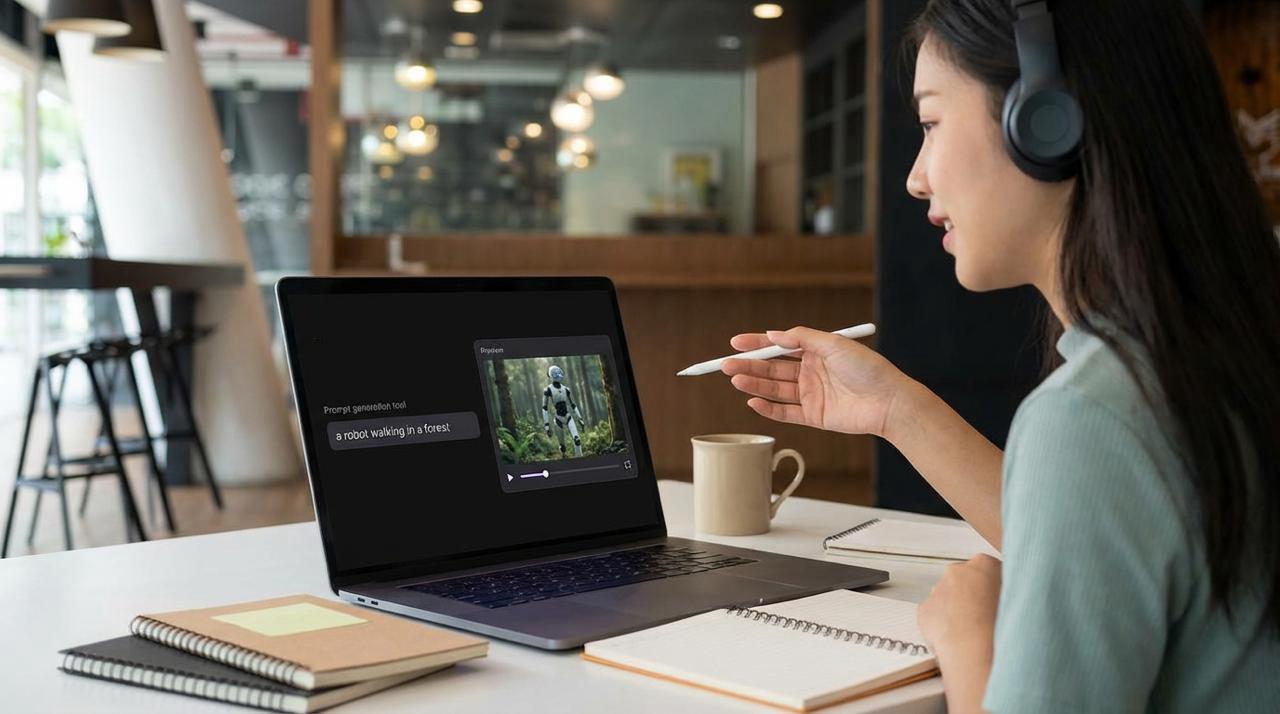
Pika AI is all about making video creation simple and quick—even if you're new to editing. With nothing but a browser and some ideas, you can turn text, images, or clips into polished video shorts. Instead of hours with complex editing tools, you just describe what you want, and the magic happens.
Here's how it works:
- Enter a description (prompt) of your scene or concept.
- Upload an image for animation, if you like.
- Adjust basic settings, like video length or aspect ratio.
- Click generate and wait for your video to show up, usually in under a minute.
You might be surprised how fast Pika AI brings creative concepts to life—no fancy equipment or experience required. If you hate learning new tools, this one won’t stress you out.
Key Creation Modes and Features
Pika AI doesn't just toss out basic videos—you get several creation modes to suit what you're after. These modes are meant to cater to different needs, so you can:
- Text-to-Video: Type what you want to see (e.g., “A red car driving through rain at night”) and watch it generate a whole scene.
- Image-to-Video: Upload a photo, sketch, or artwork, then turn it into an animated video.
- Video-to-Video: Take an existing clip, then change its style, swap out backgrounds, or even switch up characters.
Here’s a quick breakdown of what you get in each mode:
| Mode | Input Needed | Typical Results | Who Uses It |
|---|---|---|---|
| Text-to-Video | prompt | New videos, any style | Content creators, marketers |
| Image-to-Video | Single image | Animated clip | Artists, illustrators |
| Video-to-Video | Video file | Edited or remixed clip | Editors, storytellers |
Pika AI also supports different video qualities and resolutions, so you can pick what fits your needs best.
Some standout features include:
- Effects like surreal VFX and background changes (these can be wild or subtle)
- Multiple aspect ratios (16:9, 1:1, 9:16) for different social platforms
- Fast results with minimal waiting
You don’t need technical skills or even previous experience to start. If you can write out what you picture in your mind, you’re well on your way to making something cool with Pika AI.
Mastering Your Pika AI Creations
Alright, so you've got the basics down, and you're ready to move beyond just typing in a few words and hoping for the best. Making truly stand-out videos with Pika AI is all about understanding how to guide the tool. It's not just about what you want to see, but how you tell Pika to make it happen. This section is where we get into the nitty-gritty of crafting prompts that actually work and using some of the more specialized tools to really make your videos pop.
Crafting Effective Prompts for Pika AI
Think of your prompt as the script for your AI actor. The more detailed and clear you are, the better the performance. It's easy to get generic results if your prompt is too vague. You want to give Pika enough information to build a specific scene, not just a general idea. This means thinking about the camera angle, the lighting, the mood, and even the style of animation you're going for. For instance, instead of "a cat running," try "A fluffy ginger cat sprints across a sun-drenched meadow, low-angle shot, golden hour lighting, cinematic style." See the difference? You're painting a picture with words.
Here are some things to consider when writing your prompts:
- Subject: What is the main focus of your video?
- Action: What is the subject doing?
- Setting: Where is this happening?
- Style: Do you want it to look like a cartoon, a movie, a painting?
- Camera: How should the camera be positioned or moving?
- Lighting & Mood: What's the atmosphere like? Bright, dark, mysterious, happy?
Don't be afraid to experiment. Sometimes the most unexpected combinations of words can lead to the most interesting results. Pika AI is pretty good at interpreting a wide range of instructions, so push the boundaries a little.
Advanced Pika AI Capabilities
High-Fidelity Video Generation and Motion Control
Pika AI enables the creation of high-quality, dynamic video content with strong control over motion, style, and scene consistency. From cinematic camera movements to expressive character animation, it allows creators to generate visually rich clips that feel fluid and intentional rather than random. This makes it ideal for storytelling, product visuals, social media content, and experimental video concepts where motion, timing, and composition matter.
Workflow Automation and Creative Integration
Pika AI can be integrated into larger creative workflows, enabling faster iteration and scalable video production. Whether you are generating multiple variations of a scene, testing different visual styles, or building automated content pipelines, Pika’s generation capabilities support rapid prototyping and creative exploration. This allows teams and individual creators to move from concept to polished video much more efficiently, while keeping full creative control over prompts, scenes, and outputs.
Wrapping Up Your Pika AI Journey
So, that's a look at what Pika AI can do. It's pretty neat how you can just type something out or use a picture and get a video back, right? Whether you're just messing around for fun, trying to make a quick social media clip, or even thinking about using it for a small business project, Pika makes video creation way more accessible. It's not going to replace Hollywood anytime soon, but for getting ideas out there quickly and easily, it's a solid tool to have in your corner. Give it a try and see what you can come up with!
Frequently Asked Questions
What exactly is Pika AI and what can I do with it?
Pika AI is like a magic wand for making videos! It's a tool that lets you create cool video clips using just your words, a picture, or even a video you already have. Imagine typing 'a cat wearing a tiny hat' and seeing a video of it! You can make short movies, bring drawings to life, or add fun effects to existing videos. It's great for making videos for social media, fun animations, or even quick ads.
Do I need to be a video expert to use Pika AI?
Nope! Pika AI is made for everyone, even if you've never edited a video before. You just tell the AI what you want in plain English, like you're describing a scene. The AI does the hard work of putting it all together. It's super easy to get started, and you don't need any special tech skills.