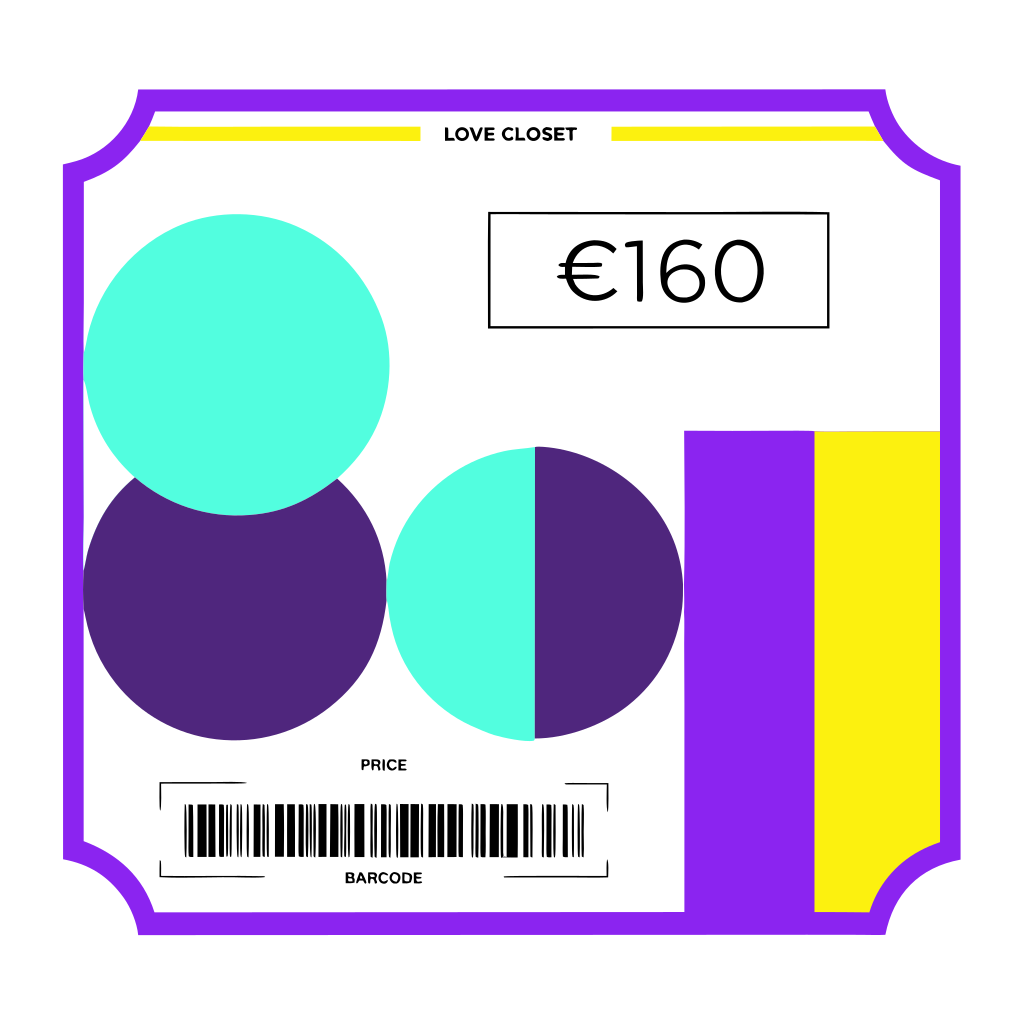
Recraft v4.1 | Text to Vector
Generate fully editable SVG vectors from a simple text prompt with Recraft V4.1, purpose-built for logos, typography, icons, lettering, and flat illustrations on each::labs.
- Runtime (p50)
- 13s
- Estimated price
- $0.08 per execution
Overview
Recraft v4.1 | Text to Vector Overview
Recraft v4.1 | Text to Vector is a text-to-image model from Recraft AI that generates clean, scalable vector artwork directly from natural language prompts. Instead of producing pixel-based raster images, it focuses on crisp SVG-style graphics suitable for logos, UI elements, icons, and flat illustrations. This vector-first capability is the primary differentiator of Recraft v4.1 | Text to Vector compared with most recraft text-to-image models that output bitmaps. Designers and developers can quickly move from concept to production-ready assets without manual vector tracing. Integrated through the Recraft v4.1 | Text to Vector API on each::labs, the model streamlines brand-safe, resolution-independent visuals for web, product, and marketing workflows.
Capabilities
Capabilities
- Generates vector-style illustrations and icons directly from text prompts, optimized for clean shapes and flat color regions.
- Produces logo-like designs that are easy to refine in standard vector tools thanks to clear geometry and minimal noise.
- Creates consistent iconography and UI elements, enabling cohesive design systems from natural language briefs.
- Supports stylized poster and banner artwork with bold compositions rather than photo-level detail.
- Handles precise design instructions such as limited color palettes, simple outlines, or geometric styles.
- Works well for educational diagrams, infographics, and simple technical schematics in a vector aesthetic.
- Integrates via the Recraft v4.1 | Text to Vector API on each::labs, allowing automated asset generation in applications and workflows.
Use cases
Use Cases for Recraft v4.1 | Text to Vector
Branding and logo exploration for designers. Quickly explore visual directions with prompts like: “Modern vector wordmark with abstract wave symbol, two-color palette, clean sans-serif style.” The model’s vector-focused output reduces manual tracing during concepting.
Product and UI teams creating icon sets. Generate cohesive icons by specifying style and set size, for example: “12 flat vector icons for a finance app, rounded corners, 2px outlines, consistent line weight.” The model’s ability to follow shape and line constraints supports design systems.
Marketing teams producing campaign illustrations. Use prompts such as: “Flat vector hero illustration of a remote team collaborating online, bright gradient background, clear foreground characters.” Its strengths in stylized scenes help craft web and landing page visuals.
Developers automating asset creation. Through the Recraft v4.1 | Text to Vector API, apps can generate on-demand vector-like graphics, for example: “Simple vector badge for user achievement ‘Bug Squasher’, shield shape, green and gold, flat design.”
Tips & tricks
Tips and Tricks
Recraft v4.1 | Text to Vector responds best to prompts that clearly describe shape, style, and level of simplicity. Use explicit design language such as “flat vector,” “minimalist icon,” “outline illustration,” or “2D flat illustration” to steer the model toward clean, editable outputs. When you need brand-friendly graphics, specify color palettes and constraints (for example, “two-color logo in blue and white”). For UI and product work, mention alignment and framing, such as “centered icon with transparent background.”
Example prompts:
- “Flat vector logo of a stylized hummingbird in teal and navy, minimal geometry, no gradients.”
- “Outline vector icon set of cloud storage, in a simple UI style, 4 matching icons, monochrome line art.”
- “Colorful 2D flat illustration of a developer at a desk with multiple monitors, clean vector shapes, pastel palette.”
Technical spec
Technical Specifications
Public documentation for Recraft v4.1 | Text to Vector focuses on its vector output rather than detailed architecture, but the following characteristics are typical:
- Model category: text-to-image with vector-focused output.
- Input: natural language prompt; optional style or subject descriptors.
- Output: vector-style artwork (commonly exported as SVG or high-resolution PNG, depending on integration).
- Resolution: optimized for scalable graphics; base canvas often around common design sizes (e.g., square or poster ratios) but intended for infinite scaling.
- Aspect ratios: supports standard ratios (1:1, 16:9, 4:5, etc.) as exposed by the Recraft v4.1 | Text to Vector API.
- Processing time: typically a few seconds per generation, varying with prompt complexity and server load.
- Architecture: modern diffusion-style text-to-image backbone fine-tuned for vector-like shapes and flat color regions.
Things to be aware of
Things to Be Aware Of
Because Recraft v4.1 | Text to Vector is tuned for vector-style artwork, it may soften or simplify highly realistic descriptions. Overly complex scene prompts can lead to crowded compositions or loss of hierarchy, so keeping prompts focused improves results. Fine text inside the image, such as dense paragraphs or tiny labels, may render inconsistently and usually needs manual cleanup. Users should expect to perform final adjustments in a vector editor when pixel-perfect alignment or exact brand color codes are required. When calling the Recraft v4.1 | Text to Vector API at scale, monitor rate limits and plan caching to avoid unnecessary re-generation of similar assets.
Key considerations
Key Considerations
Recraft v4.1 | Text to Vector is ideal when you need sharp, flat, or stylized artwork that scales cleanly across devices and print. It is less suited to photorealistic rendering than general-purpose recraft text-to-image models. To get the most from this model, users should have at least basic familiarity with vector graphics concepts such as flat shading, outlines, and minimal gradients. It works best for logos, icons, UI assets, and simplified illustrations, while highly detailed photo scenes may look stylized or abstract. When integrating via the Recraft v4.1 | Text to Vector API, consider latency and batch size to balance cost and throughput for production pipelines.
Limitations
Limitations
Recraft v4.1 | Text to Vector is not optimized for photorealistic imagery; complex lighting, textures, and lifelike faces often appear stylized. Small typography and intricate ornamentation may blur or merge, especially when many elements are requested in a single prompt. Output formats and exact SVG editability depend on the specific integration, so some workflows may still require exporting and cleaning assets manually. The model follows prompt instructions but cannot guarantee trademark-safe logos or legally unique brand designs; human review remains essential for production branding work.
Related models
4 models


About Recraft v4.1 | Text to Vector
What is Recraft V4.1 text-to-vector?
Recraft V4.1 text-to-vector is Recraft's SVG generation model that turns written prompts into editable vector graphics. It carries V4.1's design-first quality into scalable formats — logos, typography, icons, lettering, and clean flat illustrations that designers can refine in any vector tool.