Luma | Uni-1 | Max | Edit
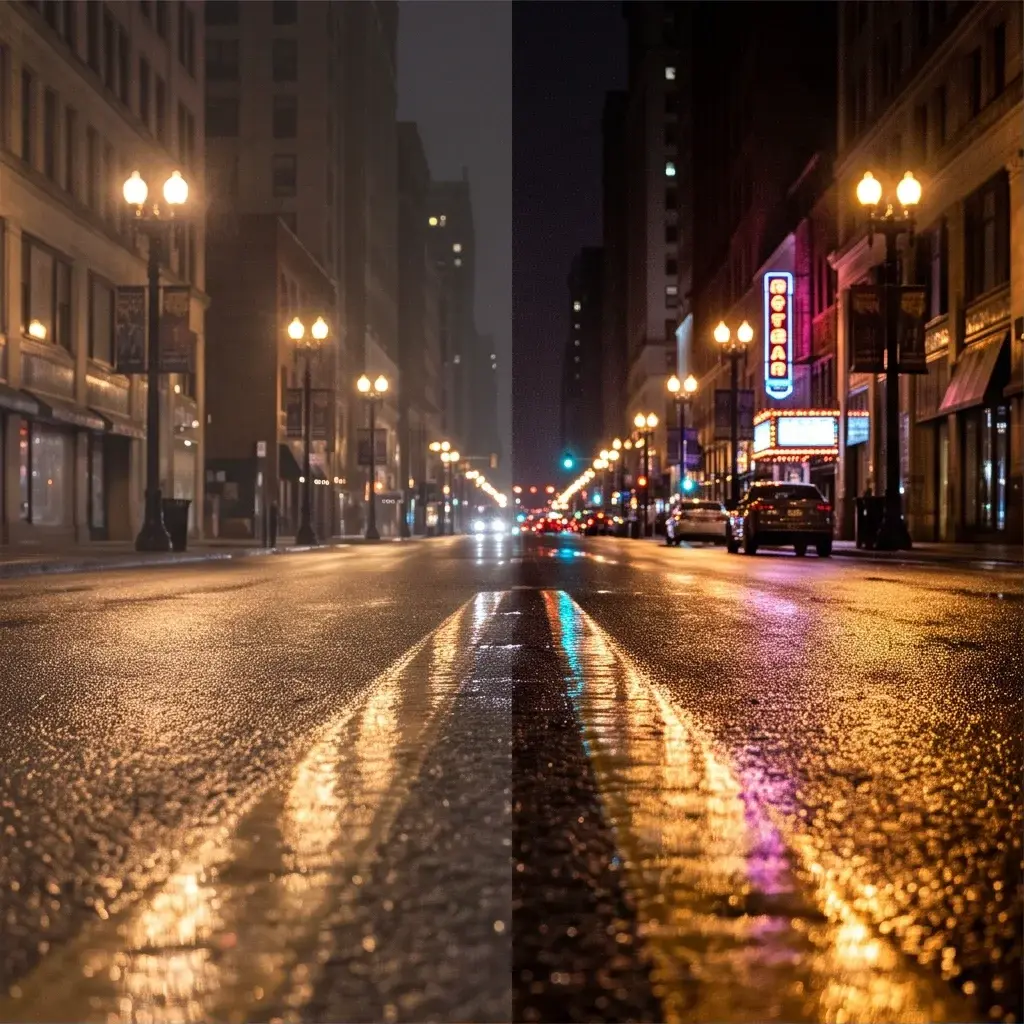
Luma Uni-1 Max Edit delivers high-fidelity image edits from text instructions, preserving the source image structure while using reference images for precise, detailed revisions.
- Runtime (p50)
- 1m
- Estimated price
- $0.105 per image
Overview
Luma | Uni-1 | Max | Edit Overview
Luma | Uni-1 | Max | Edit is an image-to-image model designed to revise an existing image from text instructions while keeping the original structure intact. On each::labs, it is positioned for high-fidelity editing workflows where the source composition matters and the goal is precise visual changes rather than a full regeneration. The model name suggests an internal or product-level identifier rather than a widely documented public brand name, so the safest presentation is to use the full model title exactly as provided.
For creators, designers, and marketers, the main value of Luma | Uni-1 | Max | Edit is controlled transformation: you can adjust details, restyle elements, or refine visual direction while preserving layout, subject placement, and scene continuity. Because the available research results do not include official documentation for this specific endpoint, any implementation details beyond the provided short description should be treated as unverified.
Capabilities
Capabilities
- Edits an existing image from text instructions.
- Preserves source image structure while applying targeted revisions.
- Uses reference images to improve precision in detailed edits.
- Supports controlled visual adjustments instead of full re-creation.
- Works well for style refinement, object changes, and scene cleanup.
- Fits iterative workflows where small adjustments matter more than a new composition.
- Useful for high-fidelity revision tasks in Luma | Uni-1 | Max | Edit API pipelines.
Use cases
Use Cases for Luma | Uni-1 | Max | Edit
Designers can use Luma | Uni-1 | Max | Edit to refine a product mockup without rebuilding the layout. Example prompt: “Keep the same packaging composition, but change the color palette to navy and silver and make the logo smaller.”
Marketers can use Luma | Uni-1 | Max | Edit to adapt campaign imagery for different audience segments while preserving brand continuity. Example prompt: “Maintain the same hero shot, but update the wardrobe to business casual and brighten the scene for a corporate audience.”
Creators can use Luma image-to-image editing to correct or restyle a portrait while keeping the original pose and framing. Example prompt: “Preserve the face, pose, and background structure, but change the lighting to a warm golden-hour look.”
Developers integrating the Luma | Uni-1 | Max | Edit API can build repeatable edit flows for asset variation, such as generating alternate ad creatives from one approved base image. Example prompt: “Keep the same scene structure, but swap the background to a minimalist studio and adjust the shirt color to white.”
Tips & tricks
Tips and Tricks
Write instructions around the change you want, not around the whole image. For Luma | Uni-1 | Max | Edit, concise prompts that identify the subject, the target region, and the desired visual outcome are usually easier for an editor to follow than abstract creative direction. When using the Luma | Uni-1 | Max | Edit API, keep the edit request specific so the model can preserve the original structure while updating only the intended elements.
Useful prompt patterns include preserving composition language, color constraints, and style boundaries. Examples: “Keep the same composition, but change the jacket to matte black and add soft studio lighting.” “Preserve the product shape and background, then make the label more minimal and premium.” “Retain the person’s pose and facial structure, but replace the environment with a clean office interior.”
For Luma image-to-image workflows, start with one change per request, then iterate. That approach reduces drift and makes it easier to compare results across versions.
Technical spec
Technical Specifications
- Model type: image-to-image image editing.
- Primary input: an original source image plus text instructions describing the edit.
- Reference support: the model uses reference images for more precise revisions, according to the provided model description.
- Output: an edited image that preserves the source image structure as much as possible.
- Resolution support: not confirmed in the available sources.
- Aspect ratios: not confirmed in the available sources.
- Input/output formats: not confirmed in the available sources.
- Processing time: not confirmed in the available sources.
The available research does not expose architecture details, maximum image size, or an official latency benchmark for Luma | Uni-1 | Max | Edit. For API usage on each::labs, the practical expectation is an image-edit workflow rather than a video pipeline, and the core requirement is a source image to modify.
Things to be aware of
Things to Be Aware Of
Luma | Uni-1 | Max | Edit performs best when the requested change is compatible with the original structure. Large compositional changes, heavy object replacement, or conflicting instructions can reduce fidelity. If the source image is cluttered, low quality, or ambiguously framed, the edit may drift from the intended result.
Common mistakes include asking for too many changes at once, omitting preservation constraints, or expecting perfect text rendering inside the image. Because the available documentation does not confirm exact limits, users should validate output quality early in the workflow and iterate on smaller edits before scaling production use.
Key considerations
Key Considerations
Luma | Uni-1 | Max | Edit is best when the base image already has the right composition and only targeted changes are needed. It is less suitable when you want a completely new scene, because the model is designed to preserve structure while applying edits. Since the current research does not confirm exact parameter names or limits, users should expect to provide a source image and a clear textual instruction set.
Compared with broader generation tools, Luma | Uni-1 | Max | Edit is a better fit for controlled revisions, product imagery cleanup, and design iteration. It offers a quality-versus-speed tradeoff typical of high-fidelity editing models: more instruction detail can improve precision, but overly complex requests may reduce consistency.
Limitations
Limitations
The available research does not confirm official resolution limits, file formats, aspect ratios, or processing times for Luma | Uni-1 | Max | Edit. The model is also not positioned here as a video editor, so claims about video duration or temporal editing are not supported by the provided sources.
As an image-to-image editor, it may struggle with major scene reconstruction, perfect typography, or highly specific multi-step changes in a single pass. Its strengths are precise revision and structure preservation, not unrestricted image generation.
Related models
4 models
About Luma | Uni-1 | Max | Edit
What is Luma Uni-1 Max Edit?
Luma Uni-1 Max Edit is the maximum-fidelity editing tier of Luma’s Uni-1 image model. It applies text-guided changes to a source image while preserving its structure, composition, and recognizable details.