XAI | Grok | Imagine | 2.0 | Image Edit
Edit source images with xAI Grok Imagine Image 2.0 using prompt-guided controls for aspect ratio, resolution, quality, and output count.
- Runtime (p50)
- 1m
- Estimated price
- $0
Overview
XAI | Grok | Imagine | 2.0 | Image Edit Overview
XAI | Grok | Imagine | 2.0 | Image Edit is xAI’s image-editing model for changing an existing image with prompt-guided control while preserving the rest of the frame. It is built for workflows where creators need region-specific edits, smart resizing, background removal, and multi-reference composition without manual compositing. The main differentiator is its editing-first design: instead of treating image generation as a one-shot output, the model focuses on precise, localized changes and composition-aware transforms. In xAI’s Imagine family, Image 2.0 is positioned as the quality-oriented image mode with tools such as Magic Wand, Segmentation, and Smart Resize.
Capabilities
Capabilities
- Performs region-specific image edits so only the selected area changes.
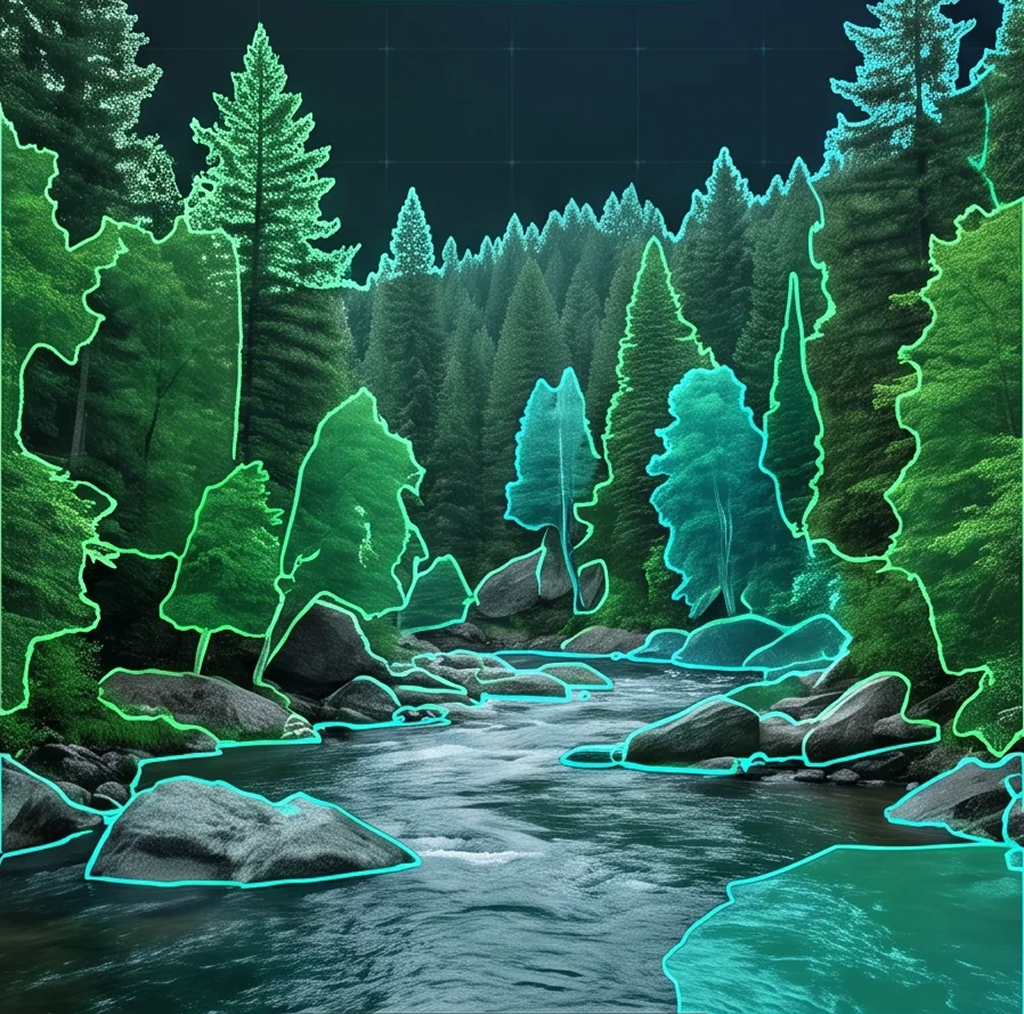
- Supports Segmentation for more precise subject or object isolation.
- Provides background removal for transparent cutouts and compositing.
- Uses Smart Resize to adapt one image across multiple aspect ratios while filling new space intelligently.
- Accepts multiple reference images to guide style transfer, product composition, or character consistency.
- Handles prompt-guided editing for localized changes, not just full-image regeneration.
- Supports quality-oriented image generation in the Grok Imagine family, with 1K and 2K presets reported for the image tier.
Use cases
Use Cases for XAI | Grok | Imagine | 2.0 | Image Edit
Creators can use XAI | Grok | Imagine | 2.0 | Image Edit to clean up portraits or thumbnails without re-shooting the entire image. A prompt like, "Brighten the face only, keep the background soft and unchanged," aligns with region-level editing.
Marketers can use Smart Resize to turn one campaign image into multiple ad formats. A prompt like, "Recompose this square product shot into a vertical banner and preserve the product placement," fits the model’s layout-aware editing.
Designers can remove backgrounds and prepare cutouts for mockups, composites, or UI assets. A prompt like, "Remove the background and keep clean edges for a transparent export," matches the model’s background-removal workflow.
Developers integrating the XAI | Grok | Imagine | 2.0 | Image Edit API can build multi-reference pipelines for consistency across product sets. A prompt like, "Use these reference images to keep the same character style across all outputs," reflects the model’s multi-image editing behavior.
Tips & tricks
Tips and Tricks
For best results with XAI | Grok | Imagine | 2.0 | Image Edit, describe the change, the target area, and the parts that must stay untouched. When possible, use region-based tools such as Magic Wand or Segmentation for edits that should not affect the entire image. Use Smart Resize when you need to convert a composition from one layout to another, because the model is designed to fill expanded areas rather than simply crop them.
Example prompts:
- "Replace the product box with matte black packaging, keep the lighting and background unchanged."
- "Remove the background and isolate the subject with transparent edges for a clean e-commerce cutout."
- "Recompose this horizontal banner into a vertical ad while preserving the main subject and brand colors."
For multi-reference workflows, keep reference images visually consistent so the model can better merge style, subject, and layout cues.
Technical spec
Technical Specifications
- Model type: image-edit / image-to-image within the xAI Grok Imagine family.
- Inputs: text prompt plus one or more reference images; sources describe support for multi-reference editing, with up to five images in consumer workflows and up to three in some API-oriented descriptions.
- Aspect ratios: Smart Resize supports nine presets spanning 1:2 to 2:1, and some documentation also describes a broader set of preset ratios in the image-quality tier.
- Resolution: published reporting describes 1K and 2K image presets for the Imagine image family.
- Output: edited still images with optional background transparency when using background removal.
- Processing time: no official average generation time was published in the provided sources.
Things to be aware of
Things to Be Aware Of
XAI | Grok | Imagine | 2.0 | Image Edit works best with clear targets and well-defined source images. If the prompt is too broad, the model may change areas you wanted to preserve or produce uneven edits across complex scenes. Multi-reference workflows also require careful selection, because inconsistent references can pull the output in different directions. Some published details vary by surface and documentation set, especially around reference-image limits and ratio presets, so API users should verify the exact constraints in their implementation context.
Key considerations
Key Considerations
XAI | Grok | Imagine | 2.0 | Image Edit is strongest when you already have a source image and want controlled edits rather than a fully new scene. It is especially useful for product photography, marketing assets, character consistency, and layout changes that need the original composition preserved. The model’s most important requirement is a clear source image plus a precise prompt; vague instructions are less effective than targeted directions tied to a region or object. For teams using the XAI | Grok | Imagine | 2.0 | Image Edit API, it is best suited to workflows that value local edits, background removal, and aspect-ratio adaptation over open-ended creative exploration.
Limitations
Limitations
The provided sources do not publish a reliable average processing time, and they do not confirm a single universal API limit for every deployment of XAI | Grok | Imagine | 2.0 | Image Edit. Public reporting also suggests that some capabilities are exposed differently across app and API surfaces, so feature availability may vary. The model is optimized for still-image editing, not for video generation, and it is not documented here as a general-purpose text-only image understanding system.