Bytedance | Seedream | v5 | Pro | Edit
Seedream 5.0 Pro is a precise image editing model that modifies specific regions while preserving the rest of the image. It supports layer-aware editing, sketch completion, and up to 10 reference images for accurate, consistent results.
- Runtime (p50)
- 3m
- Estimated price
- From $0.045
Overview
Bytedance | Seedream | v5 | Pro | Edit Overview
Bytedance | Seedream | v5 | Pro | Edit is a precise image-editing model built for targeted changes that preserve the rest of the composition. It is part of ByteDance’s Seedream 5.0 Pro family, which is described as a multimodal image generation and editing model with stronger image-text alignment, structural coherence, text rendering, and visual aesthetics than earlier versions.
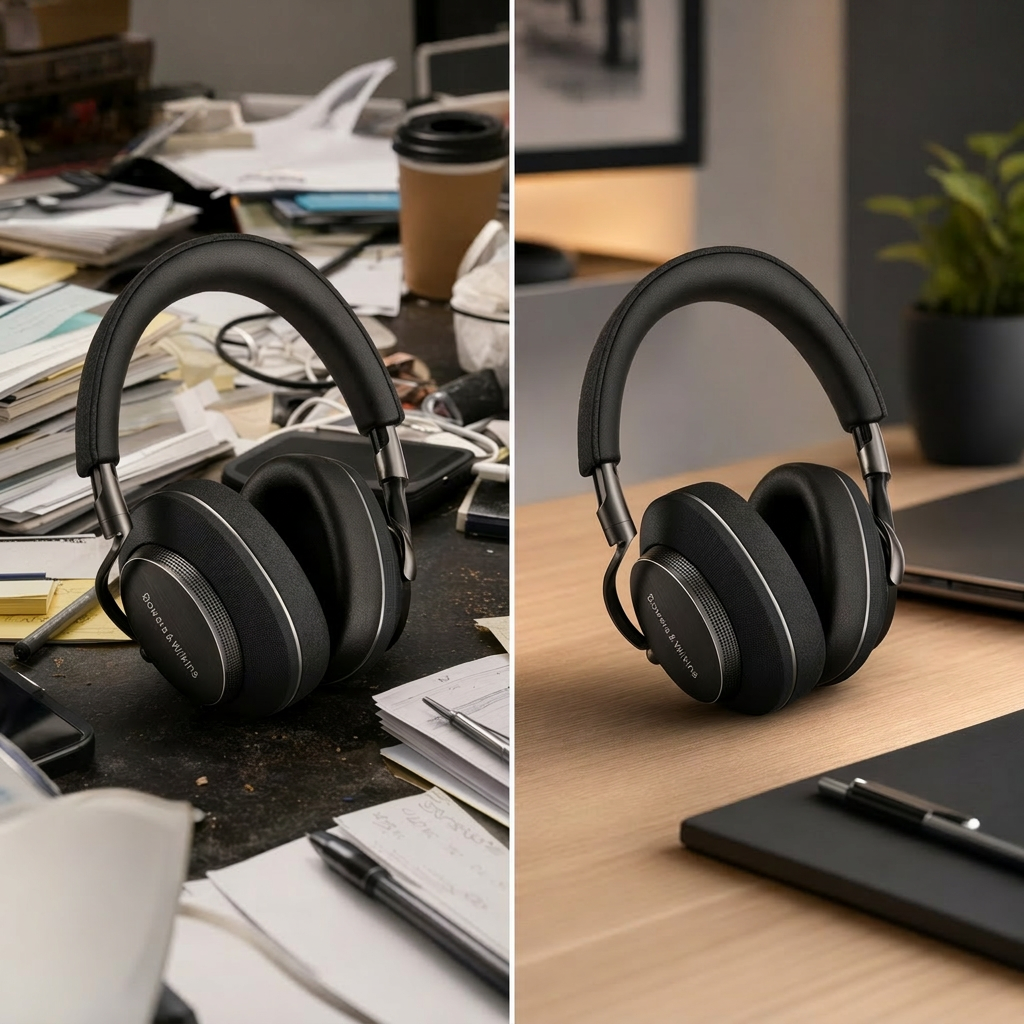
Its main differentiator is interactive precision editing: the model supports region-aware changes, layer separation, sketch-based completion, and multi-image fusion so users can edit exactly what they want instead of regenerating the whole image. That makes Bytedance | Seedream | v5 | Pro | Edit especially useful for design workflows, mockups, localized fixes, and consistent visual refinements on each::labs.
Capabilities
Capabilities
- Performs region-precise image editing while keeping the rest of the frame intact.
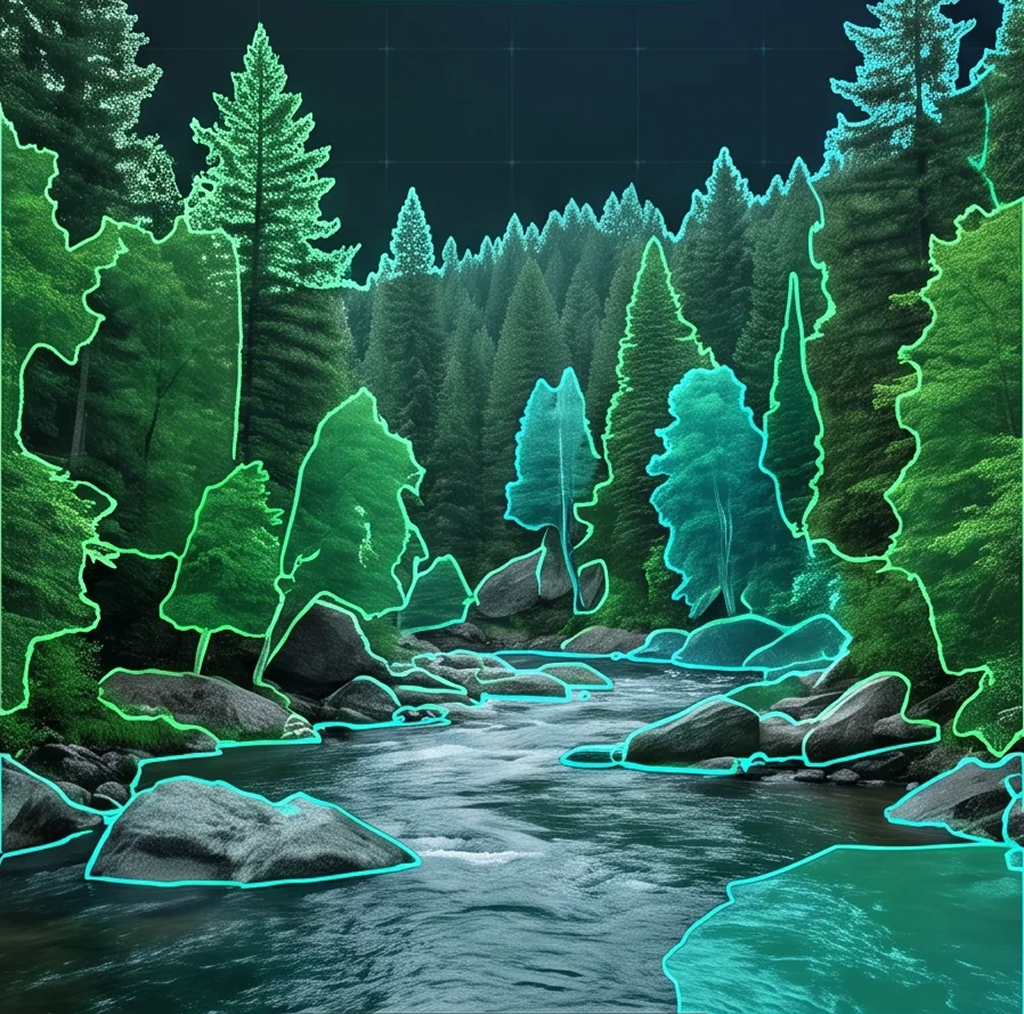
- Supports layer separation so image elements can be treated as editable visual assets.
- Handles sketch completion for rough concepts that need refinement into finished visuals.
- Accepts up to 10 reference images for consistent edits and multi-source guidance.
- Supports multi-image fusion to combine visual cues from different inputs into one result.
- Can replace colors and materials for localized product and design adjustments.
- Offers native multilingual text rendering for localized layouts and posters.
- Improves structural coherence and image-text alignment for professional visual workflows.
Use cases
Use Cases for Bytedance | Seedream | v5 | Pro | Edit
Creators: Use it to refine portraits or social visuals without rebuilding the whole scene. A prompt like “Change only the jacket to matte black, preserve facial expression, skin texture, and studio lighting” takes advantage of region-aware editing and realistic texture handling.
Marketers: Use it for multilingual campaign assets and localized posters. A prompt like “Keep the product photo intact, replace the headline with ‘Spring Launch’ in Spanish, and maintain the same layout” benefits from native text rendering and controlled layout editing.
Designers: Use layer separation and sketch completion to speed up mockups. A prompt like “Convert this sketch into a clean app promo banner with separate foreground product, background gradient, and text block” matches the model’s layer-aware workflow.
Developers: Use the Bytedance | Seedream | v5 | Pro | Edit API in automated asset pipelines where repeatable image updates matter. A prompt like “Apply the same logo placement and color correction to this set of product images while keeping composition consistent” aligns with reference-guided editing and multi-image fusion.
Tips & tricks
Tips and Tricks
Write prompts that identify the exact region, the desired change, and what must stay untouched. Seedream 5.0 Pro is built around grounded editing, so specific instructions perform better than vague art direction. If you need text inside the image, spell it exactly and place it in quotation marks, since native rendering is one of the model’s core strengths.
Use layer-minded language when possible: describe foreground, subject, background, and text as separate elements. When editing a complex image, keep one primary change per request so the model does not compete between multiple instructions. Useful example prompts include: “Change only the shirt color to deep navy while keeping the person, lighting, and background unchanged.” “Replace the label text with ‘Northstar Coffee’ in clean sans-serif typography.” “Turn the rough sketch into a polished packaging mockup with separate product and background layers.”
Technical spec
Technical Specifications
- Model type: Image editing / image-to-image workflow for reference-guided edits.
- Editing controls: Point selection, lasso selection, sketch rendering, color and material replacement, layer separation, and multi-image fusion.
- Reference inputs: Up to 10 reference images are supported.
- Resolution support: Reported outputs range from 1K to 2K, with exact dimensions from 1024×1024 up to 2048×2048.
- Aspect ratios: Supported ratios extend from 16:1 to 1:16 in the reported image pipeline.
- Text rendering: Native multilingual generation is supported, with public descriptions citing 14 languages.
- API input: A text prompt is required, and the editing flow accepts an image plus optional reference images.
- Processing time: No verified average processing time was published in the sources reviewed.
Things to be aware of
Things to Be Aware Of
The model is strongest when instructions are focused. If you ask for too many changes at once, the edit can become less predictable because several competing edits may affect the same region. It also performs best when the source image already has enough detail and clean object boundaries for grounding and layer separation.
Text-heavy layouts benefit from careful spelling and concise wording, since rendering quality depends on the prompt and the chosen language. When using multiple reference images, make sure they are consistent with the intended style and subject, because mixed references can pull the edit in different directions.
Key considerations
Key Considerations
Bytedance | Seedream | v5 | Pro | Edit works best when the change is specific and the source image already has a strong composition. It is a good fit for product mockups, local retouching, layout adjustments, and multilingual creative work where preserving the original image matters.
For best results, provide a clear prompt, a target image, and reference material only when it adds useful visual context. The model’s strengths are precision, layer awareness, and controlled edits, so it is usually more efficient than broad regenerate-and-hope workflows for small revisions. On each::labs, the Bytedance | Seedream | v5 | Pro | Edit API is most valuable when you need repeatable image refinement rather than open-ended generation.
Limitations
Limitations
Public sources reviewed did not confirm average processing time, and they did not provide complete details for every input or output format. The model is optimized for image editing, not video creation, so video duration controls are not part of the verified feature set.
It is also not ideal for open-ended scene invention when the goal is to completely replace the original composition. In those cases, precision-editing strengths can be less relevant than they are for controlled, local changes.