Why You Should Use Background Removers in Workflows
You know, editing photos can be a real pain. Sometimes you just need to get rid of that messy background, right? Well, there are these cool tools now, called background removers, that use smart tech to do it for you. It's making things a lot easier for people who work with images, whether you're a designer, a marketer, or just someone trying to make your pictures look better. Let's talk about why these tools are becoming so popular. Key Takeaways * Using a background remover speeds up how fa

You know, editing photos can be a real pain. Sometimes you just need to get rid of that messy background, right? Well, there are these cool tools now, called background removers, that use smart tech to do it for you. It's making things a lot easier for people who work with images, whether you're a designer, a marketer, or just someone trying to make your pictures look better. Let's talk about why these tools are becoming so popular.
Key Takeaways
- Using a background remover speeds up how fast you can get images ready for projects. It takes out the tedious manual work, letting you focus on the creative part.
- These tools let you swap out backgrounds easily, making it simple to create different looks for your images. This is great for making content that fits different places, like social media or ads.
- A background remover can save you money. Instead of needing lots of different photos or hiring someone for complex edits, you can often get a professional look with just a few clicks.
Streamlining Creative Workflows With A Background Remover
Let's be honest, fiddling with image backgrounds used to be a real drag. Remember those days of painstakingly selecting pixels, trying to get that perfect cut-out without any jagged edges? It felt like it took forever, especially when you had a bunch of images to get through. But things have changed, and thankfully, background removers are here to make our lives so much easier.
Enhancing Image Customization For Professional Needs
These tools are a game-changer for anyone who works with visuals regularly. Whether you're a graphic designer, a marketer, or just someone trying to make their presentation look sharp, being able to quickly isolate an object or person from its background opens up a ton of possibilities. You can take a product shot and place it on a clean, white background for an e-commerce listing, or grab a photo of a speaker and put them on a branded background for an event page. It's all about making your images fit exactly where you need them to.
- Faster isolation of subjects: Get that main element separated from its surroundings in seconds, not hours.
- Versatile placement: Easily drop your isolated image into new designs, mockups, or social media posts.
The ability to quickly remove and replace backgrounds means you spend less time on tedious edits and more time on the actual creative work. It's like having a magic wand for your images.
Accelerating Design Processes With AI
Think about how much time you can save. Instead of spending ages masking, you can upload an image, click a button, and boom – transparent background. This speed-up is huge when you're working on tight deadlines or have a large volume of images. It means you can experiment more, try out different looks, and get your projects done faster. Plus, it makes complex tasks, like creating consistent branding across multiple platforms, much more manageable.
Here's a quick look at how it speeds things up:
| Task | Traditional Method | AI Background Remover |
|---|---|---|
| Background Removal | 10-30 mins per image | < 1 min per image |
| Complex Edges | High difficulty | Low difficulty |
| Re-composition | Time-consuming | Quick and easy |
This isn't just about saving time, though. It's about making your workflow smoother and letting you focus on the bigger picture – creating great designs. It really takes the grunt work out of image editing.
Transforming Visual Content With Background Removal Technology
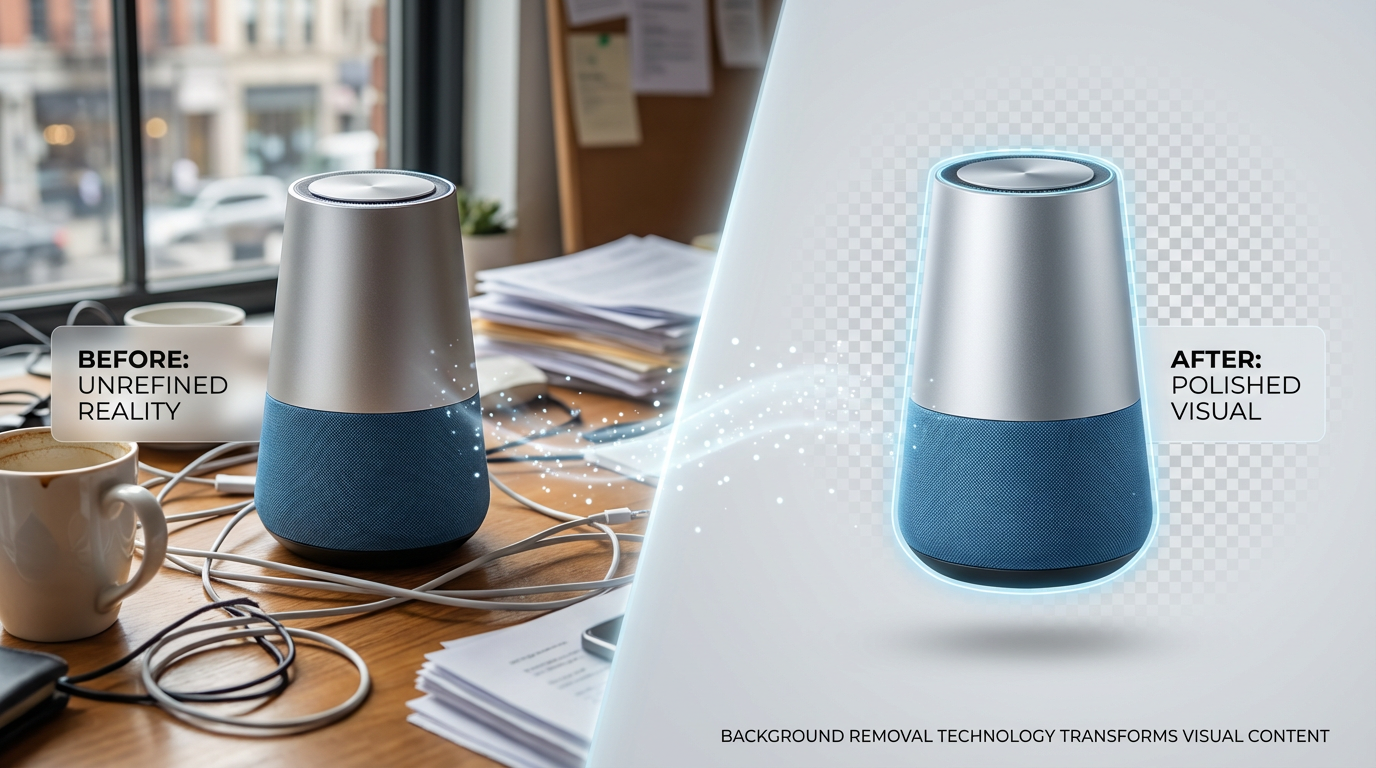
Remember the days of painstakingly cutting out images with scissors or spending hours with the pen tool in Photoshop? Yeah, me neither, but I've heard the stories. Thankfully, technology has moved way beyond that. Background removal, especially with AI, has completely changed the game for how we handle visuals.
Achieving Dynamic Backgrounds And Content Personalization
It's not just about getting rid of the old background anymore. Think of it as a blank canvas. AI tools can now take a subject and place it into entirely new, contextually relevant scenes. This means you can personalize content like never before. For e-commerce, imagine putting your product on a dozen different backgrounds instantly to see what sells best. Or for social media, you can create eye-catching posts that really stand out.
- Instant scene changes: Swap out backgrounds in seconds.
- Brand consistency: Add your logo or brand colors easily.
- Targeted visuals: Create images specific to different campaigns or audiences.
- Creative freedom: Experiment with virtual environments that would be impossible otherwise.
This ability to quickly generate custom visuals is a huge win for brands looking to connect with their audience on a more personal level.
Cost-Effective Solutions For High-Quality Visuals
Before AI, getting professional-looking images with clean backgrounds often meant hiring expensive designers or photographers. That's not really an option for a lot of smaller businesses or individuals just starting out. Now, you can get top-notch results without breaking the bank.
| Task | Traditional Method | AI Background Remover |
|---|---|---|
| Time per image | 15-60 minutes | < 1 minute |
| Skill required | High | Low |
| Cost per image (approx.) | $5 - $50+ | $0.10 - $0.50 |
The market for these tools is growing fast, and it's easy to see why. They make professional image editing accessible to pretty much anyone, democratizing the creation of high-quality visual content. It's a big deal for anyone who needs good images but doesn't have a big budget or a design team.
Want to make your pictures pop by removing the background? Our cool technology can do just that, making your images look super professional. It's like magic for your photos! Ready to see how easy it is to transform your visual content? Visit our website today to learn more and try it out!
Wrapping It Up
So, there you have it. Background removers, especially the AI-powered ones, are really changing the game for anyone working with images. They save a ton of time, let you get really creative with how you use your pictures, and honestly, they just make things look more professional without all the usual hassle. Whether you're a designer, a small business owner, or just someone who needs to clean up photos now and then, these tools are becoming a must-have. It’s like having a secret weapon for making your visuals pop, and it’s way easier than you might think to get started.
Frequently Asked Questions
How good are AI background removers at their job?
Most AI background removers do a really good job, especially with clear pictures. They can handle most images without any trouble. However, if an image has tricky parts like wispy hair or very busy designs in the background, some tools might need a little extra help or might not be perfect.
Can I change the background after removing it?
Absolutely! That's one of the coolest parts. Once the old background is gone, you can easily pop in a new one. You could use a cool pattern, a solid color, or even another picture to make your main subject stand out.
Do I need to be a computer expert to use these tools?
Not at all! Many AI background removers are designed to be super easy to use. You often just upload your picture, click a button, and the tool does the hard work for you. It's like magic for your images, making professional-looking results simple for everyone.