Lyria 3 Prompts: 10 Song Briefs for Clip, Pro and 3.5
"Upbeat pop song" gets you the most average track the model knows. Here are 10 copy-ready Lyria 3 song briefs for Clip, Pro and 3.5 on each::labs, plus how to pick the model and iterate.
By Eftal Yurtseven · Nov 24, 2026 · 9 min read
Ask for "an upbeat pop song" and you'll get one. Probably a perfectly pleasant one. It just won't be your song, because the model filled every blank you left with the most average answer it had. Good Lyria 3 prompts work differently: they read like a brief you'd hand a session band, with a tempo, a lineup, a map of the sections and, when you want vocals, the words.
Google's Lyria family on each::labs now covers three jobs. Lyria 3 Clip Preview makes fixed 30-second clips. Lyria 3 Pro Preview and Lyria 3.5 write full-length songs. Below you'll find how to pick between them, the anatomy of a brief that actually steers the output, and ten copy-ready song briefs you can paste in today.
Lyria 3 Clip, Pro or 3.5: Pick the Length First
Length is the one thing a prompt can't fix, so decide it first.
Lyria 3 Clip Preview always returns a 30-second MP3. No duration field, no negotiation. Google's developer announcement positions it for speed and high-volume requests: quick prototypes, looping background audio, social content. Thirty seconds is also exactly enough to judge whether a tempo, a lineup and a vocal tone work together, which makes Clip the fastest way to audition an idea.
Lyria 3 Pro Preview is the full-length model Google launched in March 2026. Its announcement describes tracks up to 3 minutes and lets you prompt for intros, verses, choruses and bridges. On each::labs, duration is controlled through the prompt itself, so "a 2-minute track" belongs in your text.
Lyria 3.5 is the newest of the three. Google introduced it in July 2026 with richer melodic structure, higher quality lyrics with better prompt adherence, more realistic and emotionally nuanced vocals, improved pronunciation, and easier control over tempo and duration. The each::labs schema says it typically generates songs of a couple of minutes.
My rule: anything under 30 seconds, or anything you're still sketching, goes to Clip. A vocal song where the lyrics matter goes to 3.5. Pro stays useful as a second full-length opinion on the same brief, which matters more than it sounds, since Google's docs say results vary between calls even with an identical prompt.
The Anatomy of a Lyria 3 Prompt
All three models take the same inputs on each::labs: a text prompt of up to 20,000 characters and an optional list of up to 10 image_urls. Use that room for direction, not adjectives.
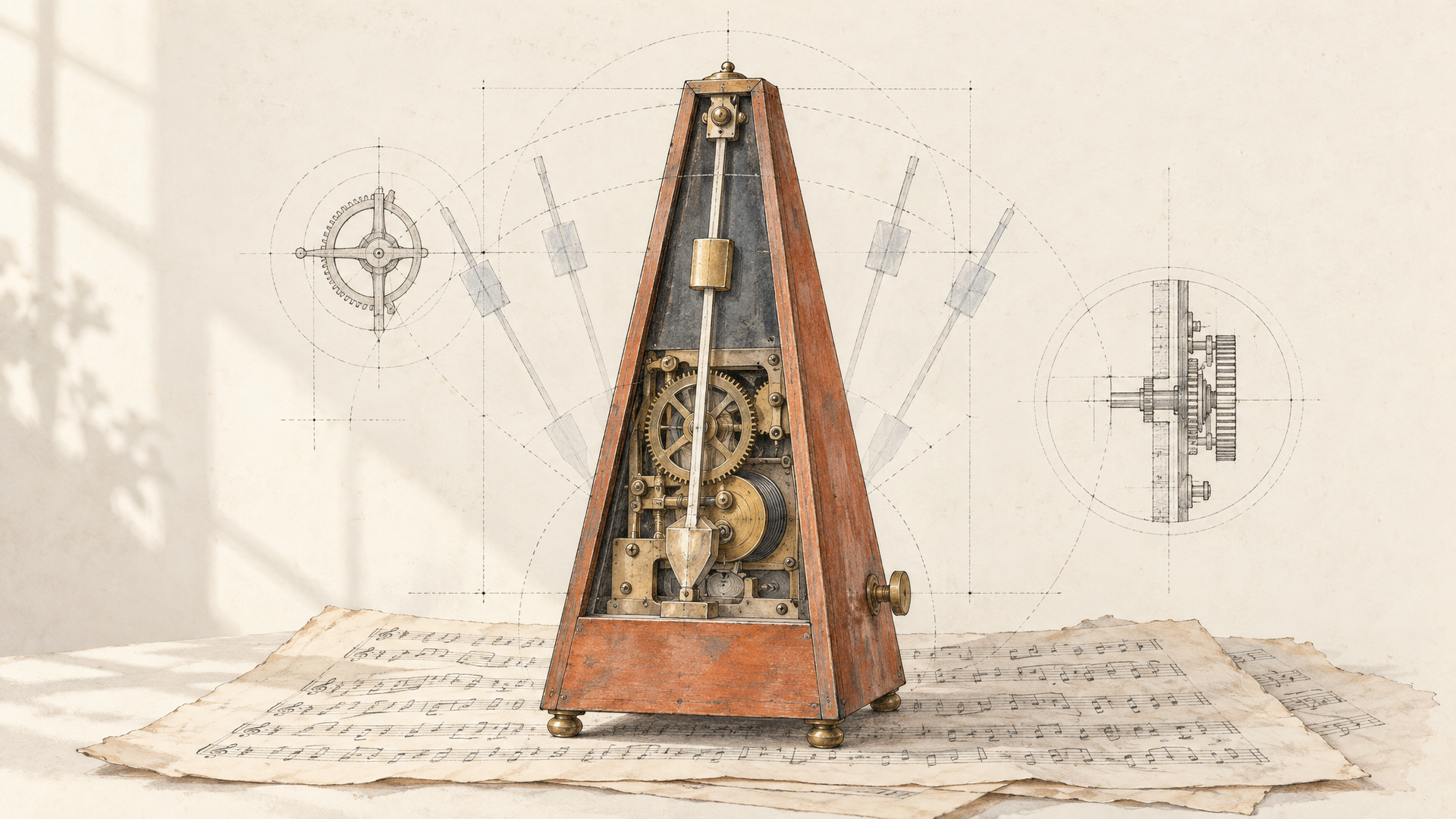
Google's music generation guide names the levers that matter: instruments, BPM, key, mood and structure. In practice a strong brief covers six things in roughly this order. Genre and era, so the model knows which drawer to open. Tempo, as a BPM number or a plain word like "slow". Key, if you care. Instrumentation, named specifically ("brushed snare and upright bass" beats "jazzy drums"). Structure, with section tags like [Verse], [Chorus] and [Bridge], or timestamp ranges such as [0:00 - 0:10] that say when a section, an instrument or a line of lyrics should land. Then vocals: who sings, how, and what.
Two details from the docs change how you write. Lyrics come out in the language of your prompt, so a French brief gets French vocals. And Google recommends keeping custom lyrics separate from musical direction. Put the production notes in one block and the words in another, so the model doesn't sing your stage directions back at you.
Lyria 3 Clip Prompts: Three 30-Second Briefs
Clip briefs should be tight. You've got 30 seconds, so describe one idea with one arc, and use timestamps to place the moment that matters.
1. The product reveal sting
Modern electronic pop, 118 BPM, key of A minor. Punchy kick, sidechained synth pads, bright plucked lead. [0:00 - 0:08] filtered intro, pads only, rising tension. [0:08 - 0:10] short silence before the drop. [0:10 - 0:30] full beat with a confident lead hook, ending on a clean final hit. Instrumental only, no vocals. Mood: polished, optimistic, premium.
The two-second gap is the trick. It gives an editor an obvious cut point for the reveal.
2. The seamless background loop
Lo-fi hip hop, slow, 80 BPM. Dusty vinyl crackle, warm Rhodes chords, soft boom-bap drums, a muted bass line. Steady and even from start to finish, no intro build and no ending, so the clip can loop cleanly. Instrumental only. Mood: calm, focused, late-night study.
3. The 30-second jingle with a hook
Retro Motown-inspired soul, upbeat, 104 BPM. Tambourine, handclaps, walking bass, bright horn stabs, piano. A joyful female lead vocal with a small backing choir answering each line. Lyrics: [Verse] Sunday morning, open door, Fresh bread waiting like before [Chorus] Come on down, come on in, The corner bakery's open again
Sound first, words after a clear "Lyrics:" label. That's Google's own advice in action.
Lyria 3 Pro Prompts: Full Tracks With a Map
Full-length briefs fail in a predictable way: the first minute is great, then the track wanders. The cure is a map. Tell the model how long, which sections, and what changes in each one.
4. The cinematic trailer build
A 2-minute orchestral trailer track, 90 BPM building to 140 BPM. Key of D minor. [Intro] solo cello and low piano pulses, sparse and uneasy. [Build] staccato strings enter, taiko drums double every bar, brass swells. [Climax] full orchestra and choir "ah" vocals, huge percussion hits. [Outro] everything cuts out except a single sustained cello note. Instrumental, wordless choir only. Mood: dread turning into defiance.
5. The indie folk song with a bridge
Indie folk, about 2 and a half minutes, 96 BPM, key of G major. Fingerpicked acoustic guitar, upright bass, light brushed drums, a harmonica in the instrumental break. Warm, slightly husky male vocal, close and intimate, harmonies on the chorus. Structure: intro, verse, chorus, verse, chorus, bridge, final chorus, outro. The bridge drops to guitar and voice only before the band returns. Lyrics: [Verse 1] Packed the car at half past four, Left the key beneath the door [Chorus] Every road I didn't take Is still awake, still awake [Bridge] Maybe home was never a place, Maybe it's a voice, maybe a face
6. The game level soundtrack
A 2-minute chiptune and synthwave hybrid for a platform game level, 150 BPM. Square-wave lead melody, arpeggiated bass, punchy electronic drums, retro synth pads. Starts with a short 8-bar intro, then a main loop theme, a tenser middle section in a minor key, and a return to the main theme. Instrumental only. Mood: playful, fast, adventurous.
Lyria 3.5 Prompts: Write the Lyrics Yourself
This is where Lyria 3.5 earns its slot. Google's update was specifically about lyrics that follow the prompt, structural awareness and vocals with more emotional nuance. So give it real words and real direction for the singer. If you want the long version of what changed, our Lyria 3.5 spotlight covers it.
7. The emotional piano ballad
A 3-minute piano ballad, slow, 68 BPM, key of E flat major. Grand piano only for the first verse, strings join at the first chorus, full arrangement with soft drums by the final chorus. Female vocal: breathy and fragile in the verses, opening up to full voice on the last chorus. Clear pronunciation, every word audible. Lyrics: [Verse 1] Your coffee cup is in the sink, I leave it there, I don't know why [Chorus] I'm learning how to let the light Back into rooms you used to fill [Verse 2] Your jacket hangs behind the door, It smells like rain and winter still [Chorus] I'm learning how to let the light Back into rooms you used to fill [Bridge] And if it hurts, then let it hurt, It means the love was real [Final Chorus] I'm learning how to let the light Back into rooms you used to fill
8. The bilingual summer track
Latin pop, 100 BPM, reggaeton rhythm, nylon-string guitar, bright synth bass, shakers and congas. Duet: a male vocal sings the verses in Spanish, a female vocal sings the chorus in English. About 2 minutes. Mood: sunny, flirtatious, beach at golden hour. Write original lyrics about a summer that ended too fast.
Google's developer post confirms the models can generate vocals in different languages. Letting the model write the words is also a fair test of its lyric quality.
9. The timed brand anthem
Uplifting pop rock, 124 BPM, about 90 seconds. Driving electric guitars, big drums, stadium claps. [0:00 - 0:15] guitar riff intro, no vocals. [0:15 - 0:45] first verse, mixed vocal group, confident. [0:45 - 1:15] chorus, everyone sings, handclaps on every beat. [1:15 - 1:30] instrumental outro, ends on one big chord. Lyrics: [Verse] We started in a borrowed room, With more ideas than chairs [Chorus] Build it louder, build it bright, We're only getting started tonight
Timestamps earn their keep when picture timing matters: you know where the chorus lands before you press generate.
Let a Picture Set the Mood
All three models accept up to 10 images alongside the text, and Google's docs say the model composes music inspired by the visual content. That's useful when the mood is easier to show than describe: a storyboard frame, a product shot, a location photo.
10. The moodboard score
Compose a 2-minute instrumental score inspired by the attached images. Use their color palette and atmosphere to choose instruments and tempo. Keep it cinematic and spacious, slow build, no vocals. End softly so it can sit under a closing shot.
Pair it with stills or keyframes you generated in a text-to-image model and the soundtrack starts from the same visual world as the film. Images set the atmosphere. Your words set the length, the structure and whether anyone sings.
Iterate on Clip, Commit on the Full Model
Google's own tip: iterate with the Clip model before generating a full song. It's good advice, and it maps to a simple loop on each::labs.
Start with the production block only (genre, BPM, key, instruments, vocal tone) and run it on Clip. Listen for the four things that are hard to fix later: tempo feel, the lead instrument, vocal character and overall mood. Change one variable per run. When the 30 seconds sound like your song, paste the same production block into Lyria 3.5 or Pro, add the structure and the lyrics, and ask for the length you need.
Each response returns generated lyrics and a description of the song structure alongside the audio. Read them. They tell you how the model interpreted your brief, which is the fastest way to see why a chorus landed somewhere you didn't expect. Since the docs say multi-turn editing of a generated track isn't supported, a fix means a revised prompt and a fresh generation, so keep your briefs in a file and version them like code.
Want the music to feed straight into a video pipeline? Chain the steps in each::labs Flows, and see our guide to adding music and sound effects to AI video for the edit side.
Mistakes That Flatten a Track
Adjective soup is the big one. "Epic, emotional, powerful, cinematic" gives the model nothing to act on. One mood word plus specific instruments does more.
Mixing lyrics with direction is the second. If "(whispered)" or "guitar solo here" sits inside a lyric line, you risk hearing it sung. Keep notes in the production block, or use section tags and timestamps.
Asking for a specific artist is the third. Google's docs say prompts that request specific artist voices or copyrighted lyrics are blocked, and its Lyria 3 Pro announcement says a named creator is taken only as broad inspiration. Describe the sound instead: the era, the instruments, the vocal texture.
And the quiet one: forgetting the length. Pro and 3.5 have no duration field on each::labs, so write "about 2 minutes" and plan the sections to fit.
One more thing worth knowing for client work: Google embeds an imperceptible SynthID watermark in all generated Lyria audio. Browse the rest of the audio and video lineup on the each::labs models page when the track is ready for picture.
Frequently Asked Questions
What's the difference between Lyria 3 Clip and Lyria 3 Pro?
Duration and intent. Clip always returns a 30-second MP3 and is built for speed, loops and quick prototypes. Pro writes full-length songs, up to about 3 minutes according to Google, with the length set in your prompt.
Can Lyria 3 sing my own lyrics?
Yes. Put them in the prompt under section tags like [Verse], [Chorus] and [Bridge], and keep them separate from the musical direction. The vocals follow the language of your prompt, so write the lyrics in the language you want sung.
Should I use Lyria 3.5 or Lyria 3 Pro for a full song?
For anything vocal, start with 3.5. Google's July update targeted exactly that: better lyric adherence, more nuanced vocals and clearer pronunciation. Pro is a good second take on the same brief, since outputs vary between runs anyway.
How do I control tempo in a Lyria prompt?
Write it. There's no tempo parameter, so a BPM number or a plain word like "slow" goes straight into the text, next to the key and instruments.