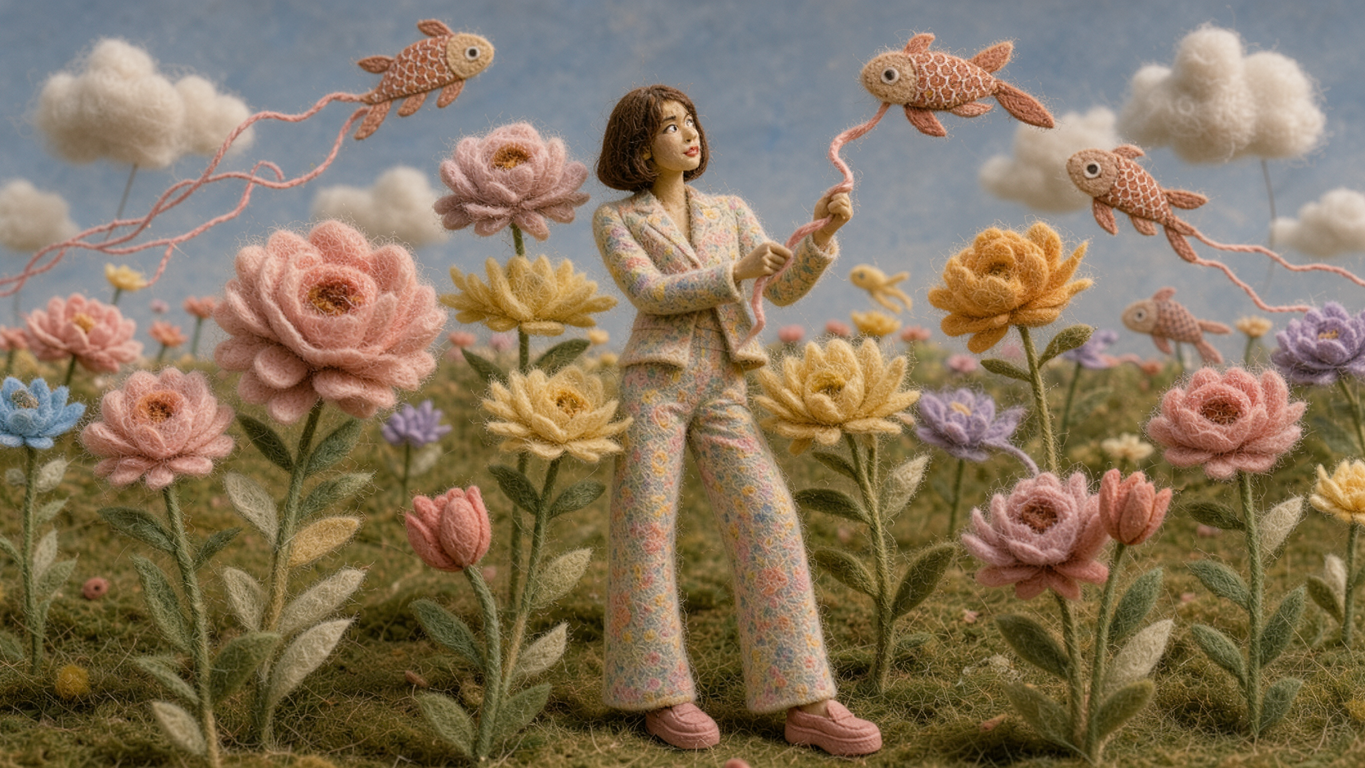
Flux 3 Klein | Edit.
- Black Forest Labs
- Image to Image
- $0.008–$0.036 per image, depending on resolution
Flux 3 Klein Edit transforms reference images with text instructions for restyling, retouching, and combining elements, with JPEG or PNG output.
What Flux 3 Klein | Edit is good at.
 Best for
Product imagery.
A marketer can test another backdrop without reshooting: “Keep the bag, handle, and clasp from Image 1. Replace the studio backdrop with pale warm gray.”…
 Limits and tips
Give each reference a clear role.
“Keep the framing and pose of Image 1. Recreate the scene as a wool-and-clay miniature, keeping the original pastel palette.” For a two-image edit: “Keep the…
 Related modelView model
Alibaba | Qwen Image | 2.1 | Pro | Image Edit
Run it on the same input to compare output, speed and price.
Model documentation
About this model
Flux 3 Klein Edit transforms reference images with text instructions for restyling, retouching, and combining elements, with JPEG or PNG output.
Overview
Flux 3 Klein | Edit Overview
Flux 3 Klein | Edit transforms one or more reference images using a written instruction. It uses FLUX 3 Image Klein, Black Forest Labs' compact image model designed for editing. You can use the same endpoint for a targeted change on one image or a composition drawing on up to ten references. Describe what should change and what should stay, so the model can distinguish the edit from the surrounding scene.
On each::labs, use it for restyling an existing photograph, trying another background, or borrowing an element from a second image. Specify a target crop if the result needs to fit a new placement. Use Text to Image instead if you have a brief but no image to anchor the result.
Capabilities
Capabilities
- Change a material, palette, background, or other visible part of a supplied image.
- Restyle a full scene while asking the model to retain its pose or composition.
- Combine elements from up to ten reference images.
- Guide local edits and element placement with source and target bounding boxes.
- Follow the first reference's aspect ratio by default or request a supported ratio.
- Export one JPEG or PNG at a selectable resolution up to 4k.
Use cases
Use Cases for Flux 3 Klein | Edit
Product imagery. A marketer can test another backdrop without reshooting: “Keep the bag, handle, and clasp from Image 1. Replace the studio backdrop with pale warm gray.” Compare the hardware and proportions with the original.
Style exploration. A designer can preview a new medium: “Keep the scene layout and turn the materials into folded paper with soft side lighting.”
Prop compositing. A creator can try a different object in a scene: “Put the vase from Image 2 on the shelf in Image 1, under the left window. Match the existing daylight.”
Editing workflows. A developer can offer preset instructions for a batch of uploads: “Change the backdrop to off-white and retain the whole subject in frame.” Submit each source as its own request and check each result before it enters a downstream publishing queue.
Tips & tricks
Tips and Tricks
Give each reference a clear role. “Keep the framing and pose of Image 1. Recreate the scene as a wool-and-clay miniature, keeping the original pastel palette.” For a two-image edit: “Keep the room in Image 1. Replace the chair with the chair from Image 2, at the same angle and with the original room lighting.”
For more spatial control, tag each element by ID in the prompt and append a JSON list with the reference and source and target bounding boxes. Use a 0–1000 grid in top, left, bottom, right order. Try a single scene-wide edit before stacking several unrelated changes. Keep a fixed seed when comparing versions of the same instruction and inspect areas you wanted left alone.
Technical spec
Technical Specifications
- Inputs: a nonempty instruction and 1 to 10 reference image URLs. Each image must be at least 256 by 256 pixels and no larger than 16 megapixels.
- Sizes: choose 768sq (768 by 768), 1k (default), 1.5k, 2k, or 4k. The latter four target roughly 1, 2, 4, and 16 megapixels.
- Framing: auto uses the first reference's aspect ratio. Set another supported ratio to request a different framing; 768sq is square.
- Output: one JPEG by default, or PNG. Processing is asynchronous, and 4k can take several minutes.
- Model: Black Forest Labs lists 5.6 billion parameters for FLUX 3 Image Klein.
Things to be aware of
Things to Be Aware Of
The Flux 3 Klein | Edit API uses the provided URLs and their order. Make sure the files are reachable when you submit the request, and keep labels like Image 1 and Image 2 aligned with that order. If references contain similar objects, name the distinguishing details and which image supplies each object.
Reframing can change the inclusion of edge details. Restyling can also alter fine textures even when you ask to preserve the overall composition. Compare the output with the original at the intended display size. If the provider rejects the request, review both the instruction and the source images.
Key considerations
Key Considerations
Pick the clearest source image first, especially if you use auto framing. Name the parts that should stay as well as those you want edited. Test at 1k before requesting a larger output. At each::labs, 1k costs $0.009 per image and 4k costs $0.036 per image; the resolution tier sets the price.
Use a second reference when it adds something specific, such as a prop or a material. For local changes, preserve the original image to compare details side by side. If a logo or product label must stay pixel-exact, plan to composite it separately.
Limitations
Limitations
Flux 3 Klein | Edit returns a single rendered still image, not a layered file or a mask. It can guide an edit toward a region but does not guarantee that every surrounding pixel stays unchanged. Fine lettering, repeating patterns, and exact product geometry can drift. The endpoint accepts at most ten references, and it cannot edit video or accept a file above the per-image pixel limit.
Questions about this model
The short answers. For anything specific to your setup, talk to our team.
 Talk to an engineerPlan for your expected volume.
Flux 3 Klein Edit changes an existing image in response to a written instruction on each::labs. It accepts one to ten reference images and returns one edited image. You can direct changes to the subject, background, lighting, or style without starting from an empty prompt.
Use Flux 3 Klein Edit with multiple images when the edit needs a visual reference, such as applying another image's style or drawing elements from several sources. Put the image you want to edit first. Refer to the images by their upload order in the instruction.
Flux 3 Klein Edit lets you select an aspect ratio, a resolution tier, and JPEG or PNG output. The auto aspect ratio follows the first reference, and the resolution defaults to 1k on each::labs. Use a wider or taller explicit ratio when the result needs to fit a specific layout.