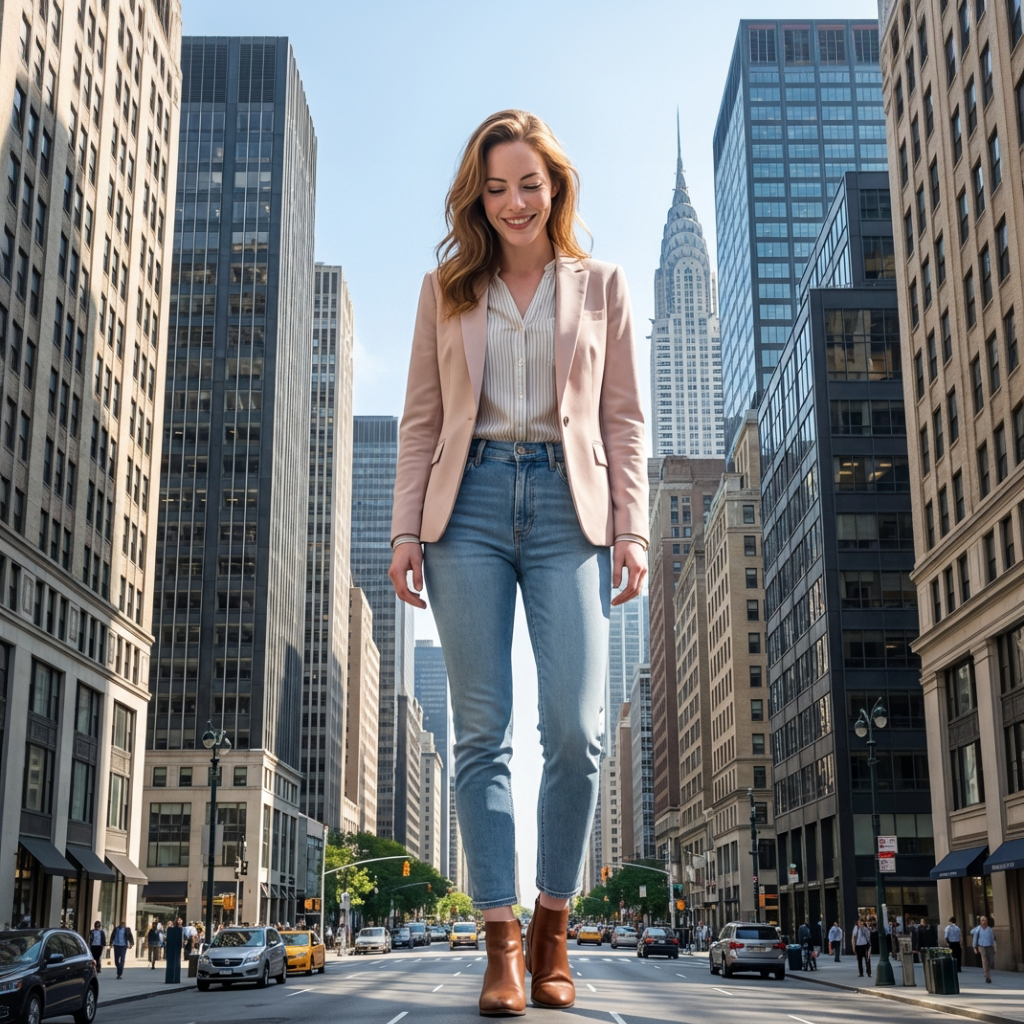
Giant Effect Video
Flow·2 steps
Transform into a city-scale giant and create a cinematic Giant Effect video. Tower above skyscrapers with realistic proportions, powerful movement, dramatic low-angle shots, and immersive lighting. Keep full-body framing, consistent identity, and true scale contrast for a hyper-realistic urban presence.
- Steps
- 2
- Inputs
- 1
- Runs
- 117
- 1
nano-banana-pro-editid · step1 · model- aspect_ratio
- "9:16"
- image_urls
- [1 item]
- limit_generations
- false
- num_images
- 1
- output_format
- "png"
- …
- +2 more params
- 2
kling-v2-5-turbo-standard-image-to-videoid · step2 · model- cfg_scale
- 0.5
- duration
- "5"
- image_url
- "$.step1.primary"
- negative_prompt
- "blur, distort, and low quality"
- prompt
- "Generate a cinematic video of the exact same person from the…"
trigger.sh
sh
Trigger returns an execution_id · poll the executions endpoint for the final output
Clone this template into your workspace, then tweak any of the inputs below, or rewrite the step prompts, to spin up your own variation. The pipeline stays the same; the creative output is yours.
- photorequireddefault · 252b3e5b63a82044b276fd952598576ec7d85a7c9314c27c3a822fac3944859d.jpgimage URL