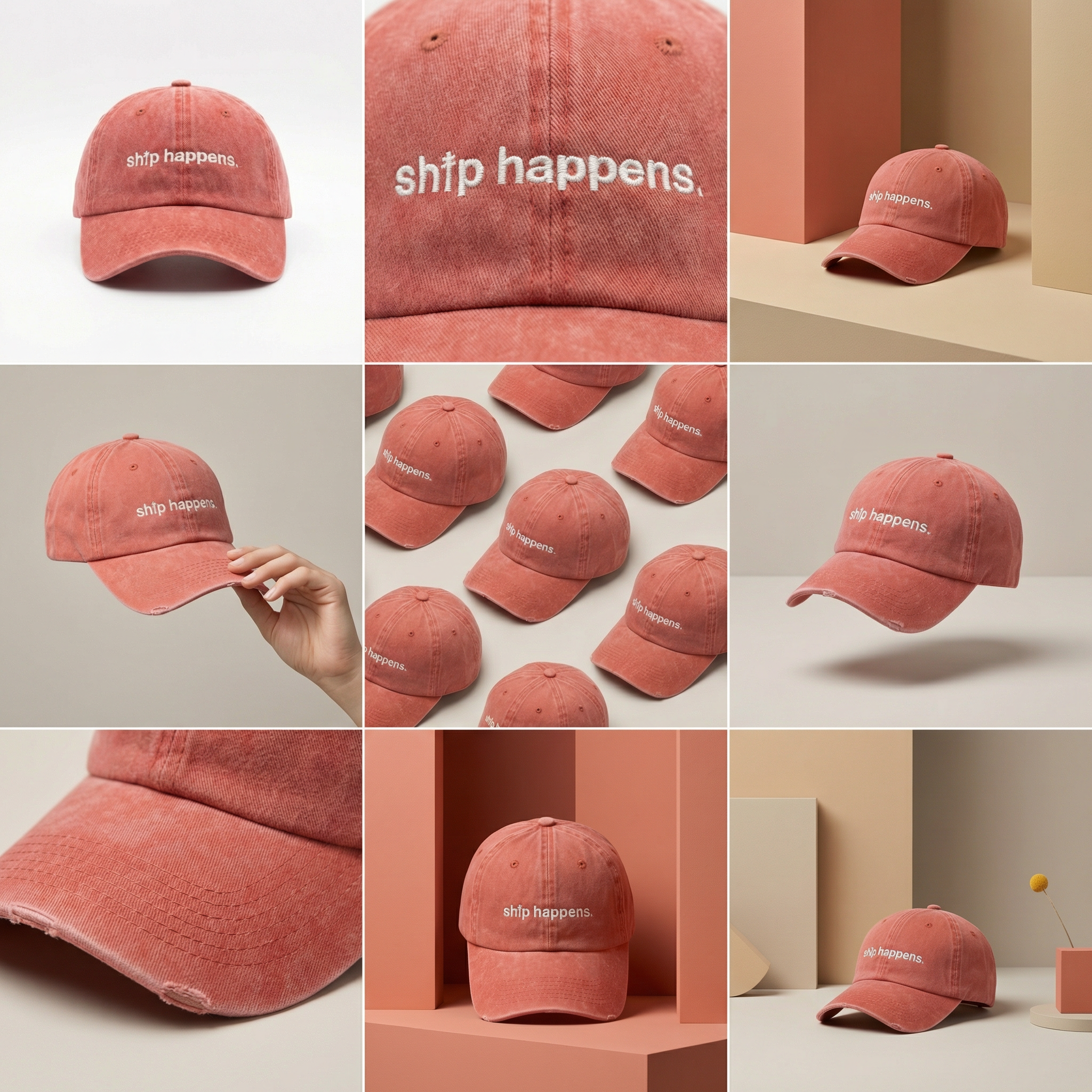
From One Image to Nine Images
Flow·10 steps·workflow
Generating 9 images from a 3x3 grid output using the crop image tool.
- Steps
- 10
- Inputs
- 1
- Runs
- 49
- 1
nano-banana-pro-editid · step1 · model- aspect_ratio
- "1:1"
- image_urls
- [1 item]
- limit_generations
- false
- num_images
- 1
- output_format
- "png"
- …
- +2 more params
- 2
crop-imageid · step2 · model- height_percent
- 33.33
- image_url
- "$.step1.primary"
- output_format
- "png"
- width_percent
- 33.33
- x_percent
- 0
- …
- +1 more param
- 3
crop-imageid · step3 · model- height_percent
- 33.33
- image_url
- "$.step1.primary"
- output_format
- "png"
- width_percent
- 33.33
- x_percent
- 33.33
- …
- +1 more param
- 4
crop-imageid · step4 · model- height_percent
- 33.33
- image_url
- "$.step1.primary"
- output_format
- "png"
- width_percent
- 33.33
- x_percent
- 66.66
- …
- +1 more param
- 5
crop-imageid · step5 · model- height_percent
- 33.33
- image_url
- "$.step1.primary"
- output_format
- "png"
- width_percent
- 33.33
- x_percent
- 0
- …
- +1 more param
- 6
crop-imageid · step6 · model- height_percent
- 33.33
- image_url
- "$.step1.primary"
- output_format
- "png"
- width_percent
- 33.33
- x_percent
- 33.33
- …
- +1 more param
- 7
crop-imageid · step7 · model- height_percent
- 33.33
- image_url
- "$.step1.primary"
- output_format
- "png"
- width_percent
- 33.33
- x_percent
- 66.66
- …
- +1 more param
- 8
crop-imageid · step8 · model- height_percent
- 33.33
- image_url
- "$.step1.primary"
- output_format
- "png"
- width_percent
- 33.33
- x_percent
- 0
- …
- +1 more param
- 9
crop-imageid · step9 · model- height_percent
- 33.33
- image_url
- "$.step1.primary"
- output_format
- "png"
- width_percent
- 33.33
- x_percent
- 33.33
- …
- +1 more param
- 10
crop-imageid · step10 · model- height_percent
- 33.33
- image_url
- "$.step1.primary"
- output_format
- "png"
- width_percent
- 33.33
- x_percent
- 66.66
- …
- +1 more param
trigger.sh
sh
Trigger returns an execution_id · poll the executions endpoint for the final output
Clone this template into your workspace, then tweak any of the inputs below, or rewrite the step prompts, to spin up your own variation. The pipeline stays the same; the creative output is yours.
- photorequireddefault · 830f0e0092638c434667f0099583d4ef26a93cfd16fdc91523bdff5372a7aaee.pngimage URL