{"dish":{"name":null,"allergens":[],"diet_compat":{"vegan":"yes","plantbased":"yes","vegetarian":"yes","flexitarian":"yes","pescatarian":"yes"},"ingredient_count":1,"total_metric_amount":55,"total_nutritional_content":{"fat":8,"iron":0,"zinc":0,"fiber":4,"sugar":12,"folate":0,"niacin":0,"sodium":160,"calcium":0,"omega_3":0,"protein":3,"calories":230,"magnesium":0,"potassium":0,"trans_fat":0,"vitamin_a":0,"vitamin_c":0,"vitamin_d":0,"vitamin_e":0,"vitamin_k":0,"vitamin_b6":0,"cholesterol":0,"vitamin_b12":0,"carbohydrate":37,"saturated_fat":1,"monounsaturated_fat":0,"polyunsaturated_fat":0}},"billing":{"price_usd":0.05,"billable_unit":"credits","unit_cost_usd":0.01,"billable_units":5},"food_response":[{"food":{"food_id":"0","servings":{"serving":[]},"food_name":null,"food_type":"Brand"},"eaten":{"unit":null,"count":null,"units":1,"unit_count":55,"unit_grams":1,"per_unit_grams":null,"metric_description":"g","total_metric_amount":55,"singular_description":"serving","per_unit_metric_amount":55,"total_nutritional_content":{"fat":8,"iron":0,"zinc":0,"fiber":4,"sugar":12,"folate":0,"niacin":0,"sodium":160,"calcium":0,"omega_3":0,"protein":3,"calories":230,"magnesium":0,"potassium":0,"trans_fat":0,"vitamin_a":0,"vitamin_c":0,"vitamin_d":0,"vitamin_e":0,"vitamin_k":0,"vitamin_b6":0,"cholesterol":0,"vitamin_b12":0,"carbohydrate":37,"saturated_fat":1,"monounsaturated_fat":0,"polyunsaturated_fat":0}},"food_id":0,"allergens":[],"food_name":{"en":null},"diet_compat":{},"match_score":null,"suggested_serving":{"serving_id":0,"number_of_units":"1","metric_serving_unit":"g","serving_description":"55 g","metric_measure_amount":55,"metric_serving_description":"g"}}]}
DownloadNutriScan | Label Scan
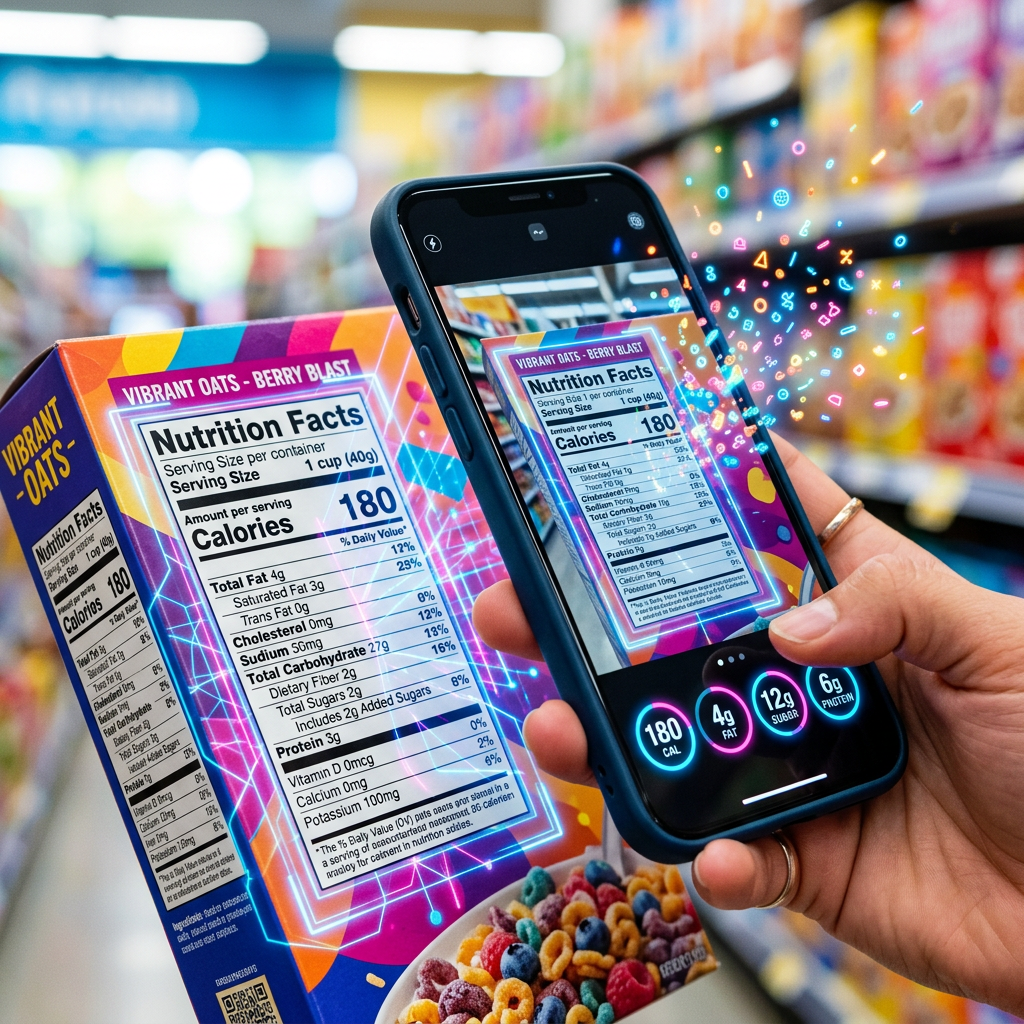
Platebase Label Scan reads a nutrition-label photo and returns normalized nutrition facts, detected allergens, and product details in one call.
- Runtime (p50)
- 1m
- Estimated price
- Usage-based
Overview
NutriScan | Label Scan Overview
NutriScan | Label Scan by byterise is a specialized text-to-text model designed to read nutrition-label images and return structured, normalized nutrition data. It focuses on turning unstructured packaging information into machine-readable fields such as calories, macronutrients, micronutrients, detected allergens, and product metadata. Hosted on each::labs, NutriScan | Label Scan helps developers and product teams automate label processing for food, beverage, and CPG workflows. While public documentation on the underlying architecture is limited, the model’s primary differentiator is its focus on nutrition labels and allergen detection rather than general OCR. This makes it especially useful for nutrition apps, grocery platforms, and compliance tools that need consistent, normalized nutrition facts from varied label formats.
Capabilities
Capabilities
- Parses nutrition-label text into normalized nutrition facts such as calories, fats, carbohydrates, and proteins.
- Detects common allergens based on ingredient lists, including typical triggers like nuts, dairy, soy, and gluten where present in the text.
- Extracts product-level details such as product name, brand name (when provided), serving size, and number of servings per package.
- Supports structured outputs suitable for databases or APIs, making it easier to plug into existing nutrition or inventory systems.
- Handles varied label phrasing and layouts by focusing on semantics rather than exact formatting.
- Can incorporate provider billing or SKU-related information when present in label or metadata text, enabling downstream accounting workflows.
- Integrates into broader byterise text-to-text pipelines, allowing chaining with other models for recommendation, search, or compliance checks.
Use cases
Use Cases for NutriScan | Label Scan
Consumer nutrition apps can use NutriScan | Label Scan to turn user-uploaded label photos into structured nutrition profiles. For example: "Convert this OCR text from a cereal box into normalized nutrition facts and allergen flags for my food-tracking database." Retail and grocery platforms can automate catalog creation by extracting product name, serving size, nutrition table, and allergens from supplier-provided label text. Compliance and regulatory teams can scan labels to verify that declared allergens and nutrient claims are captured systematically, enabling rule-based checks on top of the extracted fields. Developers building recipe or meal-planning tools can combine multiple NutriScan | Label Scan outputs to calculate aggregate nutrition across several packaged ingredients.
Tips & tricks
Tips and Tricks
For best results, structure your prompt so NutriScan | Label Scan receives clean label text plus explicit instructions about the fields you need. Clearly separate sections such as “Nutrition Facts,” “Ingredients,” and “Allergen Information” in the input. When using the NutriScan | Label Scan API, standardize your output schema (for example, fixed keys for each nutrient) and instruct the model to return only those keys, even when some are missing. You can also improve reliability by specifying units (g, mg, kcal) in the prompt and asking the model to normalize values per serving.
Example prompts:
- "Extract normalized nutrition facts, serving size, and all allergens from the following nutrition label text and return JSON with fixed keys."
- "From this OCR’d nutrition label, identify calories, macronutrients, top 14 allergens, and product name. Use 0 for missing numeric values."
- "Given this ingredient list and nutrition table, detect any nut, gluten, or dairy allergens and summarize in a structured response."
Technical spec
Technical Specifications
Based on available category information and typical each::labs integrations for byterise text-to-text models, NutriScan | Label Scan behaves as a structured extraction API for label content. Exact numeric limits are not publicly specified, so users should validate for their own workloads.
- Model type: byterise text-to-text nutrition-label extraction model
- Inputs: Text description of a nutrition label or OCR output derived from a label image (string payload)
- Outputs: Structured text or JSON-style fields with normalized nutrition facts, allergens, product details, and billing fields
- Media support: Optimized for text representations of label content; image upload is typically handled by upstream OCR tools
- Typical usage pattern: Client performs OCR on label image, then sends cleaned text to NutriScan | Label Scan API
- Latency: Designed for near real-time API use; exact processing times depend on payload size and integration
Things to be aware of
Things to Be Aware Of
NutriScan | Label Scan depends on the quality of the input text; poor OCR, truncated lines, or mixed languages can reduce extraction accuracy. Users should avoid sending full-page noisy text and instead restrict inputs to the nutrition panel and ingredient list where possible. Allergen detection is limited to what appears explicitly or implicitly in the text, so unlisted cross-contamination warnings may not be captured. When using the NutriScan | Label Scan API at scale, monitor response formats and implement validation to handle occasional missing or malformed fields.
Important NoticeNutriScan provides AI-generated nutritional analysis for informational purposes only.
- Nutritional values, allergen detection, ingredient measurements, and dietary compatibility results are estimates and may be incomplete or inaccurate.
- Outputs must not be considered medical advice, diagnosis, or treatment recommendations.
- The API must not be used as the sole basis for determining whether food is safe for consumption or suitable for individuals with allergies or medical conditions.
- Users are solely responsible for independently reviewing and verifying all outputs before making dietary or health-related decisions.
- Human verification is strongly recommended for all health and safety-related use cases.
AI model outputs are probabilistic in nature and may contain inaccuracies. Neither Eachlabs nor the model provider guarantees the accuracy or completeness of any output.
Key considerations
Key Considerations
NutriScan | Label Scan works best when fed clear, reasonably accurate OCR output from nutrition-label images. Before calling the NutriScan | Label Scan API, teams should ensure they have a reliable OCR or image-to-text stage in their pipeline. This model is most appropriate when you need normalized fields such as calories per serving, ingredients, and allergens, rather than raw text. Compared with generic byterise text-to-text models, it trades breadth for higher accuracy on label-specific fields. For cost efficiency, batch multiple label texts into a single request only if latency is not critical, and keep prompts concise but explicit about required output fields.
Limitations
Limitations
NutriScan | Label Scan is optimized for nutrition-label and ingredient text, not for general document understanding or arbitrary long-form content. It does not perform OCR itself and expects text rather than raw images, so an upstream vision pipeline is required. Rare ingredients, non-standard allergens, or highly stylized marketing text may be interpreted inconsistently. Because detailed public benchmarks are not available, teams should run their own validation on representative label sets before relying on it for critical compliance decisions.
Related models
4 models


About NutriScan | Label Scan
What is NutriScan Label Scan?
NutriScan Label Scan is a model that reads a photo of a packaged food's nutrition label and turns it into structured data. It returns normalized nutrition facts, detected allergens, and product details, so you can capture what is on the label without typing it in by hand. Results are AI-generated for informational use.