kling/kling-v1-5
An upgrade to the original, offering better image quality and prompt adherence.Models
Readme
kling-v1.5 by Kling — AI Model Family
The kling-v1.5 family from Kling represents a significant upgrade in AI video generation, delivering enhanced image quality, superior prompt adherence, and cinematic realism over earlier versions. This family addresses key challenges in video creation by enabling creators to produce high-fidelity videos from text or images with coherent motion, realistic physics, and native audio integration. It includes three specialized models: Kling v1.5 Pro Text-to-Video, Kling v1.5 Pro Image-to-Video, and Kling 1.5 Kolors Virtual Try On, spanning Text-to-Video, Image-to-Video, and Image-to-Image categories for versatile content production.
These models build on Kling's reputation for multishot narratives and precise control, making them ideal for rapid prototyping, storytelling, and immersive visuals without complex editing workflows.
kling-v1.5 Capabilities and Use Cases
The kling-v1.5 family excels in generating professional-grade videos with support for up to 1080p resolution in pro mode, durations up to 10 seconds or more in multishot scenarios, and native audio including sound effects, ambience, and lip-sync.
-
Kling v1.5 Pro Text-to-Video (Text to Video): Transforms detailed text prompts into cinematic videos with multishot storytelling and synchronized audio. Use it for concept videos, ads, or social media clips. Example: Generate a serene landscape sequence with the prompt, "Cherry blossom petals falling in slow motion through golden sunlight, Japanese garden with a stone lantern, peaceful atmosphere, cinematic, 16:9 aspect ratio, 5-second duration with native audio." This produces a fluid video with ambient sounds and realistic physics.
-
Kling v1.5 Pro Image-to-Video (Image to Video): Animates static images into dynamic clips, supporting first-frame and last-frame control for precise transitions. Perfect for storyboarding, product demos, or enhancing photos. A marketer could input a product image and prompt, "Time-lapse of a pink peony flower blooming from the provided start image to the end frame, smooth organic movement, soft lighting, 10-second duration." The result maintains visual consistency while adding motion and optional audio.
-
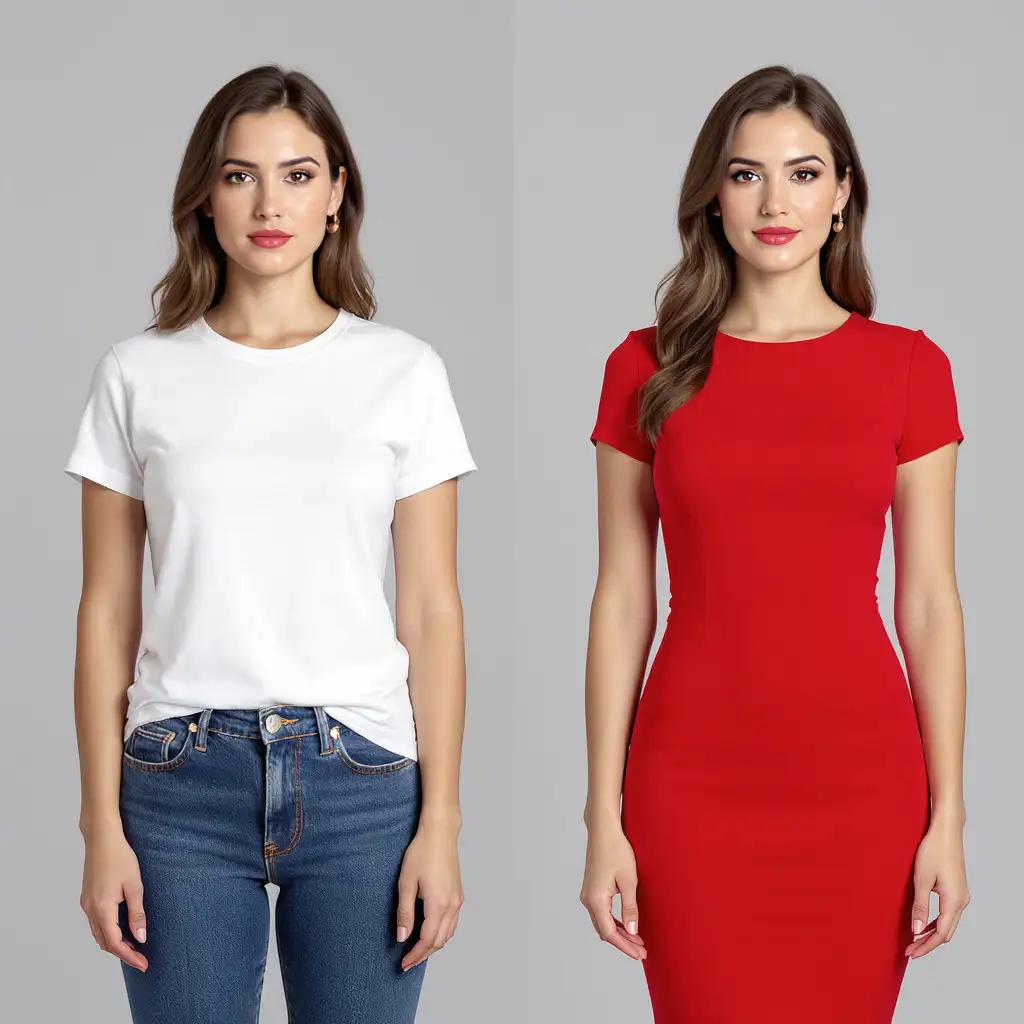
Kling 1.5 Kolors Virtual Try On (Image to Image): Specializes in realistic virtual fitting, overlaying garments or accessories onto user images with high fidelity. Ideal for e-commerce, fashion design, and personalized visuals, it ensures accurate fabric rendering, body proportions, and lighting matches.
These models integrate seamlessly into pipelines: Start with Text-to-Video for initial scenes, refine with Image-to-Video using generated frames as inputs, and finalize outfits via Kolors Virtual Try On. Technical specs include pro mode for highest quality, multi-shot support for narrative sequences, adjustable aspect ratios like 16:9, and negative prompts to avoid artifacts like blurriness or deformities.
What Makes kling-v1.5 Stand Out
kling-v1.5 distinguishes itself through advanced features like native audio generation with lip-sync, emotional tone control, and synchronized soundscapes, produced in a single pass without post-production. Its multi-prompt system allows up to five shots from one description, ensuring narrative continuity, camera transitions, and granular control over durations and angles.
Key strengths include realistic motion and physics—coherent facial expressions, physical interactions, and fluid character animation—alongside high prompt adherence via semantic interpretation and adjustable guidance scales. Compared to priors, it offers 2x faster generation, 30% lower costs, and improved stability, especially in character consistency and frame-to-frame fidelity.
This family shines in first-and-last-frame control for predictable outputs, making it reliable for choreographed scenes. It's ideal for filmmakers and directors needing cinematic prototypes, marketers creating engaging ads, designers for storyboarding, and e-commerce teams leveraging virtual try-on for conversions. Beginners appreciate its intuitive prompting, while pros value the pro mode's 1080p detail and multishot intelligence.
Access kling-v1.5 Models via each::labs API
each::labs is the premier platform for accessing the full kling-v1.5 family through a unified, developer-friendly API. Seamlessly integrate Text-to-Video, Image-to-Video, and Kolors Virtual Try On into your apps with support for Playground testing and comprehensive SDKs.
Experiment in the interactive Playground to iterate prompts instantly, or deploy via SDK for scalable production—complete with pro mode options, audio toggles, and multi-shot parameters. Sign up to explore the full kling-v1.5 model family on each::labs.