REAL-ESRGAN
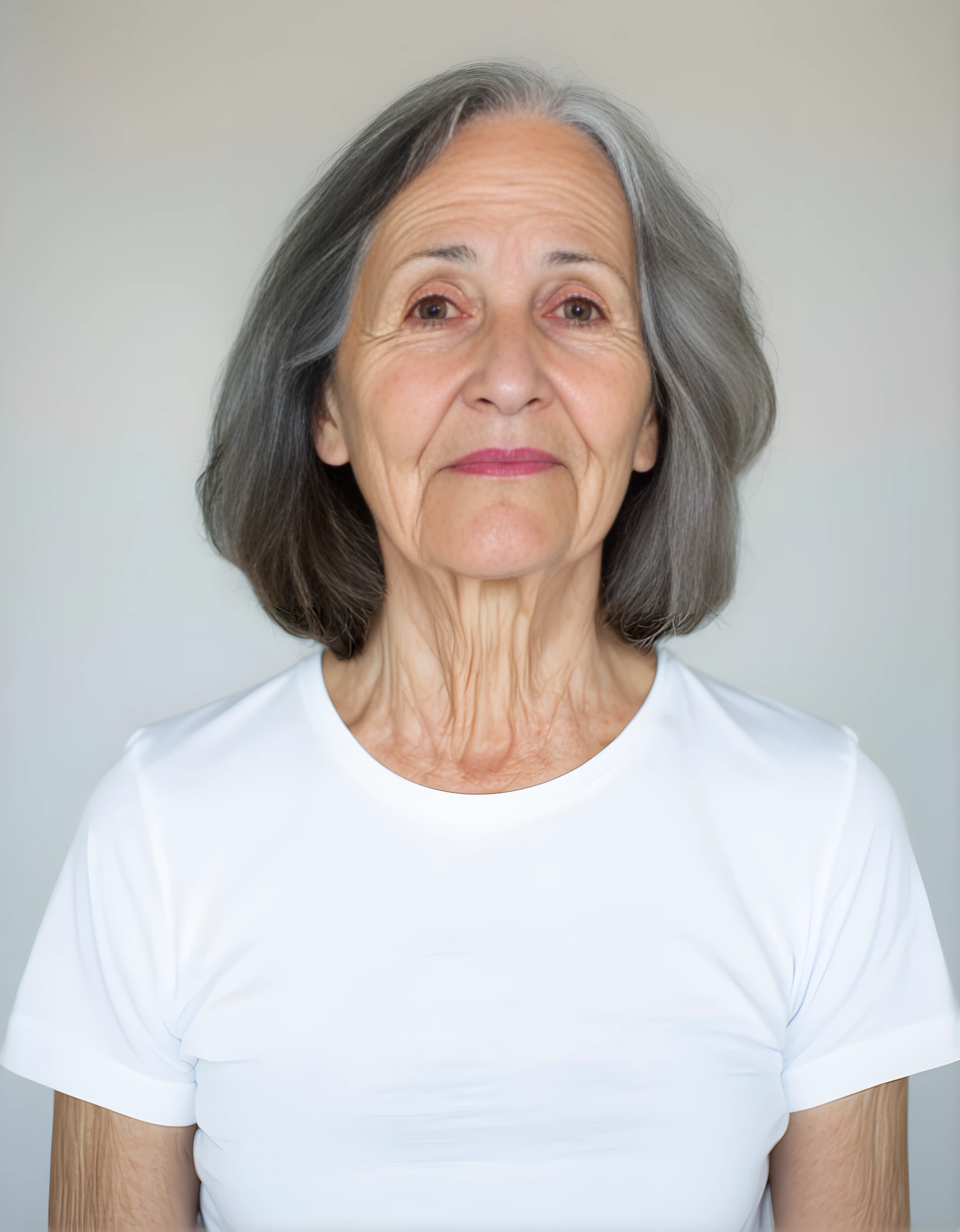
Real Esrgan improves facial features and details in images, delivering crisp and realistic results.
Avg Run Time: 16.000s
Model Slug: real-esrgan
Playground
Input
Output
Example Result
Preview and download your result.
API & SDK
EACHLABS_API_KEY environment variable. Copy your real API key from /api-keys and set it locally before running.Create a Prediction
Send a POST request to create a new prediction. This will return a prediction ID that you'll use to check the result. The request should include your model inputs and API key.
Get Prediction Result
Poll the prediction endpoint with the prediction ID until the result is ready. The API uses long-polling, so you'll need to repeatedly check until you receive a success status.
Readme
Overview
real-esrgan — Image-to-Image AI Model
Transform low-resolution or degraded images into crisp, detailed visuals with real-esrgan, Tencent's advanced image-to-image AI model from the real-esrgan family, excelling in super-resolution and restoration for realistic enhancements. Developed by Tencent ARC Lab, real-esrgan tackles common issues like blurriness, noise, and low quality in photos, delivering professional-grade upscaling without artifacts—ideal for developers seeking a reliable image-to-image AI model or Tencent image-to-image solution. Its practical algorithms shine in restoring facial details and global image structures, making it a go-to for AI photo editing workflows that demand speed and precision on everyday hardware.
Technical Specifications
What Sets real-esrgan Apart
real-esrgan stands out in the image-to-image landscape with its specialized blind super-resolution capabilities, handling real-world degradations like compression artifacts and noise that generic upscalers struggle with. This enables seamless restoration of old family photos or product images, producing outputs up to 4x or 8x larger while preserving natural textures—unlike basic interpolation methods.
- Integrates face-aware enhancement via models like GFPGAN, restoring facial landmarks and structures before global upscaling for superior portrait results in AI image editor API applications.
- Supports scaling factors of x2, x4, or x8 with hardware acceleration like Intel QSV, achieving 3-5x faster processing on modest CPUs for batch workflows.
- Outputs high-fidelity PNG/JPG formats with preserved metadata, ideal for e-commerce photo editing where detail accuracy matters.
Technical specs include input support for standard image formats, resolutions up to 4K output post-upscaling, and average processing under 10 seconds per image on optimized setups, setting it apart from slower competitors.
Key Considerations
Over-Restoration:
- In some cases, the restored face might deviate slightly from the original.
Context Preservation:
- Non-facial regions are minimally processed. Ensure the background meets the desired quality before input.
Data Preprocessing: Ensure that input images are properly aligned and cropped to focus on facial regions for optimal restoration results.
Tips & Tricks
How to Use real-esrgan on Eachlabs
Access real-esrgan seamlessly on Eachlabs via the Playground for instant testing—upload your image, select scale (x2/x4/x8) and optional face enhancement, then generate high-res outputs in seconds. Integrate via API or SDK with simple parameters like input image URL and model path (e.g., realesrgan-x4plus), supporting JPG/PNG inputs for fast, scalable real-esrgan API deployments in your apps.
---Capabilities
Face Restoration:
- Repairs old, blurry, or degraded photographs with precision.
Detail Enhancement:
- Reconstructs eyes, lips, and skin textures while preserving natural aesthetics.
Real-Time Performance:
- Processes images quickly, even for complex restorations.
Integration:
- Easily integrates with workflows for photo editing, animation, and digital art.
What Can I Use It For?
Use Cases for real-esrgan
For creators restoring vintage photos, real-esrgan paired with face restoration processes 1940s scans overnight in batches, outputting side-by-side comparisons with preserved IPTC metadata—perfect for family archives without studio costs.
Developers building an AI photo editing for e-commerce pipeline can input low-res product shots for x4 upscaling, generating crisp 4K images ready for listings, with its blind degradation handling ensuring no over-smoothing on fabrics or text. Example input: upload a blurry smartphone photo and select "realesrgan-x4plus" for global enhancement plus face upsampling.
Marketers using automated image editing API tools feed compressed social media visuals into real-esrgan to boost clarity for ads, leveraging its semantic separation of subjects from backgrounds for quick, professional optimizations.
Designers handling document scans apply real-esrgan's x2 CPU-optimized mode to sharpen text and patterns without facial over-processing, streamlining workflows for print-ready outputs.
Things to Be Aware Of
Restore Historical Photos:
- Repair damaged or faded portraits with remarkable clarity.
Upscale Low-Quality Images:
- Combine with tools like Real-ESRGAN for full-resolution restoration.
Test on Artistic Styles:
- Experiment with restoring faces in paintings or digital artwork.
Batch Process Family Albums:
- Restore multiple images simultaneously to save time.
Custom Model Training:
- Fine-tune GFPGAN for specific restoration tasks or artistic styles.
Limitations
Non-Facial Regions:
- Backgrounds and non-facial details are not significantly enhanced.
Extreme Damage:
- Severely damaged faces may require additional manual editing.
Artistic Output:
- In some cases, the restored faces might look slightly stylized or synthetic.
Output Format: PNG
Pricing
Pricing Type: Dynamic
Per-second pricing based on provider predict_time. Rate: $0.0002475/sec from GPU tier.
Current Pricing
Related AI Models
You can seamlessly integrate advanced AI capabilities into your applications without the hassle of managing complex infrastructure.
Wan 2.6 Image-to-Image transforms input images with precise, high-quality edits while maintaining visual consistency.

P-image Edit is an image editing model that applies precise, high-quality edits from text prompts with fast performance and consistent results, built for production use cases.

Kling Image V3 is the latest image generation model from Kling, delivering improved quality, consistency, and visual detail.

FireRed Image Edit v1.1 introduces improved image editing features and enhanced performance for a smoother editing experience.