
INFINITETALK
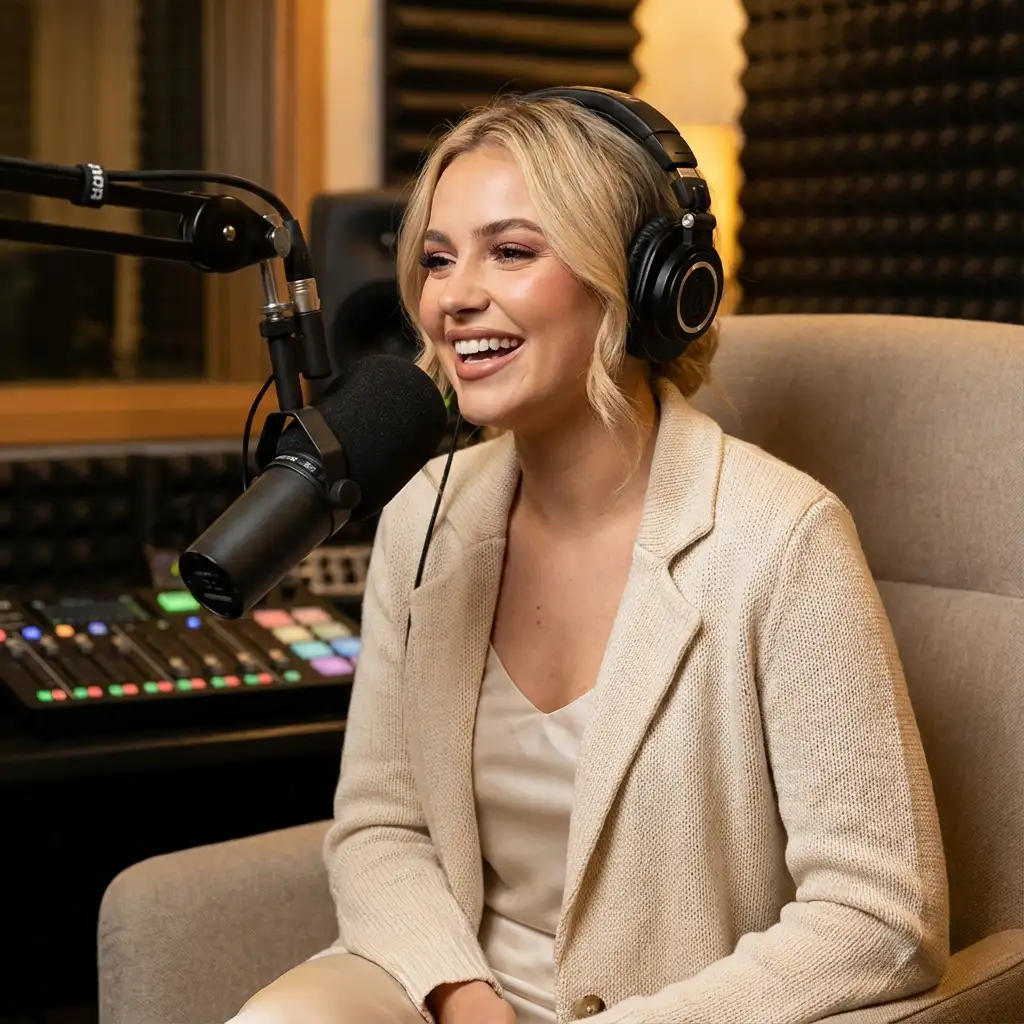
Infinitalk generates a talking avatar video using an image and an audio file. The avatar naturally lip-syncs to the audio while displaying realistic facial expressions.
Avg Run Time: 300.000s
Model Slug: infinitalk-image-to-video
Playground
Input
Output
Example Result
Preview and download your result.
API & SDK
EACHLABS_API_KEY environment variable. Copy your real API key from /api-keys and set it locally before running.Create a Prediction
Send a POST request to create a new prediction. This will return a prediction ID that you'll use to check the result. The request should include your model inputs and API key.
Get Prediction Result
Poll the prediction endpoint with the prediction ID until the result is ready. The API uses long-polling, so you'll need to repeatedly check until you receive a success status.
Readme
Overview
infinitalk-image-to-video — Image-to-Video AI Model
infinitalk-image-to-video from infinitetalk transforms a single reference image and audio input into expressive talking avatar videos with precise lip synchronization, realistic facial expressions, head motion, and body gestures—ideal for creating long-form content without identity drift.
Developed by the MeiGen-AI team as part of the InfiniteTalk family, this infinitalk-image-to-video model excels in audio-driven image-to-video generation, enabling creators to produce natural dubbing sequences that maintain character consistency over extended durations.
Unlike short-clip generators, it supports streaming for infinite-length videos, making it a go-to for users searching for image-to-video AI model solutions that handle prolonged narration seamlessly.
Technical Specifications
What Sets infinitetalk-image-to-video Apart
The infinitalk-image-to-video model stands out with its sparse-frame video dubbing paradigm, which preserves reference image identity, gestures, and camera trajectory while enabling audio-synchronized motion editing for infinite-length sequences. This allows users to generate stable, long-form talking videos without the degradation common in conventional models limited to 15 seconds or less.
It supports both 480p and 720p resolutions with compatibility for single-person and multi-person workflows, delivering outputs in standard video formats optimized for quick iteration. Developers integrating the infinitetalk image-to-video API benefit from no strict duration caps, perfect for applications requiring extended dubbing like localization or voiceovers.
- Infinite-length streaming generation: Handles unlimited video duration via sparse-frame dubbing, enabling holistic edits to lips, expressions, and posture over long audio tracks—ideal for storytelling or educational content that outlasts typical 10-15 second limits.
- Comprehensive audio alignment: Synchronizes not just lips but full head motion, body posture, and facial expressions to clean audio inputs, producing more lifelike avatars than mouth-only sync tools.
- Flexible input workflows: Accepts reference image plus audio for from-scratch talking videos, with multi-person support for complex scenes—streamlining production for AI talking avatar needs.
Key Considerations
- Use audio CFG between 3-5 for optimal lip synchronization; higher values improve sync but may affect stability
- For long videos over 1 minute in I2V mode, color shifts occur; mitigate by converting image to video with translation or zoom
- Enable streaming mode (--mode streaming) for unlimited length; use clip mode for short videos
- Quantization model recommended for low-memory setups to prevent crashes
- V2V mimics original camera movement but may introduce shifts; SDEdit improves accuracy for short clips but adds color shift
- Balance quality and speed: FusionX LoRA speeds inference but worsens color shift and ID preservation in long videos
- Prompt engineering: Use text prompts to control expressions, emotions, or gestures for personalized outputs
Tips & Tricks
How to Use infinitalk-image-to-video on Eachlabs
Access infinitalk-image-to-video seamlessly on Eachlabs via the Playground for instant testing—upload a reference image and clean audio file, select 480p or 720p resolution, and generate lip-synced talking videos with full motion alignment. Integrate through the API or SDK for production apps, specifying image inputs, audio tracks, and optional multi-person settings to output high-quality MP4 files optimized for long sequences.
---
Capabilities
- Generates unlimited-length talking videos with precise lip sync, head, body, and expression alignment
- Supports image-audio-to-video for creating talking avatars from single static images
- High stability with minimal hand/body distortions and consistent identity preservation
- Superior lip accuracy across diverse speech patterns, rhythms, and intonations
- Multi-input flexibility: Handles video-to-video dubbing and image-to-video modes seamlessly
- Resolution versatility from 480p to 1080p with hardware-optimized performance
- Prompt-controlled outputs for custom emotions, gestures, and styles
- Memory-based overlapping frames prevent glitches in extended generations
What Can I Use It For?
Use Cases for infinitalk-image-to-video
Content creators producing educational videos can upload a portrait image of a lecturer and a full narration audio file to generate a talking avatar that delivers the entire lesson with natural expressions and gestures, maintaining perfect lip sync throughout without cutting into short clips.
Marketers developing personalized ads use infinitalk-image-to-video by pairing product spokesperson photos with promotional scripts, creating long-form explainer videos where the avatar dynamically gestures to highlight features—saving hours on filming and editing for e-commerce campaigns.
Developers building AI talking avatar apps integrate the infinitetalk-image-to-video API to power virtual assistants; for example, input a user-uploaded selfie and "Explain quantum computing basics in a friendly tone" audio prompt to output a customized, expressive tutorial video that scales to any length.
Storytellers crafting audiobooks visualize characters by feeding character artwork and chapter narrations into the model, yielding immersive talking head sequences with consistent identity across hours of content—elevating podcasts into visual experiences.
Things to Be Aware Of
- Experimental long-video I2V shows pronounced color shifts after 1 minute, but users mitigate with image-to-video preprocessing scripts
- V2V camera movement mimics originals but not perfectly; community notes planned improvements for long-clip control
- High compute demands for optimal high-res outputs; users recommend quantization for VRAM-limited GPUs
- FusionX LoRA offers speed and quality but increases color shifts in videos over 1 minute
- Positive feedback on lip accuracy and stability over MultiTalk, with users praising infinite-length capability for real-world talks
- Resource requirements: Substantial GPU power preferred; low-memory kills avoided via quantized models
- Common positive themes: Natural expressions, multi-subject support, and open-source customizability from GitHub discussions
Limitations
- Color shifts and reduced ID preservation in very long I2V generations beyond 1 minute, exacerbated by some LoRAs
- High VRAM and compute needs for high-resolution, extended videos; benefits from post-processing for artifacts
- Limited precise control over camera movements in long V2V sequences, with subtle inconsistencies possible
Related AI Models
You can seamlessly integrate advanced AI capabilities into your applications without the hassle of managing complex infrastructure.
Transfers motion from a reference video onto any character image, using a cost-efficient mode optimized for portraits and simple animated movements.
Veo 3.1 Lite balances practical usability with professional capabilities, supporting both text-to-video and image-to-video generation.
An advanced video model delivering cinematic visuals with native audio, realistic physics, and precise camera control, supporting text, image, audio, and video inputs.
Google Veo 3.1 Lite Image to Video is a lightweight image-to-video generation model by Google DeepMind that animates still images into short, high-quality video clips with realistic motion and temporal coherence. Optimized for speed and cost efficiency, it delivers strong visual output at lower compute than full-scale Veo models. Best suited for high-volume image animation pipelines, social media content creation, and applications requiring fast video generation at scale.

Dev questions, real answers.
InfiniteTalk Image to Video is an AI model by InfiniteTalk that generates animated video from a static image input. It creates realistic motion and scene dynamics from a single photo, enabling automated video creation for social media, marketing, and interactive digital experiences.
InfiniteTalk Image to Video is accessible via the eachlabs unified API. Submit a source image with optional motion or style parameters; the model returns an animated video clip. Billing is pay-as-you-go through eachlabs no InfiniteTalk account is required.
InfiniteTalk Image to Video is best suited for social media content creation, product animation, and interactive digital marketing. It works well for brands and agencies that need to quickly convert still photography or artwork into engaging video content without manual animation workflows.