Seedream 5.0 Lite Prewiew: Model Capabilities And Use Cases
For the past few weeks, we have been carefully reviewing the documentation for Seedream 5.0 Lite and running internal tests to see how it performs in real-life situations. We did not just give it tasks like making a pretty picture. We gave it tests to see if it could keep characters looking the same, work with many images at the same time, make user interface designs, create layouts with a lot of text, and work with different cultures and products. We also gave it tasks that required editing. E
For the past few weeks, we have been carefully reviewing the documentation for Seedream 5.0 Lite and running internal tests to see how it performs in real-life situations. We did not just give it tasks like making a pretty picture. We gave it tests to see if it could keep characters looking the same, work with many images at the same time, make user interface designs, create layouts with a lot of text, and work with different cultures and products.
We also gave it tasks that required editing. Evaluating an image model in 2026 is not just about seeing if it can make something that looks nice.
The real question is: can Seedream 5.0 Lite work inside a product? Seedream 5.0 Lite seems like a step in the right direction. It can take words and turn them into pictures. It can take picture and use it to make another. Also it can edit pictures in a controlled way and make many different versions of a picture. As of February 24, you can use Seedream 5.0 Lite directly through Eachlabs.
Let's look at what Seedream 5.0 Lite can do and how it is better than what came before.
What Are the Model Capabilities of Seedream 5.0 Lite?
At a practical level, Seedream 5.0 Lite has some really cool improvements that make it more suitable for real-world use rather than just playing around. The Seedream 5.0 Lite model can make images that are 2K and 3K, which is a big deal. For media, it is okay if the images are not perfect. For important pictures on websites, products, and magazines, the images need to be very good. Now that Seedream 5.0 Lite can make high-quality images, it can be used for more serious work.
The Seedream 5.0 Lite model can also save images as JPEG and PNG. Being able to save as PNG is really important. This is because PNG files can have transparent backgrounds, which is necessary for things like user interface designs, ads, and icons. Without PNG, it would be hard to use Seedream 5.0 Lite with design tools. Now it is easier to use. Seedream 5.0 Lite can do these things:
• Text-to-image generation
• Single-image reference editing
• Multi-image input blending
• Structured prompt-based transformations
• High-resolution export
• PNG and JPEG output
But what really matters is how well Seedream 5.0 Lite works when it is actually used. What happens when we really test the capabilities of Seedream 5.0 Lite?
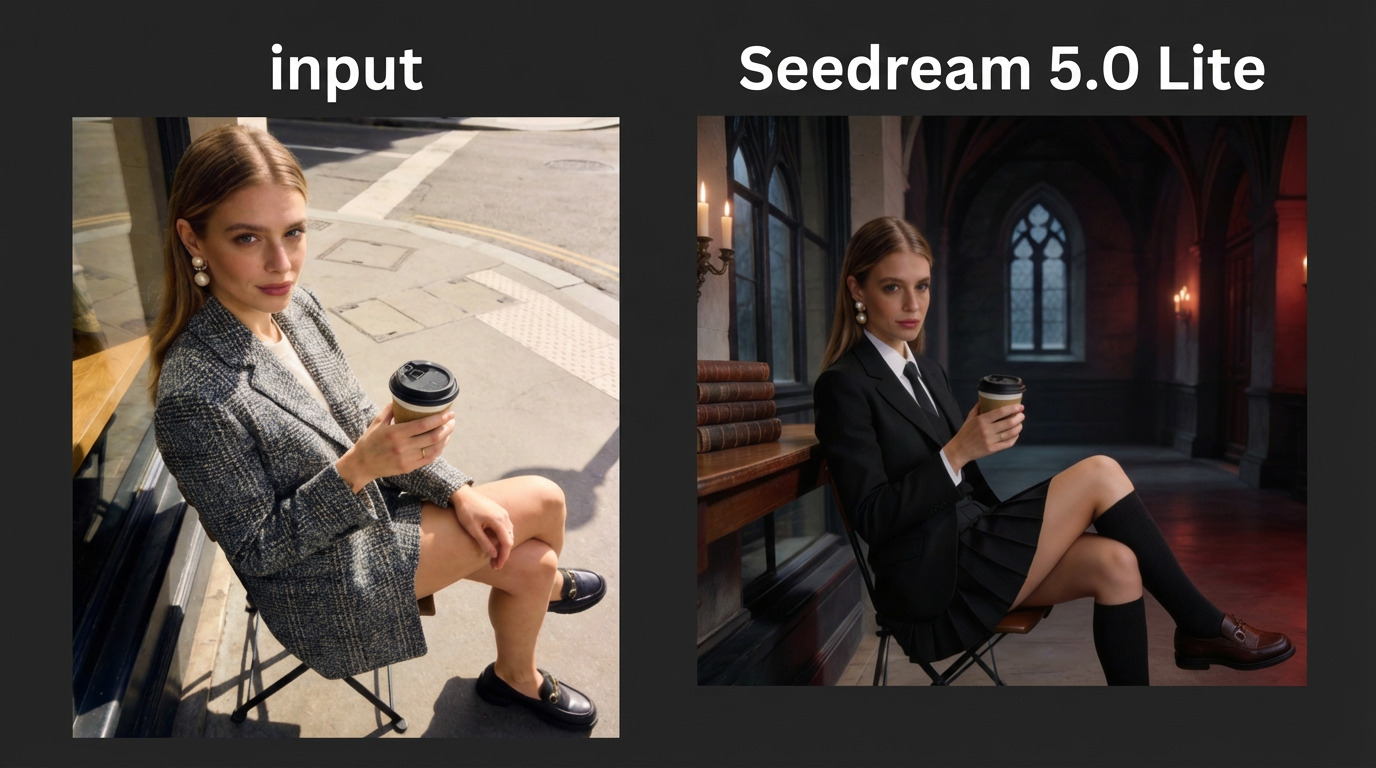
Character Consistency: Moving From Pretty Faces to Identity Preservation
One of the improvements in Seedream 5.0 Lite is that characters look the same. Older models had trouble keeping characters looking like themselves. A character might look the same in two pictures, but you would notice small changes. Their skin tone would be a little different, or their face shape would be slightly off, or their eyes or mouth would look a bit different. These changes were not a big deal on their own, but when you saw a lot of pictures, they started to bother you.
Seedream 5.0 Lite is better at keeping characters looking like themselves.
The skin tone of a character stays the same even when the lighting is different. The shape of their face does not change much. Small things like the shape of their eyebrows or the curve of their jawline do not change much when you make a lot of pictures at the same time. When you make a lot of pictures of the character, they look like the same person, not just someone who looks similar. This is not about making characters look prettier. It is about making them look the same. Think about what this means for platforms that use characters to talk to people.
If you are making a program that uses a character, that character has to look the same in cities, in different clothes, at different times of year, and in different lighting. If the character looks a little different each time, people might not notice, but they will feel like something is off. Seedream 5.0 Lite makes this problem smaller. Importantly, it helps characters look the same in stories that use a lot of pictures. When you show how a character changes as they get older, they look like the same person at each stage of their life, not just like a bunch of different people who look similar. This is really important for programs that tell stories. Some of the things about Seedream 5.0 Lite are:
• The skin tone of characters looks the same in different environments.
• The shape of their face does not change much.
• Small details do not get lost when you make a lot of pictures at the same time.
• Characters look the same throughout a story.
For any program that uses characters, this is really important. Seedream 5.0 Lite and character consistency are a big deal.
Here is the real example:
Prompt:
Generate 9 distinct hairstyles using a 3x3 grid layout. All images must strictly adhere to the facial features of the reference portrait—including facial proportions, contours, eye expression, and overall expression. Skin should appear fair without retouching. Ensure the face remains completely consistent across all images with zero deviation. Each image must be a front-facing, upper-body close-up against a pure white soft-light background. All 9 hairstyles must be distinct, featuring trendy styles and diverse aesthetics suitable for young women. The following are strictly prohibited: dreadlocks, braids, excessive curls, excessively short length, Parisian highlights, or identical/similar hairstyles. Multi-Image Storytelling: From Single Pictures to Full Story Systems
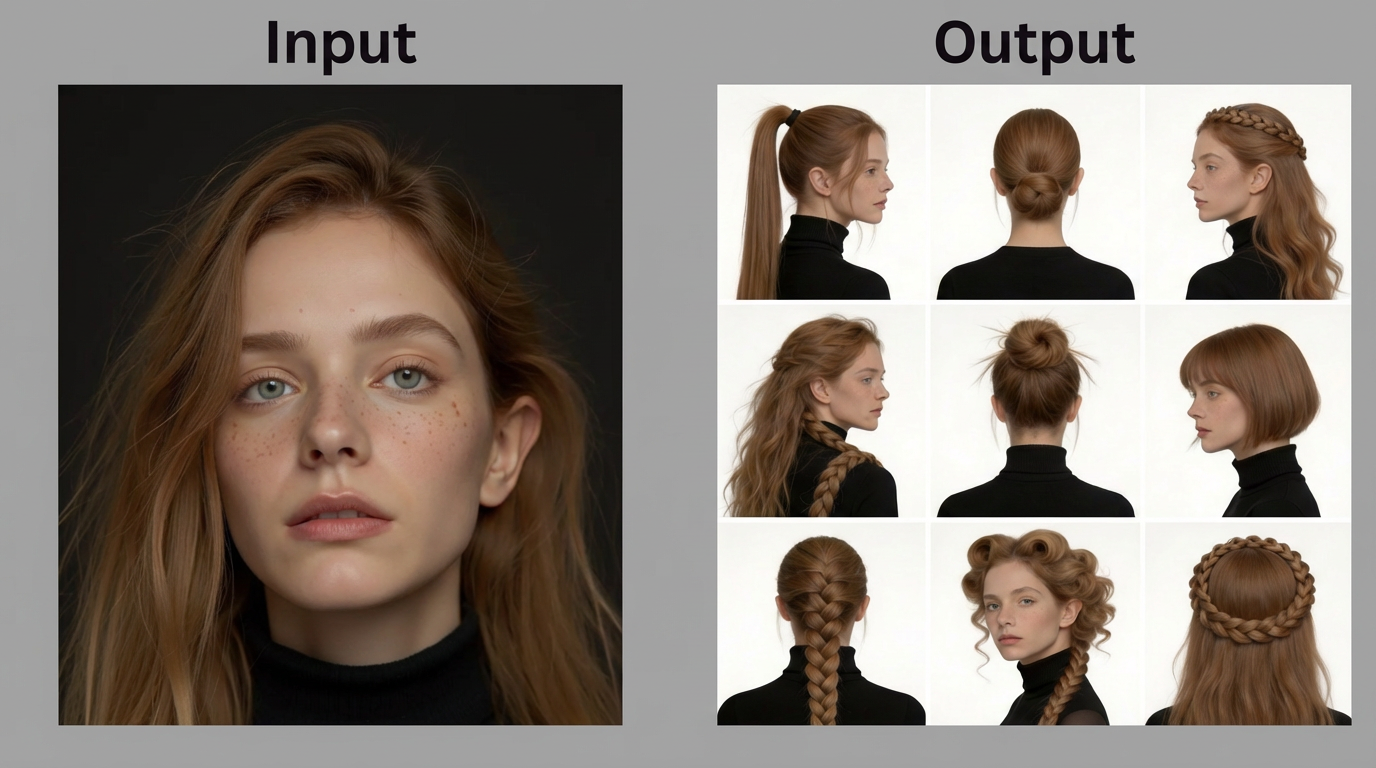
Photo Editing & Portrait Retouching: Precision, Expression, and Emotional Control
One of the most practical improvements in Seedream 5.0 Lite appears in portrait editing and controlled expression generation.
In practice, model translates into stronger reference adherence, better preservation of original details, improved skin texture handling, and more accurate facial feature consistency. What this means in real-world usage is simple: when you ask the model to modify a portrait, it is less likely to unintentionally alter identity.
In testing scenarios , the model was given a single reference image and asked to generate multiple emotional variations while maintaining the exact same subject. The challenge here is subtle but significant. Changing an expression should not change bone structure. Adjusting mood should not distort proportions. Adding emotion should not degrade detail.
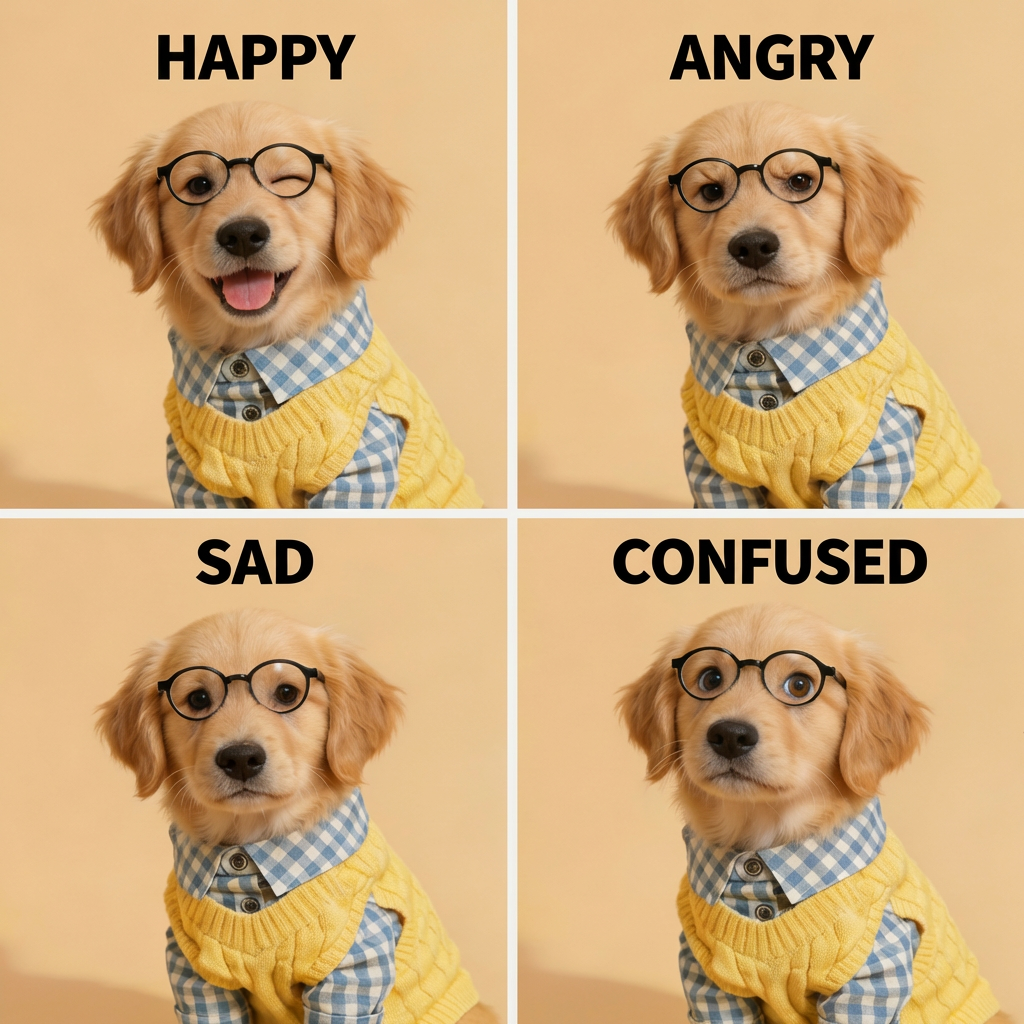
When generating emotional states such as happy, angry, sad, or confused from a single portrait reference, the model maintains facial structure with far less drift. The eye spacing remains consistent. The jawline does not shift. Skin texture is preserved rather than smoothed into artificial perfection. Even accessories such as glasses or clothing details remain stable across variations.
This is particularly important for applications that require controlled emotional outputs:
• Character-based storytelling platforms
• Virtual influencers
• Avatar-driven customer support agents
• Game character emotion systems
• Educational tools using expressive characters
UI and UX Mockup Generation: Layout Reasoning Emerges
One thing that really stood out when we were testing was how the model generated UI mockups. When we asked it to create layouts for e-commerce homepages, it did not just make pictures. It actually built a structure. The important parts were in the right places. The icons were where you would expect them to be. The product grids had the right amount of space between them. The colors all worked together. This means that the model is actually thinking about how things should be laid out, not just making images. For people who are just starting to work on a product, this can be helpful. A founder can try out ideas for a landing page and then give the designer a better idea of what they want. A team that is trying to grow can test different looks. Seedream 5.0 Lite is not going to replace the people who design UX but it can be a tool to help generate layouts. Some things it is good at include:
• Making grids that make sense.
• Creating a hierarchy.
• Choosing colors that work well together.
• Making icons that match the style.
These things show that the model is getting better at putting visuals together in a structured way.
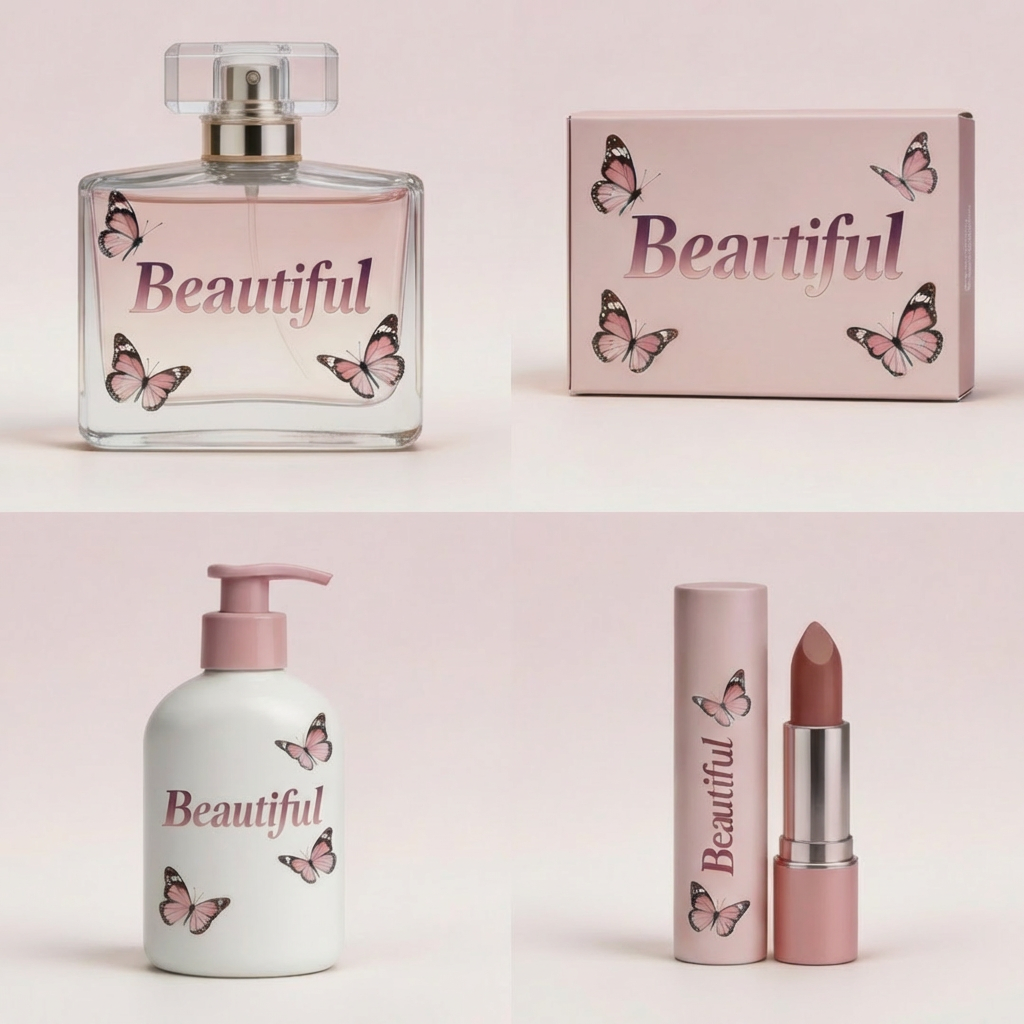
Complex Design & Data Visualization: From Images to Structured Information
Seedream 5.0 lite model highlights a major upgrade in the PE module base model, enabling stronger performance in complex professional tasks such as PPT-style slides, charts, menus, structured layouts, and data visualization. At first glance, this may sound like a niche capability. In reality, it signals something much bigger.
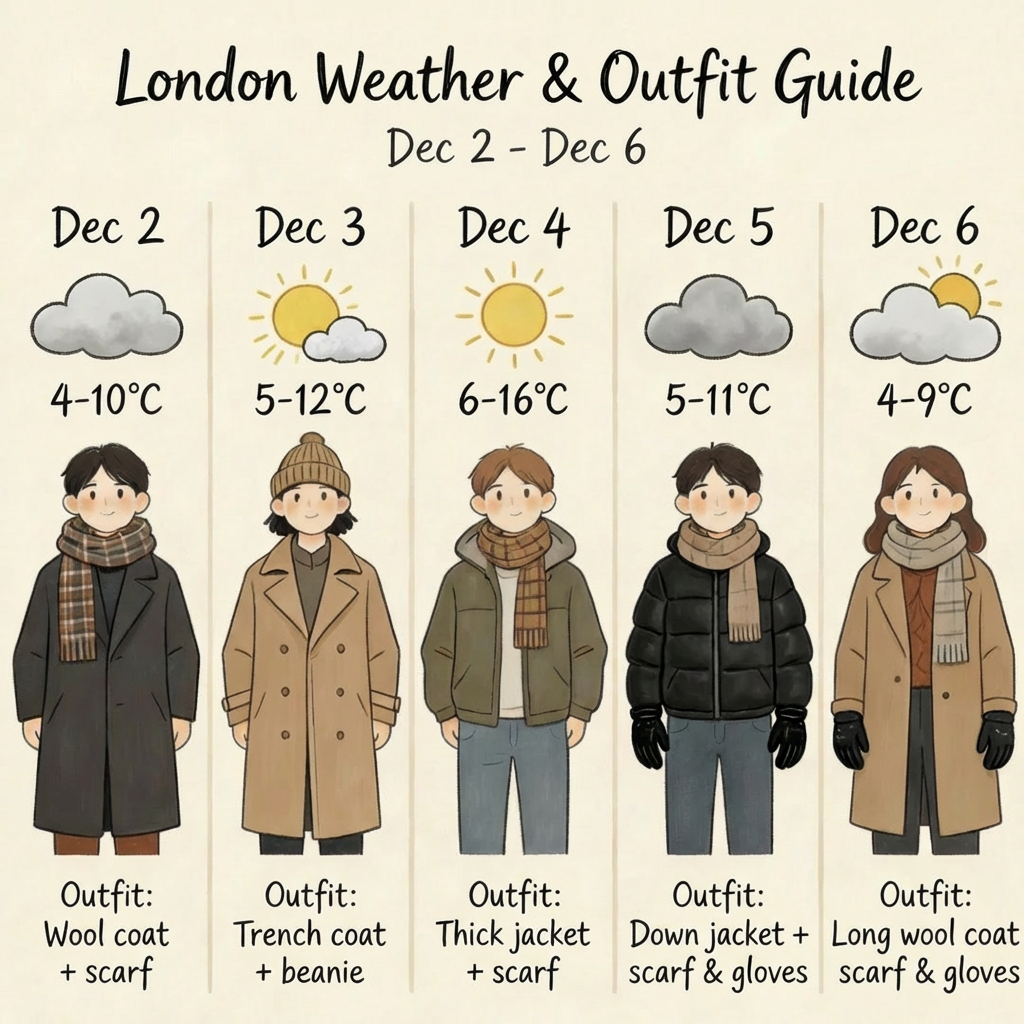
In our tests, we observed that Seedream 5.0 Lite handles layout-heavy tasks with noticeably stronger compositional discipline. When prompted to generate infographic-style visuals, weather dashboards, educational diagrams, or conceptual maps, the outputs showed clearer hierarchy, more balanced spacing, and more logical content grouping.
For example, in a weather-and-outfit visual forecast task, the model was asked to present multi-day temperature changes alongside recommended clothing. The challenge here is not aesthetic beauty. It is clarity. The model must combine icons, temperature indicators, textual labels, and illustrated figures into a format that is immediately readable. Seedream 5.0 Lite demonstrated stronger alignment between data points and visual elements, with improved consistency in icon styling and column structure.
The same pattern appears in schematic diagram generation. When prompted to visualize something like Schrödinger’s Cat as a structured concept map, the model maintained a clearer left-right column hierarchy. Cross-sectional experimental elements were represented with more coherent diagram logic. Visual elements felt less randomly placed and more intentionally structured.
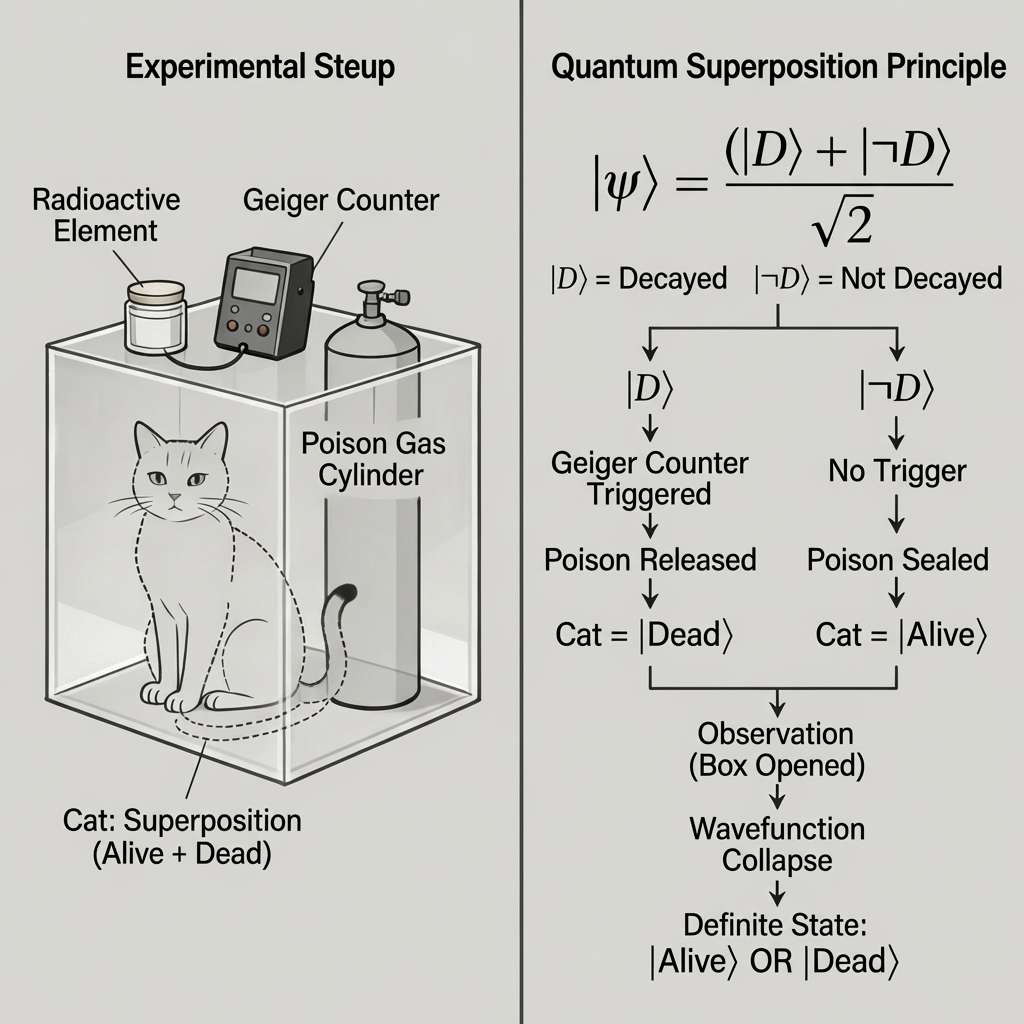
Many generative image models struggle when density increases. As more labels, arrows, icons, and structured elements are introduced, visual noise tends to grow. Spacing collapses. Text becomes distorted. Relationships between elements blur. Seedream 5.0 Lite appears more resilient in these high-density informational scenarios.
Making Posters: It Is Not Just About Putting Things Together
When we make user interface screens, it is about how things fit together.
When we make posters, it is about how all the parts work together to make something look good. Making a poster is not easy. You have to put the background in, make sure the light is shining the right way, add words, and make sure there is some empty space. You also have to make sure everything looks good together. Posters have a lot going on. They need to look good from different angles at the same time.
So we tested Seedream 5.0 Lite for making posters, and it did a better job with this kind of complicated work. When we asked it to make posters with a lot of details and specific rules, like lighting, stylized text, layered elements, and blocks of text, the posters it made looked better. The backgrounds were not just pretty colors. They looked deep. The light was shining in the right direction. The words were in the right place. What is really impressive is how the model handles what is important and what is not. A poster is like a list of what is important. There is the main subject you want people to look at, then supporting elements, and then extra details.
In older models, when we made the instructions harder, the posters would start to look messy. The words would get distorted. The spacing would get inconsistent. Things would overlap in ways that were hard to see clearly. Seedream 5.0 Lite does a better job with this. It seems to be more comfortable when there is a lot going on. This is especially true when we ask it to make posters with:
• Backgrounds that have a defined style and special lighting.
• Titles and subtitles placed correctly.
• Decorative elements that are balanced.
• Detailed foreground images.
• A consistent style across the entire poster.
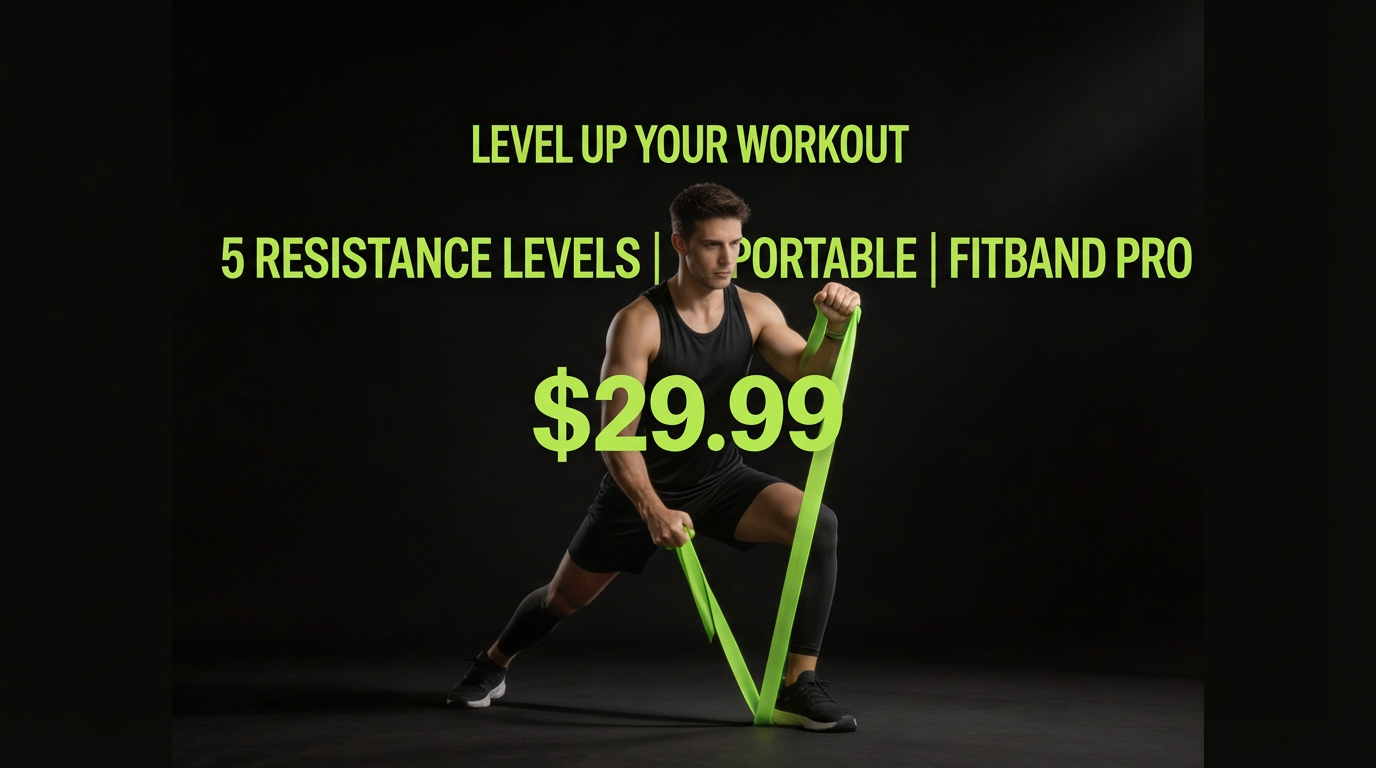
The result looks like it was made intentionally, not just thrown together.
As of February 24, Seedream 5.0 Lite is available through Eachlabs. You can test by yourself Seedream 5.0 Lite on Eachlabs. You can try things out, compare them, and integrate them through a single API. For people who build products, this makes things much easier. It lets you focus on designing how things work instead of dealing with complex infrastructure when using Seedream 5.0 Lite.
Wrapping Up: What Comes Next?
Seedream 5.0 Lite means something big is coming. It is not about making images look slightly better. Seedream 5.0 Lite shows that systems that create pictures are changing. They are moving away from making one picture at a time. Now they are creating visuals in a more structured way.
What will the next step be like? Advertising campaigns will be made completely by AI systems. These systems will understand what the brand sounds like and who the audience is. You can tell the model to make versions of a campaign for different parts of the world, and it will keep the brand identity consistent. The way a website looks will be created directly from product requirements. Testing ideas will take hours instead of weeks.
One day, we might see models that understand what a brand looks like without needing to see pictures. These models will create full design systems. They will keep the style consistent across many stories. When this happens, the way people work in teams will change. Designers will focus more on creative direction. The execution will be automated. People will be able to experiment faster. Seedream 5.0 Lite is not that future yet. It is getting closer. The change from making pictures to building structured visual systems is a big deal. It might be one of the most important things happening in generative media today. Seedream 5.0 Lite is a step toward this future.
FAQ
Can I use Seedream 5.0 Lite through Eachlabs on February 24?
Yes. You can use Seedream 5.0 Lite through Eachlabs starting on February 24. This means you can try it out and see how it works with the things you build.
What kinds of inputs can I put into Seedream 5.0 Lite?
Seedream 5.0 Lite can take words and turn them into pictures. It can also change one picture or mix multiple pictures together. You can give it structured instructions, and it will generate new images for you.
What is Seedream 5.0 Lite good for?
Seedream 5.0 Lite is especially strong for character-consistent storytelling. It is also good for generating variations of e-commerce visuals. You can use it to create user interface mockups or adapt images for different cultures. It works well when you need to make controlled changes to pictures.