Kling v2.6 Standard Motion Control Guide
The idea behind motion transfer sounds straightforward: take how someone moves in a reference video, apply that motion to a different character image, and get a convincing result. In practice, most models that attempt this produce something that looks like a puppet the movement is technically there but the physics feel wrong, the hands look broken, and the character's identity starts drifting after the first few seconds. Kling v2.6 Standard Motion Control takes a different approach. Released on
The idea behind motion transfer sounds straightforward: take how someone moves in a reference video, apply that motion to a different character image, and get a convincing result. In practice, most models that attempt this produce something that looks like a puppet the movement is technically there but the physics feel wrong, the hands look broken, and the character's identity starts drifting after the first few seconds.
Kling v2.6 Standard Motion Control takes a different approach. Released on December 22, 2025 as part of Kuaishou's kling-v2.6 family, it applies biomechanically accurate motion transfer that accounts for gravity, momentum, and cloth dynamics producing animations that move the way a real body moves, not the way an algorithm estimates it should.
For indie filmmakers, fashion brands, content creators, and developers building character animation workflows, that distinction matters enormously. A model that produces natural motion from a portrait image and a reference video clip removes a production step that previously required either motion capture equipment or significant manual animation work. Kling v2.6 Standard Motion Control makes that accessible at the quality level that actually holds up in a finished video.
What Is Kling v2.6 Standard Motion Control?
Kling v2.6 Standard Motion Control is an image to video model available on Eachlabs. It belongs to the kling-v2.6 family and is categorized specifically as a motion control model meaning its primary function is transferring the movement from a reference video onto a static character image rather than generating motion from a text prompt alone.
The workflow is straightforward: you provide a reference video containing the motion you want to transfer, a character image you want animated, an optional text prompt describing the scene, and a character orientation setting. The model analyzes the motion data in your reference video body mechanics, facial expressions, camera movement, cloth behavior and applies all of that to your character while preserving their visual identity throughout.
The Standard tier is designed for efficiency. It is optimized for portraits and simpler animation scenarios, runs with an average generation time of 500 seconds, and supports video durations that significantly exceed what most competing motion transfer models offer.
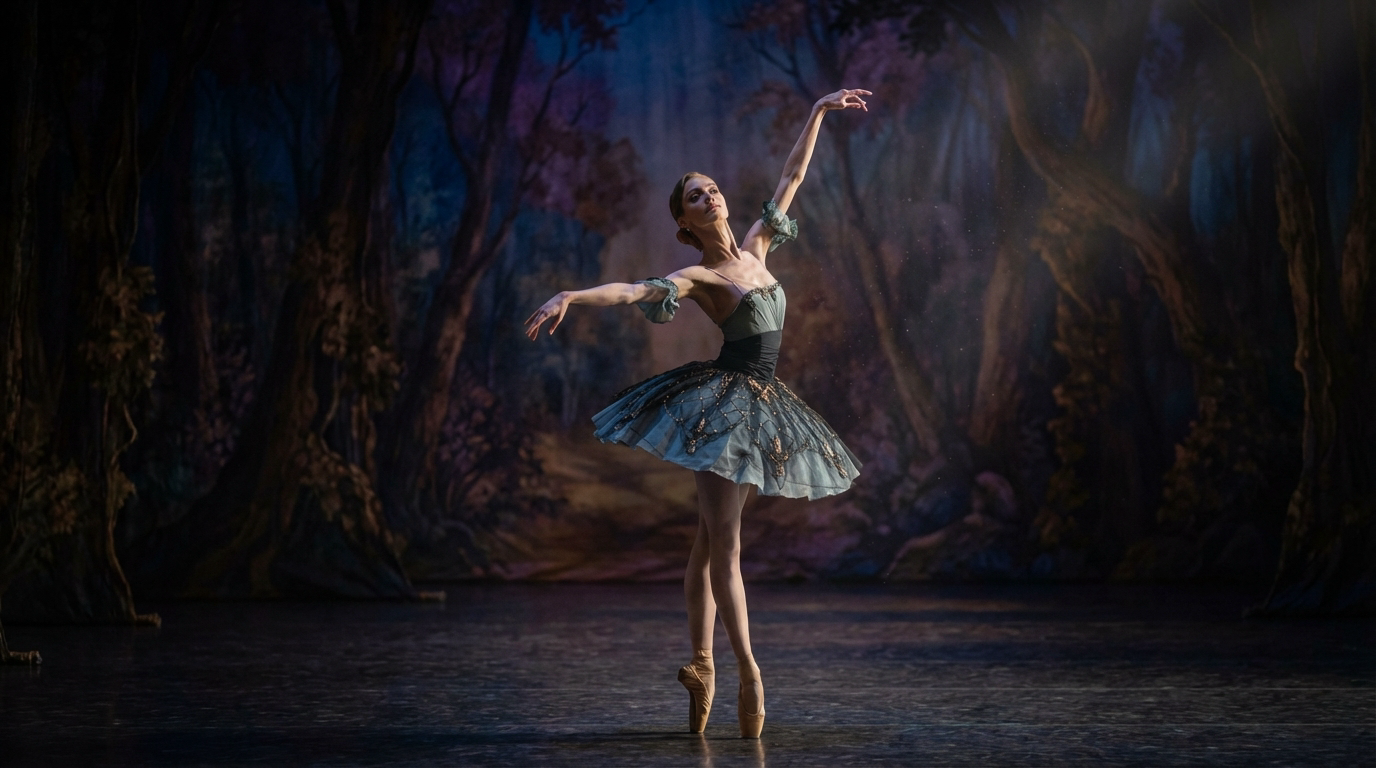
Kling v2.6 Standard Motion Control transfers movement from a reference video onto a static ballerina image. The character dances with natural body motion in a sunlit studio while her face, outfit, and scene details stay locked across the full 9-second output.
How Kling v2.6 Standard Motion Control Works
The core mechanism of Kling v2.6 Standard Motion Control is reference-driven biomechanical simulation. Rather than generating motion from statistical averages of what movement looks like in training data, the model reads the actual motion data from your reference video and uses it as a physical blueprint for the generated animation.
When you submit a generation, the model processes your reference video to extract motion trajectories for every relevant body part limbs, torso, head, hands, facial muscles along with camera movement data like pans or zooms that were present in the reference footage. It simultaneously reads your character image to establish the subject's visual identity: their face, proportions, clothing, and any specific details that need to remain consistent throughout the animation.
The biomechanical layer is what separates this from simpler motion transfer approaches. The model does not just map skeletal positions from the reference onto the character. It simulates the physics that those positions imply: the weight transfer in a jump, the momentum of a running stride, the way fabric responds to directional acceleration, the natural deceleration of a hand reaching toward its endpoint. These are computed rather than estimated, which is why the output tends to look grounded rather than floating.
Facial expressions and lip sync transfer from the reference video alongside body motion. If your reference footage contains dialogue or significant facial performance, that expressiveness carries through to your animated character. The model captures this as part of the same motion extraction pass, so facial and body motion stay synchronized in the output without a separate alignment step.
Key Features of Kling v2.6 Standard Motion Control
Physics Aware Biomechanics
The feature that most directly improves output quality over simpler motion transfer tools is the physics simulation layer in Kling v2.6 Standard Motion Control. The model accounts for mass, gravity, and momentum when applying motion to your character. A character jumping lands with realistic impact weight. A running character's stride has natural forward momentum and proper ground contact. Cloth and hair respond to directional forces implied by the movement rather than floating independently of the physics.
This matters practically because the most common failure mode in AI animation is motion that looks technically correct in terms of pose but wrong in terms of physics. A character can be in all the right positions and still look artificial if the transitions between those positions do not respect real-world momentum and weight distribution. The biomechanical layer in Kling v2.6 Standard Motion Control addresses that at the generation level rather than requiring post-production correction.
Up to 30 Seconds of Continuous Output
Most image to video models cap at 5 to 10 seconds per generation, which means longer sequences require multiple generations and manual stitching. Kling v2.6 Standard Motion Control supports continuous video generation up to 30 seconds without cuts or identity drift. For dance performances, athletic sequences, fashion showcases, or any content requiring extended motion, that duration range eliminates the assembly step that shorter models force on you.
The absence of cuts is as important as the duration ceiling. A 30-second clip generated in a single pass maintains consistent physics, consistent character identity, and consistent environmental context throughout. Stitched clips always carry the risk of visible seams at join points, mismatched motion continuity, or subtle identity shifts between segments.
Facial Expression and Lip Sync Transfer
Kling v2.6 Standard Motion Control transfers facial performance from the reference video alongside body motion. Expressions, micro-movements, and lip sync patterns are captured from your reference footage and applied to your character's face in the generated output. For content involving character dialogue, emotional performance, or expressive animation, this means your animated character reflects the performance in your reference rather than generating a default neutral expression.
The lip sync transfer is particularly useful for creators who want to animate a character speaking specific content. Filming a reference performance of the dialogue, then applying it to a different character via Kling v2.6 Standard Motion Control, produces a more natural result than most text-to-speech and lip sync generation approaches because the performance comes from an actual human reference rather than a synthesis estimate.
Kling v2.6 Motion Control animates a static ballerina portrait into a fluid 9-second dance sequence natural arm movement, flowing dress physics, and consistent facial features preserved throughout the full performance.
Camera Motion Capture from Reference
If your reference video contains camera movement pans, tilts, zooms, tracking shots Kling v2.6 Standard Motion Control captures that camera motion and reproduces it in the generated output. The animated character moves through a scene that follows the same cinematic logic as your reference footage, which is useful when you want to maintain a specific visual style or camera language from reference material.
This also means you can use a reference video that was shot with intentional cinematography specific framing, deliberate camera movement, planned depth of field changes and have that production quality carry through to your generated animation without separate camera direction work.
Character Orientation Control
The character orientation parameter lets you specify how the subject in your character image is positioned relative to the camera before motion transfer begins. This matters for accurate motion mapping because the model needs to understand the starting spatial orientation of your subject to correctly apply the reference motion trajectories. Getting the orientation specification right for your specific character image is one of the most direct levers for improving output consistency.
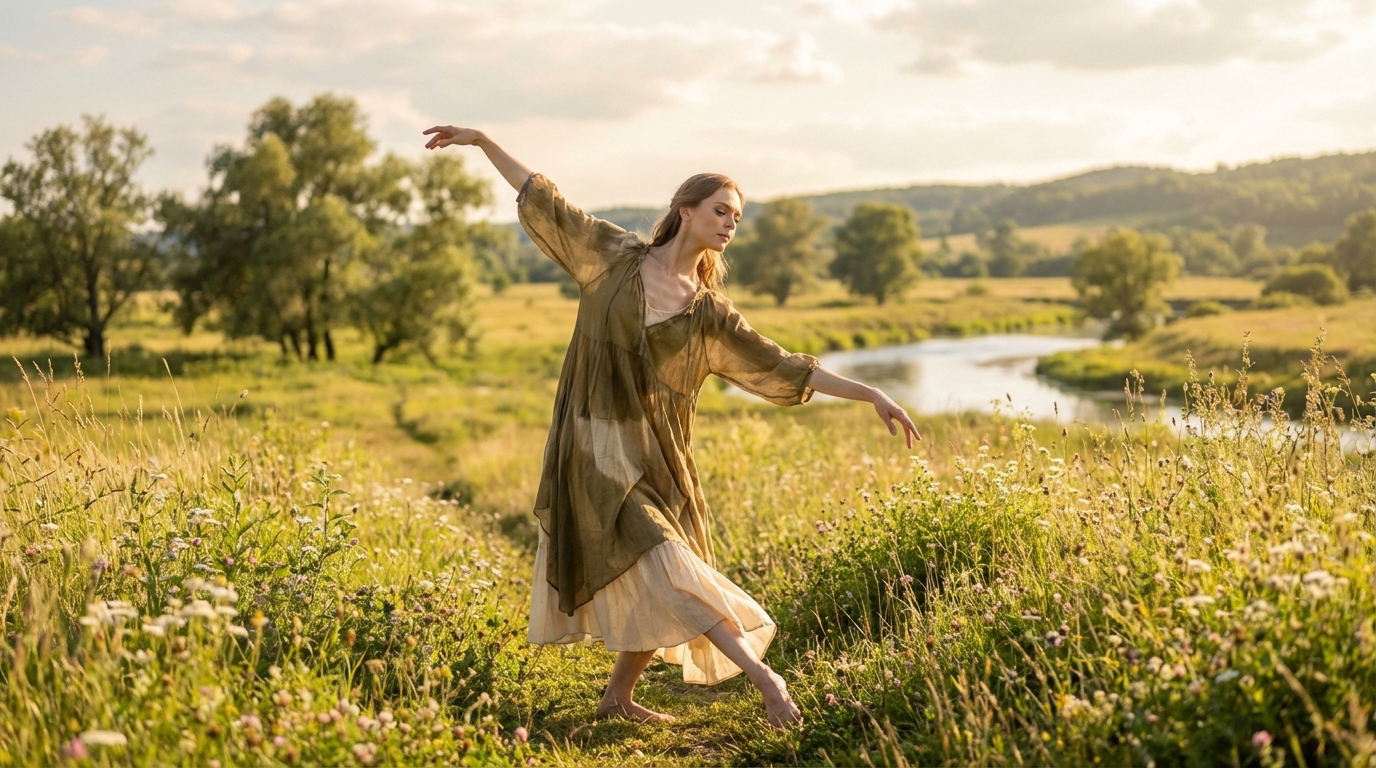
A ballerina is dancing.
Real World Use Cases
The reference-driven approach of Kling v2.6 Standard Motion Control makes it well suited for production scenarios where you have a specific character image and a specific motion performance you need to combine.
Indie filmmakers and content creators use it for stunt and action sequence production. Rather than asking a performer to execute a dangerous or physically demanding action, you film a reference performer or use existing footage of the action, then apply that motion to your character image. The physics-aware output produces a result that looks grounded and believable without the safety or logistical overhead of the actual performance.
Fashion brands use it for product visualization without physical shoots. A reference video of a runway walk or a model demonstrating fabric movement becomes a template that can be applied to any character image wearing the product. The cloth dynamics simulation in Kling v2.6 Standard Motion Control handles how fabric moves under motion realistically, which is exactly what fashion content requires.
Virtual influencer and social media content creation benefits from the model's 30-second duration ceiling and consistent character identity. A creator building an AI character can apply diverse reference performances to their character image and maintain visual consistency across all of them, which is what makes a virtual persona feel like a coherent presence rather than a series of disconnected clips.
Developers building character animation applications for social platforms, gaming content, or educational tools use the Kling v2.6 Standard Motion Control API on Eachlabs to power generation workflows. The reference-driven approach produces predictable outputs because the motion source is explicit rather than generated — a key advantage for applications where output reliability matters.
Kling v2.6 Standard vs. Kling v3 Motion Control
Both models handle motion transfer from reference video to character image, and both apply the same fundamental biomechanical approach. The differences sit in output resolution ceiling and the breadth of available features.
Kling v2.6 Standard Motion Control is optimized for efficiency and portrait-focused scenarios. Output resolution ranges from 480p to 720p in standard mode. It handles simpler to moderate motion sequences reliably and is the right choice when generation speed and cost efficiency are priorities alongside output quality.
The v3 tier offers access to higher resolution output and broader feature depth, including more complex multi-subject scenarios. For content where 720p is sufficient and the motion complexity is moderate, Kling v2.6 Standard Motion Control produces results that are fully usable for social media, marketing content, and production prototyping without the additional resources the Pro tier requires.
How to Use Kling v2.6 Standard Motion Control on Eachlabs
Getting started with Kling v2.6 Standard Motion Control on Eachlabs requires two core inputs: your reference video and your character image.
Your reference video should be an MP4 or MOV file between 3 and 30 seconds long and no larger than 10MB. The motion in the reference should be clear, well-lit, and filmed with enough stability for the model to extract accurate motion data. Fast, chaotic motion or heavily compressed reference footage produces less reliable transfer results. A deliberate performance filmed against a reasonably clean background gives the model the clearest possible motion signal.
Your character image should be a JPEG or PNG of up to 50MB. The cleaner and more detailed the character image, the better the identity preservation throughout the animation. For portrait-focused scenarios, a clear frontal or three-quarter view works best. Avoid images where the character is in a highly dynamic pose already, as this can create conflicts with the motion being applied from the reference.
Set the character orientation to match how your subject is facing in the character image. Add a text prompt if you want additional scene direction beyond what the reference video and character image provide. Keep the prompt focused on motion quality, scene context, and style — not on details already established by your reference inputs.
The Advanced Controls section provides additional parameters for fine-tuning generation behavior. CFG scale controls how strictly the model adheres to your text prompt versus allowing creative latitude. Higher values produce more literal prompt adherence; lower values allow more interpretation.
Tips for Getting the Best Results
Use Clean, Well-Lit Reference Footage
The quality of your reference video is the primary determinant of motion transfer quality. Kling v2.6 Standard Motion Control can only extract as much motion data as your reference footage contains. Shaky, poorly lit, or heavily compressed reference video produces less accurate motion extraction, which shows up as subtle timing issues or physics inconsistencies in the output. If you are filming reference footage specifically for this workflow, treat it like a motion capture session: controlled lighting, stable camera, clear full-body visibility of your performer.
Match Character Image to Reference Scale and Orientation
The model maps motion from the reference onto your character using the character's spatial orientation as a starting point. A character image that faces the camera directly and shows the full figure gives the model the clearest spatial reference for accurate motion mapping. If your character image shows a partial figure, an unusual angle, or a very small character relative to the frame, specify the character orientation carefully in the settings to help the model establish the correct mapping.
Keep Prompts Focused on Motion and Scene Quality
The text prompt in Kling v2.6 Standard Motion Control supplements rather than replaces the reference inputs. The most useful prompts describe the quality of motion you want, the scene context, or specific performance notes that your reference footage might not capture fully. "Fluid, natural movement, grounded stance, warm lighting" adds useful direction. Trying to describe the entire scene in the prompt while also providing a reference video creates conflicting input signals that reduce output reliability.
Test at Shorter Durations First
With an average run time of 500 seconds, a full-length generation is a meaningful time investment. For any new reference and character combination, test at a shorter duration 5 to 8 seconds before generating the full 30-second clip. A short test generation tells you whether the motion transfer is working correctly for your specific inputs, whether the character identity is being preserved, and whether any parameter adjustments are needed before you commit to the full generation.
Limit Scene Complexity in the Prompt
The model performs best when the prompt stays focused. Descriptions with more than five to seven scene elements start to introduce competing signals that can reduce coherence in the output. If your reference footage and character image already establish the key visual elements, your prompt only needs to fill in what they do not cover. Trust the reference inputs to carry the heavy lifting; use the prompt for directional notes that your reference cannot communicate.
Wrapping Up
Kling v2.6 Standard Motion Control handles a genuinely difficult production problem with a level of physical accuracy that makes the output usable rather than just impressive as a demo. If you have a character you want animated and a reference performance you want applied to it, this is a direct and reliable path to that result. Try Kling v2.6 Standard Motion Control on Eachlabs and run your first motion transfer today.
Frequently Asked Questions
What file formats does Kling v2.6 Standard Motion Control accept?
Kling v2.6 Standard Motion Control accepts MP4 and MOV reference videos up to 10MB and 3 to 30 seconds in duration. Character images should be JPEG or PNG files up to 50MB. The output is an MP4 video file. For best results, reference videos should be filmed clearly with good lighting and stable framing so the model can extract accurate motion data from the footage.
How long can a generated video be with Kling v2.6 Standard Motion Control?
The model supports continuous video generation up to 30 seconds in a single pass without cuts or identity drift. This is substantially longer than most competing motion transfer models, which typically cap at 5 to 10 seconds. For content requiring extended motion sequences — dance performances, athletic demonstrations, fashion showcases — the 30-second ceiling means the full sequence can come out of one generation rather than requiring multiple clips stitched together.
Does Kling v2.6 Standard Motion Control preserve the character's face throughout the animation?
Character identity preservation is a core design priority of Kling v2.6 Standard Motion Control. The model reads your character image to establish visual identity before motion transfer begins and maintains that identity across the full duration of the generated clip. Facial expressions from the reference video are applied while the character's underlying face, proportions, and distinguishing features remain consistent. For the most reliable identity preservation, provide a clean, well-lit character image with clear facial detail.