Kling Motion Control: Complete Guide
Animating a static image has always been the hard part. Text prompts give you creative direction but not physical precision. You describe a dance move and the model makes something up. You describe a walk cycle and the proportions drift. You describe a jump and the character floats. Kling Motion Control solves this differently. Instead of describing movement in words, you show it. You upload a reference video of the motion you want, a static image of the character you want to move, and the model
Animating a static image has always been the hard part. Text prompts give you creative direction but not physical precision. You describe a dance move and the model makes something up. You describe a walk cycle and the proportions drift. You describe a jump and the character floats. Kling Motion Control solves this differently. Instead of describing movement in words, you show it. You upload a reference video of the motion you want, a static image of the character you want to move, and the model transfers the physical performance from one to the other with biomechanical accuracy.
That shift from description to demonstration is significant. A dancer's choreography captured in a reference video contains information that no text prompt can replicate: the exact weight shift before a jump, the way clothing follows the body through a turn, the micro-expressions that accompany physical effort. Kling Motion Control reads all of that from your reference footage and applies it to your character image, preserving identity throughout. The result is animation that feels directed rather than generated.
Across the Kling family on Eachlabs, four motion control models cover different production needs: two in the v3 lineup for the most current architecture, and two in v2.6 for workflows that prioritize extended duration and established reliability.
What Is Kling Motion Control?
Kling Motion Control is a category of image-to-video models within the Kling family that generate video by transferring motion from a reference video onto a static character image. Rather than generating motion from a prompt description alone, these models use actual video footage as the motion source. You provide the character; you provide the movement; the model executes the combination.
The core inputs are consistent across all four variants: a character image (JPEG or PNG), a reference video carrying the motion you want to transfer (MP4 or MOV), and a text prompt that adds scene context and any additional direction. The model reads the kinematic data from your reference video, including body movement, facial expressions, camera motion, and physical interactions with the environment, and maps all of that onto your character while keeping their visual identity stable.
What makes this approach meaningfully different from basic image animation is the physics layer. Kling Motion Control models understand biomechanics. Weight, gravity, momentum, and cloth dynamics are not approximated from description but derived from the reference footage and applied to the generated character with physical consistency. A character jumping in the output lands with the same force and timing as the performer in the reference. Clothing reacts to the body the same way. The motion feels intentional because it came from an intentional source.
How Kling Motion Control Works
All four models share the same fundamental architecture. A diffusion-based transformer with dedicated motion control modules processes your character image and reference video simultaneously, using the video's motion data as a physics-aware constraint on the generation rather than as a loose stylistic suggestion.
Facial expression capture is part of the same pipeline. Lip movement, eye direction, brow behavior, and subtle emotional cues in the reference video are read and mapped to the character's face during generation. This is what makes talking scenes and expressive performances feel grounded rather than mechanical.
Camera motion from the reference video is also interpreted and applied. If your reference footage includes a pan, a push, or a pull, the generated clip reflects that camera behavior. You get the character performing the motion within a camera environment that matches your reference, which gives directors a meaningful way to control the cinematic framing of the output without separate camera direction tools.
The character orientation input allows you to specify how the reference character's body direction maps to your image, which matters when the reference performer faces a different direction than your character. Explicit orientation control prevents the common misalignment artifacts that appear when motion data is applied to a character positioned differently from the reference.
The Four Kling Motion Control Models on Eachlabs
Kling v3 Standard Motion Control
Released on March 5, 2026, Kling v3 Standard Motion Control is the current-generation model optimized for portraits and simple to moderate movement scenarios. It runs on the v3 architecture, which brings improved identity preservation and motion transfer accuracy compared to the v2.6 family, particularly for character-focused content.
The Standard tier is built for efficiency. It handles straightforward motion transfer scenarios well, and its average run time of 450 seconds reflects a balance between output quality and generation speed. For creators iterating through multiple character and reference combinations, or for production workflows that require high volume output, the Standard tier provides the current-generation architecture at a generation pace that supports iterative work.
Input requirements match the broader motion control family: character images up to 50MB, reference video up to 50MB, and a text prompt for scene context. Advanced controls are available for creators who want additional parameter tuning beyond the default configuration.
Kling v3 Motion Control transfers movement from a reference video onto a static character image the woman in the neon club scene dances with natural body motion while her face, outfit, and scene details stay consistent throughout the 7-second output.
Kling v3 Pro Motion Control
Kling v3 Pro Motion Control brings the same v3 architecture to complex motion scenarios that push the boundaries of what Standard can handle. Dance sequences with fast footwork, martial arts movements, expressive gesture performances, and multi-element scenes with independent foreground and background motion all fall into Pro territory.
Released alongside the Standard variant on March 5, 2026, Pro runs at an average of 550 seconds. The additional compute allocation shows up in motion fidelity for intricate choreography, in physics accuracy for rapid or impact-heavy movements, and in temporal consistency across longer sequences. Output reaches up to 1080p resolution, making it suitable for content that needs to hold up at full screen display sizes.
For content creators producing character-driven clips that require precise body movement, controlled facial performance, and accurate cloth simulation, the Pro tier delivers the headroom that Standard cannot always provide for demanding reference material.
Kling v2.6 Pro Motion Control
Kling v2.6 Pro Motion Control is the established Pro tier from the previous generation family, released on December 22, 2025. Its defining technical specification is continuous video generation up to 30 seconds without cuts or identity shifts. That duration capability separates it from the v3 variants in workflows that require full scene generation rather than short clips.
The 30-second continuous output is genuinely significant for production work. Most AI video tools require you to generate short clips and stitch them together, which introduces consistency risks at every join point. With v2.6 Pro, a complete performance, a full dance sequence, a lengthy dialogue scene, or an extended action beat can come out of a single generation as one uninterrupted clip.
Output resolutions span 480p, 580p, and 720p, with 24fps output suited for professional video workflows. The model accepts MP4, MOV, and MKV for reference video and JPEG, PNG, and WebP for character images. For filmmakers who need long takes with consistent character identity, v2.6 Pro provides a generation capability that the v3 models do not yet match in duration.
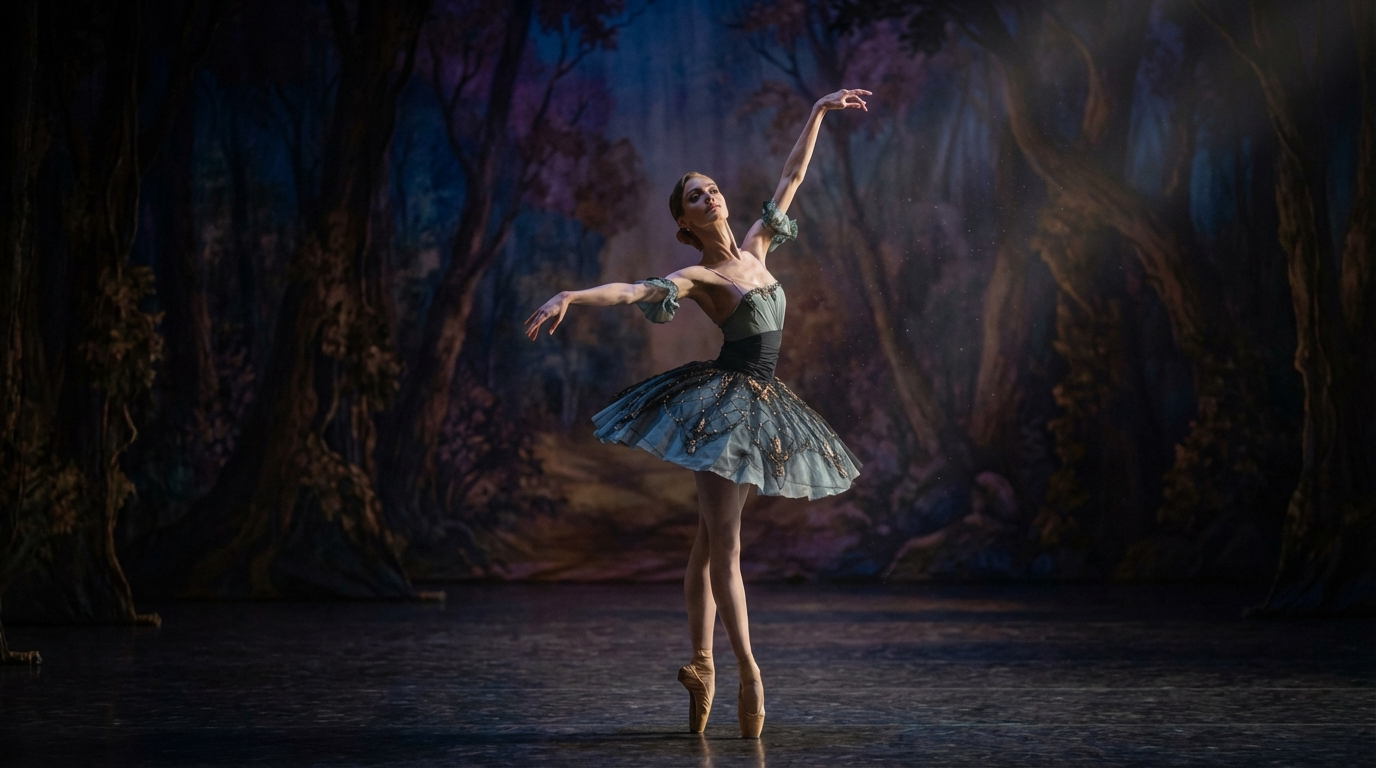
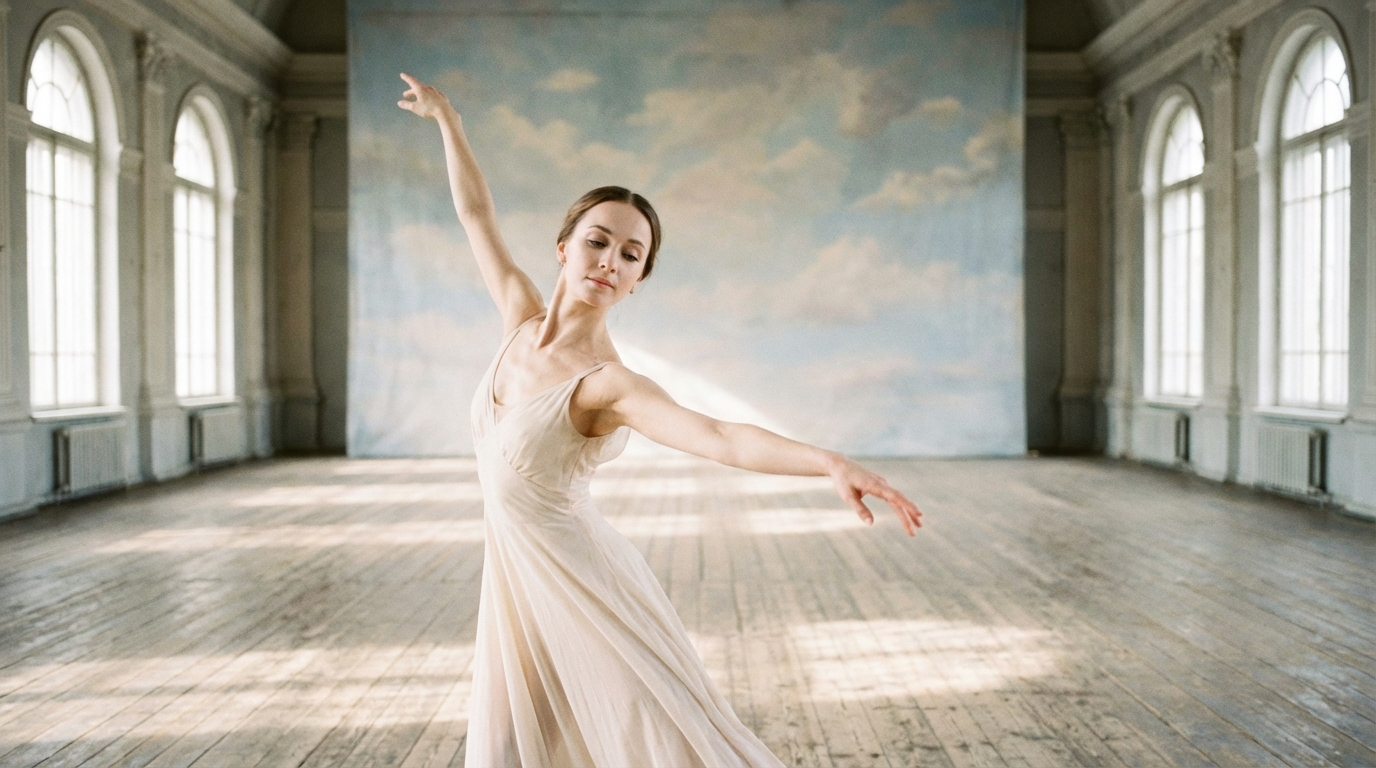
Kling v2.6 Standard Motion Control transfers movement from a reference video onto a static ballerina image. The character dances with natural body motion in a sunlit studio while her face, outfit, and scene details stay locked across the full 9-second output.
Kling v2.6 Standard Motion Control
Kling v2.6 Standard Motion Control is the cost-effective entry point into the v2.6 motion transfer family, released December 22, 2025. It applies the same biomechanical motion transfer approach as the Pro variant but is optimized for portraits and simpler animation scenarios where the full compute allocation of Pro is not necessary.
For creators who need the 30-second duration capability without the complexity requirements that justify Pro, v2.6 Standard is the practical choice. Portrait animations, simple walk cycles, gestures, and straightforward dance content all sit comfortably within Standard's performance range. The model runs at an average of 500 seconds and accepts the same input formats as the Pro variant.
The efficiency orientation makes v2.6 Standard well suited for high-volume workflows, for exploring which character and reference combinations work before committing to Pro generation, and for content categories where reference complexity is low but duration flexibility matters.
Key Features Across All Four Models
Physics-Aware Biomechanics
Every Kling Motion Control model applies a physics understanding that derives from the reference video rather than from generic assumptions. Weight transfer, gravity response, momentum preservation, and cloth dynamics are read from the actual performance in your reference footage and applied to the generated character with physical consistency. A character running does not float. A character jumping lands with appropriate force. Fabric follows the body through motion the way it would in reality.
This grounding in reference physics is what eliminates the floaty, disconnected quality that appears in basic image animation models. The motion feels real because the model is working from real motion data.
Full-Body and Facial Performance Transfer
Motion transfer in Kling Motion Control covers the full performance, not just gross body movement. Hands, fingers, head position, facial expressions, lip movement, and eye direction are all part of what gets read from the reference and applied to the character. This completeness is what makes the output usable for emotionally expressive content, for dialogue scenes, and for any performance where the face is as important as the body.
Camera Motion Interpretation
The camera behavior present in your reference footage carries through to the generated clip. Pans, pushes, pulls, and orbits in the reference video become camera behaviors in the output. This gives directors a way to establish cinematic framing through reference footage selection rather than through additional camera control parameters, and it produces generated video that has a cinematographic logic that text-prompted motion often lacks.
Character Identity Preservation
Regardless of how complex the reference motion is, the generated character maintains their visual identity throughout the clip. Face, clothing, proportions, and distinguishing features stay consistent from the first frame to the last, even through rapid movement, camera angle changes, and physically demanding sequences that challenge lesser motion transfer systems.
Character Orientation Control
All four models include a character orientation input that addresses one of the most common motion transfer failures: misalignment between the direction the reference performer faces and the direction your character image faces. Specifying the orientation relationship between reference and character prevents the artifacts that appear when motion data meant for a forward-facing performer is applied to a character facing another direction.
Real-World Use Cases
The range of applications for Kling Motion Control spans from independent creators to full production studios.
Fashion and e-commerce content production is one of the clearest immediate applications. A brand with product photos but no video production budget can upload a reference video of a model walking or performing a specific movement, apply that motion to a product image, and generate dynamic content that shows how the garment moves in real-world conditions. The physics accuracy means fabric behaves realistically through the motion, which matters for product credibility.
Music and dance content creation is another strong application. Virtual influencer accounts, music video production teams, and dance content creators can upload choreography reference footage and apply it to any character image they choose. The 30-second duration capability in the v2.6 models means full choreographic sequences can be generated without stitching.
Indie film production uses motion control for previsualization and for scenes where practical filming is dangerous or logistically complex. A stunt reference video applied to a character image generates a scene that communicates the intended action to the production team, and in many cases the generated output is good enough to use directly in the finished cut.
Virtual avatar and digital human applications benefit from the facial expression transfer capability. An avatar with a consistent designed identity can be animated with real performer expressions, lip sync, and body language by using reference footage as the motion source, without requiring expensive motion capture equipment or manual animation work.
Developer teams building applications that require character animation can use the Kling Motion Control API on Eachlabs to integrate motion transfer into their products. The consistent input structure across all four model variants makes it straightforward to design workflows that can switch between Standard and Pro based on content requirements.
Choosing the Right Model
The choice between the four motion control models comes down to three questions: how complex is your reference motion, how long does your output need to be, and how current does the underlying architecture need to be.
For current-generation architecture with a focus on portrait and moderate motion content, Kling v3 Standard Motion Control is the starting point. For complex choreography, fast action, or multi-element scenes that need the most current model at maximum output fidelity, Kling v3 Pro Motion Control is the appropriate choice.
For workflows that require continuous generation beyond 15 seconds, the v2.6 family is the current option. Kling v2.6 Standard Motion Control handles portrait and simple motion scenarios efficiently. Kling v2.6 Pro Motion Control handles complex choreography and expressive performances with the 30-second continuous output capability.
A practical workflow for most production scenarios: develop and iterate with Standard, generate final deliverables with Pro. The input structure is identical across tiers, so there is no friction in moving a confirmed creative direction from Standard to Pro for final output.
How to Use Kling Motion Control on Eachlabs
All four Kling Motion Control models are accessible through the playground and API on Eachlabs. The input structure is consistent across models.
Start with your character image. Clean, well-lit portraits or character images with clear subject separation from the background give the model the most reliable identity anchor. The clearer the character's visual features in the input image, the more consistently they will appear in the generated output.
Prepare your reference video. The motion transfer quality is directly tied to the clarity of the motion in your reference footage. Good lighting, a clear view of the performer's full body, and minimal camera shake in the reference produce better transfer results than degraded or partially obscured footage. Reference video up to 50MB is accepted.
Set the character orientation to match how your character image is positioned relative to the performer in the reference video. This prevents the most common misalignment artifact.
Write a prompt that adds scene context and any additional direction beyond what the reference video provides. Keep it structured: subject description, action context, environment if relevant, and any stylistic direction. Shorter and more specific prompts tend to perform better than long, layered ones for motion control workflows.
Select your duration and any advanced controls, then generate. For new reference and character combinations, start at shorter durations to verify the motion transfer is working as intended before committing to a full-length generation.
Kling v3 Motion Control transfers movement from a reference video onto a static character image the man in the neon street scene dances with natural body motion while his face, outfit, and scene details stay consistent throughout the 7-second output.
Tips for Getting the Best Results
Use Reference Footage with a Clear Performer
The model reads motion from your reference video, so the quality of the motion data in that footage directly affects the quality of the transfer. Reference footage where the performer's body is fully visible, well-lit, and moving in a way that the camera captures cleanly produces better results than footage where the performer is partially obscured, poorly lit, or where rapid motion creates heavy blur. Think of your reference as the input data for the physics simulation, not just a stylistic inspiration.
Match Character Scale to Reference Performer
The motion transfer works best when the scale and proportions of your character image roughly correspond to the scale of the performer in the reference video. A full-body portrait of your character combined with full-body reference footage gives the model the most reliable mapping between the two. Mismatches in framing such as a close portrait character applied to a wide reference shot can produce proportion inconsistencies in the output.
Start Short and Extend After Verification
Before generating a full-duration clip, run a 5-second test with your character and reference combination. This is fast enough to verify that the motion transfer, character identity preservation, and scene context are all working as you intend without committing to the full generation time. Once you have confirmed the combination is producing good results, extend the duration for the final output.
Keep Prompts Specific and Concise
Motion control prompts work differently from text to video prompts. The reference video is already carrying most of the motion information, so the prompt is adding context and style direction rather than primary creative direction. Prompts that describe scene context, character posture, environment, and any stylistic considerations in 3 to 5 clear points tend to produce more consistent results than long, complex prompt descriptions that try to add motion direction that is already coming from the reference.
Use Pro for Complex Choreography
If your reference video includes fast footwork, intricate hand movements, rapid direction changes, or multi-element physical interactions, use the Pro tier. These are the scenarios where the additional compute of Pro produces meaningfully better temporal consistency and physics accuracy than Standard. Simple walks, gesture animations, and portrait-focused movements are Standard territory. Demanding choreography and physically complex sequences are Pro territory.
Wrapping Up
Kling Motion Control solves a real production problem with a direct approach: you show the model what you want the character to do by showing it an actual performance, and the model executes that performance with physical accuracy and identity consistency. Across four models covering different generation tiers and duration requirements, the full family available on Eachlabs gives creators and developers the right tool for every motion transfer scenario from rapid iteration to final delivery.
Frequently Asked Questions
What is the difference between Kling Motion Control and standard image to video generation?
Standard image to video generation animates a character based on a text prompt description of the desired motion. Kling Motion Control uses an actual reference video as the motion source, transferring the physical performance from the footage onto the character image with biomechanical accuracy. The distinction matters because text descriptions of motion are inherently imprecise, while reference video contains exact kinematic data including timing, weight, cloth dynamics, and facial expression that the model reads and applies directly. Motion control produces more predictable and physically grounded results for specific choreography and performance requirements.
Can I use any video as a reference for Kling Motion Control?
Reference video quality directly affects output quality, so there are practical considerations even if the technical format requirements are met. The model reads body movement, facial expression, and camera behavior from your reference, so footage where the performer's full body is visible and well-lit in a scene without excessive camera shake or motion blur gives the model the most reliable data to work from. Short clips in the 3 to 30 second range are supported depending on the model variant. MP4 and MOV are the primary accepted formats, with MKV also supported in the v2.6 models.
Which Kling Motion Control model should I use for a 30-second dance video?
For output that runs a full 30 seconds as a single continuous clip without cuts or stitching, the v2.6 family is the current choice. Kling v2.6 Pro Motion Control supports 30-second continuous generation with enhanced quality for complex choreography and expressive gesture performance, making it the appropriate model for demanding dance content. For simpler dance movements where the full Pro compute allocation is not necessary, Kling v2.6 Standard Motion Control provides the same duration capability at the Standard tier.