GPT Image | v2.5 | Flare | Edit
Precision editing that targets only the requested changes while preserving the subject, composition, and background, with consistent identity across different styles and multiple rounds of edits.
- Runtime (p50)
- 1m
- Estimated price
- From $0.053
Overview
GPT Image | v2.5 | Flare | Edit Overview
GPT Image | v2.5 | Flare | Edit is an OpenAI image-to-image model variant focused on fast, controllable editing and restyling of one or more source images from a text prompt. It builds on the GPT Image 2 family that powers ChatGPT Images 2.5, inheriting sharper details, precise local edits, and responsive generation for production workflows. The primary differentiator of GPT Image | v2.5 | Flare | Edit is its emphasis on mask-aware, fidelity-controlled edits
Capabilities
Capabilities
- Localized image editing: Apply changes only to masked regions while preserving untouched areas, enabling targeted background swaps, object replacement, and inpainting.
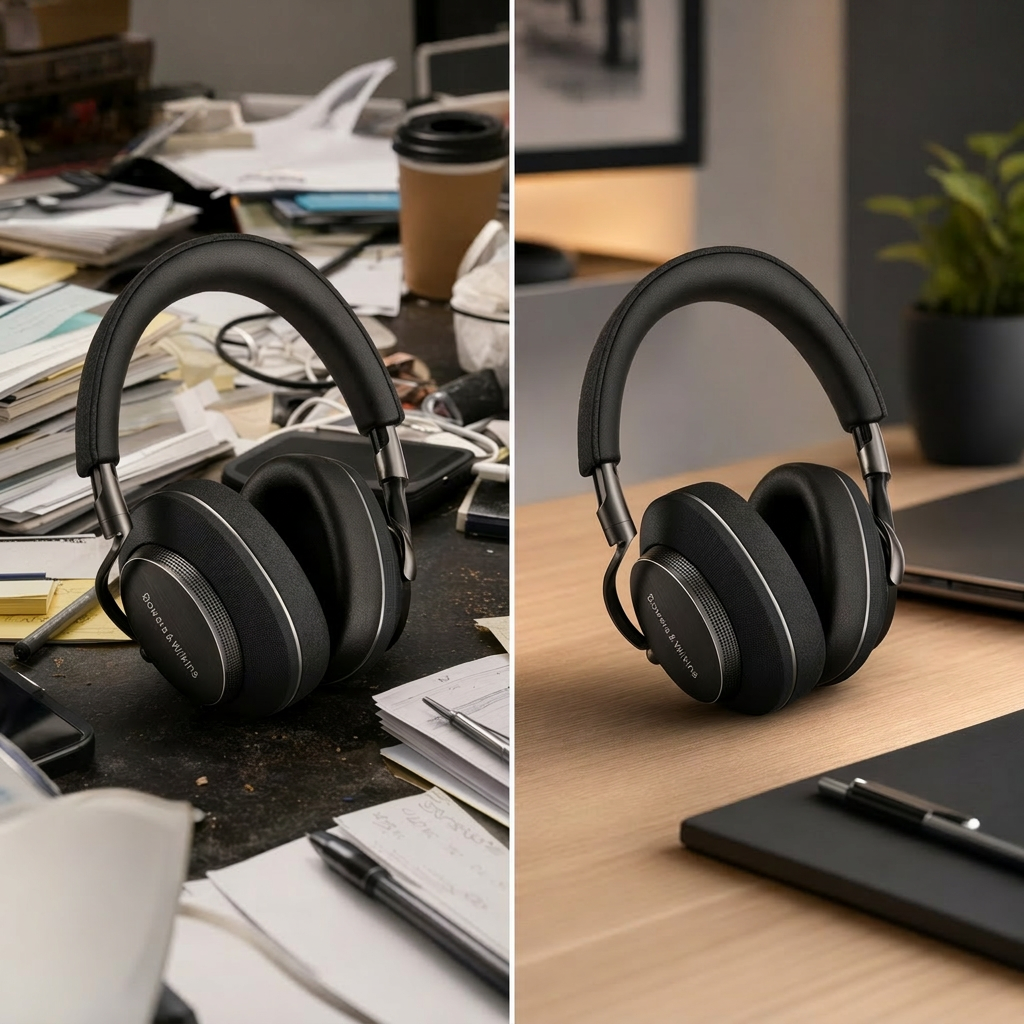
- Instruction-heavy photo retouching: Execute complex, multi-constraint edits such as changing lighting, color grading, and minor facial adjustments while keeping identity stable.
- Style transfer and restyling: Convert existing photos into consistent illustrative, cinematic, or branded styles without losing core composition or subject details.
- Multi-image editing: Edit or fuse multiple reference images in a single request, making it easier to blend elements or enforce brand consistency across a series.
- Resolution and quality control: Choose output sizes across 1K–4K ranges and adjust quality levels for faster previews or high-detail finals.
- Aspect ratio-aware generation: Regenerate images in different aspect ratios—square, portrait, or landscape—while preserving key design elements.
- Transparent background support: Generate or edit images with transparency, suitable for overlays and compositing workflows.
- Content safety enforcement: Apply multi-layer safety checks on prompts, input images, and outputs to reduce harmful or policy-violating generations.
Use cases
Use Cases for GPT Image | v2.5 | Flare | Edit
For creators and designers, GPT Image | v2.5 | Flare | Edit can rapidly reframe photos into new scenes while preserving the subject, using localized background replacement and style transfer. A practical prompt is: “Replace the background with a misty pine forest at dawn, keep the model’s pose, clothing, and skin tone identical, no extra people or text.”
For marketers, the model supports multi-image editing and brand-preserving retouching for campaign variants, such as: “Restyle this product shot into a clean e-commerce packshot with pure white background, identical product colors, and sharp logo edges.”
For developers integrating the GPT Image | v2.5 | Flare | Edit API on each::labs, image-to-image endpoints enable batch transformations like dynamic localization of creatives: “Take this banner and update only the text area to Spanish, keeping layout, logo, and colors unchanged.”
For UX and product teams, aspect ratio-aware editing helps reformat visual assets for multiple surfaces, for example: “Regenerate this homepage hero image into a mobile portrait layout, preserving central subject and brand mark while simplifying background.”
Tips & tricks
Tips and Tricks
Effective prompt engineering for GPT Image | v2.5 | Flare | Edit starts with explicitly stating what must stay unchanged and what should be modified, especially for brand assets or faces. Include subject, composition, lighting, and style details so the model can preserve identity while altering context: phrases like “keep the product shape, logo, and colors exactly the same” help maintain fidelity. Constrain edits with a mask at the exact target resolution, aligned to 16‑pixel increments, to reduce unintended changes outside the selected region. Use higher quality settings and mid-range resolutions (around 1K–2K) for intricate edits, reserving 4K outputs for final renders when latency is acceptable. Sample prompts include: “Replace the background with a warm golden-hour beach, keep the subject’s pose, clothing, and expression unchanged, no extra people or text.” “Restyle this product photo into a clean studio shot with soft diffused lighting, preserving logo, colors, and perspective.” “Turn this portrait into a painterly illustration in the style of impressionist oil art, keeping the person’s face, features, and overall composition consistent.”
Technical spec
Technical Specifications
- Model family: OpenAI GPT Image 2.x, aligned with ChatGPT Images 2.5 for generation and editing.
- Input modalities: One or more reference images plus a text prompt; optional binary mask to restrict edits to specific regions.
- Supported formats (input): Common web formats such as PNG and JPEG for reference images; multipart/form-data in typical OpenAI-compatible APIs.
- Output formats: Single raster image per request, typically PNG; some implementations support base64-encoded JSON fields (b64_json) and URLs.
- Resolution & aspect ratios: Editing endpoints generally support 1K–4K-class resolutions with aspect ratios kept within roughly 3:1 to 1:3, with more stable results under 2:1 and in 16‑pixel increments.
- Processing latency: Typical synchronous edit calls return within a few seconds for 1K–2K outputs, with higher resolutions incurring longer generation times depending on hosting.
- Architecture: Proprietary OpenAI diffusion-style image model with multi-stage safety filters and classifiers around the core generator.
Things to be aware of
Things to Be Aware Of
GPT Image | v2.5 | Flare | Edit is sensitive to resolution and aspect ratio alignment: mismatches between input size, mask dimensions, and requested output can lead to unintended global changes or blurred details. Extreme aspect ratios beyond roughly 3:1 or 1:3 tend to produce less stable compositions and may distort subjects. Large 4K edits can introduce higher latency, so teams should use smaller previews when iterating and reserve high resolution for final renders. Safety filters can sometimes block benign but borderline adult or edgy artistic content, which may require prompt adjustments or different creative strategies. Overly vague prompts often yield generic or inconsistent edits, so users should emphasize constraints and describe unchanged regions clearly.
Key considerations
Key Considerations
Before using GPT Image | v2.5 | Flare | Edit, users should plan for an image-to-image workflow: edits are driven by the combination of a clear prompt, suitable source imagery, and a well-aligned mask when local control is required. Best results occur when aspect ratio and resolution of the input image match the requested output size and remain within moderate ratios, avoiding extreme panoramas or ultra-tall crops. GPT Image | v2.5 | Flare | Edit is most valuable when you need high-fidelity, instruction-heavy edits—such as background replacement or style transfer—rather than unconstrained artistic generation. Because OpenAI applies strict content safety filters, certain adult, violent, or otherwise sensitive edit requests will be blocked regardless of phrasing, which should be considered when designing the GPT Image | v2.5 | Flare | Edit API integration.
Limitations
Limitations
GPT Image | v2.5 | Flare | Edit cannot bypass OpenAI’s image safety policies, and requests involving explicit nudity, graphic violence, or minors in sexual contexts are consistently rejected. The model is optimized for still images rather than long-form video; image-to-video or video-edit workflows require separate tooling. Very fine pixel-level control, such as exact typographic adjustments or micro-detail retouching, is approximate and may not match manual editing tools. Outputs are limited to standard raster formats and rely on fixed resolution options, so ultra-large prints or vector graphics need downstream processing. Finally, performance and maximum resolution can vary across GPT Image | v2.5 | Flare | Edit API hosts, and users should verify limits in each::labs and provider documentation.
Related models
4 models