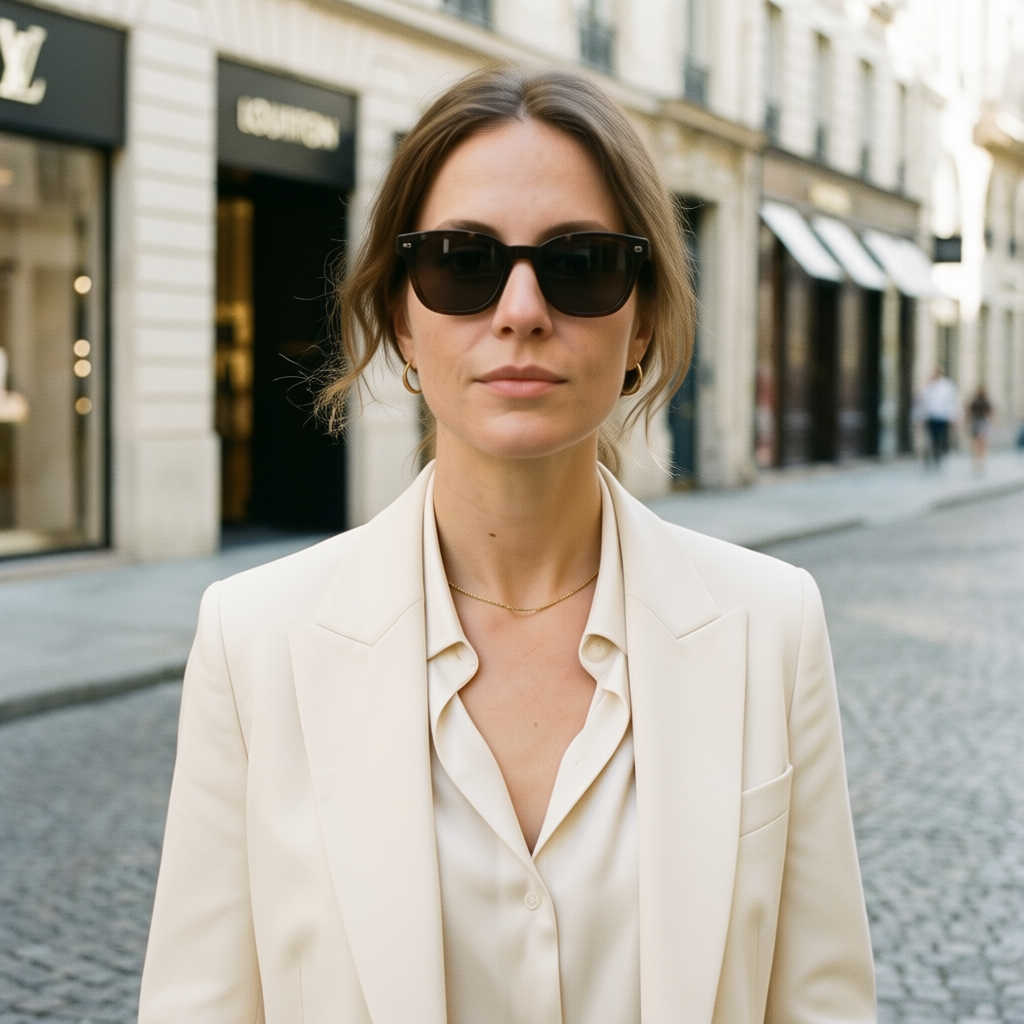
Qwen | Image Edit 2511 | Multiple Angles
Generates the same scene from different perspectives by adjusting azimuth and elevation, leveraging Qwen Image Edit 2511 with LoRA Multiple Angles for consistent and detailed results.
- Runtime (p50)
- 15s
- Estimated price
- $0.035 per megapixel per image
Overview
qwen-image-edit-2511-multiple-angles — Image Editing AI Model
qwen-image-edit-2511-multiple-angles, developed by Alibaba as part of the Qwen family, revolutionizes image-to-image AI model workflows by generating consistent scenes from multiple angles using a single input image and text prompt. This LoRA-fine-tuned version of Qwen Image Edit 2511 enables precise control over azimuth and elevation adjustments, delivering detailed, coherent outputs without common distortions seen in multi-view generation. Ideal for developers seeking an Alibaba image-to-image solution, it leverages synthetic data training for superior angle consistency, solving the challenge of creating 360-degree product views or architectural renders efficiently.
Powered by Alibaba's advanced unified model architecture, qwen-image-edit-2511-multiple-angles supports intelligent image editing with enhanced detail adherence to prompts, making it a top choice for AI image editor API integrations in e-commerce and design applications.
Capabilities
- High-quality image editing for portraits, products, and scenes, with strong emphasis on preserving subject identity and visual consistency.
- Multi-image editing support that enables compositions from several inputs (e.g., person + scene, person + product, multiple reference views), useful for complex edits and multi-angle workflows.
- Strong text and instruction following inherited from the Qwen-Image family, including complex modification instructions, attribute adjustments, and constrained edits on specific regions or elements.
- Support at the family level for ControlNet-based conditioning with depth, edges, and keypoints, allowing pose changes, structural manipulation, and controlled camera-angle variations while maintaining identity.
- High native resolution capability (up to ~2560×2560) with solid detail retention at around 4 MP outputs when configured appropriately, making it suitable for print-grade or crop-ready material.
- Robust performance on challenging editing tasks such as:
- Face refinement and beautification without drastic identity loss.
- Style transfer (photo-to-illustration, cinematic grading, specific art styles).
- Object insertion, removal, and replacement in existing photos.
- Versatility across domains: portraits, product photography, advertising mockups, concept art, and UI/graphic elements.
- Improved consistency compared with Qwen-Image-Edit-2509, particularly in:
- Face shape and identity across edits.
- Color stability and saturation.
- Maintaining scene layout while making targeted changes.
Use cases
Use Cases for qwen-image-edit-2511-multiple-angles
For e-commerce developers building an AI photo editing for e-commerce pipeline, upload a product image and prompt "generate front, side, and top views of this sneaker on a studio pedestal with soft lighting, azimuth 0/90/180, elevation 10." qwen-image-edit-2511-multiple-angles outputs consistent angles, enabling automated 360-degree galleries without manual photography.
3D designers creating architectural visuals can input a building facade photo and specify "shift to 45-degree aerial view, elevation 30, maintain brick texture and window details," producing coherent multi-perspective renders for client presentations far superior to basic inpainting tools.
Content creators in marketing use it for dynamic asset generation: start with a character sketch, then generate "profile view from left, azimuth -90, elevation 0, add dynamic pose with flowing cape," ensuring style consistency across social media angles for campaigns.
Game developers integrating automated image editing API features benefit by turning concept art into multi-view sprites, supporting rapid prototyping with angle-locked edits that preserve intricate details like armor engravings.
Tips & tricks
How to Use qwen-image-edit-2511-multiple-angles on Eachlabs
Access qwen-image-edit-2511-multiple-angles seamlessly on Eachlabs via the Playground for instant testing, API for production qwen-image-edit-2511-multiple-angles API calls, or SDK for custom apps. Provide a reference image, text prompt with azimuth/elevation specs (e.g., "azimuth 90, elevation 20"), and optional sampler settings; receive high-detail, multi-angle image outputs in standard formats ready for deployment.
---Technical spec
What Sets qwen-image-edit-2511-multiple-angles Apart
Unlike standard image-to-image models, qwen-image-edit-2511-multiple-angles uses a specialized LoRA trained on synthetic data pairs to lock camera perspectives, ensuring static angles and minimal structural drift across views. This enables users to produce professional multi-angle asset packs from one reference photo, streamlining workflows for 3D mockups or AR previews.
It excels in higher-resolution outputs with crisp details when tuned with specific sampler parameters, outperforming generic editors in maintaining subject identity during azimuth and elevation shifts. Developers benefit from this for scalable image-to-image AI model deployments, where consistent quality reduces post-processing needs.
- Multi-angle LoRA precision: Adjusts viewpoints via azimuth/elevation prompts while preserving scene fidelity, rare in open-source editors.
- Synthetic data optimization: Isolates edits without real-world noise, yielding cleaner results for product visualization.
- Flexible resolution support: Handles detailed generations at various scales with proper sampling, ideal for edit images with AI APIs.
Processing times vary by complexity, typically fast for local or API use, with inputs like reference images and angle-specific prompts yielding high-fidelity PNG/JPG outputs.
Things to be aware of
- Experimental behaviors:
- While 2511 improves consistency over 2509, the Qwen team has publicly noted that Qwen-Image-Edit models can exhibit performance misalignments (e.g., identity drift, instruction-following issues) on some toolchains and recommend using up-to-date diffusion libraries to mitigate issues.
- Multi-image editing and “multiple-angles” setups rely on concatenating multiple inputs; in edge cases with highly dissimilar images or extreme pose differences, the model may blend features unpredictably.
- Known quirks and edge cases:
- Very high resolutions (close to the upper limit) can produce slightly softer or less sharp results than mid-range resolutions, especially if step counts and VRAM are constrained; users report that around 4 MP is a practical upper bound for quality versus cost on typical hardware.
- When too many reference images are provided, or when they conflict in lighting/style, the model may produce inconsistent details or ambiguous features.
- Heavy style changes plus strong identity preservation instructions can sometimes clash, leading to either under-applied style or partial identity loss.
- Performance considerations:
- VRAM usage scales with resolution, number of input images, and step count; community walkthroughs show that while 2511 can run on relatively modest GPUs with optimized quantization, higher resolutions and multi-image workflows benefit from more memory.
- Per-step time increases noticeably with both resolution and number of input images; one detailed community test reports a move from roughly 3.5 seconds per step (single image at high resolution) to around 8–9 seconds per step when editing with three input images, and over 100 seconds total for a large 3-image composite at 4 MP.
- Consistency factors:
- Identity consistency is generally strong but not perfect; users find best results when prompts explicitly state that identity should remain unchanged and when large pose/angle shifts are guided with pose information or multi-angle conditioning.
- Keeping lighting, style descriptors, and camera terms consistent across prompts significantly improves multi-angle consistency.
- Positive user feedback themes:
- Many users and reviewers describe Qwen-Image-Edit-2511 as a clear improvement over 2509 in face realism, detail retention, and edit accuracy, particularly for portraits and high-resolution editing.
- The model is praised for strong performance at relatively low step counts and for handling complex edit instructions (e.g., object replacement, style transfer, multi-subject compositions) with good reliability.
- Community comparisons often place 2511 at or near the quality level of other top-tier image-editing models, especially for identity-sensitive tasks.
- Common concerns or negative feedback:
- Some users note that at the highest resolutions and with aggressive edits, colors can shift or saturation can fluctuate, requiring prompt refinement or additional passes.
- For extremely fine-grained text-in-image editing (e.g., small typography changes), results may require multiple attempts or careful prompting, depending on the exact pipeline and resolution used.
- Multi-image “multiple-angles” setups can be sensitive to configuration; if LoRA or conditioning is not tuned carefully, a small fraction of outputs may show angle- or pose-inconsistent anatomy or perspective glitches.
Key considerations
- Qwen-Image-Edit-2511 is optimized for editing, not pure-from-scratch generation, so it performs best when given a reasonably clean, well-lit input image and a clear textual instruction.
- Identity preservation is a major focus: for portraits and products, subtle changes to prompts can significantly affect whether the model keeps or alters identity; users report better consistency when prompts explicitly emphasize “same person,” “same product,” or “keep identity.”
- For multi-image and “multiple-angles” use, results are best when the number of input images is kept modest (typically 1–3) and when the views are reasonably related (e.g., similar lighting and style) to avoid conflicts in conditioning.
- High resolutions (e.g., ≥4 MP) improve detail but increase VRAM usage and generation time; community tests suggest a sweet spot where resolution is high enough for detail but not so high that sampling becomes unstable or excessively slow.
- Increasing the number of input images (for multi-angle composition or multi-subject editing) increases both VRAM usage and per-step time; real-world reports show per-iteration times more than doubling when moving from one to several input images at high resolution.
- Low step counts (4–6) can be sufficient for many editing tasks with 2511, but very complex, fine-detail edits or extreme angle changes may benefit from 10–16 steps to reduce artifacts, especially at larger resolutions.
- Prompts that over-specify conflicting constraints (e.g., incompatible styles or lighting directions) can produce inconsistent results; concise, prioritized instructions often give better, more stable outputs.
- When using “multiple-angles” workflows, it is beneficial to keep camera-related phrases explicit (e.g., “front view,” “three-quarter view,” “side view,” “bird’s-eye view”) and consistent across prompts while clearly tying them to the same subject (“same character,” “same product”).
- Good seed management and reproducible settings are important for pipeline use: many teams lock seeds and then vary angles, poses, or minor style terms to generate consistent series of images.
- Color shifts and saturation drift can occasionally occur, particularly at very high resolutions or when applying heavy stylistic changes; small prompt adjustments and modest step counts can mitigate this.
Limitations
- While Qwen-Image-Edit-2511 is strong at editing and multi-angle consistency, it is not primarily designed as a pure text-to-image foundation model; workflows that do not start from a reference image may be better served by dedicated generation models in the same family.
- At very high resolutions, or when combining many reference images with complex instructions, performance and stability can degrade: generation becomes slower, VRAM usage increases, and artifacts or color shifts may appear, making mid-range resolutions and moderate input counts a more reliable choice.
- Identity preservation, though significantly improved over earlier variants, is not perfect in extreme pose/angle changes or heavily stylized transformations; in such scenarios, additional conditioning (e.g., pose guidance) or manual curation may be needed to achieve production-grade consistency.
Related models
4 models


About Qwen | Image Edit 2511 | Multiple Angles
What is Qwen Image Edit 2511 Multiple Angles?
Qwen Image Edit 2511 Multiple Angles is an AI image editing model by Alibaba that generates edited versions of an image from multiple viewpoints. It enables 3D-consistent image modifications, making it suitable for product visualization, virtual try-on, and multi-view asset creation.