EACHLABS
Cartoon Generator converts photos into cartoon-style illustrations
Avg Run Time: 11.000s
Model Slug: cartoonify
Playground
Input
Enter a URL or choose a file from your computer.
Invalid URL.
image/jpeg, image/png, image/jpg, image/webp (Max 50MB)
Output
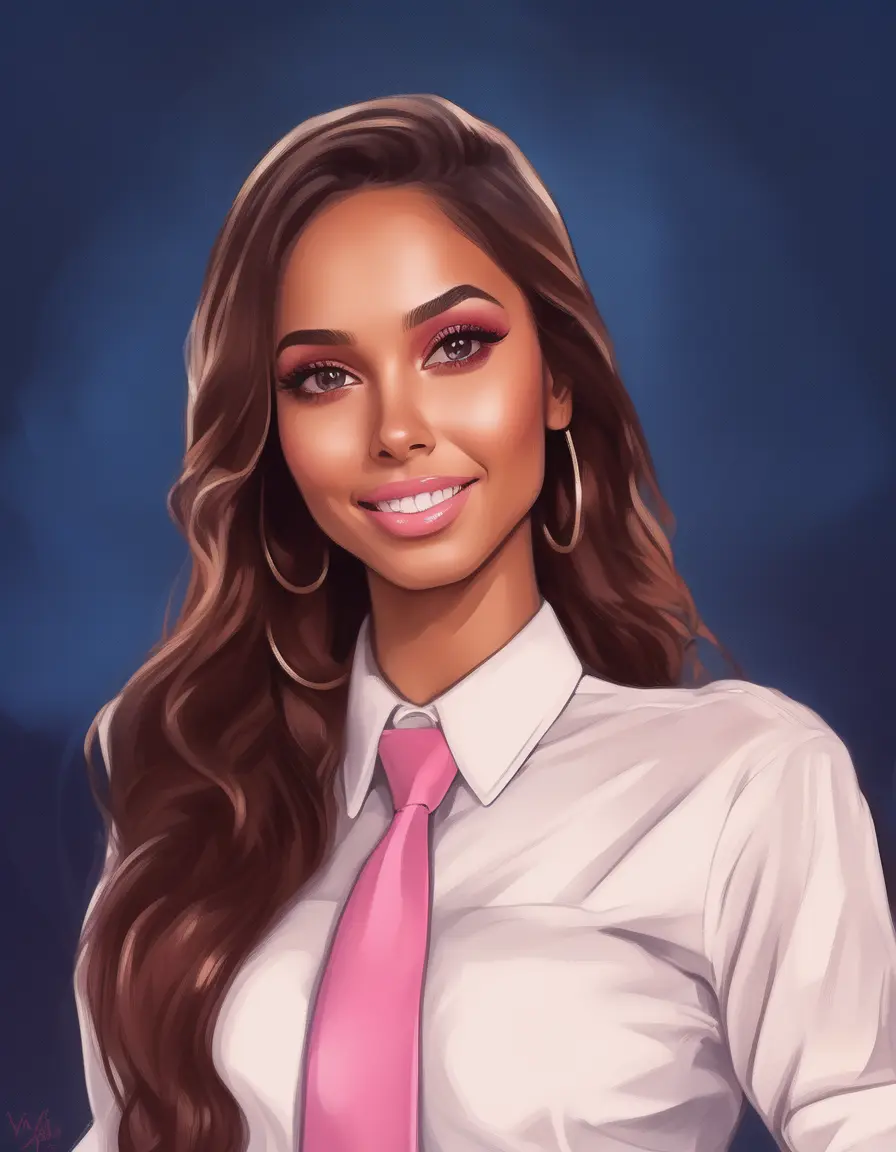
Example Result
Preview and download your result.
API & SDK
Create a Prediction
Send a POST request to create a new prediction. This will return a prediction ID that you'll use to check the result. The request should include your model inputs and API key.
Get Prediction Result
Poll the prediction endpoint with the prediction ID until the result is ready. The API uses long-polling, so you'll need to repeatedly check until you receive a success status.
Readme
Overview
cartoonify — Image-to-Image AI Model
Transform everyday photos into vibrant cartoon-style illustrations with cartoonify, the image-to-image AI model from Eachlabs that delivers professional-grade cartoon effects in seconds. Developed by Eachlabs as part of the Eachlabs family, cartoonify excels at converting real-world images into stylized cartoons, preserving key details like facial features and poses while applying smooth, animated aesthetics ideal for "turn photos into cartoons" searches. Whether you're enhancing social media profiles or creating custom avatars, this image-to-image AI model solves the need for quick, high-quality photo cartooning without complex editing software.
Technical Specifications
What Sets cartoonify Apart
cartoonify stands out in the crowded image-to-image AI landscape by focusing exclusively on cartoon transformations, delivering consistent stylistic outputs that maintain subject integrity across diverse photo types—from selfies to landscapes. Unlike broader animation tools, it processes static images rapidly with support for standard resolutions up to 1024x1024 and common formats like JPEG and PNG, typically completing in under 10 seconds per image.
- Precise style preservation: Applies clean cartoon linework and color palettes tailored for photos, enabling users to create "AI photo to cartoon" results that rival manual illustration without artifacts on complex backgrounds.
- One-click simplicity: Requires only an input image and optional style prompt, perfect for developers integrating cartoonify API into apps for instant "photo to cartoon generator" workflows.
- Versatile output control: Generates scalable cartoon illustrations suitable for web, print, or social, with aspect ratios from 1:1 to 16:9, distinguishing it from video-focused competitors.
These features make cartoonify a top choice for targeted "image to cartoon AI" tasks in the Eachlabs ecosystem.
Key Considerations
Input images with cluttered backgrounds or complex scenes may produce less focused results. Crop or simplify the image beforehand for a more precise cartoonization.
The seed value directly impacts the randomness of the output. A fixed seed will always generate the same output for a specific input image, while changing the seed provides variations.
Cartoonify Cartoon Generator is optimized for portrait-style or object-focused images. Landscape or large-scale scenes may require adjustments for better results.
Tips & Tricks
How to Use cartoonify on Eachlabs
Access cartoonify seamlessly on Eachlabs via the Playground for instant testing—upload an image, add a style prompt if desired, and generate cartoon outputs in JPEG or PNG at up to 1024x1024 resolution. Integrate it through the Eachlabs API or SDK for production apps, specifying input images and parameters like aspect ratio for fast, scalable "photo to cartoon" transformations.
---Capabilities
Cartoonify generates visually appealing cartoon-style artwork suitable for creative projects, digital designs, and social media content.
Works well with various input types, including portraits, objects, and some scenes, offering flexibility to users.
Produces vibrant, stylized outputs that are recognizable yet distinct from the original image.
What Can I Use It For?
Use Cases for cartoonify
Content creators can upload portrait photos to generate fun cartoon avatars for YouTube thumbnails or TikTok profiles, using prompts like "convert this selfie to a vibrant Disney-style cartoon with bold outlines" to achieve engaging, shareable visuals that boost viewer interaction.
Marketers building e-commerce sites turn product shots into whimsical cartoons, such as transforming a sneaker photo into a playful animated style that appeals to younger demographics, streamlining "AI image editor for e-commerce" needs without hiring illustrators.
Developers seeking an "image-to-image AI model" for apps feed user-uploaded images through the cartoonify API, enabling features like personalized cartoon filters in social platforms while handling batch processing efficiently.
Designers enhance mood boards by cartoonifying reference photos, maintaining original compositions for client pitches in advertising campaigns where stylized previews speed up approvals.
Things to Be Aware Of
Convert a family photo into a cartoon-style postcard.
Create stylized versions of pets or favorite objects.
Use the same image with different seed values to explore the Cartoonify Cartoon Generator's artistic range.
Limitations
Cartoonify Cartoon Generator may struggle with overly dark, blurry, or highly complex images. Preprocessing your input, such as enhancing clarity or cropping unnecessary areas, can mitigate this issue.
Outputs are stylized and may lose fine details from the original image. The focus is on achieving a cartoon effect, not photorealistic accuracy.
Consistent style may vary slightly depending on the randomness introduced by the seed value.
Output Format:PNG
Pricing
Pricing Detail
This model runs at a cost of $0.001080 per second.
The average execution time is 11 seconds, but this may vary depending on your input data.
The average cost per run is $0.011880
Pricing Type: Execution Time
Cost Per Second means the total cost is calculated based on how long the model runs. Instead of paying a fixed fee per run, you are charged for every second the model is actively processing. This pricing method provides flexibility, especially for models with variable execution times, because you only pay for the actual time used.
Related AI Models
You can seamlessly integrate advanced AI capabilities into your applications without the hassle of managing complex infrastructure.
Generates images from text combined with edge, depth, or pose inputs using custom LoRA and Tongyi-MAI’s ultra-fast 6B Z-Image Turbo model for fast, high-quality, and controllable image creation.
FLUX.2 [dev] from Black Forest Labs enables fast image-to-image editing with precise, natural-language modifications and hex color control.

Generates images from text combined with edge, depth, or pose inputs using Tongyi-MAI’s ultra-fast 6B Z-Image Turbo model for precise and high-quality results.
Nano Banana 2 Edit enables advanced image-to-image transformations, delivering ultra high quality refinements, seamless edits, and precise control guided by your prompt.