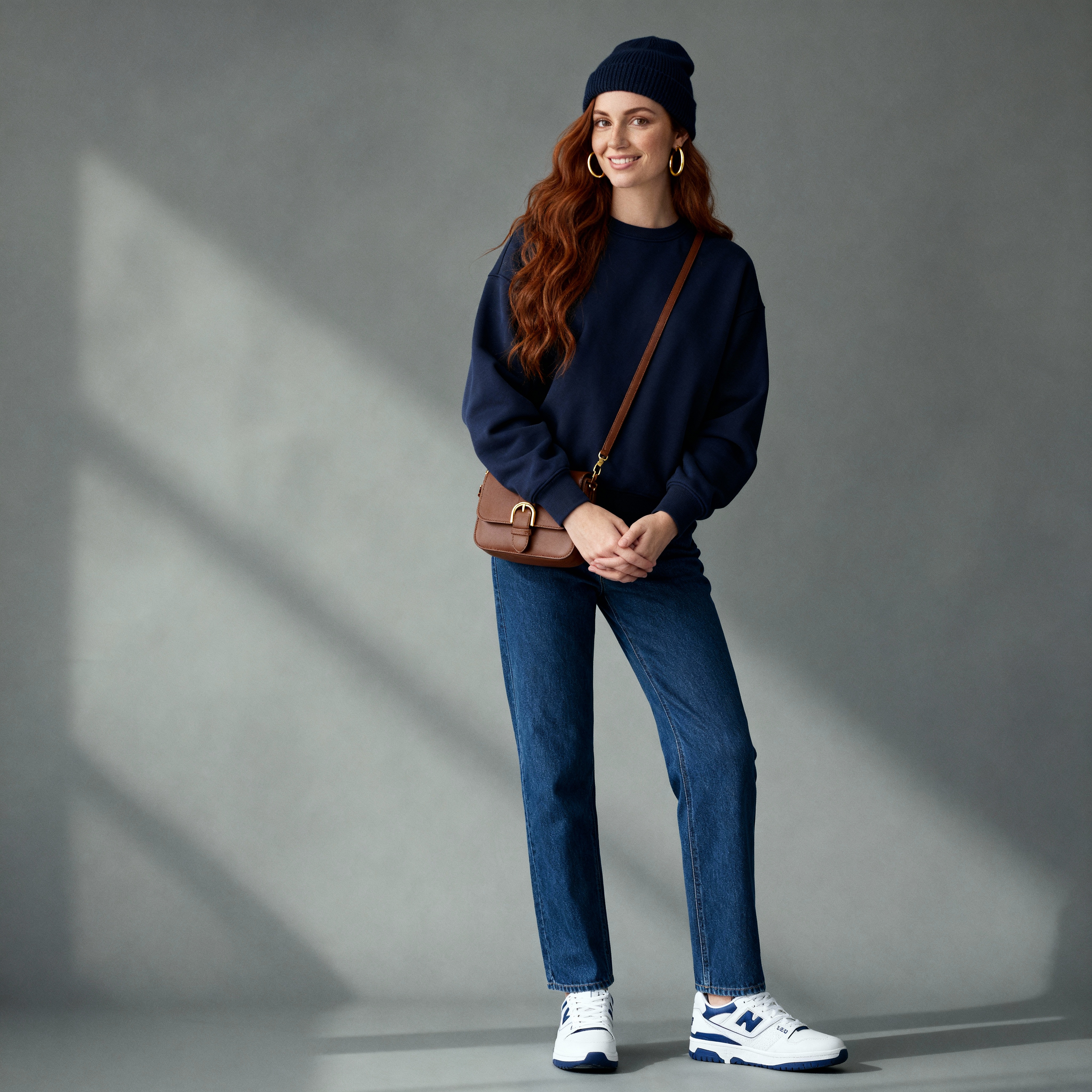
Bytedance | Seedream | v4.5 | Edit
ByteDance Seedream v4.5 Edit performs precise, text-guided image edits — background swaps, object removal, style transfer, typography changes using up to 14 reference images and delivering native 4K output at 2048×2048 resolution. Its multi-image subject identification and designer-level text rendering make it the professional standard for e-commerce, branding, and editorial production.
- Runtime (p50)
- 35s
- Estimated price
- $0.04 per image
Overview
bytedance-seedream-v4.5-edit — Image-to-Image AI Model
Developed by Bytedance as part of the seedream-v4.5 family, bytedance-seedream-v4.5-edit is an advanced image-to-image AI model that merges text-to-image synthesis and precise image editing into a unified architecture, enabling targeted modifications like background swaps, style refinements, and layout adjustments without altering the core subject.
This ByteDance innovation excels in professional visual creatives, supporting up to 14 reference images for consistent multi-image editing and delivering native high-resolution outputs ideal for developers seeking a robust Bytedance image-to-image solution.
With its multimodal design, bytedance-seedream-v4.5-edit handles complex prompts and image inputs seamlessly, making it perfect for AI image editor API integrations that demand speed and fidelity in editing workflows.
Capabilities
- High-fidelity image editing that preserves:
- Facial structure and identity
- Lighting direction and global tone
- Material properties and reflections
- Overall composition and framing.
- Strong multi-image consistency:
- Maintains the same character face, hairstyle, clothing details, and lighting across multiple edited images in a batch or sequence.
- Advanced typography and text rendering:
- Capable of dense text layouts, poster-level typography, and logo-style text with improved sharpness and adherence to textual instructions compared to earlier versions.
- Robust aesthetic instruction following:
- Accurately interprets complex style prompts that combine multiple modifiers (e.g., specific film stocks, eras, cultural aesthetics, and mood descriptors) without severe style mixing.
- Versatile domain coverage:
- Performs well on portraits, fashion, product photography, e-commerce visuals, cinematic key art, anime/illustration styles, and mixed-media compositions.
- Commercial-quality outputs:
- Community and media commentary describe its outputs as “movie-level original footage” in terms of consistency, with quality suitable for professional advertising, IP character pipelines, and brand assets.
- Unified generation/editing design:
- Shares architecture and training foundations with the text-to-image Seedream 4.5 model, enabling consistent style and quality between generated images and edited assets in the same project.
Use cases
Use Cases for bytedance-seedream-v4.5-edit
Designers refining product visuals can upload e-commerce photos as references and edit backgrounds or lighting; for instance, input a shoe image with the prompt "place on sandy beach at sunset, golden hour lighting, high detail textures" to generate photorealistic composites ready for catalogs, leveraging the model's multi-reference consistency.
Marketers creating campaign assets use bytedance-seedream-v4.5-edit for style transfers across multiple product shots, swapping outfits or environments while preserving brand elements and text logos with perfect readability—ideal for AI photo editing for e-commerce without reshoots.
Developers integrating automated editing APIs build apps for user-uploaded images, applying targeted changes like "change clothing to formal suit, keep face and pose identical" across 10+ references, benefiting from fast 10-30 second processing and high-res PNG outputs for scalable automated image editing API services.
Content creators prototyping graphics iterate quickly on poster designs by editing layouts with text prompts, ensuring sharp typography and spatial accuracy thanks to the unified architecture's spatial understanding.
Tips & tricks
How to Use bytedance-seedream-v4.5-edit on Eachlabs
Access bytedance-seedream-v4.5-edit seamlessly on Eachlabs via the Playground for instant testing, API for production integrations, or SDK for custom apps. Provide a text prompt, up to 14 image_urls as references, image_size like "2K" or "4K", guidance_scale (7-9), and seed for reproducibility—outputs deliver crisp PNGs at up to 2048×2048 with optional watermarking, perfect for high-fidelity image edits.
---Technical spec
What Sets bytedance-seedream-v4.5-edit Apart
bytedance-seedream-v4.5-edit stands out in the image-to-image AI model landscape through its multi-image subject identification technology, which locks onto subjects across 1-14 reference images for exceptional consistency in complex edits. This enables developers building edit images with AI tools to maintain character or product identity across multiple scenes without manual masking.
Unlike many competitors, it delivers native 2048×2048 resolution (theoretical up to 4704×4704) with designer-level text rendering, ensuring crisp, readable typography even in small sizes for edited graphics. Users benefit from professional outputs suitable for print, branding, or e-commerce visuals directly from bytedance-seedream-v4.5-edit API calls.
Generation times range from 10-30 seconds per image, optimized for batch processing and rapid iteration, with support for PNG outputs, multiple aspect ratios, and parameters like guidance_scale (7-9 recommended) and optional watermarking.
- Multi-image editing (1-14 references): Achieves stable subject consistency for advanced compositions.
- Superior text rendering: 40% improved small text readability with vector-grade edges.
- High-res editing: 2K/4K outputs preserve details in targeted changes like clothing or backgrounds.
Things to be aware of
- Experimental and advanced behaviors:
- Multi-image editing and sequential editing variants are powerful but can be sensitive to prompt drift; minor wording changes may impact cross-image consistency.
- Complex aesthetic instructions combining many niche film looks or conflicting moods can still produce subtle style blending, though users note this is reduced compared with earlier versions.
- Known quirks and edge cases (from user and reviewer feedback):
- Some reviewers note that in certain edge cases (e.g., extreme color filters, heavy stylization requests), the model may push color grading more aggressively than expected, requiring toned-down prompts (“subtle”, “soft”, “mild”) to maintain realism.
- For very dense text or small font sizes at lower resolutions, legibility can still suffer; community tests suggest working at higher resolution or simplifying text blocks.
- Performance and resource considerations:
- Editing at or near 4K resolution is computationally intensive; users often report noticeably longer runtimes and higher memory usage compared to 1K–2K edits.
- Batch or multi-image editing workflows further increase compute load, and users recommend staging edits (e.g., run smaller previews before final full-resolution batches).
- Consistency and stability factors:
- To maintain identity and style across multiple edits of the same subject, users emphasize reusing the same core identity descriptors and avoiding unnecessary changes to the “preserve” part of the prompt between runs.
- Strong cross-image consistency is a highlight, but extreme pose or angle changes in the source images can still introduce small identity drift.
- Positive feedback themes:
- High praise for:
- Multi-image consistency and elimination of “split personality” issues.
- Aesthetic/style adherence, especially for culturally specific or era-specific looks.
- Typography and dense text rendering for posters and branded assets.
- Realistic handling of hands, clothing wrinkles, and complex materials relative to prior models.
- Common concerns or negative patterns:
- Some users mention that for highly experimental or abstract art directions, the model can feel more “grounded” and less wild than more exploratory models, requiring more explicit prompts to break realism.
- Over-editing risk: if prompts are too broad (“make it more cinematic and stylish”) without constraints, the model may change more aspects of the image than desired; this is usually mitigated by explicitly stating what must not change.
Key considerations
- Seedream 4.5 Edit is optimized for high-fidelity editing, not just generative variation: prompts should describe changes, not re-describe the entire image, to avoid unnecessary alterations.
- For identity-sensitive edits (portraits, IP characters), use clear instructions to “keep face/identity/composition” while specifying the change (e.g., clothing, background, color grade) to maximize consistency.
- Multi-image or sequential editing benefits from using consistent prompts and seed settings across images to leverage the model’s cross-image consistency capabilities (especially with sequential editing variants).
- High resolutions (near 4K) improve fine details and typography but increase compute time and resource requirements; users often start at ~2K resolution and upscale or refine selectively.
- Overly aggressive or contradictory prompts (e.g., multiple conflicting styles or color schemes) can reduce fidelity; better results are reported when style instructions are hierarchically structured (base style, mood, then local modifiers).
- For text and logos, concise and explicit instructions about font style, alignment, and hierarchy (headline vs subtext) improve layout and text rendering quality.
- When editing product images, specifying “keep material/reflections/shape” while changing only color or environment helps avoid geometry drift or unrealistic reflections.
- Users report that iterative refinement (short edit cycles with incremental prompt changes) produces more controlled results than attempting a complex, one-shot edit.
Limitations
- Primary technical constraints:
- No publicly disclosed parameter count or full architectural details, limiting low-level optimization and research-oriented customization.
- High-resolution and batch editing workloads demand substantial compute resources and can be slow on limited hardware.
- Main scenarios where it may not be optimal:
- Highly experimental, abstract, or heavily stylized art where strong realism and identity preservation are not desired; other models may offer more “wild” or unpredictable creativity with less prompting effort.
- Extremely small text or ultra-dense micro-typography at low resolutions, where legibility can still be challenging despite strong typography capabilities; higher resolutions or dedicated design tools may be preferable.
Related models
4 models
About Bytedance | Seedream | v4.5 | Edit
How many reference images can Seedream v4.5 Edit handle in one request?
Seedream v4.5 Edit accepts up to 14 reference images per editing request — among the highest multi-image input capacities of any commercial image editing AI. The model draws consistent visual elements (identity, lighting, clothing, style) from multiple sources simultaneously, making it ideal for character sheets, product series photography, and brand campaigns where visual consistency across many images is critical.