How to Build a Reusable YouTube Thumbnail Workflow with AI
YouTube thumbnails are not design assets. They are conversion assets. Most creators treat thumbnails as something to “quickly get done” right before uploading a video. But the reality is this: thumbnails are one of the highest-leverage components in the content pipeline. This is where the problem usually starts. Creating one good thumbnail is relatively easy. But producing high-CTR, consistent thumbnails every week, for every video, is not sustainable. That’s exactly where AI workflows becom
YouTube thumbnails are not design assets. They are conversion assets.
Most creators treat thumbnails as something to “quickly get done” right before uploading a video. But the reality is this: thumbnails are one of the highest-leverage components in the content pipeline.
This is where the problem usually starts.
Creating one good thumbnail is relatively easy. But producing high-CTR, consistent thumbnails every week, for every video, is not sustainable.
That’s exactly where AI workflows become far more powerful than one-off prompts.
Building a System, Not Writing Prompts
With each::sense, you simply describe the kind of thumbnail system you want in plain language. Eachlabs handles the rest for you:
- selects the right models
- structures the necessary steps
- automatically generates the prompts
- builds a reusable workflow
You only decide:
- the video title
- the text to be used
- a few preferences like style or color
Then you run the workflow and wait for the result.
No prompt writing required.
What Does a High-CTR Thumbnail Workflow Actually Need?
A reusable, performance-driven thumbnail system must consistently guarantee the following:
Subject Clarity
A strong, clearly recognizable main subject that is instantly readable on mobile.
Emotion and Emphasis
Attention driven by facial expression, gaze direction, or a clearly defined focal object.
Text Hierarchy and Visual Aesthetics
Ultra-readable text limited to 2–4 words, fully aligned with the visual.
Variation Generation
The ability to produce multiple ideas while maintaining a consistent visual identity.
If you’re doing all of this manually for every video, you’re not really designing. You’re rebuilding the production line from scratch every time.
The each::sense Approach
The traditional approach sounds like this:
“Write a good prompt for a YouTube thumbnail.”
each::sense removes this burden entirely from the user.
Instead, you simply say something like:
“Design a mobile-first, high-contrast 16:9 YouTube thumbnail. Use one clear subject, prioritize readability, never overlap text with the face. Add a strong 2–5 word headline and produce a clean, high-CTR result.”
From that point on, you leave prompt engineering to the system, not yourself.
each::sense automatically determines:
- which models should be used
- which steps are required
- how prompts should be written
and builds the workflow accordingly.
Example YouTube Thumbnail Workflow Structure
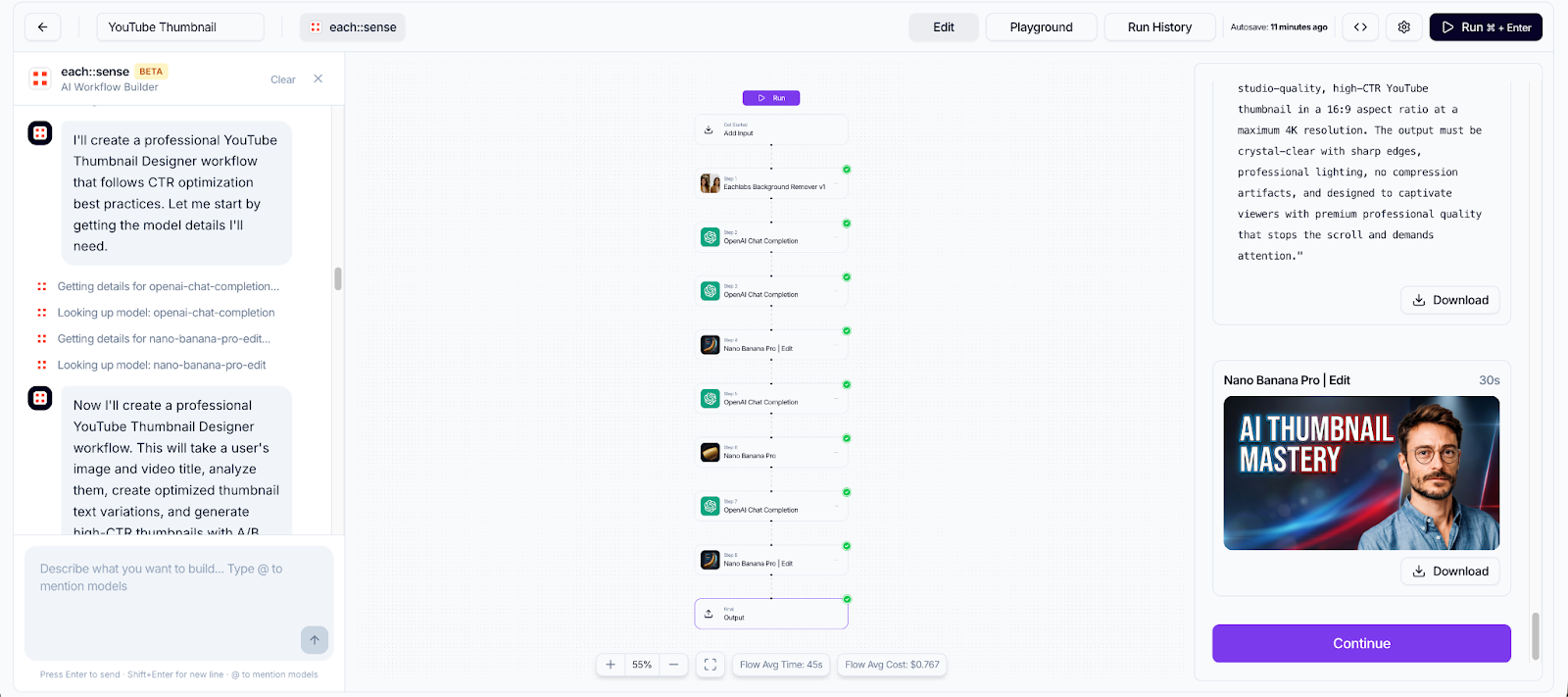
Step 1 — Background Removal
The subject or face is separated from the background. Edges are cleaned, details are preserved, and a clean PNG is created as the foundation for the entire workflow.
Step 2 — Thumbnail Concept Generation
For each variation, the system automatically produces:
- a strong visual hook
- a short, attention-grabbing text suggestion
- the intended emotion or emphasis
- a composition idea for placing text and subject
The goal is not a single image, but a testable set of alternatives.
Step 3 — Text and Readability Rules
For each concept, the system defines:
- clear 2–4 word text options
- mobile-first font choices and layout
- correct placement of emphasis words
This step ensures the thumbnail is understood at a single glance while scrolling.
Step 4 — Visual Enhancement
The main image is refined through adjustments to:
- lighting balance
- contrast
- face and subject sharpness
- color harmony
The objective is a clean, professional look without introducing an artificial feel.
Step 5 — Variation Generation
Each concept is produced in multiple forms:
- alternative backgrounds
- different color atmospheres
- close-up and medium framing options
- alternative composition layouts
This results in comparable alternatives, rather than a single thumbnail per video.
One-Time Input, Continuous Production
Inputs
- Main image (required)
- Video title
- Channel type (optional)
- Target audience (optional)
Outputs
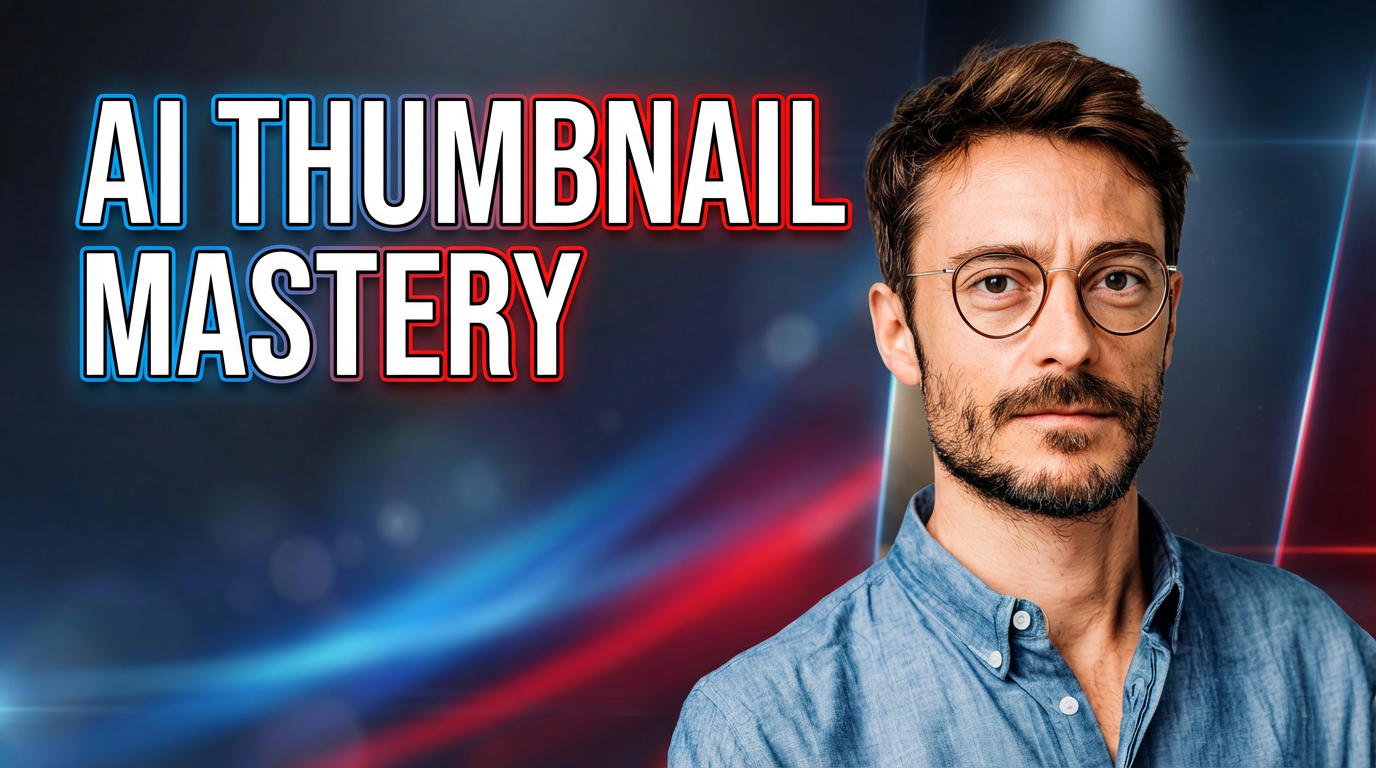
- A YouTube-ready thumbnail
- a short concept description for each visual
Why This Is Better Than Prompting
Prompts are fragile. Workflows scale.
Once you’ve built the right workflow, you can run it:
- for every video
- for every series
- for every A/B test
You stop asking, “Which prompt should I write?” And start asking, “Which version performs better?”
Conclusion
Today, the advantage is not writing better prompts. The advantage is turning your taste and decisions into a reusable system.
With each::sense, your thumbnail strategy stops being a one-off design task. It becomes a workflow that runs reliably for every video you publish.